

Groups that run HubSpot as their CRM and Energy BI as their reporting platform often hit the identical issues inside 1 / 4:
-
advertising and marketing and gross sales information lives in HubSpot whereas govt dashboards reside in Energy BI, so management works from manually exported snapshots as a substitute of reside pipeline numbers,
-
deal updates and speak to adjustments in HubSpot by no means attain the Energy BI fashions that inform forecasting, leaving analysts working from yesterday’s information,
Nonetheless, the 2 platforms ended up coexisting (an information group standardized on Energy BI whereas go-to-market groups selected HubSpot, or a rising firm added BI tooling on prime of a longtime CRM), the longer each run with no connection, the broader the hole between CRM actuality and the reviews that drive selections.
Connecting HubSpot and Energy BI eliminates that hole.
Contacts, offers, tickets, and advertising and marketing engagement information move from HubSpot into Energy BI’s semantic fashions so dashboards mirror reside pipeline state with out guide exports. Marketing campaign efficiency, deal velocity, and buyer lifecycle metrics replace on a schedule (or close to real-time, relying on methodology), so each stakeholder works from the identical numbers.
No first-party connector exists from both HubSpot or Microsoft. As a substitute, groups join the 2 platforms via licensed third-party connectors accessible in each marketplaces (such because the Datawarehouse.io connector), middleware automation instruments (Energy Automate, Zapier, Make), or customized API improvement. Every methodology differs in setup complexity, information protection, refresh frequency, and price.
There’s additionally one drawback no connection methodology solves: the mixing strikes CRM information into dashboards, nevertheless it doesn’t confirm or enhance the information being reported on.
That’s the place ZoomInfo is available in. ZoomInfo integrates with HubSpot for real-time CRM enrichment and connects to Energy BI via the ZoomInfo GTM MCP connector through Energy Automate, in addition to via its Enterprise API and MCP server, so the information flowing from CRM to dashboard is correct and full earlier than it reaches a chart.
This text covers the HubSpot-Energy BI integration: which strategies can be found, what information each handles, set them up, the use instances that justify connecting each platforms, and the restrictions to plan for. It additionally covers how ZoomInfo suits in as an information enrichment layer that strengthens the information flowing between HubSpot and Energy BI.
Let’s begin with an summary of the mixing.
Integration Overview
Does a local integration exist?
Supply: HubSpot
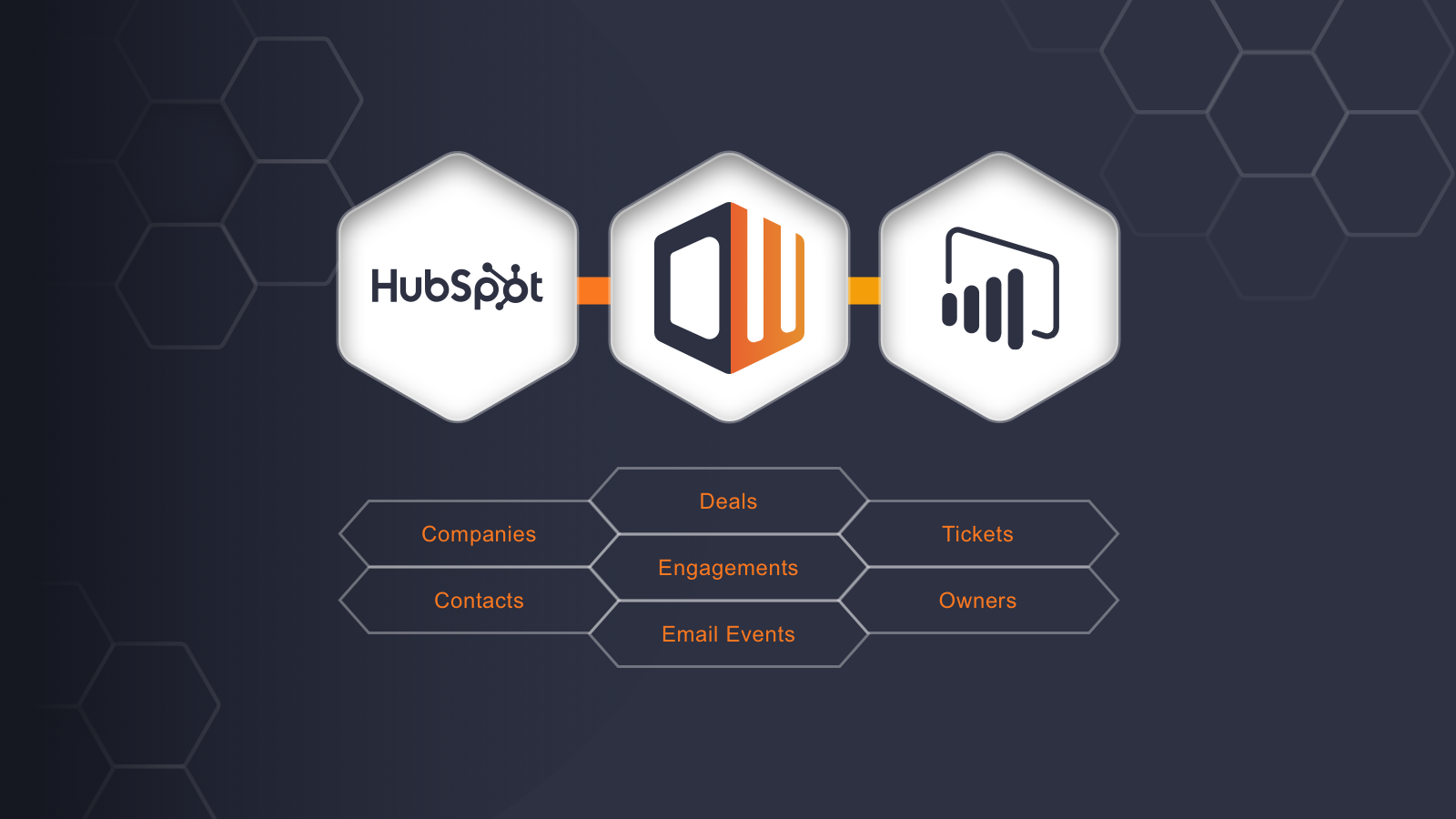
No. Neither HubSpot nor Microsoft has constructed a direct connector to the opposite. Nonetheless, a licensed third-party connector by Datawarehouse.io is out there in each the HubSpot App Market and the Microsoft business market. It syncs HubSpot information via a cloud information warehouse into Energy BI, protecting 100+ HubSpot tables with automated scheduled refreshes.
What information can sync?
Contacts, corporations, offers, tickets, advertising and marketing emails, workflows, varieties, campaigns, line objects, merchandise, and customized objects. The particular tables and fields rely upon the strategy. The Datawarehouse.io connector covers 100+ HubSpot tables. Energy Automate and middleware instruments deal with particular person object varieties per move. Customized API builds can pull something HubSpot’s REST API exposes.
Is the sync bidirectional?
No. The move is one-directional by design. Energy BI is an analytics and reporting platform, not an information entry system. Knowledge flows from HubSpot into Energy BI for visualization and evaluation. Energy BI doesn’t write information again to HubSpot in any customary configuration.
Is it real-time or batch?
The Datawarehouse.io connector runs on scheduled refreshes (frequency relies on plan tier). Energy Automate flows can set off on HubSpot occasions for close to real-time updates. Customized API integrations can refresh Energy BI datasets on a schedule (as much as 8 occasions per day on Energy BI Professional, as much as 48 on Premium). True real-time streaming into Energy BI is feasible via push datasets and the Energy BI REST API, however requires customized improvement.
What are the accessible strategies?
Licensed third-party connector (Datawarehouse.io), middleware automation (Energy Automate, Zapier, Make), and customized API improvement utilizing HubSpot’s REST API and Energy BI’s REST API or push datasets.
|
Technique |
Setup Problem |
Knowledge Circulation |
Actual-time? |
Approximate Price |
|---|---|---|---|---|
|
Datawarehouse.io Connector |
Low |
HubSpot to Energy BI |
Scheduled refresh |
From free tier; paid plans for increased frequency |
|
Energy Automate |
Medium |
HubSpot to Energy BI |
Close to real-time (trigger-based) |
From $15/person/month |
|
Zapier / Make |
Medium |
HubSpot to Energy BI (through middleman) |
Close to real-time |
From $19.99/mo (Zapier); from $10.59/mo (Make) |
|
Customized API |
Excessive |
HubSpot to Energy BI |
Configurable |
Developer time + internet hosting |
One distinction value settling upfront: the Datawarehouse.io connector handles ongoing, scheduled information sync of the total HubSpot information mannequin into Energy BI, making it the closest factor to a plug-and-play resolution. Middleware instruments like Energy Automate deal with event-driven flows with narrower information protection per workflow. Customized API builds supply probably the most flexibility however require improvement sources to construct and keep.
Integration Strategies
Datawarehouse.io Connector (Licensed Market App)
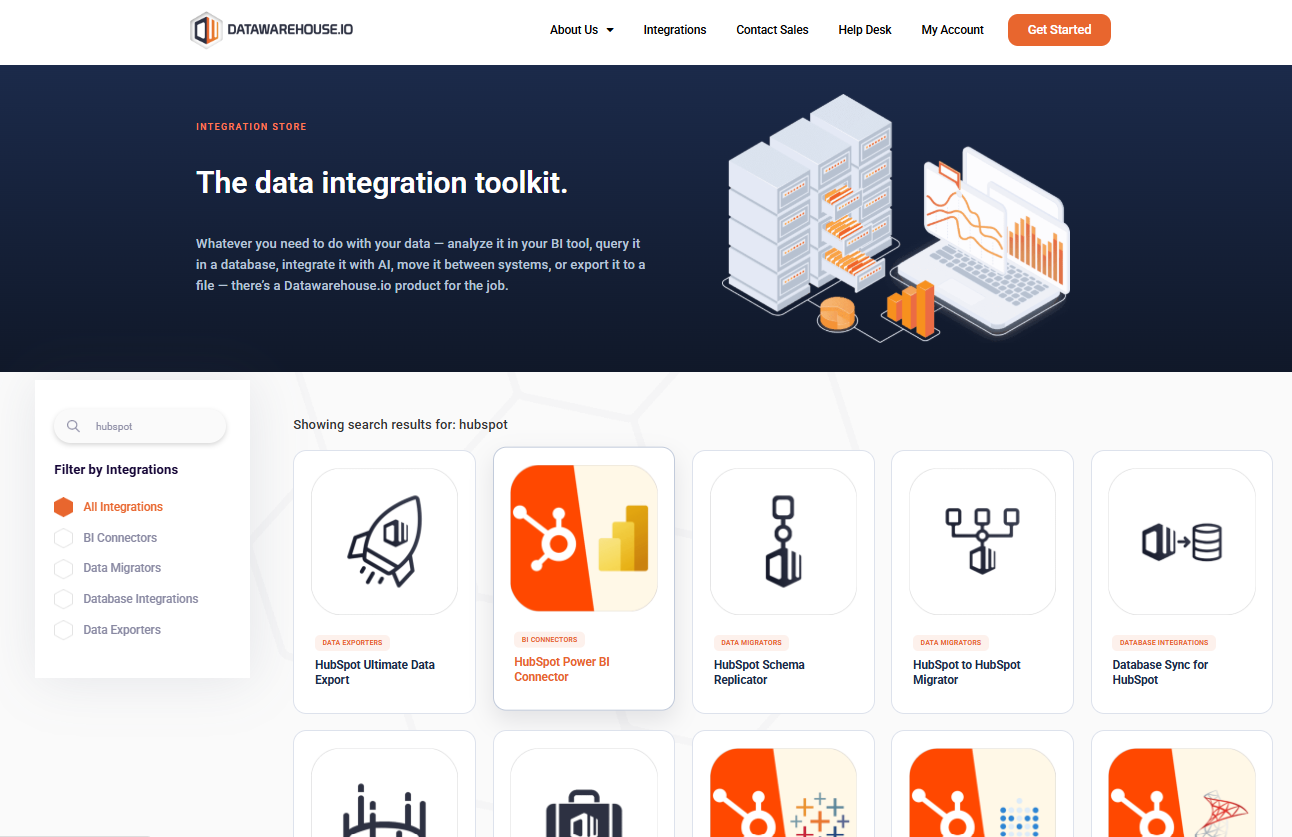
The way it works: The Datawarehouse.io connector is a licensed integration accessible in each the HubSpot App Market and the Microsoft business market. It syncs HubSpot information via a managed cloud information warehouse into Energy BI. The connector handles the ETL pipeline: it extracts information from HubSpot’s API, transforms it right into a Energy BI-compatible schema, and masses it right into a cloud warehouse that Energy BI connects to as an information supply.
Supply: Datawarehouse
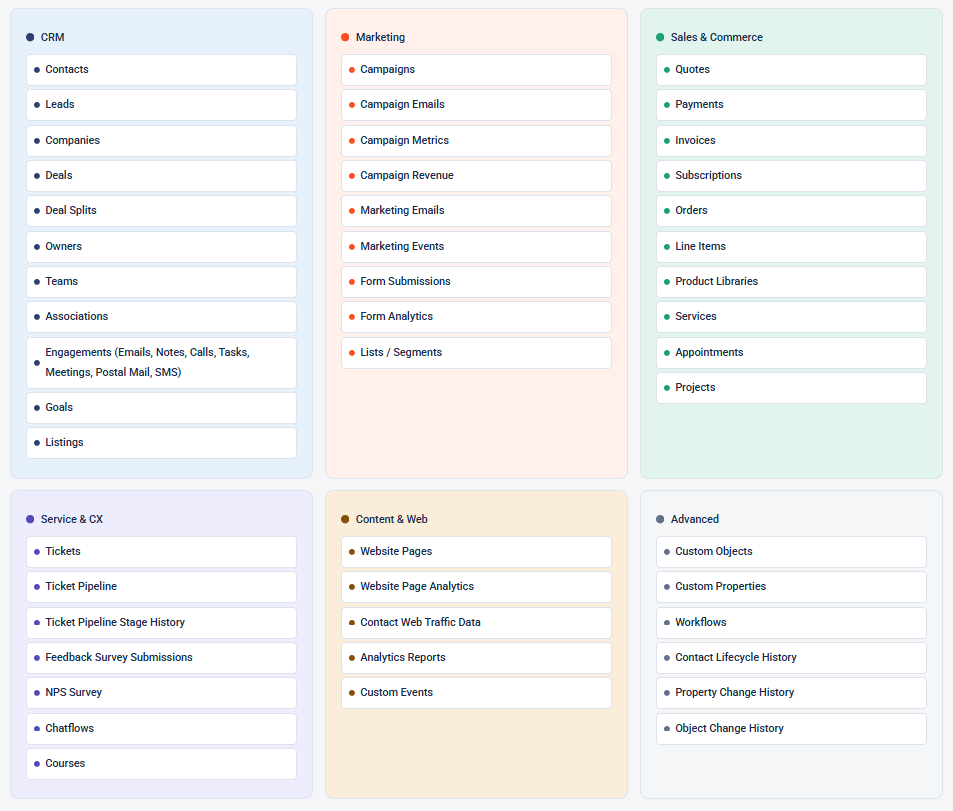
What it syncs: Over 100 HubSpot tables together with contacts, corporations, offers, tickets, advertising and marketing emails, workflows, varieties, campaigns, line objects, merchandise, engagements, and pipeline levels. Customized properties sync alongside customary fields.
Supply: Datawarehouse
Matches: ongoing scheduled sync of the total HubSpot information mannequin into Energy BI; the widest information protection of any accessible methodology.
Setup course of:
-
Construct your semantic mannequin in Energy BI by deciding on the synced HubSpot tables, defining relationships between objects (contacts to corporations, offers to line objects), and creating DAX measures for the metrics you want.
Strengths: Widest information protection of any methodology, with 100+ HubSpot tables accessible. No customized code required. Licensed in each marketplaces. Handles schema adjustments and new HubSpot objects with out guide pipeline upkeep. The cloud information warehouse middleman means Energy BI queries run towards an optimized information retailer fairly than hitting HubSpot’s API immediately.
Limitations: Provides a third-party dependency and a cloud information warehouse layer between HubSpot and Energy BI. Refresh frequency relies on plan tier (free tiers could also be restricted to each day syncs). Paid plans carry extra value on prime of HubSpot and Energy BI subscriptions. The middleman warehouse means information just isn’t real-time.
Finest for: Groups that need full HubSpot information protection in Energy BI with minimal technical setup. Organizations constructing govt dashboards, pipeline analytics, or advertising and marketing attribution reviews that want the total HubSpot information mannequin.
Energy Automate (Microsoft Native Middleware)
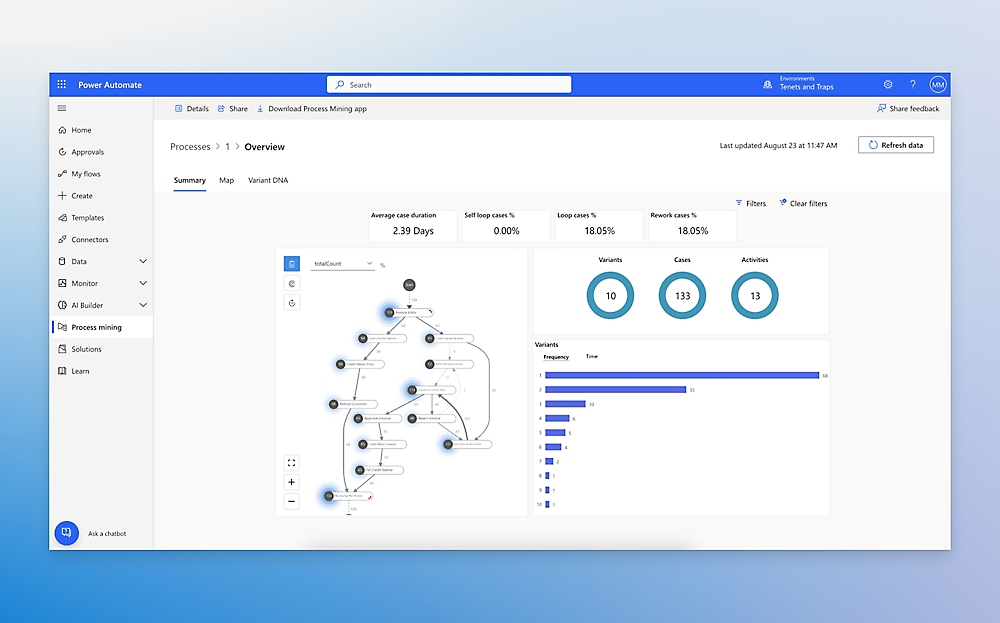
The way it works: Energy Automate is Microsoft’s workflow automation platform. It connects to HubSpot via the HubSpot connector and might push information into Energy BI datasets utilizing the Energy BI connector. Flows can set off on HubSpot occasions (new contact, deal stage change) or run on a schedule, extracting information from HubSpot and writing it to a Energy BI push dataset or streaming dataset.
Supply: Microsoft
What it syncs: Particular person HubSpot objects per move (contacts, corporations, offers, tickets). Every object kind requires its personal move. Customized fields might be mapped manually. Energy Automate additionally helps the ZoomInfo GTM connector, letting enriched information move via the identical automation layer.
Matches: event-driven sync of particular HubSpot objects into Energy BI; helpful for real-time dashboards monitoring deal stage adjustments or new lead quantity.
Setup course of:
Strengths: A local Microsoft product, so it integrates tightly with Energy BI and Microsoft 365. Helps event-driven triggers for close to real-time updates. Can mix HubSpot information with information from different connectors (together with the ZoomInfo GTM connector) in a single move. Included in lots of Microsoft 365 enterprise licenses at no extra value.
Limitations: Every HubSpot object kind requires a separate move. Push datasets in Energy BI have restricted question and DAX capabilities in comparison with imported fashions. Excessive-volume information extraction from HubSpot might hit API price limits (100 to 190 requests per 10 seconds relying on plan tier). Constructing and sustaining a number of flows provides operational overhead.
Finest for: Groups already on the Microsoft stack that need close to real-time HubSpot information in Energy BI with out including a third-party device. Operations groups monitoring particular metrics (new leads per hour, deal stage adjustments) that want sooner refresh than each day batch syncs.
Zapier / Make (Third-Social gathering Automation)
The way it works: Zapier and Make are general-purpose automation platforms that join HubSpot and Energy BI via event-driven workflows. Each supply HubSpot connectors with broad set off and motion assist. For Energy BI, the information usually flows via an middleman (a Google Sheet, Excel file in OneDrive, or a database) that Energy BI then connects to as an information supply, since neither Zapier nor Make provides a direct Energy BI push motion.
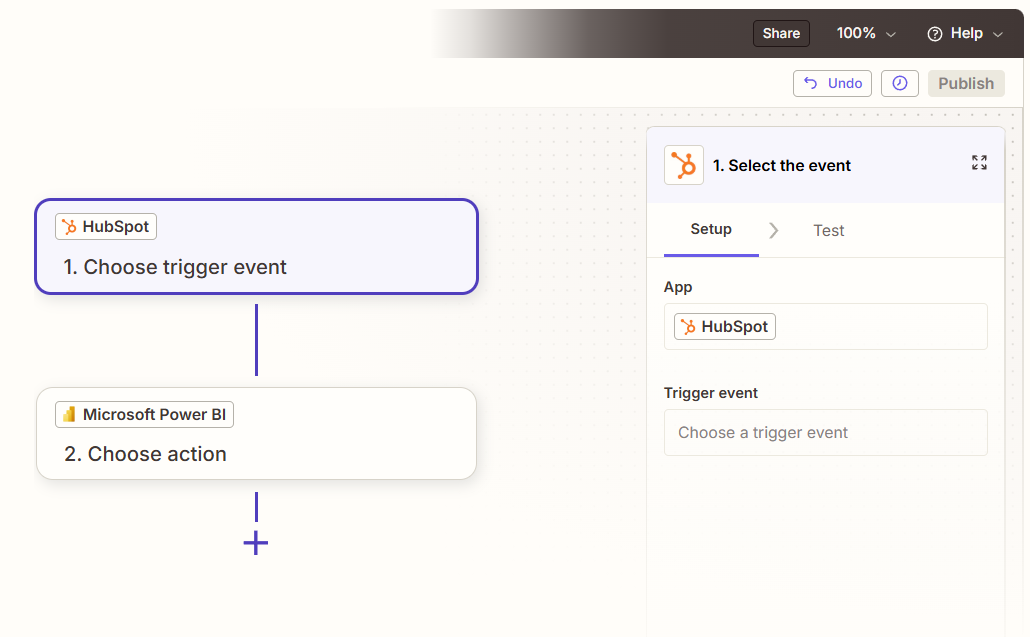
What it syncs: Contacts, corporations, offers, tickets, and type submissions from HubSpot. Every object kind requires its personal automation (Zap or Situation). The info lands in an middleman retailer (spreadsheet, database, or webhook endpoint) that Energy BI refreshes from.
Matches: ongoing sync of particular HubSpot occasions into Energy BI through an middleman information retailer; sensible for groups already utilizing Zapier or Make for different automations.
Setup course of:
-
Add an motion to put in writing the information to an middleman retailer: a Google Sheet, an Excel file in OneDrive/SharePoint, or a cloud database.
-
In Energy BI Desktop, hook up with the middleman retailer as an information supply (Excel, Google Sheets through connector, or the database immediately).
Strengths: No-code setup for the HubSpot-to-intermediary connection. Each platforms have giant template libraries. Helpful for groups already paying for Zapier or Make that need to lengthen present automations. Make’s visible situation builder helps branching, filtering, and information transformation.
Limitations: The middleman step provides latency and complexity. Knowledge should move via a spreadsheet or database earlier than reaching Energy BI, which creates a possible failure level. Every HubSpot object kind requires a separate automation. At excessive volumes, Zapier’s per-task pricing and Make’s per-operation pricing can add up. Historic information created earlier than the automation was activated doesn’t sync.
Finest for: Small groups already utilizing Zapier or Make that need to add HubSpot information to Energy BI dashboards with out investing in a devoted connector or customized improvement. Groups monitoring a handful of particular metrics (new MQLs, closed-won offers) fairly than the total HubSpot information mannequin.
Customized API Integration
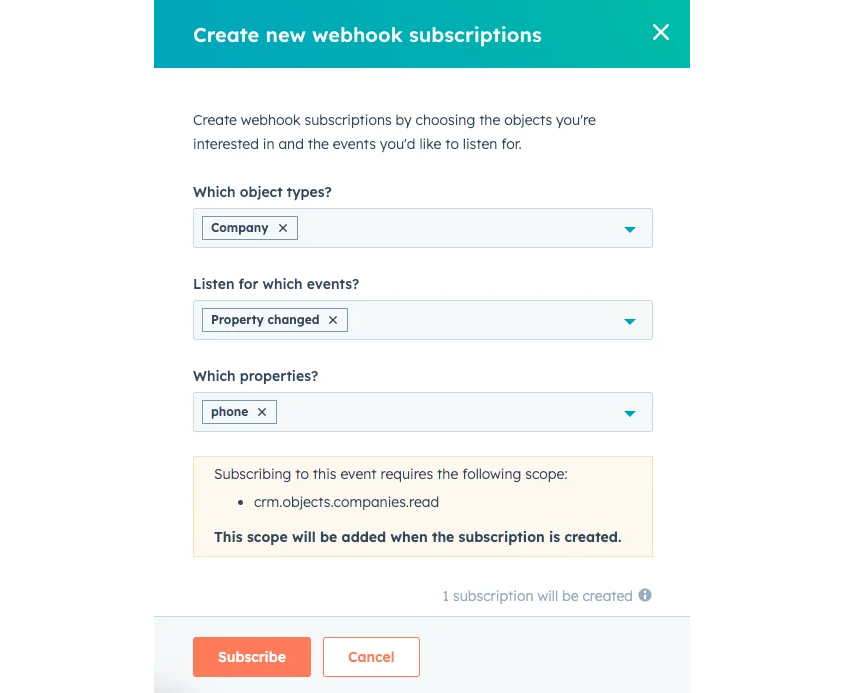
The way it works: HubSpot offers a REST API protecting all CRM objects, advertising and marketing information, and engagement historical past. Energy BI provides a REST API for dataset administration, a push datasets function for streaming information in, and Energy Question with a Net connector for pulling information from any REST endpoint. A customized integration connects these APIs with middleware dealing with authentication, pagination, information transformation, and scheduling.
What it syncs: Something HubSpot’s API exposes. This contains all customary objects (contacts, corporations, offers, tickets, merchandise, line objects, quotes, advertising and marketing occasions), customized objects, engagement information (emails, calls, conferences, notes), pipeline configurations, and webhook-driven occasions. On the Energy BI facet, information might be pushed into streaming datasets, imported through Energy Question utilizing customized M scripts, or loaded right into a database that Energy BI connects to.
Supply: HubSpot
Matches: both one-time information migration or ongoing sync; the one methodology with no ceiling on information protection or transformation complexity.
Setup course of:
-
Design the information pipeline: determine which HubSpot objects and fields to extract, rework them for Energy BI’s tabular mannequin, and the place to stage the information (direct push to Energy BI, or a database/information warehouse as an middleman).
-
Construct the extraction layer: a server-side software or script that authenticates with HubSpot, paginates via information, handles price limits (100 to 190 requests per 10 seconds relying on plan), and writes the information to your staging layer.
-
Construct the loading layer: use the Energy BI REST API to push rows right into a dataset, or configure Energy BI to hook up with your staging database. For Energy Question-based approaches, write customized M queries that decision HubSpot’s API immediately from Energy BI Desktop.
-
Schedule and automate: deploy the pipeline on a cron schedule (Azure Features, AWS Lambda, or a devoted server). Configure Energy BI scheduled refresh to align with the pipeline’s extraction cadence.
Strengths: Full management over what information syncs, the way it transforms, and when it refreshes. Can deal with advanced enterprise logic (customized subject mappings, cross-object calculations, information high quality guidelines). No per-record or per-operation charges from a third-party connector. Can implement incremental sync utilizing HubSpot’s search API with lastmodifieddate filters to reduce API calls.
Limitations: Requires improvement sources to construct and keep. Each APIs evolve independently (HubSpot launched date-based API versioning in March 2026; Energy BI’s API variations with every Material launch). You personal the infrastructure, monitoring, and error restoration. The preliminary construct takes days to weeks, not hours.
Finest for: Enterprise groups with advanced reporting necessities that no off-the-shelf connector satisfies. Organizations with in-house improvement groups that want full management over the information pipeline. Firms with giant HubSpot situations the place connector pricing at scale turns into cost-prohibitive.
Key Use Circumstances
1. Govt Pipeline and Income Dashboards
Management wants a single view of pipeline well being, deal velocity, and income forecasting throughout the group. HubSpot holds the deal information; Energy BI offers the visualization layer with drill-through, cross-filtering, and DAX-powered calculations that HubSpot’s native reporting can’t match. A scheduled sync (through the Datawarehouse.io connector or a customized pipeline) retains the Energy BI semantic mannequin present so executives entry reside dashboards in Groups or PowerPoint fairly than ready for exported spreadsheets.
Finest integration methodology: Datawarehouse.io connector (widest information protection with minimal setup) or customized API (for advanced multi-object fashions).
2. Advertising Attribution and Marketing campaign ROI Evaluation
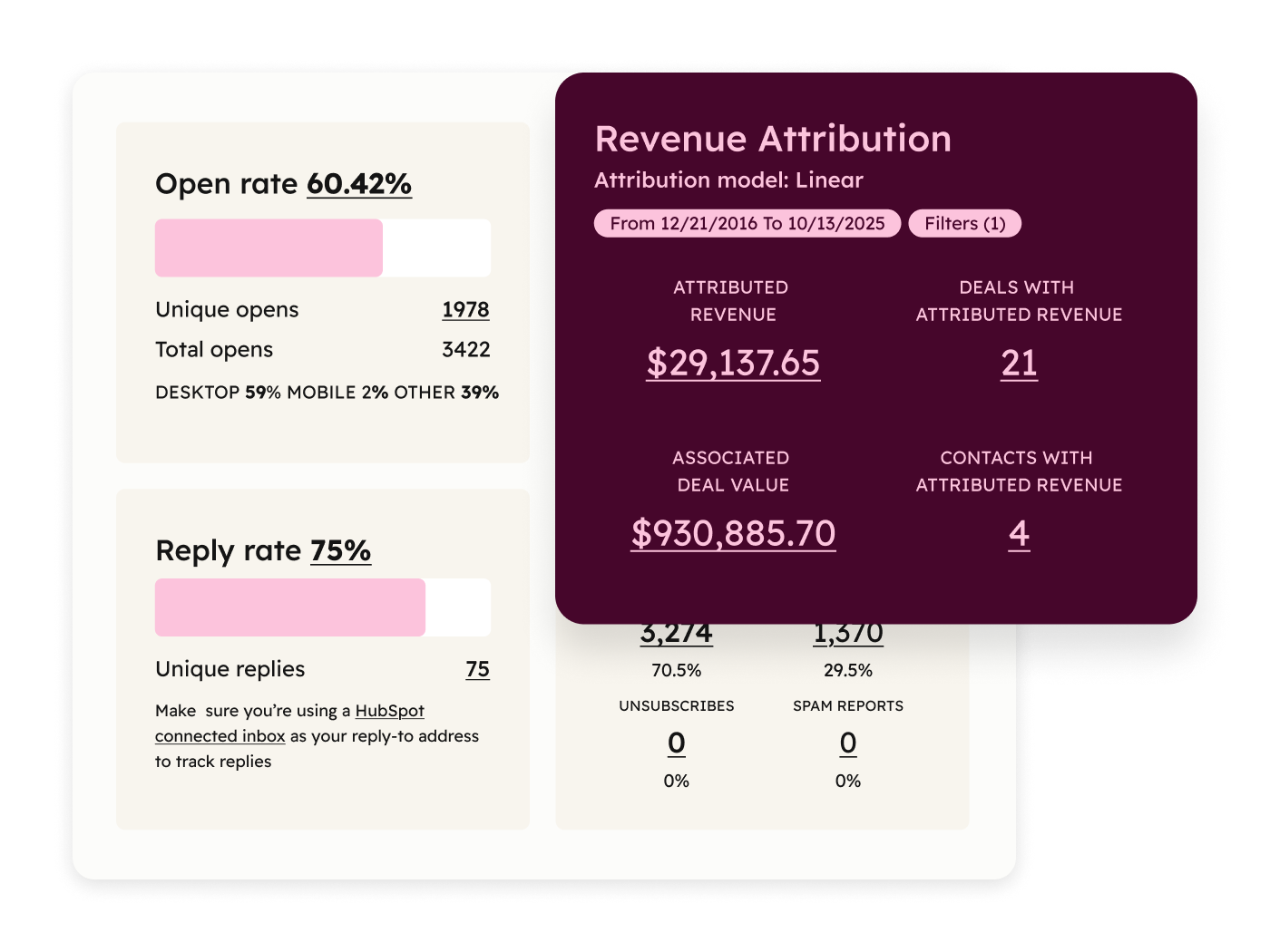
Advertising groups observe marketing campaign efficiency in HubSpot (e mail opens, type submissions, touchdown web page conversions) however want to attach that information to downstream deal outcomes for multi-touch attribution. Energy BI’s modeling capabilities let analysts construct attribution fashions that span the total funnel, from first web site go to via closed-won deal, utilizing information from a number of HubSpot objects joined in a single semantic mannequin.
Supply: HubSpot
Finest integration methodology: Datawarehouse.io connector (covers advertising and marketing emails, campaigns, varieties, contacts, and offers in a single sync) or customized API (for customized attribution logic).
3. Actual-Time Lead Quantity Monitoring
SDR managers must see new inbound leads showing in close to real-time to allow them to monitor queue depth, response occasions, and task distribution all through the day. A Energy Automate move triggered by new HubSpot contacts can push lead information right into a Energy BI streaming dataset, powering a reside dashboard that auto-refreshes with out guide intervention.
Finest integration methodology: Energy Automate (event-driven triggers with close to real-time push to Energy BI streaming datasets).
4. Buyer Service Ticket Analytics
Service groups utilizing HubSpot’s Service Hub observe tickets, SLAs, and buyer satisfaction scores. Energy BI permits deeper evaluation: ticket quantity tendencies, decision time distributions, SLA compliance charges by group or tier, and correlation between service high quality and retention. Energy BI’s conditional formatting, alerting, and scheduled e mail subscriptions flip this information into an operational monitoring system.
Finest integration methodology: Datawarehouse.io connector (covers tickets, contacts, and corporations) or customized API (for becoming a member of ticket information with customized objects or exterior information sources).
5. Gross sales Rep Efficiency and Teaching
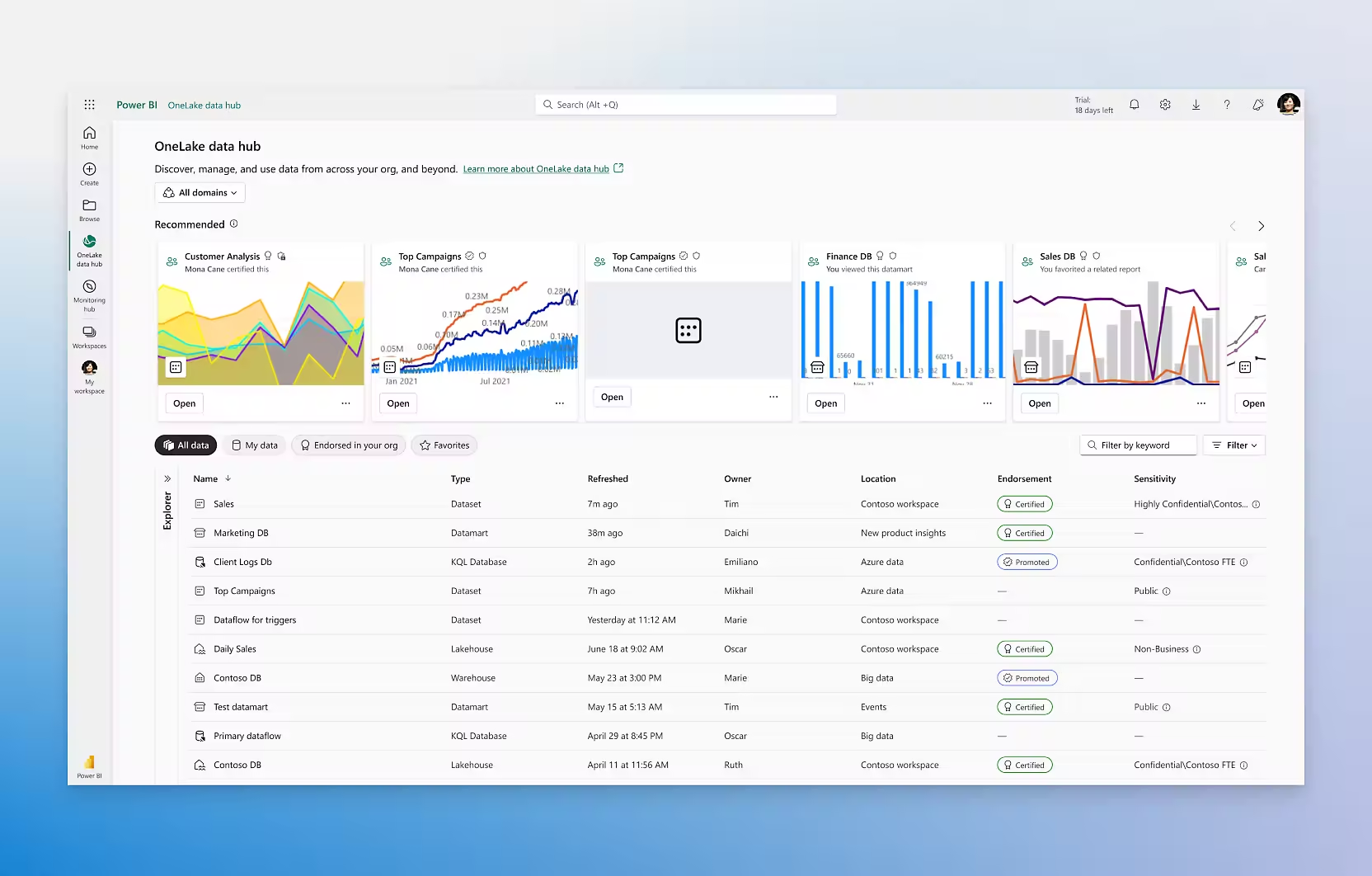
Gross sales managers want to grasp rep-level exercise metrics (calls logged, emails despatched, conferences booked) alongside final result metrics (offers created, win price, common deal measurement). HubSpot captures the exercise information; Energy BI allows the comparative evaluation, benchmarking, and pattern visualization that informs teaching conversations and territory planning.
Supply: Microsoft
Finest integration methodology: Datawarehouse.io connector or customized API (for combining engagement information with deal and speak to information in a multi-table mannequin).
Limitations and Issues
One-Directional Knowledge Circulation
Each methodology on this information strikes information in a single route: from HubSpot to Energy BI. Energy BI is a reporting and analytics platform, not a transactional system. It doesn’t write information again to HubSpot. Groups that want bidirectional workflows (e.g., updating a HubSpot contact based mostly on a Energy BI perception) should construct that reverse move individually, usually via Energy Automate or a customized integration.
No First-Social gathering Connector
Neither HubSpot nor Microsoft has constructed a direct connector between the 2 platforms. Each integration methodology depends on a 3rd celebration (Datawarehouse.io, Energy Automate, Zapier, Make) or customized improvement. Connector stability, pricing, and have set are managed by events outdoors HubSpot and Microsoft.
API Charge Limits on Each Sides
HubSpot enforces price limits beginning at 100 requests per 10 seconds for personal apps on Free and Starter plans, scaling to 190 requests per 10 seconds on Skilled and Enterprise. Day by day limits vary from 250,000 to 1,000,000 requests relying on tier. Energy BI Professional helps as much as 8 scheduled refreshes per day; Premium and Material capability assist as much as 48. Groups with giant HubSpot situations (tens of hundreds of contacts and offers) should design extraction pipelines that respect each platforms’ limits, or face throttled syncs and off dashboards.
Knowledge Mannequin Complexity
HubSpot’s information mannequin (contacts, corporations, offers, tickets, engagements, customized objects) maps to a relational construction, however Energy BI’s semantic modeling layer works finest with star schema designs. Translating HubSpot’s many-to-many associations (a contact can belong to a number of corporations and a number of offers) right into a clear Energy BI mannequin requires deliberate design. The Datawarehouse.io connector handles a lot of this mapping, however customized API builds require modeling experience to keep away from question efficiency points and incorrect aggregations.
Pricing at Scale
Prices compound throughout three layers: HubSpot subscription (API entry scales by plan tier), Energy BI licensing (Professional at $14/person/month, Premium Per Person at $24/person/month, or Material capability for broader distribution), and the connector or middleware device (Datawarehouse.io plans, Energy Automate licenses, or improvement prices for customized builds). Mannequin complete value of possession earlier than committing to a way.
Permissions and Entry
Establishing the mixing requires admin entry on each side. In HubSpot, you want tremendous admin rights to create non-public apps and authorize OAuth connections. In Energy BI, workspace admin or member entry is required to configure datasets and scheduled refresh. For Energy Automate, a license with premium connector entry could also be required relying on the connectors used.
What No Technique Fixes: The Knowledge Itself
Each methodology above strikes information from HubSpot into Energy BI. None of them checks whether or not these information are correct, full, or present. A contact with a fallacious job title in HubSpot exhibits up with a fallacious job title in a Energy BI dashboard. A deal tied to an organization whose information is stale produces a forecast constructed on stale assumptions. The combination ensures Energy BI displays what HubSpot comprises; it doesn’t guarantee HubSpot comprises what’s true.
The place ZoomInfo Matches In
Each methodology on this information strikes information from HubSpot into Energy BI. None of them improves the information being reported on. When the mixing is reside however pipeline dashboards relaxation on contacts with outdated titles, corporations with fallacious income ranges, and offers connected to prospects who left their corporations two quarters in the past, the bottleneck is now not the connector. That’s the hole ZoomInfo closes.
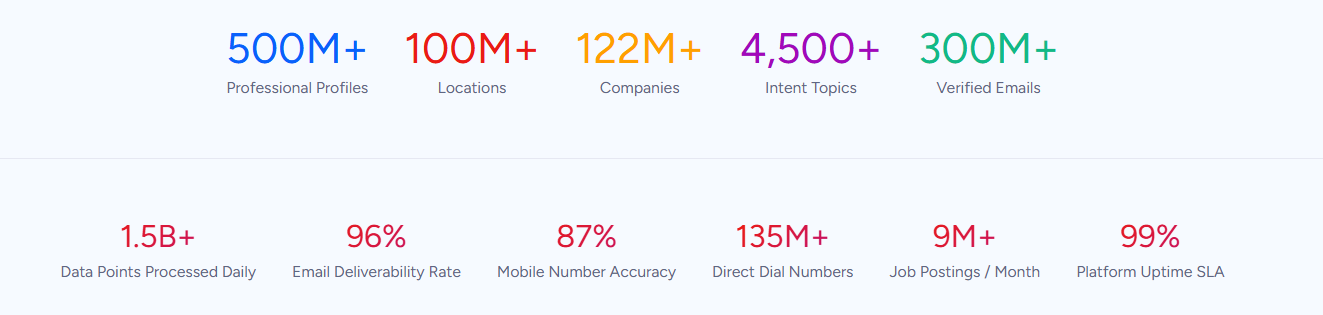
ZoomInfo is a B2B information and go-to-market platform constructed on 500M contacts, 100M corporations, 135M+ verified telephone numbers, and 200M+ verified enterprise emails. That information is verified via a multi-source pipeline backed by 300+ human researchers and reaching as much as 95% accuracy on first-party information. For groups operating a HubSpot-to-Energy BI integration, ZoomInfo addresses the information high quality layer that no connector handles.
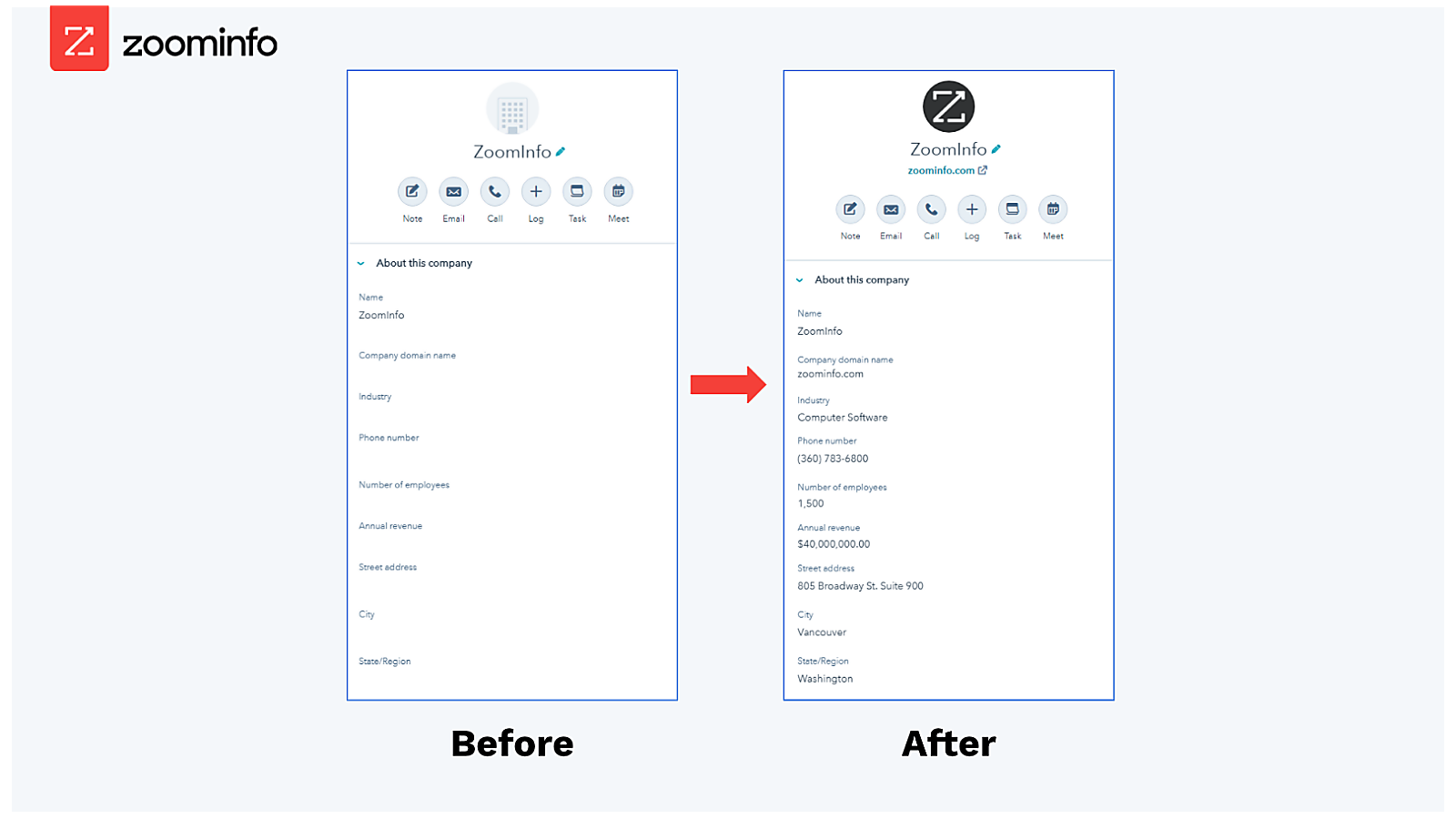
ZoomInfo integrates with HubSpot via the ZoomInfo Inbound Enrich app, offering real-time contact enrichment, automated database refresh, and lead scoring workflows inside HubSpot CRM. New leads captured via HubSpot varieties are robotically enriched with verified enterprise emails, direct dials, job titles, firm attributes, and technographic information earlier than a rep touches the document.
Supply: HubSpot
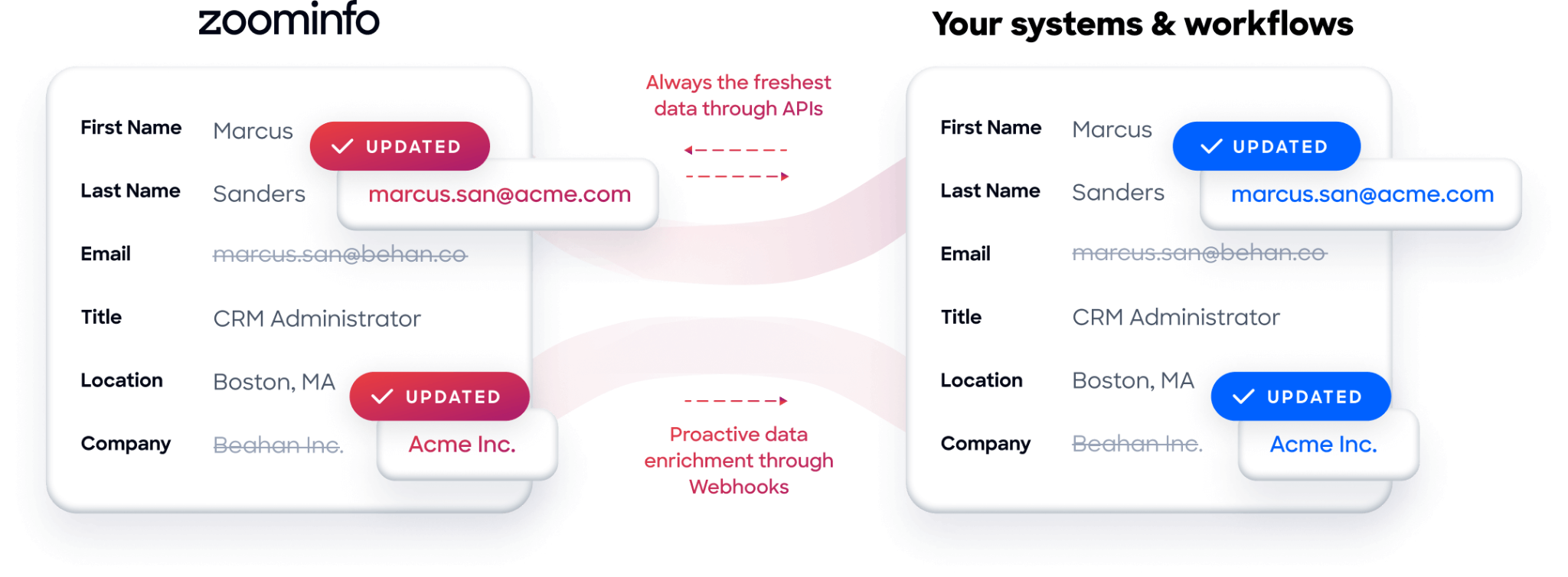
On the Energy BI facet, ZoomInfo connects via the ZoomInfo GTM MCP connector through Energy Automate, letting enriched firm and speak to information move into Energy BI dashboards via the identical automation layer. ZoomInfo’s Enterprise API and MCP server lengthen this entry to any customized pipeline or AI agent.
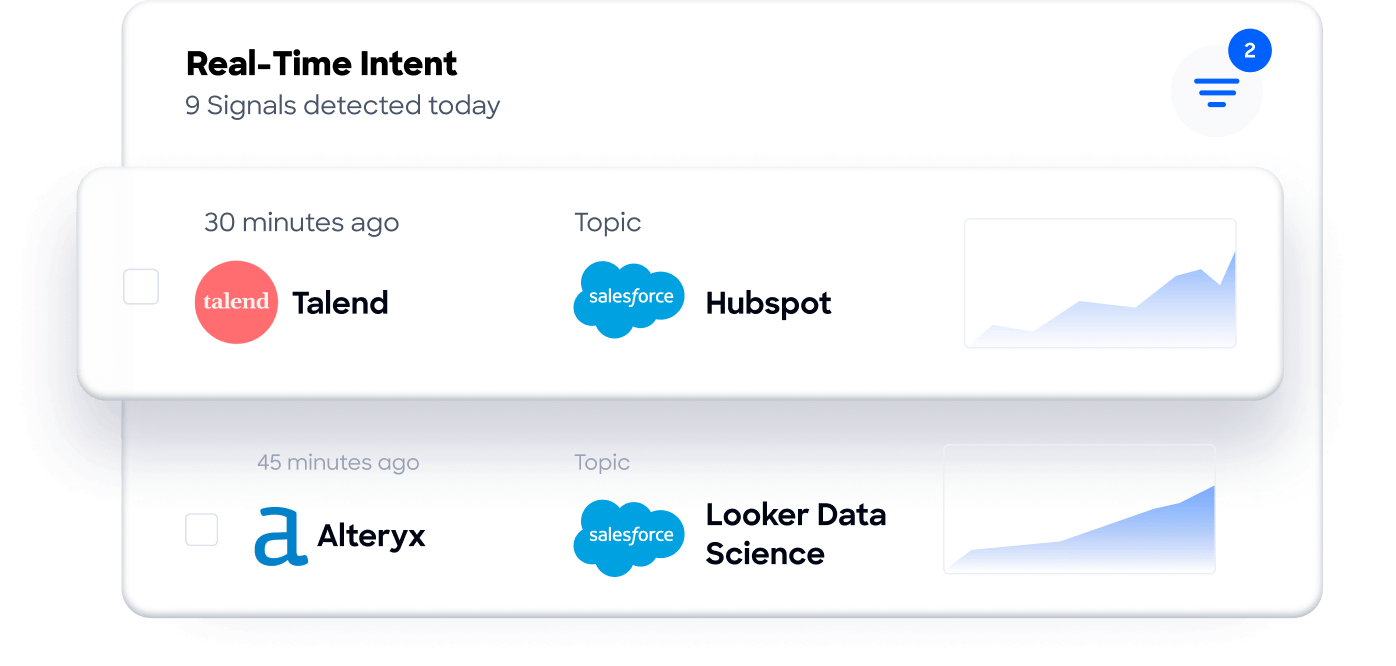
The identical information feeds ZoomInfo’s GTM Context Graph, an intelligence layer that processes 1.5B+ information factors each day by combining third-party intelligence with CRM information, dialog transcripts, and behavioral indicators to floor not simply what occurred in a deal, however why. Purchaser Intent information from ZoomInfo, monitoring indicators from 210 million IP-to-Group pairings, might be routed into HubSpot after which into Energy BI, including a layer of shopping for sign information that neither platform generates by itself.
In apply, a group operating each platforms can use ZoomInfo to complement HubSpot information repeatedly (retaining the CRM correct), then sync these enriched information to Energy BI via no matter connector they’ve chosen. The outcome: Energy BI dashboards constructed on verified contacts, present firm attributes, and correct deal context fairly than decaying CRM information. Fewer clean fields imply extra full reviews. Constant formatting throughout information reduces noise in segmentation evaluation. And intent indicators give analysts a dimension of information (which accounts are actively researching options) that makes pipeline dashboards predictive fairly than historic.
Seismic’s gross sales group attributed 39% of energetic pipeline to alternatives recognized or influenced by ZoomInfo indicators, whereas boosting productiveness by 54% and saving 11.5 hours per week. (Seismic)
Ultimate Verdict
No first-party connector exists between HubSpot and Energy BI. Each connection methodology runs via a third-party device, Microsoft’s automation layer, or customized improvement. For many groups, the proper alternative relies on information protection wants and technical sources.
-
Small groups that want the total HubSpot information mannequin in Energy BI with out writing code ought to begin with the Datawarehouse.io connector. It covers 100+ HubSpot tables, handles the ETL pipeline, and is licensed in each marketplaces.
-
Groups on the Microsoft stack that want close to real-time event-driven sync for particular metrics ought to take a look at Energy Automate. It integrates with Energy BI and might set off on HubSpot occasions, although every object kind requires a separate move.
-
Organizations with advanced information fashions, customized objects, or reporting logic that no off-the-shelf device satisfies ought to put money into a customized API integration utilizing HubSpot’s REST API and Energy BI’s dataset APIs.
Earlier than committing to a way, make clear what the dashboards must reply.
If the purpose is operational monitoring (lead quantity, deal stage adjustments, ticket response occasions), event-driven strategies like Energy Automate ship the freshest information. If the purpose is strategic evaluation (pipeline forecasting, advertising and marketing attribution, buyer lifecycle reporting), batch-sync strategies just like the Datawarehouse.io connector present the breadth of information that advanced fashions require. Both approach, the standard of the information in HubSpot determines whether or not the dashboards inform an correct story or only a detailed one.
ZoomInfo, with its HubSpot integration, Energy Automate connector, and API and MCP entry, is the information enrichment layer that retains HubSpot correct so Energy BI can report on actuality.
FAQ
Can I join HubSpot to Energy BI with out writing code?
Sure. The Datawarehouse.io connector, accessible in each the HubSpot App Market and the Microsoft business market, offers a no-code connection that syncs 100+ HubSpot tables into Energy BI via a managed cloud information warehouse. Energy Automate additionally provides a no-code possibility for event-driven flows, although every HubSpot object kind requires a separate workflow.
Does HubSpot or Energy BI supply a local connector to the opposite?
No. Neither HubSpot nor Microsoft has constructed a first-party connector between the 2 platforms. All integration strategies depend on third-party connectors (Datawarehouse.io), Microsoft’s automation platform (Energy Automate), general-purpose middleware (Zapier, Make), or customized API improvement.
How typically can Energy BI refresh information from HubSpot?
Refresh frequency relies on the strategy and Energy BI license. Energy BI Professional helps as much as 8 scheduled dataset refreshes per day. Energy BI Premium Per Person and Material capability assist as much as 48 refreshes per day. Push datasets and streaming datasets (used with Energy Automate) can replace in close to real-time. The Datawarehouse.io connector’s refresh frequency relies on plan tier.
Can I pull customized objects and customized properties from HubSpot into Energy BI?
Sure, however assist varies by methodology. The Datawarehouse.io connector helps customized properties on customary objects. Customized API integrations can entry any customized object or property that HubSpot’s API exposes (customized objects require the Schemas and Objects APIs). Energy Automate and Zapier can entry customized properties on customary objects however might have restricted assist for customized object varieties.
What HubSpot plan do I would like for the mixing?
HubSpot’s API is out there on all plans, together with Free, although price limits and each day name quotas scale by tier. Free and Starter plans are restricted to 100 requests per 10 seconds and 250,000 requests per day. Skilled plans enable 190 requests per 10 seconds and 625,000 per day. Enterprise plans enable 190 requests per 10 seconds and 1,000,000 per day. The Datawarehouse.io connector works with any HubSpot plan that grants API entry.
What Energy BI license do I would like?
Energy BI Desktop (free) is enough for constructing reviews domestically. To publish, share, and schedule refresh within the Energy BI service, you want at the least Energy BI Professional ($14/person/month). Premium Per Person ($24/person/month) provides increased refresh frequency, bigger mannequin sizes, and superior AI options. For distributing dashboards to a broad viewers with out requiring every viewer to carry a Professional license, Material capability (F64 or increased) is required.
How does ZoomInfo enhance a HubSpot-to-Energy BI workflow?
ZoomInfo solves the information high quality drawback upstream of the reporting. Earlier than information flows from HubSpot to Energy BI, ZoomInfo’s HubSpot integration enriches CRM information with verified enterprise emails, direct dials, job titles, firm attributes, and technographic information. The contacts, corporations, and offers that attain Energy BI dashboards carry correct, present info fairly than decaying CRM entries. ZoomInfo’s Purchaser Intent information provides shopping for sign intelligence that makes pipeline dashboards predictive, not simply historic.
Is real-time sync doable between HubSpot and Energy BI?
Close to real-time sync is achievable via Energy Automate flows triggered by HubSpot occasions, pushing information into Energy BI streaming or push datasets. True sub-second real-time sync requires a customized integration utilizing HubSpot webhooks and the Energy BI REST API’s push dataset endpoints. Most groups discover that scheduled refresh (each quarter-hour to each few hours) is enough for his or her reporting wants.
See HubSpot along with your different instruments:

