

Groups that run HubSpot and Dynamics 365 aspect by aspect uncover the identical issues inside 1 / 4:
Nevertheless the 2 platforms ended up coexisting (a advertising staff that adopted HubSpot whereas the remainder of the group runs on Dynamics 365, an acquisition that introduced a second CRM into the stack, or departments selecting the software that matches their workflow), the longer each function independently, the broader the hole between them grows and the more durable it turns into to belief both system as a supply of reality.
Connecting HubSpot and Dynamics 365 closes that hole.
Contacts created in HubSpot circulate into Dynamics 365 as Leads or Contacts so gross sales groups work from present data with out re-entering knowledge. Offers and Alternatives keep aligned throughout each platforms so income reporting displays the identical numbers no matter which system a supervisor opens.
Exercise historical past, lifecycle stage modifications, and customized subject updates transfer between the 2 so handoffs between advertising and gross sales carry full context.
HubSpot affords a native Dynamics 365 connector free on all HubSpot plans, supporting close to real-time bidirectional sync of core CRM objects.
For groups needing extra customization, third-party automation instruments (Zapier, Make), devoted middleware (Skyvia), and customized API improvement present various paths. Every technique differs in setup complexity, sync course, knowledge protection, and price.
One downside no connection technique solves: the sync strikes data between methods, nevertheless it doesn’t confirm, full, or enhance the information inside them.
That’s the place ZoomInfo is available in. ZoomInfo integrates natively with each HubSpot and Microsoft Dynamics 365, and affords API and MCP entry that may feed verified, enriched knowledge into both platform, so each methods sync data which might be correct and full earlier than they journey between them.
This text covers the HubSpot-Dynamics 365 integration panorama: which strategies can be found, what knowledge each handles, find out how to set them up, the use circumstances that justify connecting each platforms, and the constraints to plan for. It additionally covers how ZoomInfo matches in as a knowledge enrichment layer for each platforms.
Let’s begin with an outline of the mixing.
Integration Overview
Does a local integration exist?

Supply: HubSpot
Sure. HubSpot affords a native Microsoft Dynamics 365 connector via the HubSpot Market. The mixing helps bidirectional sync of Contacts, Leads, Accounts, and Offers (mapped to HubSpot Firms and Offers), and is free on all HubSpot plans, together with the free tier.
What knowledge can sync?
Contacts, Leads, Accounts/Firms, and Offers/Alternatives are the core objects. Customized subject mappings are supported, and exercise knowledge (emails, notes) can sync relying on the tactic.
The native connector handles major CRM objects; third-party instruments and customized API builds can prolong this to further objects and customized entities.
Is the sync bidirectional?
Sure. The native HubSpot connector helps bidirectional sync, which means modifications in both platform propagate to the opposite. Third-party instruments like Zapier default to one-way sync per workflow, however bidirectional sync is achievable with further configuration.
Is it real-time or batch?
The native connector operates in close to real-time, syncing modifications inside minutes of an replace. Zapier triggers hearth inside 1 to fifteen minutes relying on plan tier. Middleware instruments like Skyvia run on configurable schedules (as frequent as each 5 minutes). Customized API integrations can obtain real-time sync via webhooks on each platforms.
What are the accessible strategies?
Native HubSpot-Dynamics 365 connector, third-party automation (Zapier, Make), CRM sync middleware (Skyvia), and customized API improvement.
|
Technique |
Setup Issue |
Knowledge Stream |
Actual-time? |
Price |
|---|---|---|---|---|
|
Native HubSpot Connector |
Low |
Bidirectional |
Close to real-time |
Free (all HubSpot plans) |
|
Zapier |
Low |
One-way per Zap |
Close to real-time (1-15 min) |
From $19.99/mo |
|
Make (Integromat) |
Medium |
Configurable per situation |
Close to real-time or scheduled |
From $10.59/mo |
|
Skyvia |
Medium |
Bidirectional |
Scheduled (each 5 min+) |
From $19/mo |
|
Customized API |
Excessive |
Totally customizable |
Actual-time through webhooks |
Developer time + internet hosting |
One distinction price settling upfront: the native connector and middleware instruments like Skyvia deal with each preliminary historic sync and ongoing updates, making them appropriate for migration and steady sync. Zapier and Make solely act on new occasions after activation, so that they serve ongoing sync however can not migrate present data.
Integration Strategies
Native HubSpot-Dynamics 365 Connector (Really helpful Beginning Level)
The way it works: HubSpot gives a native integration with Microsoft Dynamics 365 via the HubSpot Market. The connector hyperlinks the 2 platforms and syncs core CRM objects bidirectionally in close to real-time. When a Contact is created or up to date in HubSpot, the change seems in Dynamics 365 inside minutes, and vice versa.
Supply: HubSpot
The mixing maps HubSpot Contacts to Dynamics 365 Contacts or Leads, HubSpot Firms to Dynamics 365 Accounts, and HubSpot Offers to Dynamics 365 Alternatives.
What it syncs: Contacts, Leads, Accounts/Firms, and Offers/Alternatives. Area-level mappings are configurable, together with customized properties. The connector handles customary CRM fields (identify, e mail, cellphone, firm, deal stage, deal quantity) and helps mapping customized fields between the 2 platforms.
Matches: each ongoing bidirectional sync and preliminary knowledge migration of present data.
Setup course of:
-
In HubSpot, navigate to Settings > Integrations > Related Apps, seek for “Microsoft Dynamics 365,” and click on Join.
-
Arrange subject mappings for every object pair. HubSpot auto-maps customary fields (identify, e mail, cellphone) and allows you to manually map customized fields.
-
Configure sync guidelines: select sync course (HubSpot to Dynamics, Dynamics to HubSpot, or bidirectional) and battle decision conduct for every object sort.
Strengths: Free on all HubSpot plans, together with the free tier. No third-party software required. Bidirectional sync with configurable battle decision. Setup takes minutes, not hours. Maintained by HubSpot, so updates align with platform releases.
Limitations: Restricted to core CRM objects (Contacts, Leads, Accounts, Offers). Customized entities in Dynamics 365 and customized objects in HubSpot might not sync with out further configuration. Advanced enterprise logic (conditional routing, multi-step transformations) requires a special technique.
The connector handles record-level sync, not workflow automation (e.g., it will not set off a Dynamics 365 workflow when a HubSpot deal stage modifications).
Finest for: Groups that want bidirectional sync of core CRM knowledge between HubSpot and Dynamics 365 with out engineering assets or further software program prices. The pure first step for any staff connecting the 2 platforms.
Zapier
Supply: HubSpot
The way it works: Zapier connects HubSpot and Dynamics 365 via event-driven automations known as Zaps. Every Zap pairs a set off (an occasion in a single app) with a number of actions (what occurs within the different).
Each platforms are amongst Zapier’s hottest connectors, with trigger-action combos masking customary CRM operations.
What it syncs: Contacts, Firms/Accounts, Offers/Alternatives, and actions. Every object sort requires its personal Zap. Customized fields may be mapped manually within the setup circulate, although complicated subject sorts may have intermediate formatting steps.
Zapier additionally helps triggering actions based mostly on type submissions, lifecycle stage modifications, and deal stage updates in HubSpot.
Matches: ongoing sync of recent data and particular event-driven workflows; not a migration software.
Setup course of:
-
Select a set off app (e.g., HubSpot) and choose the set off occasion (e.g., “New Contact” or “Up to date Deal”).
-
Flip the Zap on. For bidirectional sync, create a second Zap with the set off and motion apps reversed, and add a filter step to stop infinite replace loops.
Strengths: Quickest path to event-driven automation between the 2 platforms. No coding required. Helps conditional logic via filters and multi-step Zaps (e.g., solely sync offers above a sure worth). Giant template library with pre-built HubSpot-Dynamics 365 workflows.
Limitations: Every Zap handles one trigger-action pair, so syncing a number of object sorts requires a number of Zaps (every counting in opposition to your plan’s job allocation). Bidirectional sync wants duplicate Zaps with cautious loop-prevention logic. No built-in deduplication.
Historic data created earlier than the Zap was activated don’t sync. Per-task pricing can get costly at excessive volumes.
Finest for: Groups that want particular event-driven workflows between HubSpot and Dynamics 365 (e.g., a HubSpot type submission creates a Lead in Dynamics 365, or a closed Dynamics 365 Alternative updates the HubSpot deal).
Additionally helpful for groups already utilizing Zapier for different integrations that wish to maintain their automation stack in a single place.
Make (Previously Integromat)
The way it works: Make makes use of a visible situation builder the place modules (app actions) join in a flowchart. Every module represents a step: look ahead to a set off, remodel knowledge, create or replace a file. Eventualities can department, filter, loop, and deal with errors, giving extra management over knowledge transformation than Zapier’s linear construction.
What it syncs: The identical objects as Zapier (Contacts, Firms, Offers, actions), with extra flexibility in how knowledge transforms between platforms. Make helps iterators for batch processing, routers for conditional paths, and aggregators for combining data earlier than writing.
This makes it higher fitted to complicated mapping between HubSpot’s knowledge mannequin and Dynamics 365’s entity construction (e.g., mapping HubSpot lifecycle phases to Dynamics 365 lead qualification statuses).
Matches: ongoing sync with conditional logic and knowledge transformation; not a migration software.
Setup course of:
-
Join the modules and map fields. Make gives built-in capabilities for knowledge transformation (e.g., changing HubSpot deal phases to Dynamics 365 alternative stage values, formatting dates, or splitting identify fields).
Strengths: Granular management over knowledge transformation and conditional routing. The visible builder makes complicated multi-step workflows simpler to observe than code. Error dealing with is in-built. Per-operation pricing is decrease than Zapier at larger volumes.
Limitations: Steeper studying curve than Zapier’s guided setup. Bidirectional sync nonetheless requires cautious loop-prevention configuration. Each platforms’ APIs impose fee limits, and high-volume eventualities may have throttling.
Make’s Dynamics 365 module covers customary entities; customized Dataverse entities might require the HTTP module with handbook API calls.
Finest for: Groups with conditional sync necessities (e.g., solely sync advertising certified results in Dynamics 365, or route offers to completely different Dynamics 365 enterprise models based mostly on HubSpot properties). Mid-size groups whose sync volumes make Zapier’s per-task pricing costly.
CRM Sync Middleware (Skyvia)
Supply: HubSpot
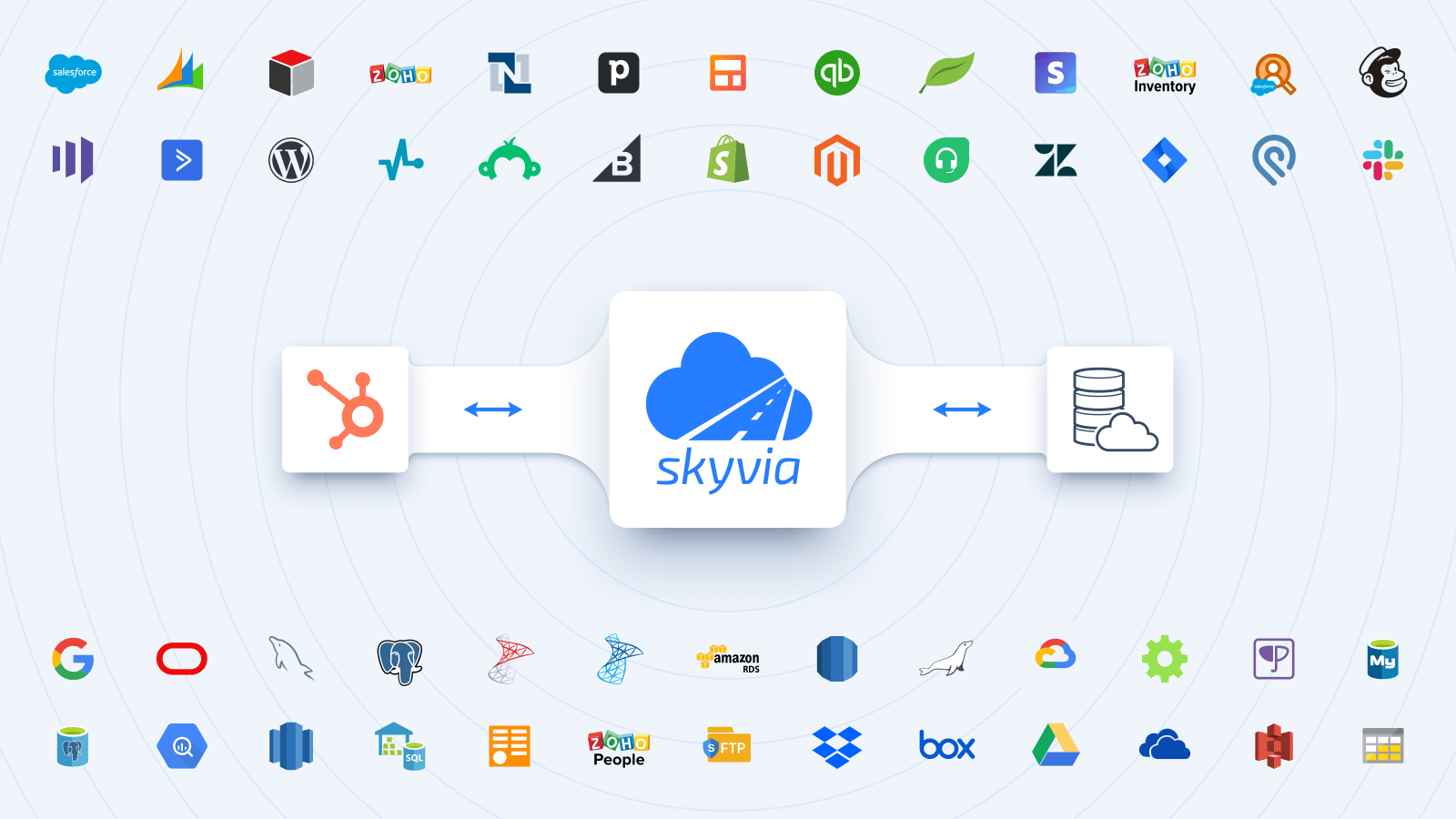
The way it works: Platforms like Skyvia are constructed particularly for connecting SaaS knowledge sources. In contrast to general-purpose automation instruments, they perceive CRM knowledge fashions and supply options designed for the job: scheduled bidirectional sync, subject mapping with transformation guidelines, battle decision, and deduplication.
Skyvia affords a devoted HubSpot-Dynamics 365 connector with pre-built mapping templates.
What it syncs: Full object sync together with Contacts, Leads, Accounts/Firms, Offers/Alternatives, actions, and customized fields.
Middleware instruments map total knowledge fashions moderately than reacting to particular person occasions, so that they deal with relationships between objects (e.g., associating a Contact with an Account and a Deal) extra reliably than event-based automation.
Matches: each one-time migration (preliminary full sync) and ongoing bidirectional sync.
Setup course of:
-
Choose the objects you wish to sync (e.g., Contacts, Offers/Alternatives, Firms/Accounts).
Strengths: Constructed for CRM knowledge sync moderately than normal workflow automation. Handles bidirectional sync with battle decision out of the field. Can migrate historic knowledge, not simply new data. Deduplication logic prevents duplicate data from accumulating. Pre-built HubSpot-Dynamics 365 mapping templates cut back setup time.
Limitations: Much less versatile for non-CRM automation (e.g., triggering a Slack message when a deal syncs). Pricing scales with file rely and sync frequency. Setup requires a working information of each platforms’ knowledge fashions to map fields appropriately.
Finest for: Groups operating each platforms long-term (advertising in HubSpot, gross sales and operations in Dynamics 365) that want dependable bidirectional sync with battle decision. Organizations migrating historic knowledge between the platforms whereas sustaining ongoing sync throughout the transition.
Customized API Integration
The way it works: Each HubSpot and Dynamics 365 present REST APIs. HubSpot’s CRM API covers all customary and customized objects with a unified endpoint sample, plus webhook assist for event-driven notifications.
Dynamics 365’s Dataverse Net API exposes all customary and customized entities through OData v4.0, with webhooks and Energy Automate triggers for real-time occasion notifications. A customized integration connects these APIs immediately, with your personal middleware dealing with authentication, subject mapping, transformation, battle decision, and error restoration.
What it syncs: Something each APIs expose. That is the one technique that helps complicated sync eventualities like mapping HubSpot customized objects to Dynamics 365 customized entities, syncing exercise timelines with full context, or imposing enterprise guidelines that transcend subject mapping.
Matches: both one-time migration or ongoing sync; the one technique with no ceiling on both.
Setup course of:
-
Construct the sync service: a server-side utility that listens for webhooks from each platforms, transforms knowledge in response to the mapping, and writes modifications to the opposite aspect through REST API calls.
-
Implement battle decision logic for bidirectional sync (timestamp-based, source-priority, or field-level guidelines).
-
Add logging, error dealing with, and retry logic. HubSpot’s API enforces fee limits of 100-190 requests per 10 seconds relying on plan; Dynamics 365’s Dataverse service safety limits throttle with 429 responses when thresholds are exceeded.
Strengths: Full management over what syncs, when, and the way. Actual-time sync through webhooks on either side. Can implement arbitrarily complicated enterprise logic. No per-record or per-operation charges from a third-party connector. Helps customized objects and customized entities that no off-the-shelf connector handles.
Limitations: Requires improvement assets to construct and preserve. You personal the infrastructure, monitoring, and error restoration. API modifications on both platform (HubSpot releases date-based API variations twice per 12 months; Dynamics 365 variations its Dataverse API with every seasonal launch) require ongoing upkeep. The preliminary construct takes weeks, not hours.
Finest for: Enterprise groups with sync necessities that no off-the-shelf software satisfies. Organizations with in-house improvement groups and a long-term dedication to operating each platforms. Firms with complicated knowledge fashions, customized objects, or enterprise logic that should be enforced throughout sync.
Key Use Circumstances
1. Advertising and marketing Certified Lead Handoff from HubSpot to Dynamics 365
Advertising and marketing groups operating campaigns in HubSpot generate leads via types, touchdown pages, and e mail nurture sequences. When a lead reaches a qualifying rating or lifecycle stage, it wants to seem in Dynamics 365 the place gross sales reps handle their pipeline.
The native connector or a Zapier Zap triggered by a HubSpot lifecycle stage change can create a Dynamics 365 Lead with the contact particulars, lead supply, and engagement historical past, giving the gross sales rep full context with out handbook knowledge entry.
Finest integration technique: Native connector (bidirectional, close to real-time) or Zapier (one-directional, event-triggered for particular stage modifications).
2. Parallel Operation Throughout Platform Migration
Firms migrating from HubSpot to Dynamics 365 (or the reverse) hardly ever change in a single day. Throughout the transition, each methods want to remain present. Middleware like Skyvia can run bidirectional sync on a schedule, maintaining data aligned whereas groups ramp on the brand new platform.
As soon as migration is full, the sync turns off.
Finest integration technique: Skyvia or related middleware (bidirectional, scheduled, with historic knowledge migration).
3. Advertising and marketing in HubSpot, Gross sales and Operations in Dynamics 365
That is the most typical long-term coexistence situation. Advertising and marketing makes use of HubSpot for marketing campaign administration, e mail automation, and lead nurture due to its ease of use and content material instruments. Gross sales, finance, and operations use Dynamics 365 for its depth, Microsoft ecosystem integration, and ERP capabilities.
Contacts, Firms, and Offers want to remain aligned throughout each platforms so advertising attribution connects to closed income and gross sales reps see the total engagement timeline.
Finest integration technique: Native connector for core objects (bidirectional); customized API for complicated knowledge fashions or workflow automation that spans each platforms.
4. Consolidated Reporting Throughout Each Platforms
Management wants a single view of pipeline, income, and buyer engagement no matter which platform generated the information. Syncing closed-won offers and alternative knowledge from Dynamics 365 into HubSpot (or vice versa) offers groups a unified reporting layer.
HubSpot’s reporting dashboards can then show Dynamics 365 deal knowledge alongside advertising marketing campaign metrics, eliminating the spreadsheet reconciliation that usually bridges the 2.
Finest integration technique: Native connector (bidirectional) or Zapier (one-directional from Dynamics 365 to HubSpot, triggered on alternative stage modifications).
5. Buyer Service Context Sharing
When a buyer contacts the service staff (managed in Dynamics 365 Buyer Service), reps profit from seeing the advertising engagement historical past from HubSpot: which emails the shopper opened, which content material they downloaded, and which campaigns they responded to.
Syncing HubSpot exercise knowledge into Dynamics 365 Contact data offers service reps context that might in any other case require switching between platforms or asking the shopper to repeat info.
Finest integration technique: Customized API (one-directional from HubSpot to Dynamics 365, syncing exercise timeline knowledge that the native connector doesn’t cowl).
Limitations and Concerns
Knowledge Mannequin Variations
HubSpot and Dynamics 365 mannequin CRM knowledge otherwise.
HubSpot makes use of a flat construction with Contacts, Firms, Offers, and Tickets as major objects, linked via a versatile Associations API.
Dynamics 365 makes use of a extra hierarchical mannequin with Leads (which convert to Contacts upon qualification), Accounts, Alternatives, and Circumstances, all saved in Microsoft Dataverse with configurable entity relationships.
Deciding whether or not a HubSpot Contact maps to a Dynamics 365 Lead or Contact requires logic that the native connector handles via configuration, however that easier instruments might not deal with mechanically.
Customized objects in HubSpot and customized entities in Dynamics 365 add complexity. The native connector covers customary objects; syncing customized knowledge fashions requires Zapier, Make, or a customized API construct.
Sync Conflicts
Bidirectional sync creates the danger of conflicting updates. If a advertising staff updates a contact’s e mail in HubSpot whereas a gross sales rep modifications the identical contact’s e mail in Dynamics 365, which change wins? The native connector gives configurable battle decision guidelines. Third-party instruments default to “final write wins,” which can not produce the suitable reply for each subject.
Groups operating bidirectional sync ought to outline field-level possession: which platform is authoritative for which fields.
Pricing Implications
The native HubSpot-Dynamics 365 connector is free on all HubSpot plans.
Nevertheless, each platforms impose API fee limits that have an effect on third-party instruments and customized integrations. HubSpot enforces 100 to 190 requests per 10 seconds relying on plan tier, with every day limits starting from 250,000 (Free/Starter) to 1,000,000 (Enterprise). Dynamics 365 allocates 40,000 API requests per person per day for Enterprise and Skilled licenses.
Third-party instruments carry their very own prices. Zapier fees by job rely (every synced file counts as a job). Make fees by operations. Skyvia fees by data and sync frequency. For groups syncing hundreds of data every day, these prices compound.
Permissions and Entry
Establishing the native connector requires admin-level entry on either side. In HubSpot, you want Tremendous Admin rights to put in market integrations and configure sync settings. In Dynamics 365, System Administrator entry is required to authorize the OAuth connection and make sure the integration person’s safety position has learn/write permissions on the entities being synced.
Dynamics 365 organizations utilizing field-level safety or enterprise unit restrictions should guarantee the mixing person’s profile has entry to each subject and enterprise unit concerned within the sync.
Upkeep
No integration runs indefinitely with out consideration. HubSpot releases date-based API variations twice per 12 months (March and September), with every model supported for no less than 18 months. Dynamics 365 variations its Dataverse API with every seasonal launch.
Customized fields added after the preliminary setup is not going to sync except you replace the mixing configuration. Third-party instruments might change pricing, deprecate connectors, or alter how they authenticate. Plan for periodic opinions of the mixing’s well being and subject mappings.
What No Technique Fixes: The Knowledge Itself
Each technique above strikes data between HubSpot and Dynamics 365. None of them checks whether or not these data are correct, full, or present. A contact with an outdated job title in HubSpot syncs as a contact with an outdated job title in Dynamics 365. A lead with a lacking cellphone quantity travels simply as reliably as a clear one. The mixing ensures each methods agree; it doesn’t guarantee they’re proper.
The place ZoomInfo Matches In
Each technique on this information strikes knowledge between HubSpot and Dynamics 365. None of them improves the information being moved. When the mixing is reside however pipeline knowledge continues to be incomplete (fallacious titles, lacking direct dials, stale firm particulars, lifeless e mail addresses), the bottleneck is not the connector.
That’s the hole ZoomInfo closes.
ZoomInfo is an all-in-one go-to-market platform constructed on 500M contacts, 100M firms, 135M+ verified cellphone numbers, and 200M+ verified enterprise e mail addresses. That knowledge is verified via a multi-source pipeline backed by 300+ human researchers, reaching as much as 95% accuracy on first-party knowledge.
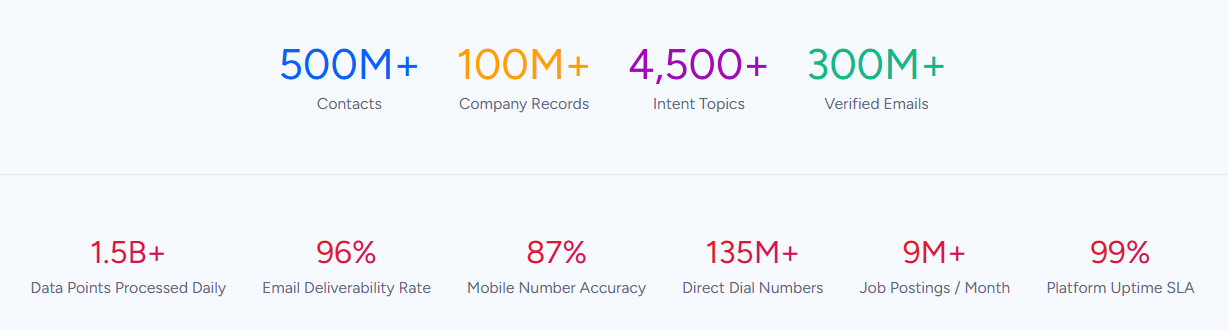
For groups operating a HubSpot-Dynamics 365 integration, ZoomInfo addresses the information high quality layer that no connector handles.
ZoomInfo integrates natively with each platforms. The HubSpot integration permits real-time contact enrichment and automated knowledge sync inside HubSpot workflows.
The Microsoft Dynamics 365 integration gives knowledge enrichment and search inside Dynamics 365, letting gross sales groups entry ZoomInfo’s B2B knowledge, replace data, and remove knowledge decay with out leaving their CRM.
Each integrations draw from the identical knowledge basis, which additionally powers ZoomInfo’s GTM Context Graph, a layer that processes 1.5B+ knowledge factors every day by combining ZoomInfo’s B2B knowledge together with your CRM data, dialog transcripts, and behavioral alerts to floor not simply what occurred in a deal, however why.
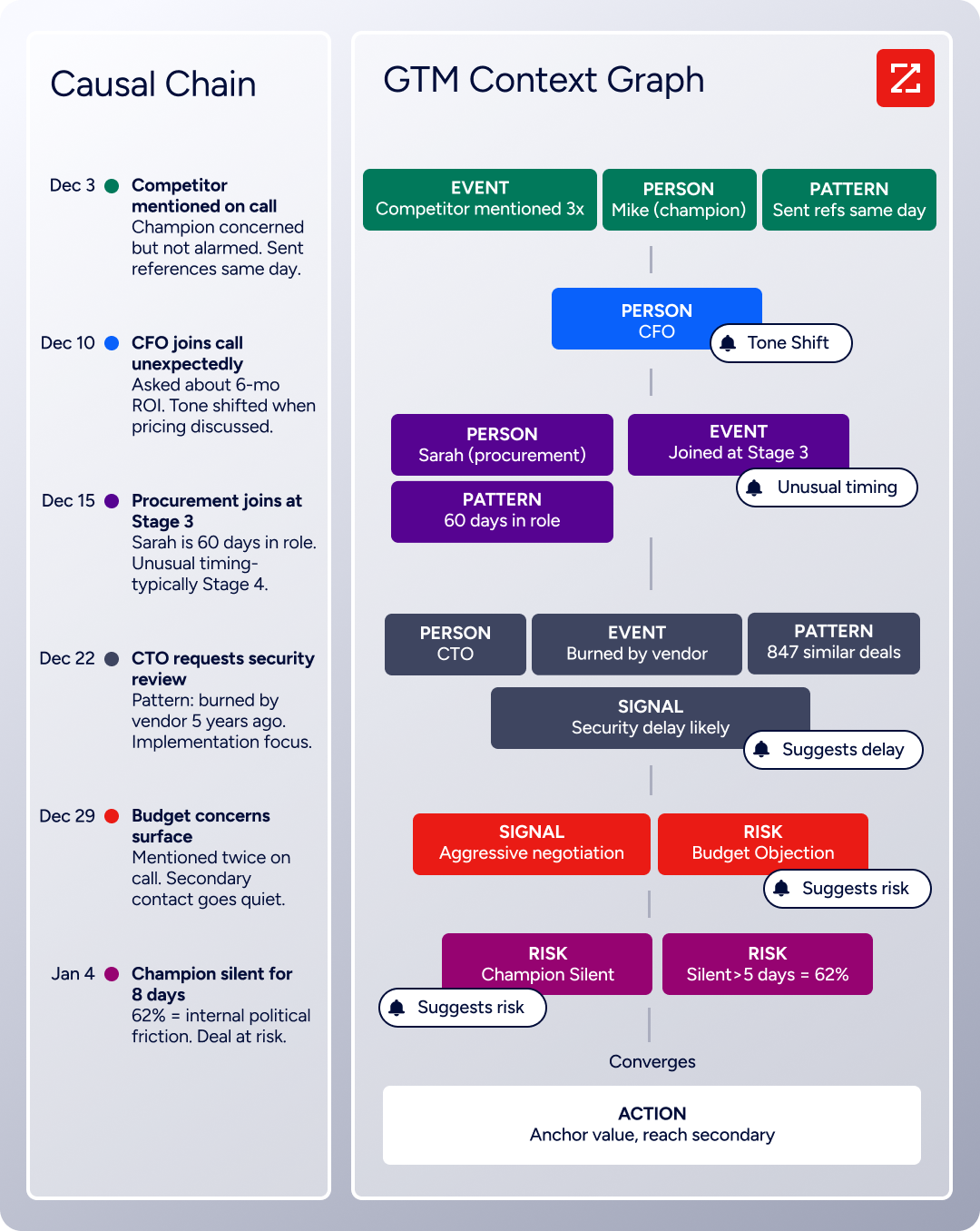
In apply, a staff operating each HubSpot and Dynamics 365 can use ZoomInfo to counterpoint data in each methods independently. Contacts in HubSpot get verified emails and direct dials earlier than advertising sends a marketing campaign.
Accounts in Dynamics 365 get present firm attributes, org charts, and technographic profiles earlier than a gross sales rep works the chance. When these data sync between the 2 platforms via whichever connector the staff has chosen, the information arriving on the opposite aspect is already correct and full.
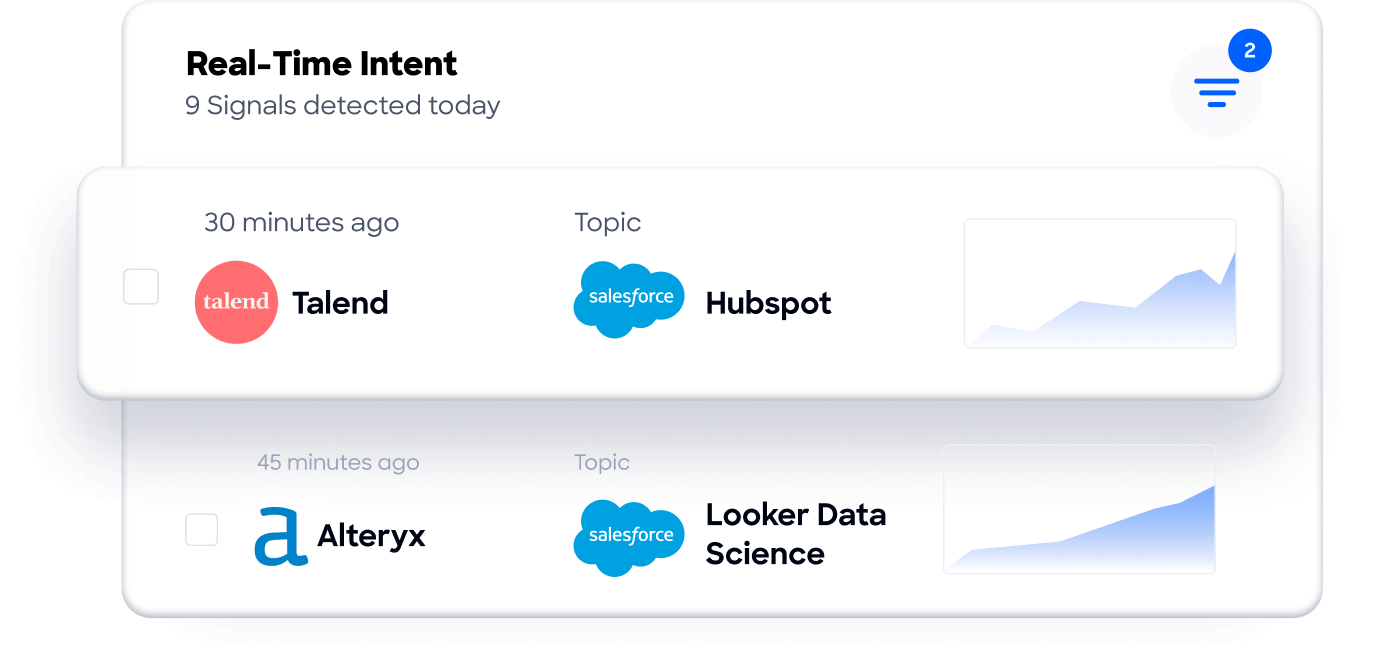
Purchaser Intent knowledge from ZoomInfo, monitoring alerts from 210 million IP-to-Group pairings, may be routed into both platform to prioritize accounts actively researching related options.
Enriched data additionally make the mixing itself extra dependable. Fewer clean fields imply fewer mismatches throughout deduplication. Constant formatting throughout data reduces the false positives that create duplicates. And intent alerts assist groups resolve which data really have to exist in each methods, moderately than syncing every thing indiscriminately.
For groups constructing past ZoomInfo’s native integrations, API and MCP entry expose the identical knowledge to any customized workflow or AI agent.
Seismic’s gross sales staff attributed 39% of energetic pipeline to alternatives recognized or influenced by ZoomInfo alerts, whereas boosting productiveness by 54% and saving 11.5 hours per week. (Seismic)
Remaining Verdict
A local HubSpot-Dynamics 365 connector exists, it’s free on all HubSpot plans, and it helps bidirectional sync of core CRM objects. Groups even have entry to third-party automation instruments, devoted middleware, and customized API improvement for extra complicated eventualities. For many groups, the suitable selection is determined by scale and complexity.
-
Small groups syncing Contacts, Firms, and Offers ought to begin with the native connector. It’s free, requires no engineering assets, and handles bidirectional sync with close to real-time propagation.
-
Groups needing event-driven workflows or conditional logic (e.g., syncing solely leads that meet particular standards) ought to add Zapier or Make on prime of the native connector. Each are quick to arrange and assist filtering, branching, and multi-step automation.
-
Groups operating each platforms long-term with complicated knowledge fashions, customized objects, or historic migration necessities ought to consider middleware like Skyvia or spend money on a customized API integration. These strategies deal with the sting circumstances that easier connectors can not.
Earlier than committing to a technique, make clear why each platforms have to coexist.
If the reply is short-term (a migration in progress, a trial interval), maintain the sync easy with the native connector and plan for eventual consolidation on one platform.
If the reply is structural (advertising in HubSpot, gross sales and operations in Dynamics 365, every chosen for good causes), spend money on a technique that helps bidirectional sync with battle decision and covers the total knowledge mannequin each groups depend upon.
Both approach, the standard of the information in each methods determines whether or not the mixing delivers worth or simply replicates issues at twice the pace. ZoomInfo, with its native integrations for each HubSpot and Dynamics 365 plus API and MCP entry, is the information enrichment layer that retains each methods correct whereas the connector retains them aligned.
FAQ
Does HubSpot combine natively with Dynamics 365?
Sure. HubSpot affords a local Microsoft Dynamics 365 connector via the HubSpot Market. The mixing helps close to real-time bidirectional sync of Contacts, Leads, Accounts, and Offers, and is free on all HubSpot plans. No third-party software or customized improvement is required for primary CRM knowledge sync.
Can I sync customized fields between HubSpot and Dynamics 365?
Sure, via the native connector and most third-party instruments. The native connector helps customized subject mappings throughout setup, letting you map HubSpot customized properties to Dynamics 365 customized fields. Zapier and Make additionally assist customized subject mapping.
Customized entities in Dynamics 365 and customized objects in HubSpot might require a customized API integration or a middleware software that helps prolonged entity mapping.
What occurs when the identical file is up to date in each platforms concurrently?
The native connector contains configurable battle decision guidelines that decide which platform takes precedence. Most third-party instruments default to “final write wins,” which may silently overwrite one change with the opposite. Groups operating bidirectional sync ought to outline field-level possession: for instance, advertising fields (lead supply, lifecycle stage) are authoritative in HubSpot, whereas gross sales fields (alternative stage, shut date) are authoritative in Dynamics 365.
Can I sync historic knowledge between the 2 platforms?
The native connector and middleware instruments like Skyvia assist preliminary full sync of present data. Zapier and Make solely course of data created or up to date after the workflow is activated. For giant-scale historic migration, middleware or a customized API script utilizing HubSpot’s batch endpoints and Dynamics 365’s Bulk API is the advisable strategy.
Is the native connector actually free?
Sure. The HubSpot-Dynamics 365 native connector is obtainable at no further price on all HubSpot plans, together with the free tier. There aren’t any per-record fees for sync operations via the native connector. API fee limits apply to each platforms, however these are a part of the present subscription limits, not further fees from the mixing.
What Dynamics 365 permissions are wanted to arrange the mixing?
System Administrator entry in Dynamics 365 is required to authorize the OAuth connection. In case your Dynamics 365 group makes use of field-level safety, enterprise unit restrictions, or customized safety roles, the mixing person’s profile will need to have learn and write entry to each entity and subject concerned within the sync. On the HubSpot aspect, Tremendous Admin rights are wanted to put in {the marketplace} integration and configure sync settings.
How does ZoomInfo enhance a HubSpot-Dynamics 365 integration?
ZoomInfo solves the information high quality downside that no sync software addresses. Contact data decay over time as folks change jobs, cellphone numbers go inactive, and firm particulars shift.
ZoomInfo enriches data with verified contact knowledge, firm attributes, technographics, and intent alerts. Its native integrations with each HubSpot and Dynamics 365 deal with enrichment in every system independently, so the information flowing between each platforms is correct and full earlier than it syncs.
The end result: fewer clean fields inflicting deduplication mismatches, fewer stale data losing gross sales time, and intent alerts that prioritize which data need to reside in each methods.
Can I take advantage of Energy Automate as a substitute of Zapier or Make for this integration?
Sure. Microsoft Energy Automate features a HubSpot connector and has native entry to Dynamics 365 via the Dataverse connector. For organizations already utilizing Energy Automate for different Microsoft integrations, it gives a well-recognized various to Zapier or Make. It helps trigger-based flows, scheduled runs, and conditional logic.
The tradeoff is that Energy Automate’s HubSpot connector might lag behind Zapier and Make in set off selection and subject protection, so consider the precise triggers and actions you want earlier than committing.
Join HubSpot elsewhere:

