

Groups that run Jotform for knowledge assortment and Salesforce as their CRM often uncover the identical issues inside 1 / 4:
Nonetheless the 2 platforms ended up coexisting (Jotform adopted by advertising for its type builder, Salesforce established because the CRM of document, or totally different groups selecting instruments independently), the longer each run and not using a connection, the extra type knowledge goes unworked and the tougher it turns into to behave on leads whereas they’re nonetheless heat.
Connecting Jotform and Salesforce eliminates that hole.
Type submissions movement into Salesforce as Leads, Contacts, Circumstances, or customized object information so reps can act on them inside minutes. Registration knowledge, assist requests, and cost particulars captured by Jotform populate CRM fields robotically, so Salesforce automation (task guidelines, nurture sequences, case routing) fires the second a type is submitted somewhat than hours later after guide entry.
Jotform provides a native Salesforce integration that maps type fields to Salesforce objects, and a Jotform for Salesforce app on the AppExchange.
For groups needing totally different routing logic or multi-step automation, third-party instruments like Zapier and Make bridge the 2 platforms with extra flexibility. Customized API growth can be potential, connecting Jotform’s REST API to Salesforce’s REST API. Every technique differs in setup complexity, sync path, knowledge protection, and price.
There may be additionally one drawback no connection technique solves: the mixing strikes type knowledge into the CRM, nevertheless it doesn’t confirm whether or not the information already sitting in Salesforce are correct, present, or full.
And that’s the place ZoomInfo is available in. ZoomInfo integrates natively with Salesforce and provides API and MCP entry that may feed verified, enriched knowledge into any CRM workflow, so the Salesforce information that Jotform submissions map to are correct and full earlier than follow-up begins.
This text covers the Jotform-Salesforce integration: which strategies can be found, what knowledge each handles, methods to set them up, the use circumstances that justify connecting each platforms, and the restrictions to plan for. It additionally covers how ZoomInfo suits as a knowledge enrichment layer that strengthens the information flowing between Jotform and Salesforce.
Let’s begin with an summary of the mixing.
Integration Overview
Supply: Jotform
Does a local integration exist?
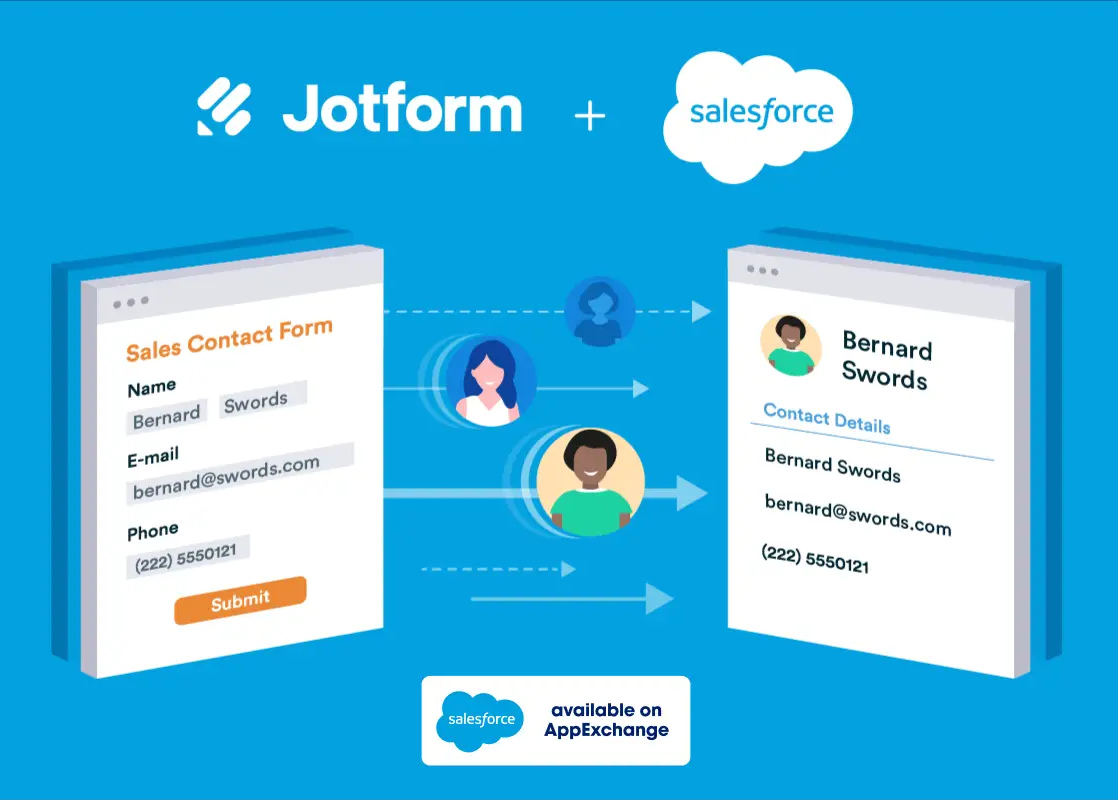
Sure. Jotform provides a native Salesforce integration that maps type fields to Salesforce objects and creates information on every submission. Jotform can be out there as a Salesforce AppExchange app, letting customers construct and handle kinds from inside Salesforce itself. The 2 platforms have supplied this integration for over a decade.
What knowledge can sync?
Type submissions map to straightforward and customized Salesforce objects: Leads, Contacts, Accounts, Circumstances, and customized objects. Textual content fields, dropdowns, checkboxes, dates, file uploads, and cost knowledge captured by Jotform could be mapped to corresponding Salesforce fields. The fields out there rely upon the Salesforce object kind and your org’s area configuration.
Is the sync bidirectional?
Not by default. The native integration flows one path: Jotform to Salesforce. Type submissions push knowledge into Salesforce information on every submission. Salesforce knowledge could be pulled again into Jotform in restricted methods (prefilling type fields through URL parameters or API calls), however steady bidirectional sync requires customized growth or middleware.
Is it real-time or batch?
The native integration fires on type submission, making it event-driven and close to real-time. Every submission creates or updates a Salesforce document inside seconds. Third-party instruments like Zapier set off inside 1 to fifteen minutes relying on plan tier.
What are the out there strategies?
Native Jotform-Salesforce integration, third-party automation (Zapier, Make), and customized API growth.
|
Methodology |
Setup Issue |
Information Circulation |
Actual-time? |
Value |
|---|---|---|---|---|
|
Native (Jotform) |
Low |
Jotform to Salesforce |
Sure (on submission) |
Included with Jotform plans |
|
Zapier |
Medium |
One-way per Zap |
Close to real-time (1-15 min) |
From $19.99/mo |
|
Make |
Medium |
Configurable per situation |
Close to real-time or scheduled |
From $10.59/mo |
|
Customized API |
Excessive |
Totally customizable |
Actual-time through webhooks |
Developer time + internet hosting |
One distinction price settling upfront: the native integration and Zapier/Make deal with ongoing sync, the place each new type submission triggers a Salesforce motion. Customized API growth is the one technique that helps each ongoing sync and bulk operations like migrating historic submissions or constructing bidirectional workflows.
Integration Strategies
Native Jotform-Salesforce Integration
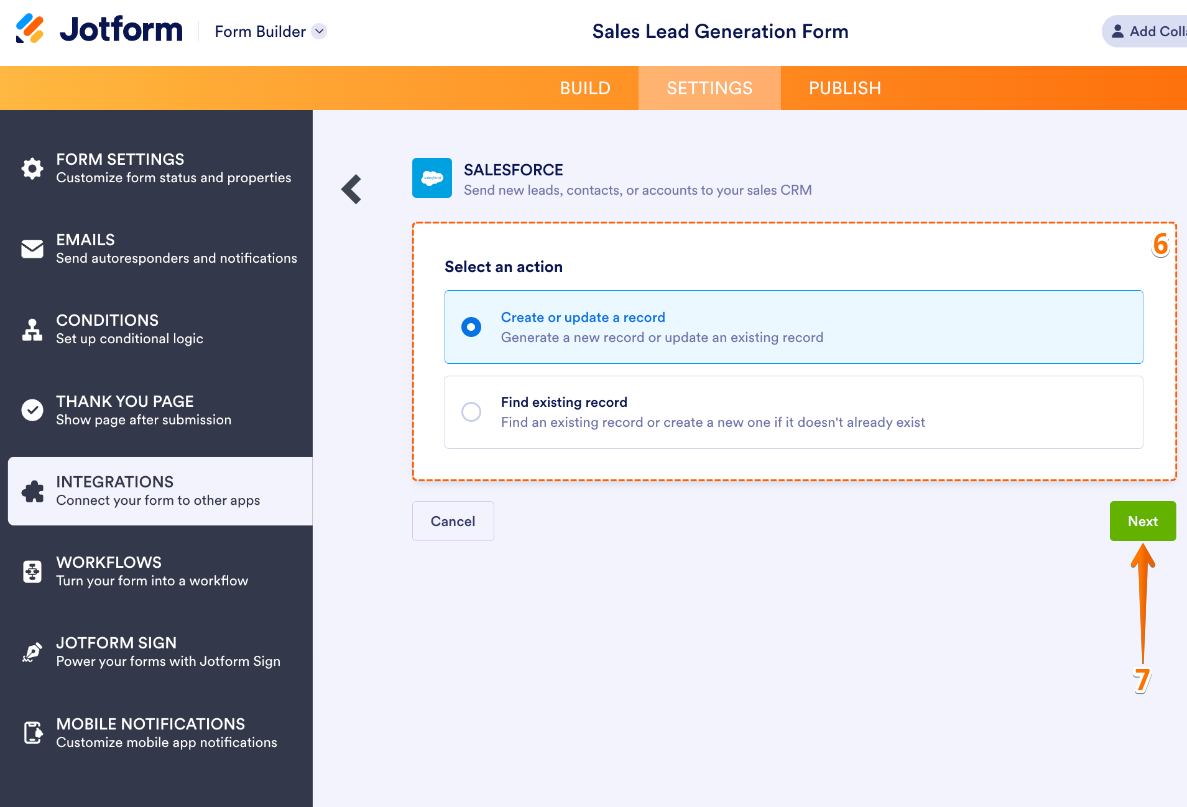
The way it works: Jotform’s native Salesforce integration connects a Jotform type to a Salesforce org. When a respondent submits the shape, the mixing maps type area values to Salesforce object fields and creates (or updates) a document within the specified object. You configure the mixing per type from Jotform’s integrations panel utilizing OAuth to authenticate with Salesforce.
Supply: Jotform
A Jotform for Salesforce app on the AppExchange extends this by letting groups create and handle Jotform kinds from throughout the Salesforce interface.
What it syncs: Type submissions map to straightforward Salesforce objects (Leads, Contacts, Accounts, Circumstances, and customized objects). Textual content inputs, dropdowns, checkboxes, date fields, file uploads, and different type area varieties map to their corresponding Salesforce area varieties. Customized Salesforce fields are accessible for mapping.
Jotform’s conditional logic determines which knowledge the shape collects, and the mixing carries regardless of the respondent submits into the mapped Salesforce fields.

Supply: Jotform
Matches: ongoing sync of recent type submissions into Salesforce; not a migration instrument for historic knowledge.
Setup course of:
-
Choose the Salesforce object kind you need to populate (Lead, Contact, Account, Case, or a customized object).
Strengths: Quickest setup, no third-party instruments or coding required. Direct connection maintained by Jotform with long-standing Salesforce assist. Helps customary and customized Salesforce objects, overlaying most CRM use circumstances. Obtainable throughout Jotform’s plan tiers together with the free Starter plan (topic to submission limits). The AppExchange app lets Salesforce admins handle kinds with out leaving the CRM.
Limitations: The sync is one-directional (Jotform to Salesforce solely). Information flows on type submission; adjustments made to a Salesforce document after creation don’t propagate again to Jotform. Every type requires its personal integration configuration.
Advanced mapping eventualities (e.g., making a Contact and linking it to an current Account in the identical submission) might require workarounds or a special technique. Historic submissions from earlier than the mixing was configured don’t sync retroactively.
Greatest for: Groups that want type submissions flowing into Salesforce information with minimal setup. Advertising and marketing groups capturing leads, assist groups routing case requests, and HR groups gathering worker knowledge by kinds.
Zapier
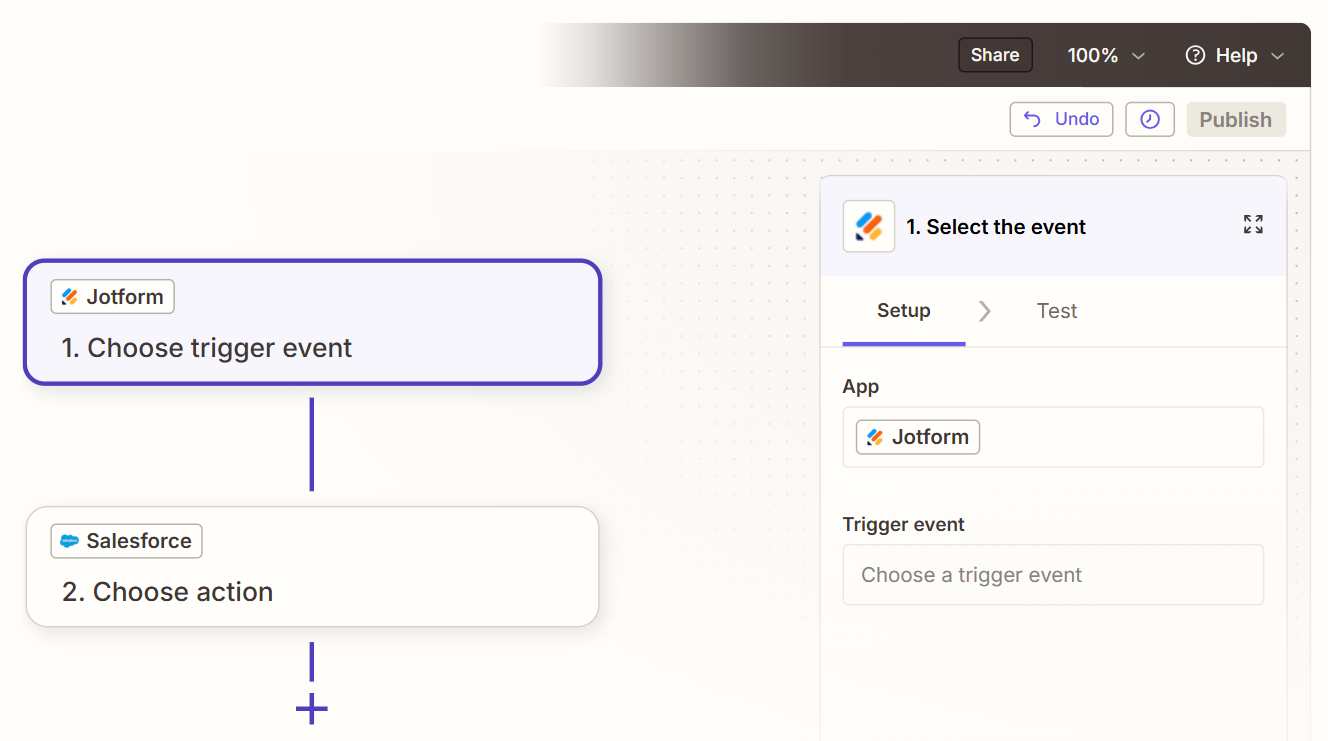
The way it works: Zapier connects Jotform and Salesforce by event-driven automations known as Zaps. Every Zap pairs a set off (an occasion in a single app) with a number of actions (what occurs within the different). Each platforms are well-supported Zapier connectors, and Jotform connects to 8,000+ apps by Zapier.
Supply: Zapier
What it syncs: Type submission knowledge from Jotform can create or replace Leads, Contacts, Alternatives, Circumstances, and different customary or customized objects in Salesforce.
Within the reverse path, Salesforce occasions (new information, area adjustments) can set off actions in Jotform, although that is much less frequent. Customized fields could be mapped within the Zap setup movement. Zapier’s formatter and filter steps permit knowledge transformation between platforms.
Matches: ongoing sync with conditional logic and multi-step workflows; not a migration instrument for historic knowledge.
Setup course of:
-
Select Salesforce because the motion app and choose the motion (e.g., “Create Lead,” “Create Contact,” or “Create Document”).
-
Flip the Zap on. For added routing (e.g., making a Contact and an Alternative from the identical submission), add multi-step actions to the Zap.
Strengths: Provides conditional logic, filtering, and multi-step actions the native integration doesn’t assist. A Zap can verify whether or not a Salesforce document already exists earlier than creating a replica (utilizing a “Discover Document” step). It could actually chain a number of Salesforce actions from a single type submission (e.g., create a Contact, then create an Alternative linked to that Contact).
Zapier’s broad app ecosystem permits you to add steps to different instruments in the identical workflow (e.g., ship a Slack notification after the Salesforce document is created).
Limitations: Every Zap handles one trigger-action chain. Zapier fees by activity depend, and every synced document (plus any intermediate search or formatting steps) counts in opposition to the plan’s allocation. Close to real-time (1 to fifteen minutes relying on plan tier), not immediate. Historic type submissions created earlier than the Zap was activated don’t sync.
Greatest for: Groups needing conditional routing (e.g., route type submissions to totally different Salesforce objects based mostly on a type area worth), deduplication logic earlier than document creation, or multi-step workflows that chain Jotform submissions to actions throughout Salesforce and different instruments.
Make (Previously Integromat)
The way it works: Make makes use of a visible situation builder the place modules join in a flowchart. Every module represents an app motion: look ahead to a Jotform submission, rework knowledge, search Salesforce for an current document, create or replace a document. Eventualities can department, filter, loop, and deal with errors, supplying you with extra management than Zapier’s linear construction.
What it syncs: The identical objects as Zapier (Leads, Contacts, Alternatives, Circumstances, customized objects), with extra flexibility in how knowledge transforms between platforms. Make helps iterators for processing a number of gadgets from a single submission, routers for conditional paths, and aggregators for combining knowledge earlier than writing to Salesforce.
Matches: ongoing sync with conditional logic and complicated knowledge transformation; not a migration instrument.
Setup course of:
-
Join the modules and map fields. Make gives capabilities for remodeling knowledge between platforms (e.g., formatting telephone numbers, splitting full names into first and final identify fields, changing Jotform dropdown values to Salesforce picklist values).
Strengths: Wonderful management over knowledge transformation and conditional routing. The visible builder makes complicated multi-step workflows simpler to comply with than code. Error dealing with is inbuilt. Per-operation pricing is extra economical than Zapier at increased volumes.
Routers can cut up a single type submission into a number of Salesforce actions based mostly on area values (e.g., create a Lead if the shape area “Sort” is “New” and replace an current Contact if “Sort” is “Present”).
Limitations: Steeper studying curve than each the native integration and Zapier’s guided setup. Each the Jotform and Salesforce APIs impose charge limits that high-volume eventualities have to account for. Historic submissions don’t sync retroactively.
Greatest for: Groups with complicated mapping necessities (e.g., splitting a single type submission throughout a number of Salesforce objects with conditional logic) or high-volume eventualities the place Zapier’s per-task pricing turns into costly.
Customized API Integration
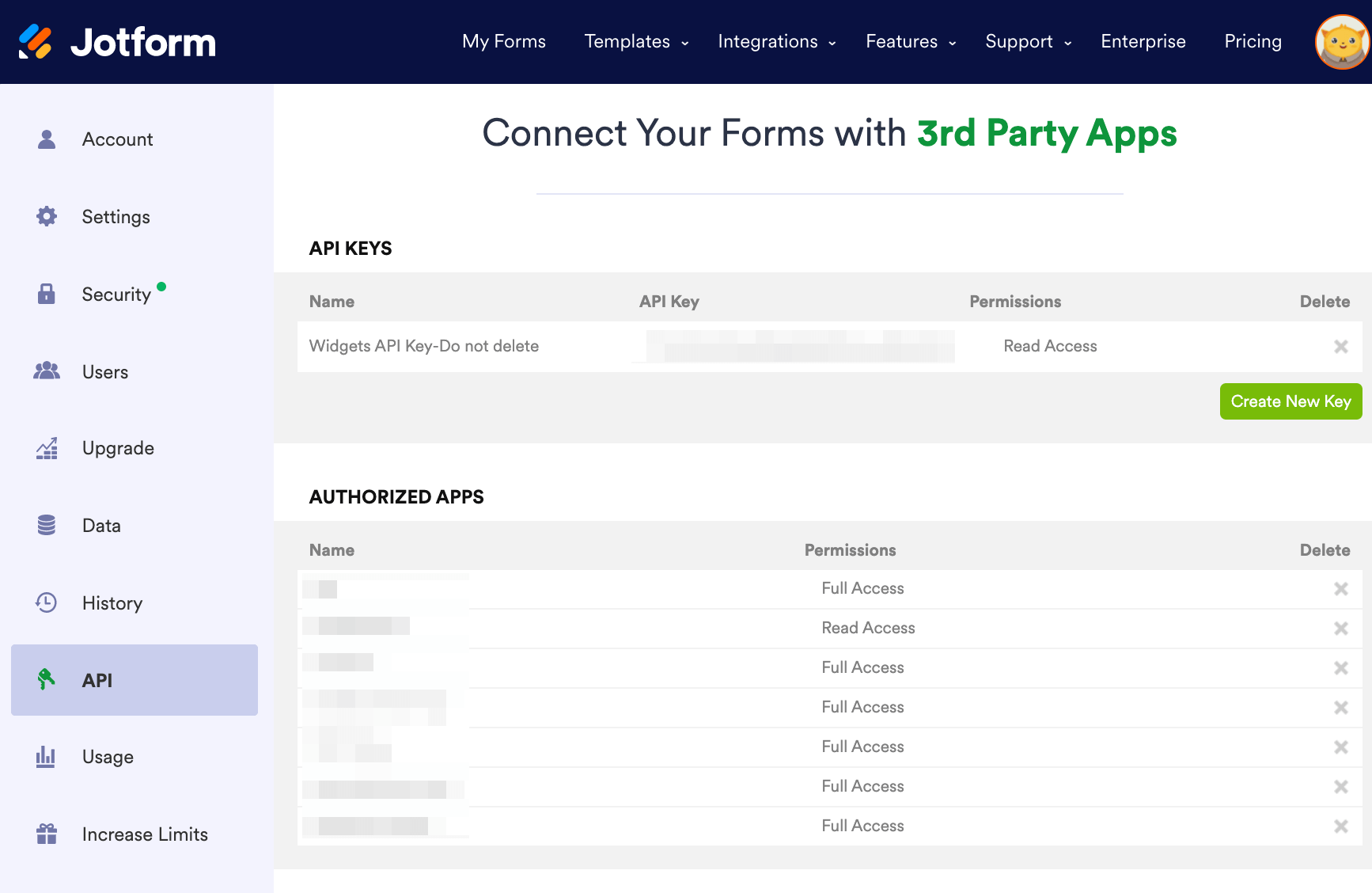
The way it works: Each Jotform and Salesforce present full APIs. Jotform’s REST API exposes kinds, submissions, and consumer knowledge, with webhook assist that fires on new type submissions. Salesforce’s REST API covers all customary and customized objects, with Platform Occasions and Change Information Seize for event-driven sync.
Supply: Jotform
A customized integration connects these APIs straight, with your personal middleware dealing with authentication, area mapping, transformation, and error restoration.
What it syncs: Something each APIs expose. That is the one technique that helps complicated eventualities like mapping a single type submission to a number of associated Salesforce objects in a single transaction, syncing historic submissions in bulk, pulling Salesforce knowledge again into Jotform for type prefilling, or implementing enterprise guidelines that transcend area mapping.
Matches: both one-time migration of historic knowledge or ongoing sync; the one technique with no ceiling on both.
Setup course of:
-
Construct the middleware service: a server-side utility that receives Jotform webhook payloads, transforms the information in line with your area mapping guidelines, and writes information to Salesforce through the REST API.
-
Implement lookup and deduplication logic: earlier than making a Salesforce document, question for current matches by electronic mail, telephone, or one other distinctive identifier to stop duplicates.
-
Add logging, error dealing with, and retry logic. Jotform’s API has day by day charge limits that modify by plan (1,000/day on Starter, 10,000/day on Bronze). Salesforce’s day by day API request allocation begins at 100,000 requests per 24 hours for Skilled and Enterprise editions, plus per-license allocations.
Strengths: Full management over what syncs, when, and the way. Actual-time sync through Jotform webhooks. Can implement arbitrarily complicated enterprise logic (e.g., create a Contact, hyperlink it to an Account discovered by area matching, then create an Alternative, all from a single type submission). Can course of historic submissions through the Jotform API’s GET endpoints. No per-record charges from a third-party connector.
Limitations: Requires growth assets to construct and preserve. You personal the infrastructure, monitoring, and error restoration. API adjustments on both platform require ongoing upkeep (Salesforce variations its API with every seasonal launch; Jotform’s API might evolve because the platform grows). The preliminary construct takes days to weeks relying on complexity.
Greatest for: Organizations with complicated knowledge mapping necessities that no off-the-shelf instrument satisfies. Groups needing to sync historic type knowledge or construct bidirectional workflows. Corporations with in-house growth assets and integration necessities that may evolve over time.
Key Use Circumstances
1. Lead Seize and Quick CRM Routing
Advertising and marketing groups embed Jotform lead seize kinds on touchdown pages, weblog posts, and marketing campaign microsites. When a prospect fills out the shape, the native integration creates a Salesforce Lead with the captured contact particulars, firm identify, and marketing campaign supply.
Salesforce task guidelines route the result in the correct rep, and nurture sequences set off with none guide handoff. Jotform’s conditional logic can qualify leads on the type degree (asking funds vary or timeline questions), so higher-intent leads path to totally different Salesforce queues than common inquiries.
Greatest integration technique: Native Jotform-Salesforce integration (direct, no middleware wanted).
2. Occasion Registration with Salesforce Marketing campaign Monitoring
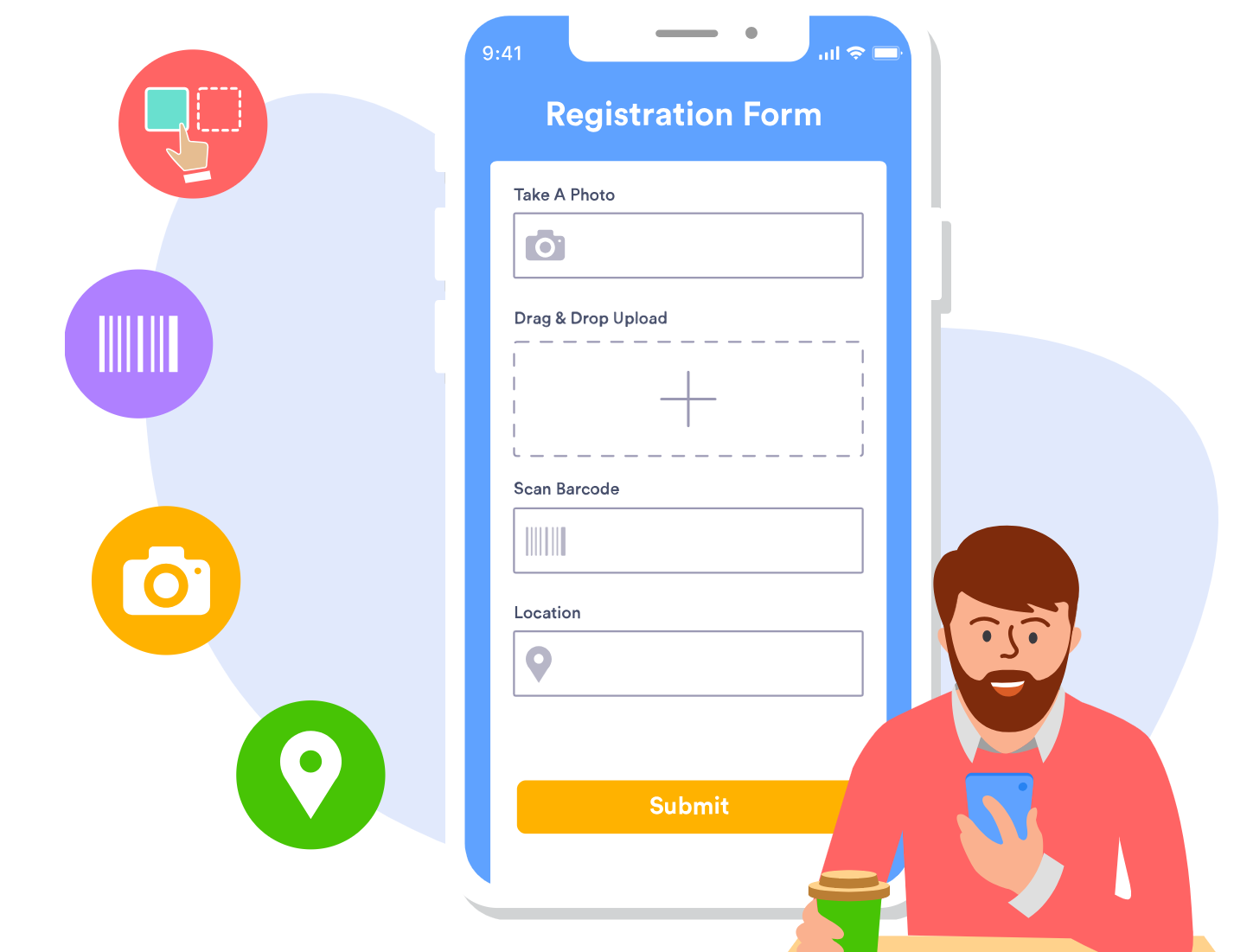
Occasion groups use Jotform to construct registration kinds with cost assortment (through Stripe, PayPal, or Sq.) for conferences, webinars, or workshops. Every registration creates a Salesforce Contact (or matches to an current one) and provides the registrant as a Marketing campaign Member on the corresponding Salesforce Marketing campaign. This connects occasion attendance to pipeline attribution with out guide record imports.
Supply: Jotform
Greatest integration technique: Zapier or Make (multi-step workflow: create or discover Contact, then add as Marketing campaign Member).
3. Buyer Assist Case Creation
Assist groups use Jotform to construct assist request kinds with file add fields for screenshots, conditional logic to route by situation kind, and dropdown choices for product space. Every submission creates a Salesforce Case with the correct precedence, class, and outline fields populated. Salesforce case task guidelines then route the case to the proper assist queue based mostly on the mapped fields.
Greatest integration technique: Native Jotform-Salesforce integration (mapping to the Case object).
4. Worker Onboarding Information Assortment
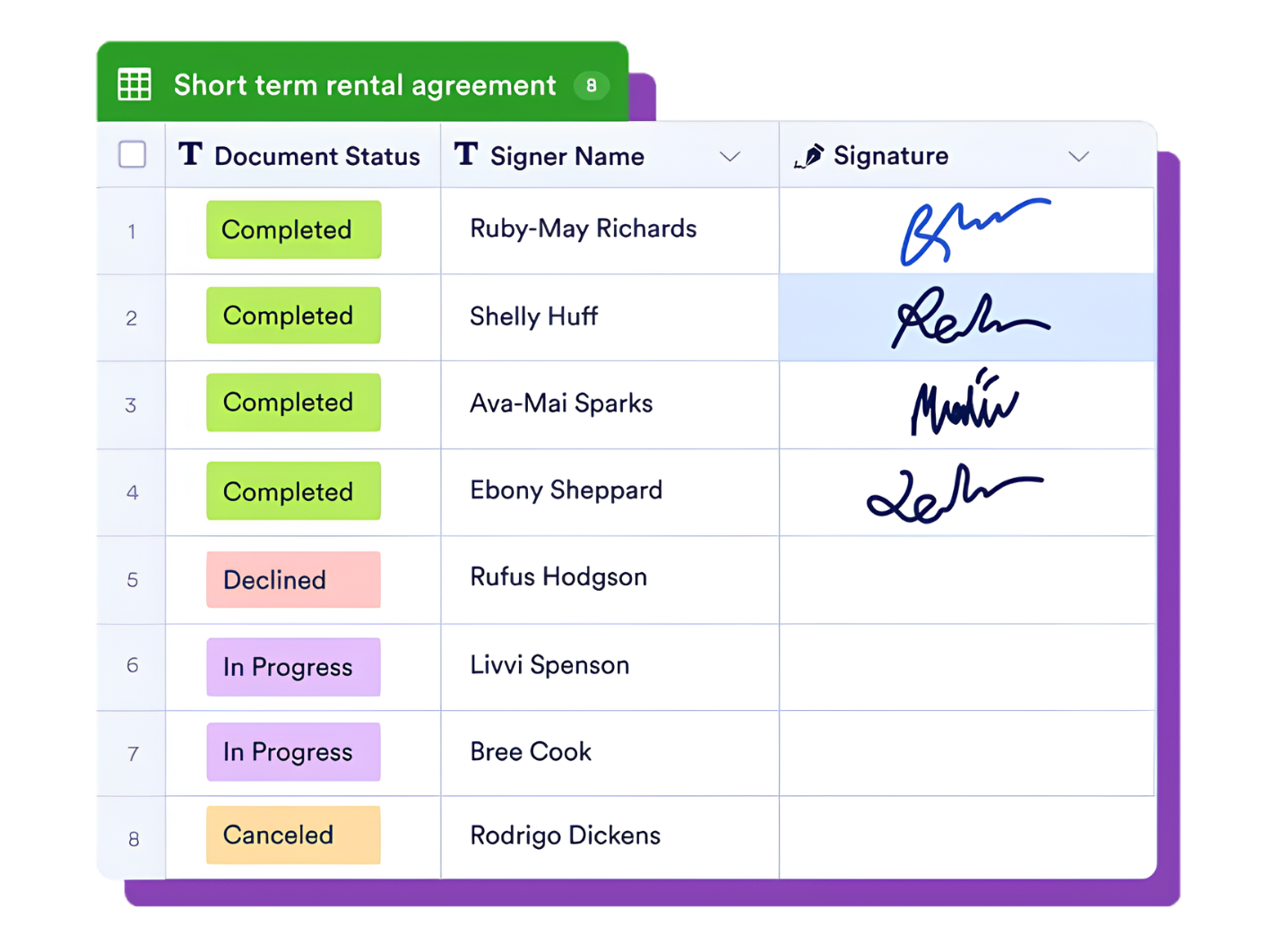
HR groups ship new hires a Jotform type gathering emergency contacts, tax info, tools preferences, and signed coverage acknowledgments (through Jotform Signal). The shape submission creates or updates a Salesforce document on a customized Worker object, populating fields that HR workflows rely upon.
Supply: Jotform
Jotform’s offline kinds let new hires full paperwork on a pill throughout in-person orientation, syncing to Salesforce when reconnected.
Greatest integration technique: Native integration for easy mapping, or Zapier/Make for multi-object creation (e.g., creating each an Worker document and a associated Onboarding Activity).
5. Accomplice or Vendor Utility Processing
Channel groups publish a associate utility type utilizing Jotform, gathering firm particulars, income knowledge, and references. Every submission creates a Salesforce Account or Lead document in a associate pipeline.
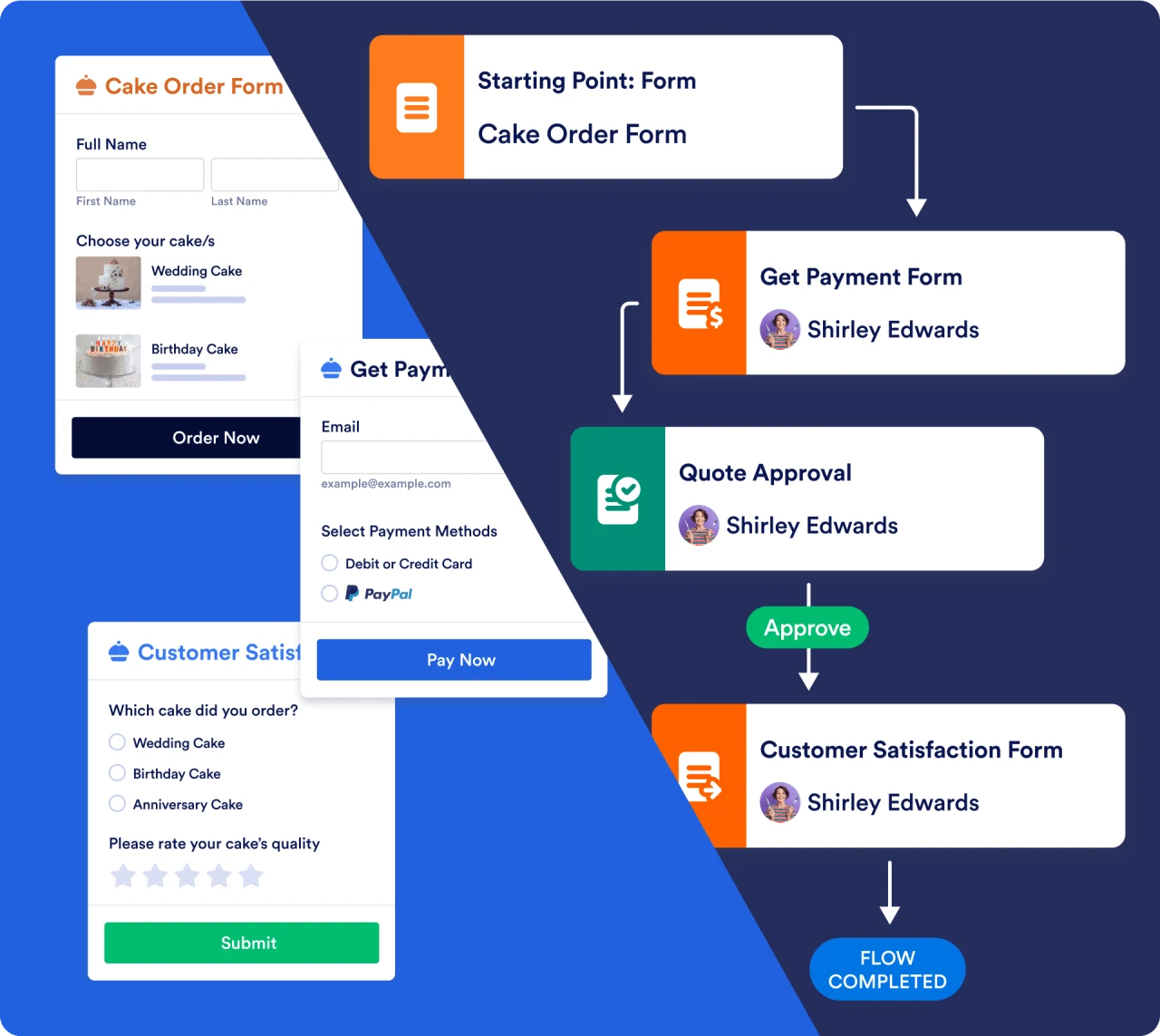
A Jotform Workflow can route the appliance by inside approvals earlier than the Salesforce document is created, so solely accepted functions attain the CRM. Make eventualities can add conditional logic to verify approval standing earlier than triggering the Salesforce create step.
Supply: Jotform
Greatest integration technique: Make or customized API (conditional creation based mostly on Jotform Workflow approval standing).
Limitations and Concerns
Information That Does not Sync
The native integration carries type submission knowledge into Salesforce. It doesn’t sync Jotform metadata (type analytics, submission counts, or A/B check variants) or Jotform-specific options (approval workflow standing, full cost processing particulars past the transaction ID, or Jotform Tables knowledge).
On the Salesforce facet, document updates made after the preliminary submission don’t movement again to Jotform. If a rep corrects a telephone quantity in Salesforce, the unique Jotform submission nonetheless reveals the previous worth.
File uploads from Jotform kinds could be hooked up to Salesforce information by the native integration, however giant file volumes might run into Salesforce’s file storage limits, which range by version and license depend.
Sync Conflicts
As a result of the native integration is one-directional (Jotform to Salesforce), sync conflicts within the conventional sense are unusual. The first danger is duplicate information: if the identical individual submits a type twice, the mixing creates two Salesforce information until deduplication logic is in place. The native integration doesn’t embody built-in deduplication.
Zapier provides a “Discover Document” step to verify for current matches earlier than creating a brand new document. Customized API builds can use Salesforce’s upsert operations (matching on electronic mail or an exterior ID) to replace current information as a substitute of making duplicates.
Pricing Implications
Jotform’s native Salesforce integration is included throughout all plan tiers, however submission limits apply:
Groups processing excessive volumes may have the next Jotform tier or Jotform Enterprise to keep away from hitting submission caps.
On the Salesforce facet, API limits apply when utilizing third-party or customized integrations. Salesforce’s day by day API request allocation begins at 100,000 requests per 24 hours for Skilled and Enterprise editions, plus per-license allocations. The native Jotform integration accesses Salesforce by its personal connector layer, however Zapier, Make, and customized API integrations eat Salesforce API calls straight.
Third-party instruments carry their very own prices. Zapier plans begin at $19.99/month for 750 duties. Make begins at $10.59/month for 10,000 operations.
Permissions and Entry
Establishing the native integration requires admin-level entry on either side. In Jotform, the shape proprietor or a consumer with integration permissions should configure the Salesforce connection. In Salesforce, the authenticating consumer wants API entry and permission to create information on the goal object.
In case your Salesforce org makes use of field-level safety or sharing guidelines, the mixing consumer’s profile will need to have write entry to each area you propose to map. Putting in the Jotform for Salesforce AppExchange app requires Salesforce System Administrator entry.
Upkeep
Jotform kinds evolve as groups add, take away, or reorder fields. When a mapped area is deleted or renamed in both Jotform or Salesforce, the mixing might fail silently (creating information with clean fields) or throw errors.
Adjustments to Salesforce validation guidelines, required fields, or picklist values can break integrations that have been configured earlier than the change. Evaluation the mixing’s area mapping and error logs periodically, particularly after type redesigns or Salesforce metadata adjustments.
Salesforce variations its API with every seasonal launch (the present model is Summer time ’26, API model 67.0). Customized API integrations should account for versioning and deprecation. Third-party instruments like Zapier and Make deal with API model administration on their finish, decreasing this upkeep burden.
What No Methodology Fixes: The Information Itself
Each technique above strikes type submission knowledge from Jotform into Salesforce. None of them checks whether or not the information the respondent entered is correct, or whether or not the present CRM information are present and full.
A lead type with a misspelled firm identify creates a Salesforce document with a misspelled firm identify. A respondent who enters a private electronic mail as a substitute of a piece electronic mail turns into a Lead with no firm context. The mixing delivers what it receives. It doesn’t enrich, confirm, or full the information alongside the best way.
The place ZoomInfo Matches In
Each technique on this information strikes type knowledge from Jotform into Salesforce. None of them improves the information being moved or the information already within the CRM. When the mixing is stay however Salesforce leads are lacking direct dials, carry outdated job titles, or lack firm context (measurement, trade, income, tech stack), the bottleneck is not the connector. That’s the hole ZoomInfo closes.
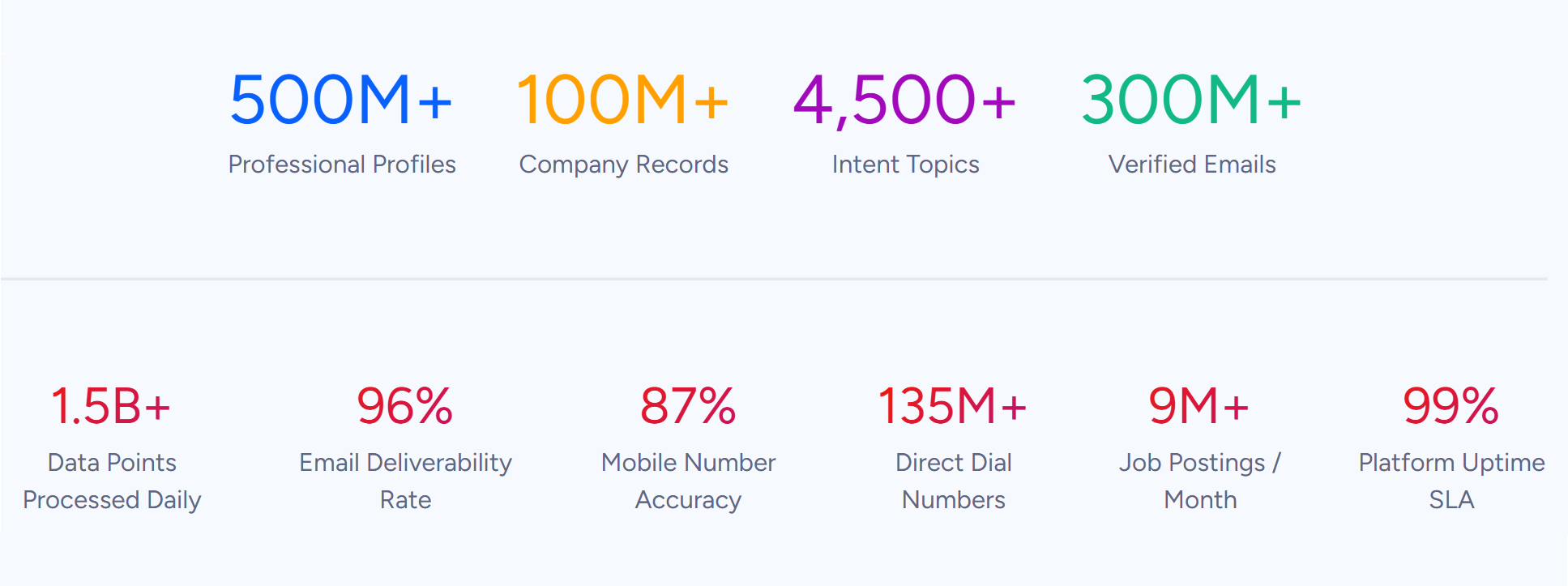
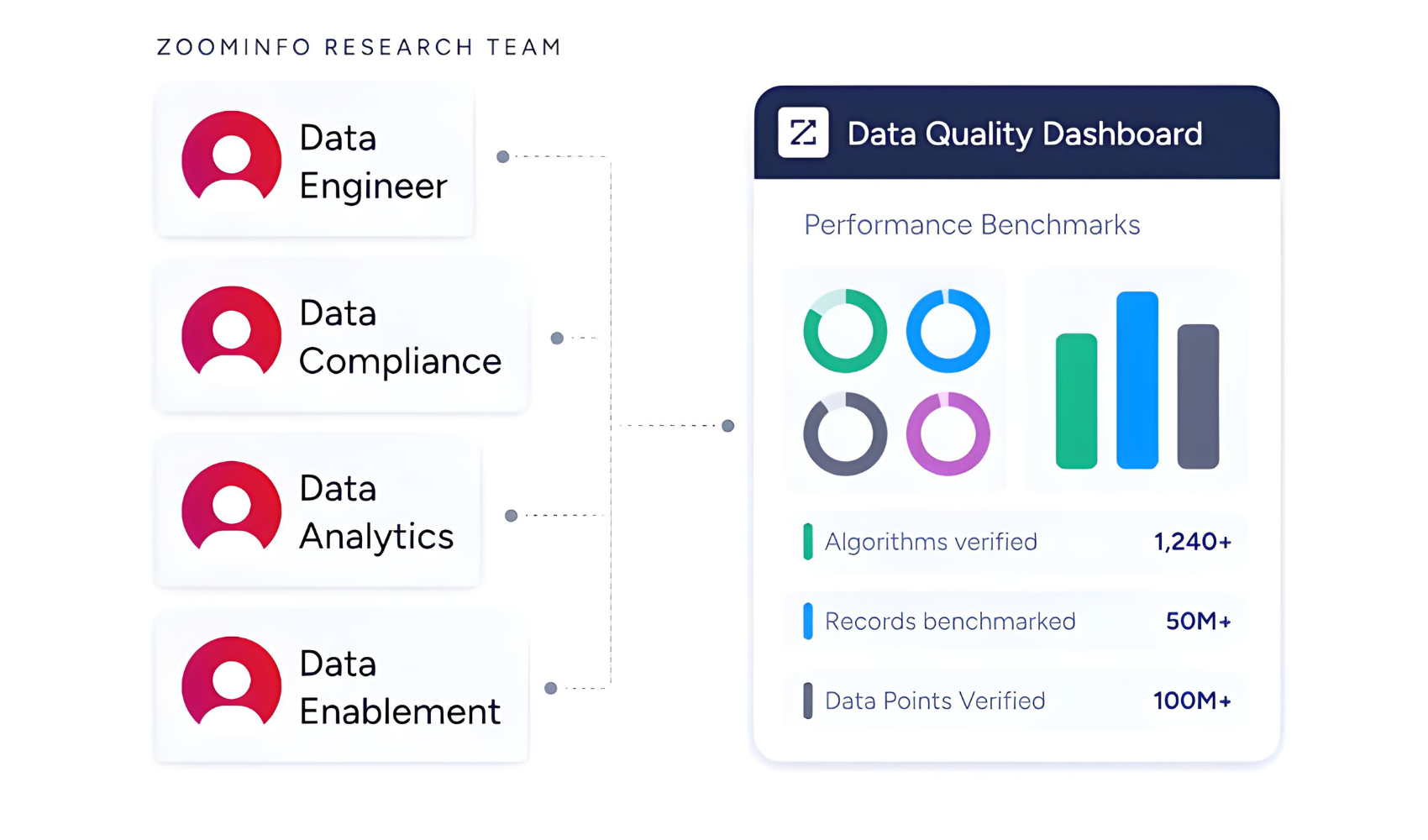
ZoomInfo is a B2B knowledge and go-to-market platform constructed on 500M contacts, 100M firms, 135M+ verified telephone numbers, and 200M+ verified enterprise emails.
Supply: ZoomInfo
That knowledge is verified by a multi-source pipeline backed by 300+ human researchers, reaching as much as 95% accuracy on first-party knowledge. For groups operating a Jotform-Salesforce integration, ZoomInfo covers the information high quality layer that no type connector handles.
Supply: ZoomInfo
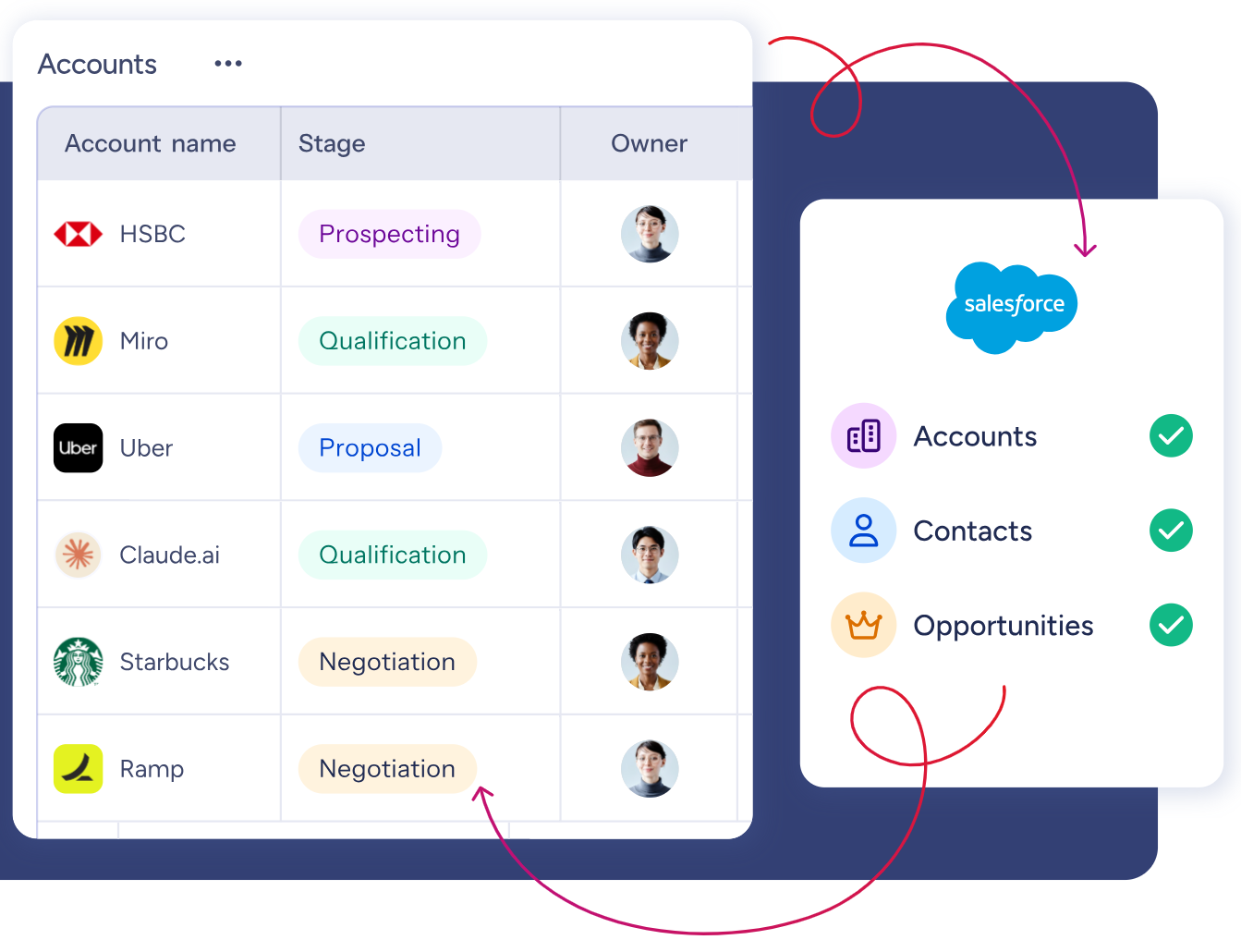
ZoomInfo integrates natively with Salesforce, offering CRM enrichment, lead routing, and real-time knowledge updates inside Salesforce information. When a Jotform submission creates a brand new Lead in Salesforce with only a identify and electronic mail, ZoomInfo can enrich that document with the contact’s verified job title, direct dial telephone quantity, firm attributes (measurement, trade, income), technographic profile, and org chart context.
Supply: ZoomInfo
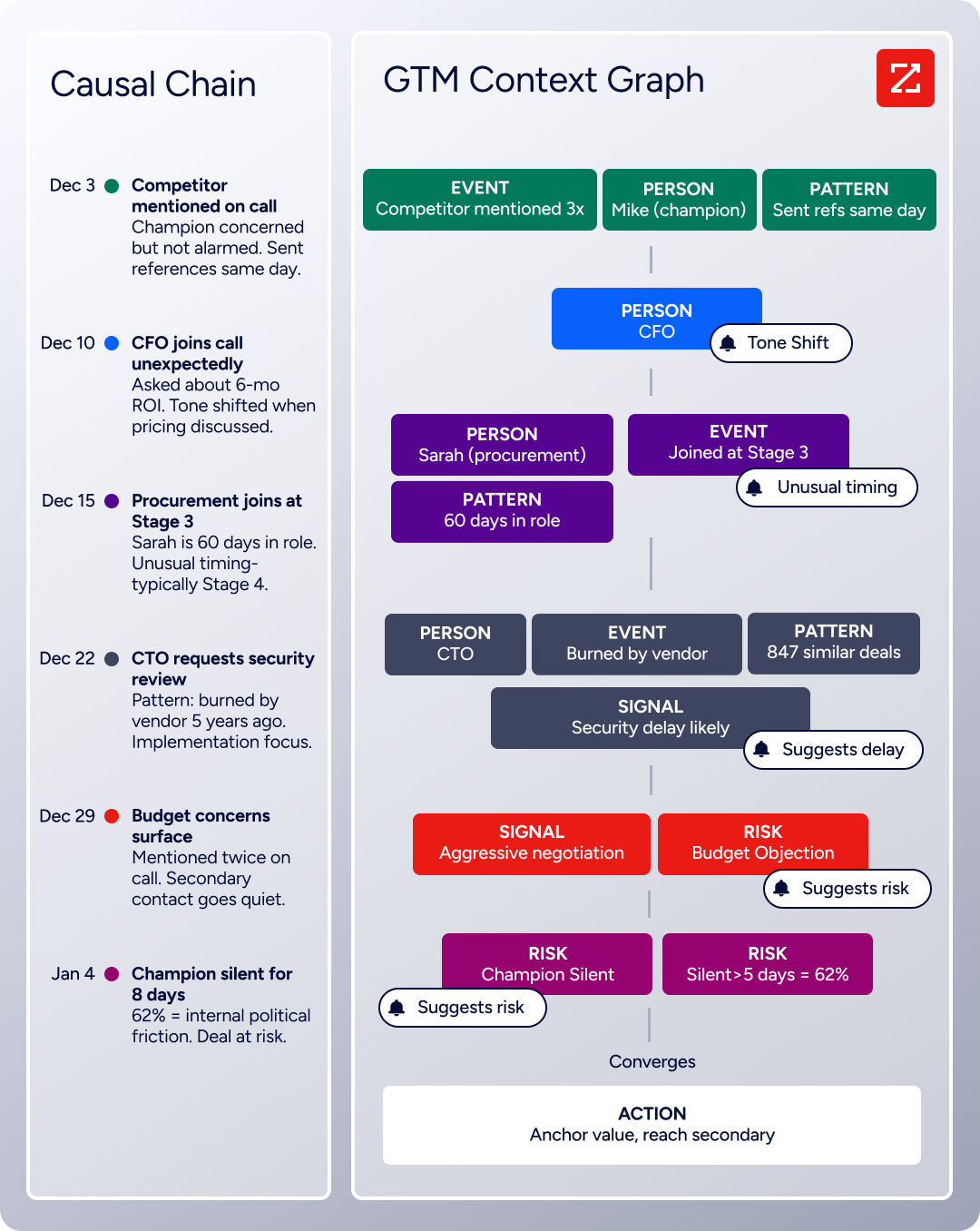
The identical knowledge feeds ZoomInfo’s GTM Context Graph, which processes 1.5B + knowledge factors day by day and unifies B2B knowledge with CRM information, dialog transcripts, and behavioral indicators to floor not simply what occurred in a deal, however why.
Supply: ZoomInfo
In apply, the workflow seems to be like this: a prospect fills out a Jotform lead seize type with their identify, electronic mail, and firm. The native integration creates a Salesforce Lead. ZoomInfo’s Salesforce connector enriches that Lead with verified contact particulars, firm income, worker depend, expertise stack, and org chart place.
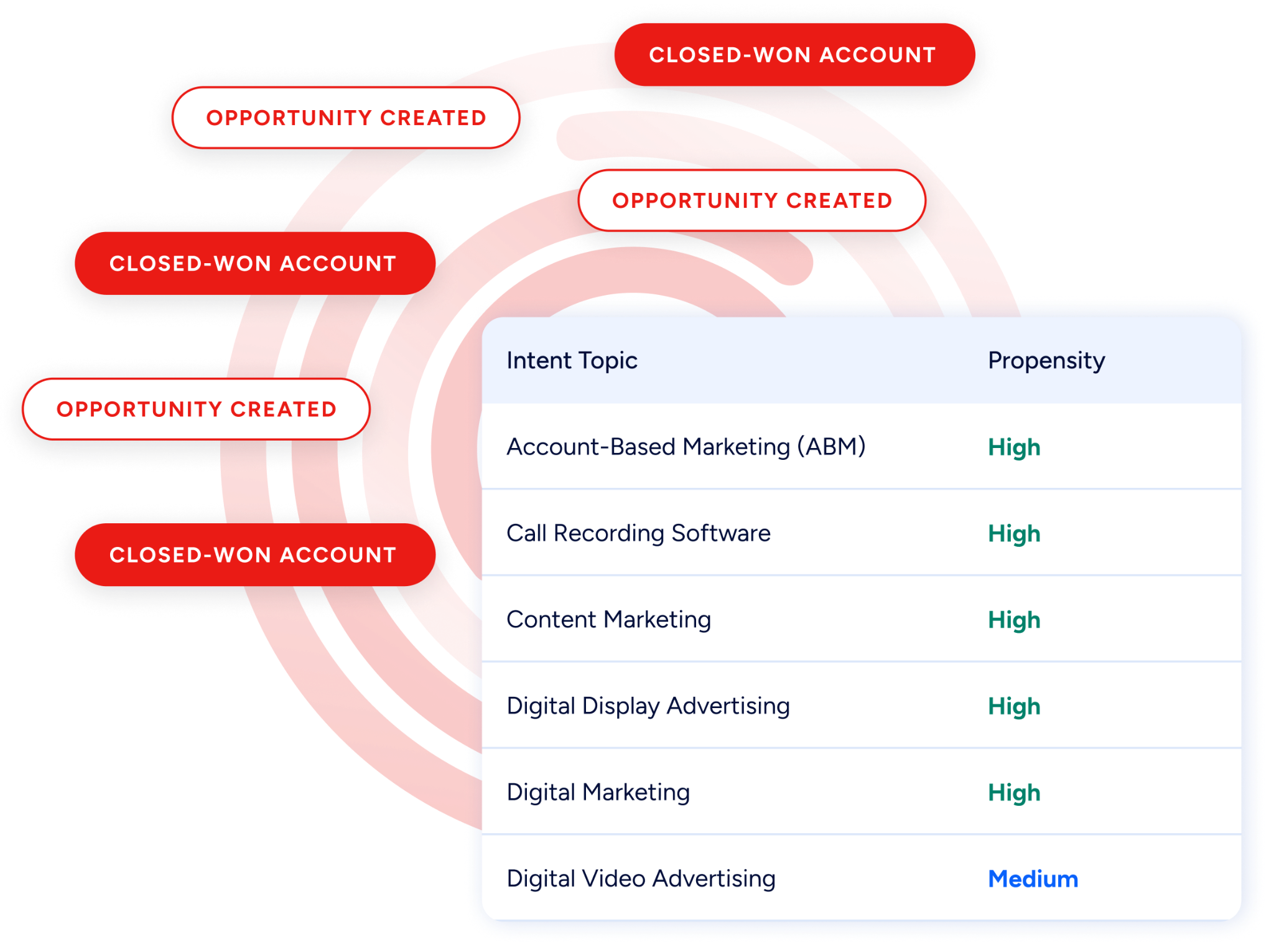
Purchaser Intent knowledge from ZoomInfo, monitoring indicators from 210 million IP-to-Group pairings, can additional prioritize which results in work first based mostly on whether or not their firm is actively researching related options.
Supply: ZoomInfo
Enriched information additionally make the Jotform-Salesforce integration simpler. A Lead with a verified direct dial will get a sooner first name. A Contact with correct firm attributes routes to the correct gross sales workforce by Salesforce task guidelines. Deduplication turns into extra dependable when information carry standardized firm names and verified emails somewhat than regardless of the respondent typed right into a type area.
Seismic’s gross sales workforce attributed 39% of lively pipeline to alternatives recognized or influenced by ZoomInfo indicators, whereas boosting productiveness by 54% and saving 11.5 hours per week. (Seismic)
Last Verdict
A local Jotform-Salesforce integration exists, is simple to arrange, and covers the first use case: pushing type submissions into CRM information. For many groups, the correct alternative is dependent upon the complexity of the information mapping and the quantity of submissions.
-
Small groups capturing leads or assist requests by kinds ought to begin with the native Jotform-Salesforce integration. It requires no third-party instruments, no code, and no ongoing charges past current Jotform and Salesforce subscriptions.
-
Groups needing conditional routing, deduplication, or multi-step workflows ought to use Zapier or Make. Each add logic the native integration doesn’t assist: checking for current information earlier than creating new ones, routing to totally different objects based mostly on type area values, and chaining actions throughout a number of apps.
-
Organizations with complicated knowledge fashions, high-volume submission processing, or bidirectional sync necessities ought to put money into a customized API integration utilizing Jotform’s REST API and Salesforce’s REST API.
Earlier than committing to a technique, make clear what occurs after the shape knowledge reaches Salesforce.
If the aim is getting type submissions into the CRM so they aren’t misplaced, the native integration handles that as we speak. If the aim is constructing a workflow the place type knowledge triggers task, nurture, scoring, and follow-up, the connection technique issues lower than the standard of the information inside Salesforce as soon as it arrives.
ZoomInfo, with its native Salesforce integration and API and MCP entry, is the information enrichment layer that ensures each form-captured lead enters the CRM with verified, actionable particulars somewhat than simply what the respondent selected to kind.
FAQ
Does Jotform supply a local Salesforce integration?
Sure. Jotform gives a local Salesforce integration configurable from the Type Builder’s Settings > Integrations panel. It maps type fields to Salesforce objects (Leads, Contacts, Accounts, Circumstances, and customized objects) and creates information on submission.
Jotform can be out there as a Salesforce AppExchange app for creating and managing kinds inside Salesforce. The 2 platforms have supplied this integration for almost a decade.
Can I join Jotform and Salesforce with out writing code?
Sure. The native integration requires no code and takes minutes to configure. Zapier and Make supply no-code and low-code options with extra routing and transformation capabilities. All three choices use visible, guided setups accessible to non-technical customers.
Which Jotform plans embody the Salesforce integration?
The Salesforce integration is out there throughout Jotform’s plan tiers. The constraint is submission quantity, not integration entry. The free Starter plan permits 100 month-to-month submissions, Bronze permits 1,000, Silver permits 2,500, Gold permits 10,000, and Enterprise provides limitless submissions. Groups processing excessive volumes will want a paid plan to keep away from hitting submission caps.
Can I sync historic Jotform submissions to Salesforce?
The native integration and third-party instruments (Zapier, Make) solely course of new submissions created after the mixing is activated.
For historic knowledge, use a customized script that reads current submissions from Jotform’s REST API (GET /type/{formID}/submissions) and creates corresponding information in Salesforce through the Salesforce REST API. Salesforce’s Bulk API 2.0 is really helpful for loading giant numbers of information.
How do I stop duplicate Salesforce information from type submissions?
The native integration doesn’t embody built-in deduplication. To stop duplicates, use Zapier (add a “Discover Document” step that searches Salesforce by electronic mail earlier than creating a brand new document) or Make (use a Salesforce search module earlier than the create module).
Customized API integrations ought to use Salesforce’s upsert operation, which matches on a specified area (similar to electronic mail) and updates the present document if discovered or creates a brand new one if not.
Does the mixing assist Jotform’s cost and e-signature options?
Fee knowledge captured by Jotform (transaction IDs, quantities, cost standing) could be mapped to Salesforce fields by the mixing. The complete cost processing particulars stay in Jotform and the related cost processor.
E-signatures collected through Jotform Signal can set off a type submission that creates a Salesforce document, however the signed doc itself doesn’t switch into Salesforce as an attachment by the native integration. Customized growth or a third-party connector could also be wanted to connect signed PDFs to Salesforce information.
What occurs if the mixing fails on a submission?
If the Salesforce document creation fails (as a result of a validation rule, a lacking required area, or an authentication error), the shape submission continues to be saved in Jotform.
The respondent’s knowledge isn’t misplaced. Jotform logs integration errors within the type’s submission historical past. Groups ought to periodically verify for failed submissions and reprocess them by the API or manually. Zapier and Make present their very own error logs and retry mechanisms.
How does ZoomInfo enhance a Jotform-Salesforce workflow?
ZoomInfo solves the information high quality drawback that no type connector addresses. A respondent fills out a lead type with a reputation, electronic mail, and firm. The mixing creates a Salesforce Lead. ZoomInfo’s native Salesforce integration then enriches that document with the contact’s verified job title, direct dial telephone quantity, firm measurement, trade, expertise stack, and org chart place.
Reps comply with up on leads with full, verified knowledge somewhat than working from regardless of the respondent typed right into a type. Intent indicators from ZoomInfo also can prioritize which results in name first based mostly on whether or not the corporate is actively researching related options.
Different instruments that hook up with Salesforce:

