


I’ve misplaced rely of what number of occasions I’ve opened a brand new tab, typed half a immediate, deleted it, and began once more. Most of my workday goes like that. The pondering is completed in my head lengthy earlier than my fingers catch up. So when the temporary for the SecondBrain VoicePad landed in my inbox, the pitch made sense to me immediately. Press a key, say what you imply, and let the textual content present up the place it must go.
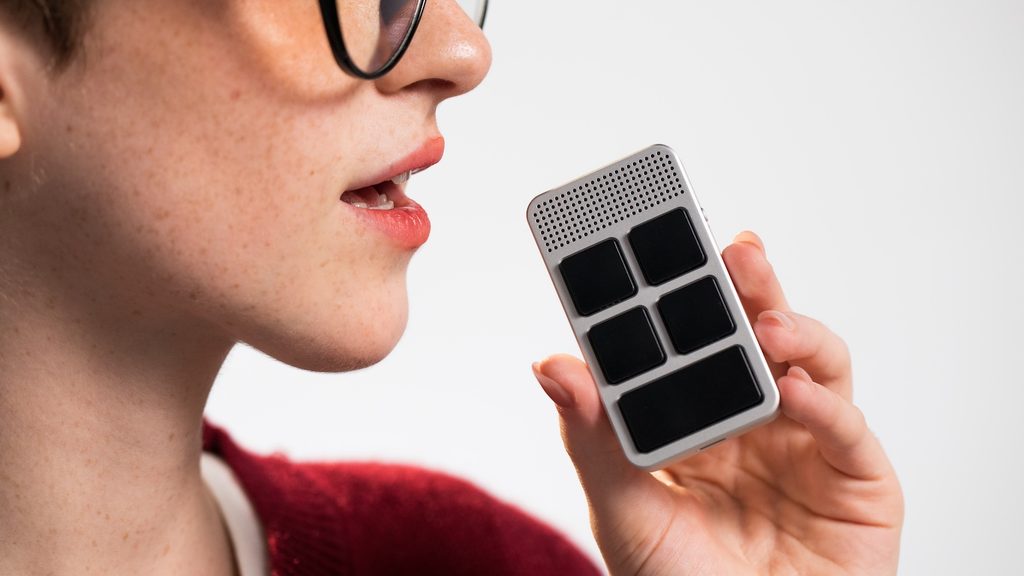
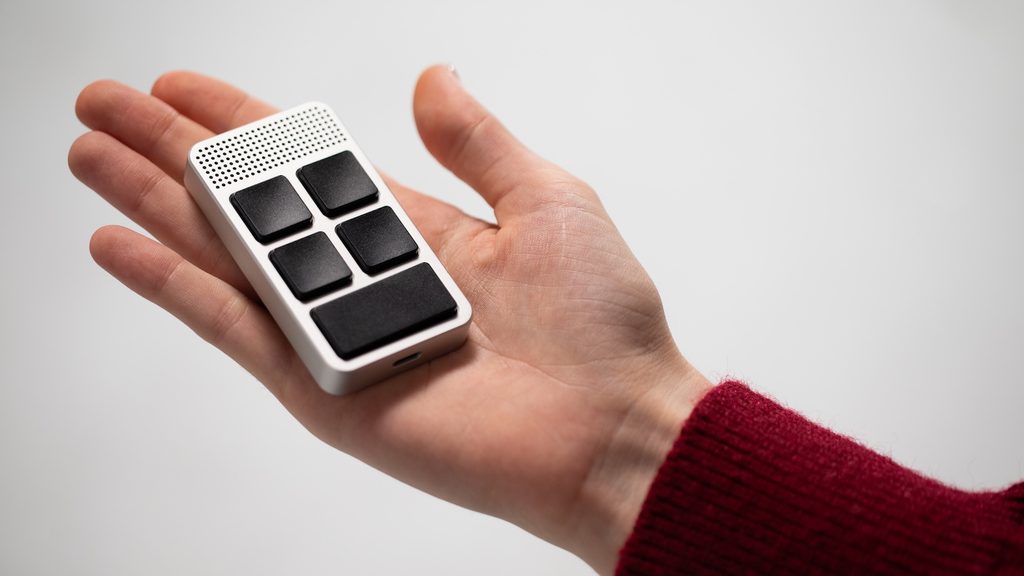
VoicePad is a small desktop AI voice gadget from Genspark. It pairs with a PC or Mac, sits in your desk subsequent to your keyboard, and provides you 5 bodily keys you’ll be able to program nevertheless you want. There are twin microphones inbuilt, a companion app for setup, and a bundle of AI providers that include the gadget. It launches on Kickstarter in the present day, November 24, 2026.
I haven’t had one on my desk but, so that is primarily based on the product temporary, the specs, and the service phrases Genspark has shared. Even on paper, although, it’s one of many extra sensible takes on voice AI {hardware} I’ve come throughout this 12 months.
The issue it’s going after is a boring one, and that’s a great factor
Loads of AI devices attempt to reinvent how we work. VoicePad doesn’t. It goes after the small detours that pile up throughout a day. Discovering the suitable app. Attempting to find the tab you had open an hour in the past. Typing out a sentence you’ve already composed in your head.
None of those are large issues alone. Added up, they’re a quiet tax in your consideration. Genspark’s reply is to place a devoted piece of {hardware} in your desk so voice enter is at all times one press away, as a substitute of buried in a menu or behind a keyboard shortcut you retain forgetting.
I like that framing. It’s trustworthy about what most workplace work seems to be like.
Whisper mode is perhaps the characteristic that wins individuals over
Right here’s my subject with voice dictation normally. I really feel self-conscious doing it. Speaking out loud to a laptop computer in a shared house, and even at dwelling whereas another person is within the room, is awkward. I think lots of people really feel the identical method, which is why so many people kind even when talking could be quicker.
VoicePad’s twin microphones sit near you on the desk, and Genspark says they’re tuned to choose up speech at regular quantity or perhaps a whisper. That modifications the social facet of voice enter fairly a bit. If I can murmur a message as a substitute of saying it to the entire workplace, I’m much more doubtless to make use of the factor.
The mics additionally deal with noise cancellation, so a busy open-plan workplace or a loud dwelling shouldn’t throw off your dictation.
Then there’s the clean-up step. VoicePad strips out filler phrases and false begins earlier than it varieties something. So the “um, really, wait, let me say that once more” a part of how actual individuals discuss doesn’t find yourself in your e mail or your ChatGPT immediate. The textual content goes straight into no matter app is lively in your display, which implies it really works throughout your instruments quite than inside one walled-off app.
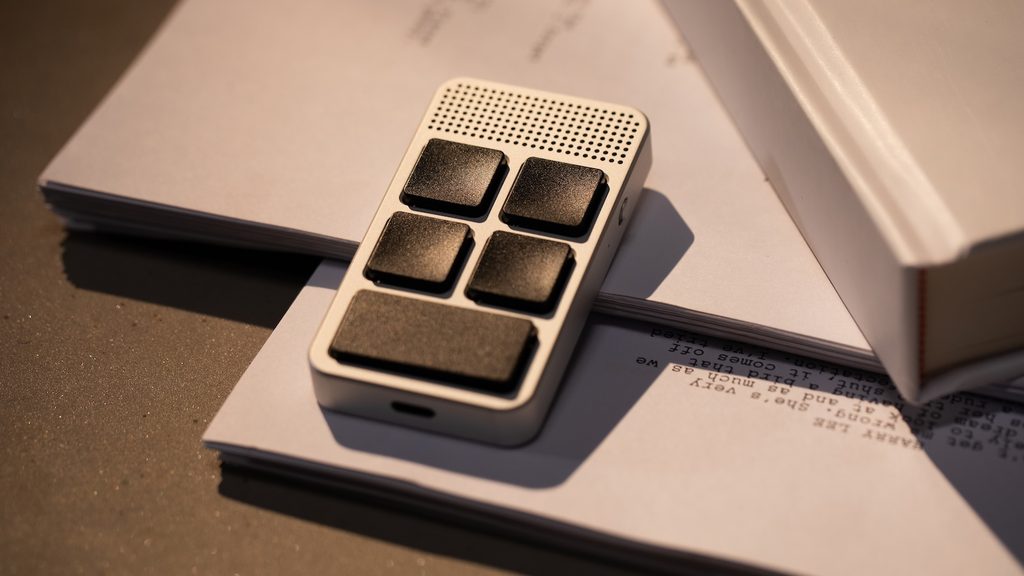
5 keys sound modest till you concentrate on what you’d map to them
The 5 programmable keys are the place VoicePad begins to really feel private. You set them up by way of the Genspark Tremendous App, and every one might be assigned to one thing totally different.
A number of the choices Genspark lists:
- Launching apps like ChatGPT, Claude, Genspark, Notion, YouTube, or any desktop app you’ve put in
- Beginning dictation immediately
- Operating a Genspark agent comparable to Assembly Notes, which information a gathering and provides you a abstract when it ends
- On a regular basis keystrokes like Enter, Copy, or Paste
I spent a couple of minutes mentally mapping my very own setup. One key for dictation, clearly. One for Claude, since I stay in it half the day. Assembly Notes on one other, as a result of I’m eternally scribbling notes throughout calls after which struggling to learn them again. That also leaves two keys for no matter I uncover I would like later.
5 is a wise quantity. Sufficient to cowl your each day habits with out turning the pad right into a second keyboard it’s a must to memorize.
The software program facet does a variety of heavy lifting
VoicePad is tied intently to the Genspark Tremendous App and the broader Genspark AI Workspace 6.0. The Tremendous App is the place you configure the keys. The workspace is the place your voice enter can flip into one thing extra helpful.
Via it, you get entry to AI teammates like GenTeam and brokers constructed for particular jobs, like Assembly Notes and AI Chat. These take spoken audio and form it into motion objects, assembly minutes, and summaries. There are additionally media and construct instruments contained in the workspace for video, pictures, audio, 3D design, coding, and dashboards.
Genspark additionally describes VoicePad as a strategy to gather work context from actual workplace conditions and feed it again into the workspace. The thought is that the extra it understands how you’re employed, the extra it may well automate throughout Docs, Sheets, Slides, and Chat. It’s an formidable aim. For most individuals, the quick worth would be the dictation and the shortcuts. The deeper automation is a pleasant runway for later.
The bundled providers are extra beneficiant than I anticipated
This was the a part of the temporary I learn twice. Lots of AI {hardware} ships with a brief trial after which pushes you towards a subscription. VoicePad’s included advantages are extra substantial.
Right here’s what comes with the gadget:
Voice enter (real-time dictation): Limitless for three hundred and sixty five days from first activation. After that, it drops to the free plan, which provides you 4,000 phrases per week, resetting each Monday at 00:00 UTC.
Transcription and AI abstract: 300 minutes monthly, and this one lasts for the lifetime of the product. Overages value 5 credit per minute, with the abstract included.
Textual content translation: Limitless for three hundred and sixty five days. After that, it strikes to the free plan fee of 1 credit score per minute.
Genspark Tremendous Agent: 1,000 one-time credit, legitimate for three hundred and sixty five days.
The lifetime 300 minutes of transcription is the standout for me. That’s 5 hours of conferences a month, each month, with no subscription required. In case your calendar seems to be something like mine, that covers a variety of floor.
If you’d like extra, Genspark Workspace has paid plans. Plus is $24.99 a month ($19.99 a month billed yearly) and begins at 10,000 month-to-month credit, with 50 GB of AI Drive storage and business use of AI-generated content material. Professional is $249.99 a month ($199.99 yearly), beginning at 125,000 month-to-month credit and 1 TB of storage. There are additionally Group and Enterprise choices for organizations, plus a free tier with 100 credit a day. Present Plus, Professional, and Group members get limitless voice enter, so VoicePad slots neatly into these plans too.
Pricing and the place to again it
VoicePad will retail for $169. On Kickstarter, the anticipated early value sits between $119 and $149, which is a stable saving in case you’re already leaning towards getting one. Yow will discover the marketing campaign on Kickstarter, and there’s extra element on the official VoicePad product web page.
Who I believe will get probably the most out of it
Individuals who write loads and assume quicker than they kind. Individuals who sit by way of back-to-back conferences and want dependable notes. Anybody working in a shared house who has averted voice instruments as a result of they don’t need to be the particular person speaking to their pc. And truthfully, anybody who’s ever wished their favourite AI software was one button away as a substitute of three clicks.
In case your day already runs by way of ChatGPT, Claude, Notion, or Genspark, the 5 keys alone may shave actual friction off your routine. The bundled providers make it simpler to justify, too. You’re not shopping for a gadget after which paying month-to-month to make it work.
My take
VoicePad isn’t attempting to be flashy. It’s a centered software that takes one thing we have already got entry to, voice AI, and places it in a spot the place you’ll use it. The whisper assist and the lifetime transcription allowance are the 2 particulars that stood out to me most, as a result of they handle the 2 causes I don’t use voice enter extra usually: I really feel awkward, and I don’t need one other subscription.
I’m curious to see the way it handles day-to-day use as soon as items begin reaching backers. Based mostly on what Genspark has laid out, it’s a simple one to advocate maintaining a tally of, particularly on the Kickstarter value.

