

I evaluated 10+ instruments utilizing G2 Information and critiques to finalize the 6 greatest WordPress internet hosting platforms. These are Kinsta, WordPress.com, Hostinger, WP Engine, Cloudways, and DreamHost.
If you’re wanting explicitly for a WordPress Internet hosting Platform, you’re looking for a platform to optimize efficiency. This efficiency is constructed on internet hosting and the remainder of the stack the location runs on, equivalent to plugins, a caching layer, and a content material supply community (CDN). And of these, internet hosting is the one choice that shapes each different one.
That is why I constructed a listing of one of the best WordPress internet hosting platforms price paying for in 2027, with out the fluff. I analyzed a number of G2 critiques and sat with the characteristic information within the G2 Fall 2026 Grid® Report. I pulled out the trade-offs actual prospects point out at choice factors like renewals and switches.
To construct this checklist, I began with the G2 Fall 2026 Grid® Report for WordPress Internet hosting Platforms, then used AI to investigate verified G2 critiques throughout all six platforms, specializing in efficiency, assist high quality, safety, and the way every host handles staging, backups, and migration. No platform acquired credit score for a functionality that reviewers did not persistently again up in their very own phrases.
What you will discover beneath is my sincere tackle six suppliers: Kinsta, WordPress.com, Hostinger, WP Engine, Cloudways, and DreamHost. Every one is robust at one thing particular.
Whether or not you run an company, a solo weblog, a membership web site, or an internet retailer, there is a software on this checklist constructed for the way you truly work.
6 greatest WordPress internet hosting platforms I like to recommend
- Kinsta: Finest for totally managed premium efficiency on Google Cloud
A premium managed host constructed on Google Cloud’s C2 machines, identified for robust assist and a clear dashboard expertise. (Pricing relies on visits; begins from $30 monthly and goes as much as $625 for a single web site) - WordPress.com: Finest for creators and non-technical customers who need WordPress with out managing internet hosting
A hosted SaaS model of WordPress run immediately by Automattic, the place internet hosting, updates, and safety are dealt with for you. (Free plan accessible; paid plans begin from $4 monthly) - Hostinger: Finest for solo founders and small groups who need managed efficiency at a starter worth
A worth-first host constructed across the hPanel management panel and LiteSpeed servers, with aggressive entry pricing for particular person websites. (Begins at $2.99 monthly on a 48-month plan) - WP Engine: Finest for businesses and in-house groups operating manufacturing WordPress at scale
A developer-oriented managed host constructed round staging workflows and Git deployment, with Sensible Plugin Supervisor and an extended enterprise monitor file. (Pricing begins from $30 monthly) - Cloudways: Finest for groups that wish to choose their very own cloud supplier with a managed layer on high
A managed layer that sits on high of your chosen cloud, the place you choose the infrastructure and Cloudways runs WordPress for you. (Free trial accessible; pricing begins from $14 monthly) - DreamHost: Finest for freelancers and small companies that need internet hosting, e-mail, and a site in a single account
A budget-friendly host that bundles internet hosting, e-mail, and area administration into one account, with a clear dashboard and assist reviewers describe as responsive. (Shared internet hosting begins at $2.59 monthly)
* In response to the G2 Fall 2026 Grid® Report, these WordPress internet hosting platforms are top-rated of their class. I’ve included their strengths and ideally suited use instances that can assist you select the suitable resolution in your web site.
Most individuals looking for WordPress internet hosting aren’t looking for WordPress. They already use it. What they’re truly looking for is the stack round WordPress. That stack decides whether or not a web site masses quick and stays up. It additionally decides whether or not the location will get compromised.
The safety facet is the place this turns into sharpest. In response to the Patchstack-Sucuri State of WordPress Safety 2025 report, 96% of WordPress vulnerabilities disclosed in 2024 had been present in plugins, not in core. Solely 7 had been in WordPress core itself. That reframes the internet hosting dialog. What you are actually paying a managed host for is not a server. It is the layer between your web site and seven,966 new plugin vulnerabilities a 12 months: managed updates, digital patching, a tuned internet utility firewall (WAF), common malware scanning, automated backups that truly restore if you want them.
So I constructed this checklist with that in thoughts. The six platforms beneath every take a unique strategy to the safety and efficiency drawback, and each is constructed for a unique sort of purchaser.
How did I discover and consider one of the best WordPress internet hosting platforms?
I began with the G2 Fall 2026 Grid® Report for WordPress Internet hosting Platforms to construct my shortlist. That gave me satisfaction scores, per-feature rankings, and advice charges, which I cross-referenced towards the qualitative overview patterns to verify I wasn’t cherry-picking a handful of loud reviewers. Grid positioning was a dependable start line however by no means the entire image, and since the Grid blends satisfaction with market presence, I name out the place a product’s placement leans extra on presence than on reviewer sentiment.
For this text, I analyzed verified G2 critiques for every of the six merchandise beneath. I wasn’t simply counting stars. I learn by what reviewers appreciated and disliked, and I used AI to investigate the patterns that stored repeating. Patterns emerge shortly when you may have sufficient critiques per product, and the issues that present up many times are the issues that matter.
The place I point out a satisfaction rating or a characteristic rating within the sections beneath, it comes from the Fall 2026 Grid Report or the present G2 product web page. I’ve tried to be truthful. The place a supplier has an actual weak point, I’ve mentioned so, however I’ve additionally tried to be sincere about who that weak point truly impacts and who it would not. The visuals and product references on this article are sourced from G2 vendor listings and publicly accessible product documentation.
What I prioritized when evaluating WordPress internet hosting platforms
Narrowing down six platforms from a crowded class meant getting particular about what separates a very good host from an amazing one for WordPress. These are the factors that formed the ultimate checklist.
- Efficiency below actual visitors: Not simply benchmarks on a quiet evening. I regarded for proof that websites keep quick when visitors spikes and the plugin-plus-database load compounds over time.
- Help high quality when one thing breaks: One of the best hosts have people who can debug a web site at 2 a.m. Reviewer commentary on response time and agent depth weighed closely right here.
- Clear pricing and useful resource limits: Entry-tier costs are solely helpful when the overage guidelines and PHP employee caps do not conceal a second invoice at renewal.
- Safety posture: Managed updates and digital patching, backed by firewall configuration and backup retention that truly restores. For membership websites and shops, that is non-negotiable.
- Staging, backup, and migration ergonomics: Every day work for businesses and manufacturing groups. Clunky staging kills an in any other case robust host.
- Match for the reader’s technical stage: A platform that is good for a solo blogger is usually mistaken for a dev crew, and vice versa. I factored that into the positioning.
The checklist consists of solely merchandise that seem on the G2 WordPress Internet hosting class web page and have current critiques, offering a dependable sign. Claims a couple of product’s conduct traces again to reviewer commentary or the G2 Fall 2026 Grid Report.
To qualify for inclusion on this software program checklist, a product should:
- Ship internet hosting infrastructure purpose-built for WordPress, with efficiency and safety configurations pre-tuned to the CMS out of the field.
- Streamline WordPress setup and ongoing administration by one-click installers, computerized updates, and ready-to-use WordPress environments.
- Allow full entry to the WordPress theme and plugin ecosystem, whether or not by native integration or built-in administration instruments.
- Give prospects intuitive management panels and dashboards to handle their websites, domains, databases, and server sources from a single interface.
- Construct within the safety and reliability necessities WordPress websites want, together with SSL certificates, firewalls, malware safety, automated backups, and uptime ensures.
These critiques had been pulled from G2 in 2026. Critiques may be edited for readability.
1. Kinsta: Finest for totally managed premium efficiency on Google Cloud
A web site that slows down throughout a consumer launch prices an company greater than any internet hosting invoice, and a ticket queue that solutions tomorrow doesn’t assist. Kinsta runs WordPress on Google Cloud’s C2 machines, with a customized dashboard and a assist crew reviewers bear in mind by title. Groups that deal with their web site as income infrastructure maintain selecting it.
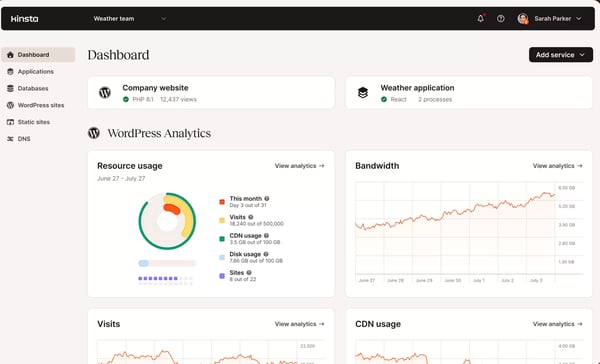
Kinsta’s 4.8 out of 5-star ranking on G2 comes with a Fall 2026 Grid G2 Rating of 94, the best on this checklist, and a satisfaction rating of 97 throughout 1,331 critiques. Help is the sample that stands out most in critiques. Reviewers do not simply say it’s good. They describe particular interactions, bear in mind the title of the agent who helped them, and point out being impressed by the depth of the response. The numbers line up, with a 98% high quality of assist rating and technical assist, the highest-rated characteristic, at 97%. Its Web Promoter Rating of 88 can be the best on this checklist.
The assist story is anchored by the remainder of the stack. Kinsta runs on Google Cloud’s C2 compute-optimized machines, not on generic shared infrastructure. That issues as a result of C2 machines are designed for CPU-heavy workloads, and most WordPress slowdowns are CPU-bound: plugin compounding, database queries, uncached admin pages. Based mostly on my analysis of G2 critiques, customers shifting to Kinsta from lower-cost hosts incessantly report rapid, measurable pace enhancements. To me, that consistency suggests the efficiency features are tied to Kinsta’s underlying structure reasonably than its advertising claims.
MyKinsta, Kinsta’s customized dashboard, is the place many of the day-to-day occurs. I noticed that reviewers name it clear and intuitive, particularly in comparison with cPanel-era interfaces. You get web site analytics and efficiency monitoring. Staging environments, database instruments, and a find-and-replace utility deal with the sort of small duties that used to require a plugin.
Backups and safety sit quietly within the background, which is one of the best praise you may give both. Backup scored 96% within the Fall 2026 Grid Report, and SSL Certificates scored 96%. You get computerized every day backups with downloadable archives and point-in-time restore on greater plans. Free SSL is commonplace. A managed WAF and distributed denial-of-service (DDoS) safety by way of Cloudflare comes in-built.
Critiques and have information each level to staging as one other space the place Kinsta performs nicely. Customers can create a staging surroundings, take a look at modifications throughout the dashboard, and push the up to date model dwell in a single click on. Whereas which will sound like a primary functionality, it stands out towards lower-cost hosts that both cost further for staging or make the method extra concerned.
Kinsta’s plans begin at $30 monthly, which is an actual leap over price range shared internet hosting. G2 critiques state that the pricing is smart for groups the place the price of downtime exceeds the price of internet hosting. Enterprise websites, company consumer portfolios, and high-value private manufacturers all match that form. It could possibly really feel steep for a passion weblog or a primary WordPress venture the place that math hasn’t caught up but. Nonetheless, the premium pays for managed efficiency, stronger infrastructure, and hands-on assist.
Plan design is structured round month-to-month visits and PHP employee allocation reasonably than the unmetered claims frequent on the price range finish. Reviewers often run into PHP employee limits on visitors spikes or when operating sure web page builders. For workloads with unpredictable visitors bursts, it is price sizing one tier up from what present month-to-month visits counsel. It is a trade-off that works nicely for groups that may dimension their plan to their precise visitors patterns and deal with occasional plan upgrades as a part of the price of development.
G2 implementation information provides to the case for quick returns. Kinsta averages 0.7 months to go dwell, 83% of groups launch with an in-house crew, and common consumer adoption is 80%. The estimated payback interval of seven months is the joint shortest on this checklist, and small companies make up 93% of Grid reviewers, which inserts the company and small-business portfolios reviewers describe.
I might advocate Kinsta to groups that deal with their web site as income infrastructure, because it delivers the mix that issues: premium Google Cloud efficiency, assist that solves issues as an alternative of closing tickets, and a dashboard that stays out of the way in which.
What I like about Kinsta:
- The 24/7 dwell chat has a fame for depth, not simply responsiveness. Reviewers describe brokers who determine and repair points that have not been observed but reasonably than dashing to shut tickets.
- A world community of 37 Google Cloud information heart areas means you’ll be able to host near your viewers, which cuts latency in ways in which matter on cell.
What G2 customers like about Kinsta:
“I discover it straightforward to make use of Kinsta for internet hosting about 15 totally different web sites while not having to fret about upgrading fairly often. Kinsta makes managing these web sites easy in a single place and securely hosts WordPress websites, which makes my work safer and extra simple. I actually like that Kinsta handles all of the internet hosting and technical particulars, so I haven’t got to handle these features myself. The preliminary setup of Kinsta was glorious as a result of they logged into my current web sites and made the transition clean, which I might do one after the other. It was straightforward peasy, lemon squeezy!”
– Kinsta overview, Danny D.
What I dislike about Kinsta:
- Plans begin at $30 monthly, an actual step up from price range shared internet hosting, and that may really feel steep for a passion weblog or a primary WordPress venture. G2 critiques present that for enterprise websites, company portfolios, and different websites the place downtime prices greater than internet hosting, the premium pays for managed efficiency and hands-on assist.
- Plans are sized by month-to-month visits and PHP employees, so visitors spikes or heavy web page builders can push websites into these limits. Sizing one tier above present visitors avoids most of it, and groups that plan for development deal with the occasional improve as a part of the price of scaling.
What G2 customers dislike about Kinsta:
“I am not a fan of their AI bot. Human assist is what I depend on.”
– Kinsta overview, Rick F.
2. WordPress.com: Finest for creators and non-technical customers who need WordPress with out managing internet hosting
Somebody who desires to publish a weblog or a small enterprise web page this week doesn’t wish to study what a PHP employee is. WordPress.com is the hosted model of WordPress run immediately by Automattic, so internet hosting, updates, and safety are dealt with for you, which makes it totally different in form from each different supplier on this checklist. Creators and non-technical web site homeowners maintain ending up right here.
WordPress.com holds a 4.4 out of 5 ranking on G2. On the Fall 2026 Grid, its G2 Rating of 81 leans on a market presence of 95 greater than on reviewer satisfaction, which sits at 67 throughout 2,128 critiques, the most important overview base on this checklist. Its Web Promoter Rating is 59. The SSL certificates characteristic scored 98%, the best on this checklist, and web site administration scored 95%. These are each areas the place the hosted mannequin does actual work for the consumer.
Based mostly on the critiques I evaluated, the enchantment reviewers describe most frequently is the block editor mixed with zero server upkeep. You get the WordPress modifying expertise, which remains to be probably the most versatile CMS editor available on the market, with none of the internet hosting admin work. For somebody who desires to publish content material and design a private web site with out changing into a part-time sysadmin, that commerce is a transparent win. Small enterprise homeowners who want to take care of a easy web page profit from the identical setup.
I noticed that themes and customization are the second constant theme in critiques. WordPress.com’s Premium plan unlocks premium themes with actual design instruments, and reviewers describe it because the quickest solution to get a polished-looking web site dwell with out working with a designer. The Private plan, at $4 monthly billed yearly, covers most solo weblog use instances with a free area for the primary 12 months and internet hosting dealt with for you.
On the internet hosting facet particularly, I see reviewers persistently point out that they do not take into consideration uptime or SSL. That is the purpose. Automattic handles safety patches and runs the infrastructure. SSL certificates are managed with out the consumer having to deal with something. It is the quietest sort of internet hosting expertise, which for this viewers is strictly proper.
Web site administration instruments on the Marketing strategy and above lean into what rising websites want. Staging environments make testing modifications protected. Safe File Switch Protocol (SFTP) and Safe Socket Shell (SSH) entry open up direct file administration. Git deployments and plugin set up convey the expertise nearer to self-hosted WordPress. The Marketing strategy is the place WordPress.com begins to operate like a managed WordPress host within the conventional sense. Exercise monitoring scored 92% within the Fall 2026 Grid Report, above the class common and reflecting the platform’s maturity in monitoring who modified what on a web site.
In response to my analysis of G2 critiques, ease of use is the characteristic reviewers return to most. Setup takes minutes. Publishing a put up takes seconds. Enhancing a web page would not require touching any file. For solo creators and bloggers getting on-line for the primary time, the pace of getting began is the characteristic. The Grid is extra measured on this level, with ease of use at 87% towards a 90% class common and high quality of assist at 83%, the bottom on this checklist, so the reward is strongest for the setup and publishing expertise reasonably than for ongoing assist.
The leap from the Private tier to the Enterprise tier may be vital, particularly for customers who want customized plugins or deeper customization. Based mostly on my analysis of G2 critiques, some customers who outgrew the Private plan discovered the improve dearer than anticipated. The decrease tiers stay a sensible match for creators and smaller websites that want managed WordPress necessities with out superior improvement capabilities.
Customization is extra restricted on the Private and Premium plans, with customized plugins and file-level entry reserved for the Enterprise tier and above. Customers shifting from self-hosted WordPress might discover that restrictive, significantly in the event that they anticipate better management from the start. For groups that prioritize ease of administration over developer entry, nevertheless, the decrease tiers present a less complicated WordPress expertise with the choice to develop as their necessities develop.
G2 implementation information reveals a mean of 1.7 months to go dwell, the longest of the six, with 81% of groups launching in-house. Common consumer adoption is 74% and the estimated payback interval is 10 months. WordPress.com additionally has the broadest buyer combine on the Grid, with 25% mid-market and 10% enterprise reviewers alongside 65% small companies.
For creators and small web site homeowners who wish to publish reasonably than run a server, WordPress.com stays the best solution to get the world’s most versatile CMS with out the internet hosting homework.
What I like about WordPress.com:
- Free plan and Private plan at $4 monthly make it the lowest-friction entry level on this checklist for people testing the waters.
- The platform’s put up scheduling and publishing instruments are among the many strongest within the class for content-first websites.
What G2 customers like about WordPress.com:
“I exploit WordPress.com to create and handle web sites effortlessly for my purchasers and myself. It is inexpensive, which is an enormous plus for me. I actually recognize how straightforward it’s to edit websites. The block editor and themes enable me to replace and refine pages while not having technical abilities. I can transfer round, edit textual content and pictures, and preview, which saves me a whole lot of time. The preliminary setup was tremendous straightforward.”
– WordPress.com overview, Osmely V.
What I dislike about WordPress.com:
- The value hole between the Private and Enterprise tiers is wider than some customers anticipate once they outgrow the decrease plan. Creators who will ultimately want customized plugins ought to price range for that step early. Those that make the leap get file-level entry, staging, and Git deployment, which successfully turns the platform into a completely managed WordPress host.
- Customized plugins and deeper design management keep locked till the Enterprise tier, which might frustrate customers arriving from self-hosted WordPress. For the creators and small web site homeowners the decrease plans are constructed for, that guardrail is a part of the enchantment: much less to configure, much less to interrupt, and a cleaner path to easily publishing.
What G2 customers dislike about WordPress.com:
“Whereas WordPress.com is nice general, I generally want for a bit extra flexibility with customizations and plugins in comparison with the self-hosted model.”
– WordPress.com overview, Toheeb O.
3. Hostinger: Finest for solo founders and small groups who need managed efficiency at a starter worth
A solo founder launching a primary web site on a good price range often expects low-cost internet hosting to imply sluggish pages and absent assist. Hostinger runs on LiteSpeed servers behind its personal hPanel management panel, with plans beginning at $2.99 monthly on a 48-month time period. Solo founders and small groups who need managed-class pace at a starter worth maintain selecting it.

Hostinger holds a 4.4 out of 5 ranking on G2. On the Fall 2026 Grid, its G2 Rating of 81 leans on a market presence of 95 greater than on reviewer satisfaction, which sits at 67 throughout 251 critiques, with a Web Promoter Rating of 71. Reviewers nonetheless describe pace and assist that really feel nearer to a mid-tier managed host than a price range shared plan. Ease of setup scored 94%, second solely to Kinsta on this checklist. Ease of use and ease of admin each scored 93%. These numbers monitor with what reviewers describe as a clean first half-hour on the platform.
Based mostly on my analysis of G2 critiques, hPanel, Hostinger’s customized management panel, stands out because the hero of the expertise. Customers acquainted with cPanel usually describe it as a transparent step up in design and navigation, with instruments introduced in plain language. New customers can handle their websites with out understanding technical ideas equivalent to cron jobs, whereas skilled customers can shortly attain DNS controls, database instruments, and one-click FTP entry.
Efficiency comes from the LiteSpeed internet server mixed with LiteSpeed Cache. For a WordPress web site, that mixture is efficient with out fuss. LiteSpeed handles static caching on the server stage, which suggests Time to First Byte (TTFB) stays low even on entry-tier plans. Reviewers incessantly name out that the pace on the Premium plan exceeded what they’d seen on dearer rivals.
Help is the place Hostinger quietly outperforms its worth class. High quality of assist scored 91% within the Fall 2026 Grid Report. 24/7 dwell chat is commonplace throughout plans, and reviewers describe brokers who follow an issue by decision reasonably than punting to documentation. For a $2.99 monthly plan, that sort of assist presence is uncommon.
Safety fundamentals are included with out upsells. SSL certificates scored 96% within the Fall 2026 Grid Report, which leads Hostinger’s characteristic profile. Free SSL is commonplace. A free area is included in annual plans. Every day backups and an internet utility firewall include the internet hosting, not as add-ons. Reviewers operating small enterprise websites particularly be aware that they did not must bolt on a safety plugin stack to really feel coated.
Migration is clean sufficient that reviewers switching from different hosts describe it as uneventful. Hostinger presents automated WordPress migration, and the in-house migration software handles the heavy lifting for many web site shapes. For a solo founder shifting their first web site between hosts, that ease of switch is usually the deciding issue.
There are two caveats price understanding. WAF and DDoS safety scored 86% within the Fall 2026 Grid Report, which is beneath the class common of 87%. This suits nicely with smaller websites the place the menace floor is proscribed. It is much less aligned for workloads on the greater finish of the menace spectrum, like membership platforms and high-traffic e-commerce shops that want a premium safety posture as a first-class characteristic. For these workloads, Hostinger is usually a place to begin reasonably than an endpoint.
Renewal pricing is the opposite consideration. Entry-tier costs mirror the longest accessible time period. After the preliminary time period, the month-to-month price rises to a standard-market stage. Patrons preferring month-to-month flexibility or who need the first-year price to carry long-term might choose a number with flat pricing. For customers comfy committing to a long run upfront, that commerce locks within the lowest efficient price on this worth class.
G2 implementation information helps the quick-start story, with a mean of 0.8 months to go dwell and 83% of groups launching in-house. Small companies make up 92% of Grid reviewers. The estimated payback interval of 14 months is the longest on this checklist, so I’d weigh the renewal pricing above earlier than committing to a plan.
Hostinger is the host I might level solo founders and small groups to when they need managed-class pace and assist at an entry worth, and the reviewers I learn persistently say the worth holds up.
What I like about Hostinger:
- The AI Web site Builder inside hPanel is an actual software for non-designers. Reviewers describe it as an affordable solution to get a touchdown web page dwell in below an hour.
- Free area on annual plans provides significant worth for solo founders who’d in any other case pay $10 to $15 a 12 months individually.
What G2 customers like about Hostinger:
“The stability between efficiency and worth is truthfully unbeatable. I’ve used a number of hosts over time, however Hostinger’s hPanel is what retains me round. It is a lot cleaner and extra intuitive than the dated cPanel interfaces most different firms use. The pace, powered by LiteSpeed servers, is spectacular even on their entry-level plans. Additionally, their AI Web site Builder has come a great distance; it is good for getting a professional-looking web site up and operating in minutes with out touching a line of code.”
– Hostinger overview, Pawan Joshi.
What I dislike about Hostinger:
- WAF and DDoS safety scored 86% within the Fall 2026 Grid Report, a degree beneath the 87% class common. Smaller websites with a restricted menace floor are nicely coated, whereas membership platforms and high-traffic shops that want a premium safety posture will seemingly deal with Hostinger as a place to begin.
- The $2.99 monthly worth applies to the 48-month time period and rises to a standard-market price after it, which might frustrate consumers who need month-to-month flexibility. Anybody comfy committing upfront locks within the lowest efficient price on this worth class.
What G2 customers dislike about Hostinger:
“Excessive renewal prices after promo interval, restricted sources on primary plans which need to be elevated.”
– Hostinger overview, Dharan Prabhu C.
4. WP Engine: Finest for businesses and in-house groups operating manufacturing WordPress at scale
An company pushing a plugin replace throughout a dozen consumer websites on a Friday afternoon wants staging that mirrors manufacturing and assist that already is aware of what ACF is. WP Engine is constructed round that actuality, with a number of environments, Git-based deployment, and Sensible Plugin Supervisor. Companies and in-house groups operating manufacturing WordPress at scale maintain ending up right here.
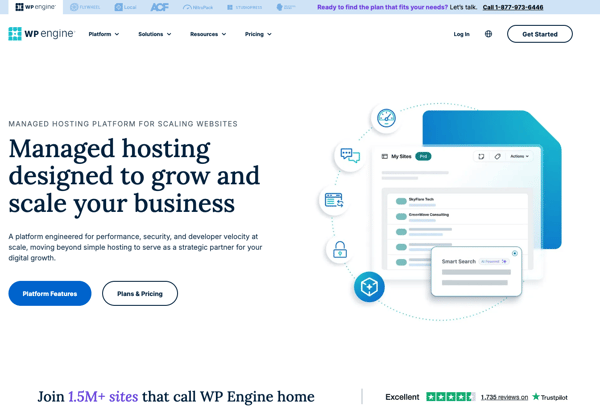
WP Engine holds a 4.6 out of 5 ranking on G2. On the Fall 2026 Grid, its G2 Rating of 80 leans on market presence greater than on reviewer satisfaction, which sits at 65 throughout 288 critiques, with a Web Promoter Rating of 73. High quality of assist scored 94%, and ease of doing enterprise with scored 94%. Each of these are above the class common. For an company evaluating a number to run consumer websites on, that second rating usually issues greater than the primary.
The developer workflow is the clearest differentiator. Reviewers who construct WordPress professionally describe Native by WP Engine, the free desktop improvement software, as a real productiveness raise. It replicates the manufacturing server surroundings on a laptop computer, which suggests points get caught in improvement reasonably than on a staging web site {that a} consumer is actively reviewing. Git push deployments work the way in which a contemporary dev crew expects them to work. SSH and WP-CLI entry can be found on most plans, permitting businesses to script the tedious elements.
Staging and backups are executed nicely sufficient to be invisible. Backup scored 96% within the Fall 2026 Grid Report, and web site administration scored 95%. You get one-click staging. Computerized nightly backups run within the background. Pushing staging modifications to manufacturing is a streamlined workflow, not a handbook one. Reviewers managing consumer websites particularly name out how a lot time this protects in comparison with hosts the place staging is a paid add-on or a handbook rsync.
Safety is one other space the place WP Engine’s agency-first design reveals. The World Edge Safety add-on brings Cloudflare Enterprise options to a WordPress host, which is the sort of factor that turns a “we must always in all probability have a WAF” dialog right into a solved drawback. SSL certificates scored 95%. Managed WordPress and PHP updates cut back the plugin vulnerability that the Patchstack whitepaper flagged because the dominant danger vector in 2024.
Sensible Plugin Supervisor is a characteristic price calling out by itself. It assessments plugin updates towards a visible regression of the location earlier than pushing them dwell. For businesses operating dozens of consumer websites, the place a nasty plugin replace can silently break a checkout web page, this strikes from “good to have” to “why would not each host do that?” Reviewers who’ve used it describe it as one motive they do not store round.
Help is the characteristic reviewers return to most frequently. WP Engine’s assist crew is described as senior. Reviewers point out account managers by title. The sort of element that reveals up when one thing concerning the relationship feels private reasonably than transactional. For an company with a dozen consumer websites on the road, that relationship is not a gentle profit. It is usually the deciding issue.
The trade-offs are what you’d anticipate from a platform constructed for this tier. WP Engine’s Important plan begins at $30 monthly. The Core plan, which unlocks extra websites and the Sensible Plugin Supervisor tier, begins at $400 monthly. It is a poor match for a solo blogger or a single-site passion venture. For businesses and in-house groups operating a number of manufacturing websites, although, the construction is smart: the price of downtime dwarfs the price of internet hosting, and the platform is priced for precisely that math.
E mail internet hosting scored 75% within the Fall 2026 Grid Report, which is beneath the class common of 85%. Patrons who anticipate e-mail and webhosting below a single invoice will want a separate supplier for the e-mail half. For company groups already operating e-mail by Google Workspace or Microsoft 365, which is the norm, the separation retains the internet hosting invoice clear and the e-mail stack precisely the place IT desires it.
G2 implementation information reveals a mean of 0.7 months to go dwell, with 85% of groups launching in-house and common consumer adoption of 82%. The estimated payback interval of seven months is the joint shortest on this checklist, and whereas small companies make up 76% of Grid reviewers, mid-market and enterprise groups account for the opposite 25%.
For businesses and in-house groups delivery manufacturing WordPress each week, WP Engine pairs a developer workflow constructed for the way they already work with assist senior sufficient to maintain consumer websites off the incident channel.
What I like about WP Engine:
- Evercache, WP Engine’s proprietary caching system, handles WordPress-specific caching patterns in a manner that generic CDN caching usually misses.
- Greater than 60 premium themes are included by way of the StudioPress framework bundle, which incorporates Genesis. For businesses that also construct on Genesis, this alone is a value offset.
What G2 customers like about WP Engine:
“I like WP Engine as a result of it is tremendous straightforward to make use of and really dependable. It gives an excellent dependable internet hosting surroundings, guaranteeing our consumer websites are at all times up and on-line. I discover it very easy to handle updates, safety, and web site monitoring, which helps guarantee the general well being of our consumer websites. This ease means I haven’t got to consider the infrastructure, and I do know it is safe, which provides me peace of thoughts. Moreover, the preliminary setup was extremely straightforward; creating an account, migrating.”
– WP Engine overview, Sam C.
What I dislike about WP Engine:
- Pricing climbs from the entry-level Important plan to the Core plan at $400 monthly, which is difficult to justify for a solo blogger or a single-site passion venture. Companies and in-house groups operating a number of manufacturing websites get the mathematics of their favor, since the price of downtime dwarfs the price of internet hosting.
- E mail internet hosting scored 75% within the Fall 2026 Grid Report, beneath the 85% class common, so consumers who need e-mail and webhosting on one invoice want a separate supplier. Company groups already operating e-mail by Google Workspace or Microsoft 365 maintain their internet hosting invoice clear and their e-mail stack the place IT desires it.
What G2 customers dislike about WP Engine:
“I do really feel it may be fairly expensive, by way of what is obtainable, and I want they’d have extra tiers or à la carte choices to pick what I really want at an affordable worth.”
– WP Engine overview, Jarrel W.
5. Cloudways: Finest for groups that wish to choose their very own cloud supplier with a managed layer on high
A crew that desires managed WordPress internet hosting however refuses to surrender its alternative of cloud supplier has few locations to go. Cloudways enables you to choose the supplier your self, with DigitalOcean and Vultr on the inexpensive finish, Linode within the center, and AWS and Google Cloud on the enterprise tier, then manages the WordPress layer on high. Groups that need managed comfort with out being locked into one underlying cloud maintain selecting it.

To me, this flexibility is a differentiator for groups that care about cloud supplier alternative. A startup with current AWS credit can maintain its WordPress web site on AWS whereas gaining managed internet hosting options, whereas an company that prefers DigitalOcean’s clear pricing can proceed utilizing its most well-liked supplier. A crew scaling up can transfer from DigitalOcean Micro to a bigger Google Cloud occasion with out altering the WordPress administration layer.
Cloudways holds a 4.7 out of 5 ranking on G2. On the Fall 2026 Grid, its G2 Rating of 75 comes with a satisfaction rating of 71 throughout 459 critiques and a Web Promoter Rating of 80, the second highest on this checklist. Ease of doing enterprise with scored 94% and high quality of assist scored 93%. Backup, the highest-rated characteristic, scored 95%. These numbers mirror what reviewers describe: a platform that handles the managed elements nicely with out forcing its opinions on the remainder.
From the critiques I learn, the dashboard is one in all Cloudways’ most appreciated options. Customers choose a cloud supplier and server dimension, after which Cloudways provisions the server, installs WordPress, configures caching, and units up SSL. This reduces a course of that might in any other case require hours of technical work to about 10 minutes. I additionally discovered that organizing the dashboard round functions and servers makes it significantly sensible for managing a number of websites.
Efficiency is one other space that stood out to me within the critiques. Cloudways installs its Thunderstack caching layer on each server, combining Nginx, Varnish, Redis, and Memcached with the underlying cloud supplier’s SSD infrastructure. Based mostly on the suggestions I evaluated, this setup offers web sites better capability to deal with visitors spikes, with customers shifting from shared or older managed internet hosting incessantly reporting a noticeable pace enchancment from the primary day.
What I discovered significantly precious for builders is that SSH and SFTP entry come commonplace, with Git integration in-built. This provides builders command-line management with out requiring them to handle a very unmanaged server, a mixture that’s uncommon at this worth level. Within the G2 critiques I evaluated, builders incessantly described Cloudways as a platform they advocate to friends as a result of it helps their current workflows as an alternative of abstracting them away.
Based mostly on my analysis of its pricing and options, Cloudways can be one of many extra inexpensive managed choices on this checklist. Plans begin at $14 monthly on DigitalOcean’s Micro tier whereas nonetheless together with the whole managed stack. I additionally discovered the scaling course of simple: vertical server resizing takes a couple of clicks, whereas CloudwaysCDN and database optimization are managed by the identical dashboard. G2 customers operating moderate-traffic websites usually describe the expertise as predictable, which is particularly precious when a web site begins to develop.
Safety is stable if not flashy. Free SSL is commonplace. Server-level patches are utilized usually. Two-factor authentication on the management panel is included, and elective Cloudflare Enterprise is on the market by way of the CloudwaysCDN add-on. SSL certificates scored 94% within the Fall 2026 Grid Report. For many WordPress workloads beneath the enterprise tier, that is sufficient.
Migration by way of the Cloudways WordPress Migrator plugin is likely one of the smoothest within the class. Reviewers switching from competing hosts describe the method as automated to the purpose the place probably the most work was ready for DNS to propagate. That friction-free migration removes a serious barrier to switching, and reviewers say Cloudways will get it proper.
The trade-offs are structural reasonably than random. Area and e-mail scored 72% and 73% within the Fall 2026 Grid Report, each nicely beneath the class common. Cloudways would not provide native e-mail internet hosting or area registration. Patrons who need a single invoice overlaying area registration and e-mail alongside internet hosting might discover the setup fragmented. For groups already operating e-mail by Google Workspace or Microsoft 365 and holding their registrar separate, the main target pays off: Cloudways places its engineering into the internet hosting layer, and it reveals.
Root entry is proscribed in the way in which it needs to be for a managed platform. You get SSH entry on the utility stage, however full root system entry is not on the desk. Builders who particularly want full system management for customized server-level configurations might discover the ceiling limiting. For groups wanting managed simplicity with flexibility for many WordPress work, that boundary is strictly what retains servers patched, steady, and arduous to interrupt.
G2 implementation information reveals a mean of 0.7 months to go dwell, with 89% of groups launching in-house and small companies making up 90% of Grid reviewers. Common consumer adoption of 83% is the best on this checklist, and the estimated payback interval is 10 months.
For groups that need cloud supplier alternative with out giving up managed comfort, Cloudways presents a uncommon center path: your infrastructure, your workflow, and a administration layer that quietly handles the remainder.
What I like about Cloudways:
- Free migration in your first web site by way of the Cloudways Migrator plugin removes an actual friction level from switching hosts.
- Server cloning enables you to spin up equivalent environments for staging or testing with out rebuilding from scratch.
What G2 customers like about Cloudways:
“What I like greatest about Cloudways is the way it simplifies WordPress administration whereas nonetheless overlaying the necessities: robust safety, a built-in cache system, simple area administration, and simple SSL setup. It saves time and retains issues steady with out overcomplicating day-to-day work.”
– Cloudways overview, Vinoth P.
What I dislike about Cloudways:
- Cloudways has no native e-mail internet hosting or area registration, and area and e-mail scored 72% and 73% within the Fall 2026 Grid Report. Patrons who need one invoice for all the pieces will discover the setup fragmented, however groups that maintain e-mail on Google Workspace or Microsoft 365 and their registrar separate get a platform that places its engineering into the internet hosting layer.
- SSH entry stops on the utility stage, so builders who want full root entry for customized server-level configurations will hit a ceiling. For groups that need managed simplicity with flexibility for many WordPress work, that boundary is what retains servers patched, steady, and arduous to interrupt.
What G2 customers dislike about Cloudways:
“It would not present domains. I believe they might scale their enterprise extra if they might do this, as they have already got an enormous consumer base.”
– Cloudways overview, Gabriel M.
6. DreamHost: Finest for freelancers and small companies that need internet hosting, e-mail, and a site in a single account
A freelancer launching a primary consumer web site usually finally ends up paying individually for internet hosting, e-mail, and a site, then wiring the three collectively. DreamHost bundles internet hosting, e-mail, and area administration into one account, behind a dashboard reviewers describe as simpler to make use of than the cluttered panels they got here from. Freelancers and small companies who need one account and one invoice maintain selecting it.
DreamHost holds a 4.0 out of 5 ranking on G2. On the Fall 2026 Grid, its G2 Rating of 73 leans on a market presence of 81 greater than on reviewer satisfaction, which sits at 64 throughout 147 critiques, and its Web Promoter Rating of 39 is the bottom on this checklist. Small companies make up 77% of Grid reviewers and enterprise firms 10%. I’d learn it as a very good match for easy, budget-conscious websites reasonably than a choose for groups that want top-tier efficiency.

The characteristic profile explains why reviewers maintain it. Plugins and theme assist scored 96%, the best on this checklist, and e-mail, area, and SSL certificates every scored 96%. E mail and area are the 2 classes the place Cloudways scores lowest, at 73% and 72%, so DreamHost is the clearest reply for consumers who need one account for all the pieces.
Within the critiques I pulled, two issues come up most. The primary is the dashboard. Reviewers name the management panel clear, nicely organized, and simple to make use of, together with one newbie who by no means felt misplaced managing internet hosting settings. The second is the bundle. One reviewer notes that DreamHost consists of e-mail and different extras within the bundle the place some suppliers cost for bits and items, and that plans can be found as month-to-month packages.
Help will get constant credit score in critiques. One reviewer says they’ve by no means had an issue DreamHost wouldn’t assist with inside an hour or two, and one other describes thorough, communicative web site restore work after a hack. G2 Information is extra measured, with high quality of assist at 87%, and two of the 9 critiques I pulled from the final two years say the expertise after buy didn’t match what gross sales promised, which inserts a Web Promoter Rating of 39.
Safety is best than the entry-level worth suggests. Malware identification and elimination and WAF and DDoS safety each scored 91% on the Fall 2026 Grid, above the 88% and 87% class averages, and SSL certificates scored 96%. The identical hack-repair reviewer wished the method had began sooner after cost, which is price understanding if a consumer web site is already compromised.
Efficiency is the place I’d keep cautious. One reviewer notes that servers is usually a bit sluggish, which impacts load occasions, and web site administration scored 87% towards a 91% class common. For businesses the place Core Net Vitals are a part of the consumer pitch, that factors towards one of many managed hosts earlier on this checklist, whereas brochure websites and small enterprise pages get what they want.
Free web site transfers scored 83%, the bottom on this checklist and beneath the 90% class common. Customers migrating an current, complicated WordPress set up ought to price range further time, whereas customers constructing a brand new web site from scratch is not going to run into it.
G2’s pricing web page lists DreamHost’s shared internet hosting from $2.59 monthly and its DreamPress managed WordPress plan from $16.95 monthly. Reviewers describe the value as proper for a primary web site, and one reviewer who tried many cloud and VPS suppliers calls the pricing extremely inexpensive. Plans are additionally accessible month to month, so there is no such thing as a lengthy dedication up entrance.
G2 implementation information reveals a mean of 0.8 months to go dwell, with 88% of groups launching in-house, and one reviewer says you’ll be able to go dwell about half-hour after buy. Common consumer adoption is 78%, and the estimated payback interval of 12 months is longer than the 7 months for Kinsta and WP Engine.
DreamHost is the host I might level freelancers and small companies to when they need internet hosting, e-mail, and a site in a single account at a low entry worth, and I might steer groups that want top-tier efficiency towards the managed hosts above.
What I like about DreamHost:
- E mail, area, and SSL certificates every scored 96% on the Fall 2026 Grid, the best on this checklist for e-mail and area, which fits consumers who need all the pieces below one account.
- Reviewers describe a clear, well-organized management panel that learners can use with out feeling misplaced, plus assist that resolves issues inside an hour or two.
What G2 customers like about DreamHost:
“The place some suppliers cost for bits and items (extras for e-mail, extras for this and that) Dreamhost consists of them as a part of your bundle, so that you need not shell out extra money. The internet hosting interface is straightforward to make use of and it is easy to search out the totally different options that you simply want. Their buyer assist is high notch. I’ve by no means had an issue that they would not assist me with inside a hour or two.”
– DreamHost overview, Melle P.
What I dislike about DreamHost:
- Free web site transfers scored 83% and web site administration scored 87%, each beneath the class averages of 90% and 91%. Transferring a posh current WordPress set up takes further planning, whereas a brand new web site constructed from scratch avoids the difficulty.
- One reviewer wished setup began sooner after cost, and one other notes that servers is usually a bit sluggish on load occasions. Groups the place web page pace is central to the consumer pitch will seemingly choose a managed host, whereas small enterprise websites get what they want.
What G2 customers dislike about DreamHost:
“I want that the method did not take so lengthy to start out as soon as paid for, it will be good for that spool-up time to be lower down.”
– DreamHost overview, Patrick R.
Comparability of one of the best WordPress internet hosting platforms
| Software program | G2 ranking | Free plan | Perfect for |
|---|---|---|---|
| Kinsta | 4.8/5 | No | Groups that deal with their web site as income infrastructure and wish premium managed efficiency |
| WordPress.com | 4.4/5 | Sure | Creators and non-technical customers who need WordPress with out managing internet hosting |
| Hostinger | 4.4/5 | No | Solo founders and small groups who need managed efficiency at a starter worth |
| WP Engine | 4.6/5 | No | Companies and in-house groups operating manufacturing WordPress at scale |
| Cloudways | 4.7/5 | Free trial | Groups that wish to choose their very own cloud supplier with a managed layer on high |
| DreamHost | 4.0/5 | No | Freelancers and small companies that need internet hosting, e-mail, and a site in a single account |
G2 rankings are based mostly on consumer critiques and are topic to alter over time.
Finest WordPress internet hosting platforms: Steadily requested questions (FAQs)
Obtained extra questions? G2 has the solutions!
Q1. Which managed WordPress internet hosting suppliers deal with efficiency, safety, and updates throughout a number of consumer websites for internet businesses?
WP Engine is constructed for the way in which businesses ship consumer work, with Git deployment, staging that mirrors manufacturing, and Sensible Plugin Supervisor testing plugin updates towards a visible regression earlier than they go dwell. Cloudways applies server-level patches and lets an company place every consumer web site on a unique cloud supplier, with ease of doing enterprise at 94% on the Fall 2026 Grid. Each pair that with high quality of assist scores above 90%.
Q2. Which WordPress internet hosting platforms provide staging environments and 24/7 human assist for freelancers managing consumer initiatives?
Kinsta combines one-click staging in MyKinsta with 24/7 dwell chat that reviewers describe as deep reasonably than simply quick, and its 98% high quality of assist rating is the best on the Fall 2026 Grid. Hostinger consists of 24/7 dwell chat throughout plans, which fits freelancers on tight budgets, with high quality of assist at 91%. DreamHost reviewers describe assist that resolves issues inside an hour or two, although its 87% high quality of assist rating sits beneath Hostinger.
Q3. Which WordPress internet hosting suppliers embody free web site migration and computerized plugin updates so businesses keep away from server upkeep?
Cloudways consists of free migration for the primary web site by its WordPress Migrator plugin, and reviewers describe the method as automated to the purpose that the longest wait is DNS propagation. WP Engine manages WordPress and PHP updates on the platform stage and assessments plugin updates with Sensible Plugin Supervisor earlier than they go dwell, which retains server upkeep off an company’s plate.
This fall. Which WordPress internet hosting platforms let internet businesses handle all consumer websites from a single management panel dashboard?
Cloudways organizes its dashboard round functions and servers, which reviewers discover sensible for managing many websites, and it provisions a server and a WordPress set up in about 10 minutes. Hostinger’s hPanel places DNS controls, database instruments, and one-click FTP entry in a single place, with ease of admin at 93% on the Fall 2026 Grid, which fits smaller consumer portfolios.
Q5. Which WordPress internet hosting companies ship one of the best Core Net Vitals efficiency for consumer websites that want robust Google PageSpeed scores?
Robust Core Net Vitals begin with quick servers and good caching, so infrastructure issues most. Kinsta runs on Google Cloud C2 machines and posts the best caching rating on the Fall 2026 Grid at 95%, and reviewers shifting from lower-cost hosts report rapid pace features. WP Engine’s Evercache handles WordPress-specific caching patterns that generic CDN caching usually misses, with caching at 91%.
Q6. Which WordPress internet hosting suppliers embody staging environments, developer instruments, and server-level redirects with out further add-on expenses?
WP Engine consists of one-click staging, Git push deployment, and SSH and WP-CLI entry on most plans, plus Native by WP Engine for improvement on a laptop computer, so staging isn’t a paid add-on. WordPress.com opens comparable instruments on its Marketing strategy and above, with staging environments, SFTP and SSH entry, and Git deployments.
Q7. Which managed WordPress internet hosting platforms persistently ship quicker load occasions after migration based mostly on verified buyer efficiency outcomes?
Reviewers shifting from shared or older managed internet hosting to Cloudways incessantly report a noticeable pace enchancment from the primary day, helped by its Thunderstack caching layer on each server. Hostinger reviewers describe LiteSpeed pace that exceeded what that they had seen on dearer rivals, even on entry-level plans.
Q8. What are one of the best worth WordPress internet hosting platforms for small internet businesses that want managed efficiency and knowledgeable assist with out enterprise pricing?
Hostinger begins at $2.99 monthly on a 48-month time period, with high quality of assist at 91% and ease of setup at 94% on the Fall 2026 Grid, although its 14-month payback interval is the longest on this checklist. DreamHost bundles e-mail and area into its internet hosting and presents month-to-month plans, with shared internet hosting beginning at $2.59 monthly and e-mail and area scores of 96%, the best on this checklist.
Q9. That are the best rated WordPress internet hosting platforms for internet businesses and freelancers that want dependable uptime and quick efficiency?
Kinsta is the best rated of the six, with a 4.8 out of 5 ranking on G2, the best G2 Rating on the Fall 2026 Grid at 94, a satisfaction rating of 97, and a Web Promoter Rating of 88. Its estimated payback interval of seven months is the joint shortest on this checklist, and reviewers shifting from lower-cost hosts report rapid pace features. The trade-off is worth, with plans beginning at $30 monthly.
Q10. Which WordPress internet hosting suppliers are most trusted by internet designers and company homeowners for managed efficiency and knowledgeable assist?
Web Promoter Rating is the closest sign of belief on the Fall 2026 Grid. Kinsta leads at 88, with reviewers describing brokers they bear in mind by title. WordPress.com has the most important overview base on this checklist at 2,128 critiques and a Web Promoter Rating of 59, although its high quality of assist rating of 83% is the bottom. DreamHost reviewers reward responsive assist, but its Web Promoter Rating of 39 is the bottom of the six, so affirm the match earlier than shifting consumer websites.
Nice WordPress internet hosting will get out of the way in which
One of the best WordPress internet hosting in 2027 is not loud about what it does. It handles the background noise. Backups, patches, uptime, SSL, the WAF tuning that retains a plugin vulnerability from changing into a breach. When it really works, you discover your web site is quick and nothing else. When it would not work, you discover all the pieces.
That is why the suitable host relies upon much less on a characteristic guidelines and extra on who you’re if you sit down to make use of it. For instance, a solo creator wants WordPress.com’s invisibility, an company wants WP Engine’s workflow, and a small enterprise that desires e-mail and a site in the identical account wants DreamHost’s bundle.
In case your subsequent transfer after selecting a number is opening a retailer on WordPress, the internet hosting choice is just half the stack. The opposite half is the e-commerce platform sitting on high of it, which shapes all the pieces from cost processing to success to buyer information.
Discover one of the best e-commerce platforms on G2 to see what’s price constructing on high of your WordPress internet hosting alternative.

