

Outbound name software program automates proactive calling, name queuing, recording, and CRM logging so income and outreach groups concentrate on stay conversations as a substitute of guide dialing. The appropriate outbound name software program matches your crew’s calling movement, protects quantity fame and DNC compliance, and syncs outcomes along with your CRM—stopping mismatches that always drive groups to change platforms inside 18 months.
Whenever you’re a small crew, a primary telephone system works nice. However as you scale, that very same system turns into a bottleneck. Name volumes improve, visibility into what drives conversions disappears, and most consumers nonetheless choose primarily based on a characteristic guidelines fairly than how the instrument matches their precise calling movement. A five-person SDR crew working chilly lists wants a distinct dialer than a 200-seat collections ground managing callback queues throughout time zones. Beneath you’ll discover the factors, comparisons, and trade-offs that maintain that from taking place.
What Is Outbound Calling Software program?
Outbound calling software program helps groups place proactive calls at scale utilizing dialers, calling lists, marketing campaign instruments, and analytics. It replaces guide dialing with an automated system that aggregates queues, caller ID, SMS, name recordings, and voicemails in a single unified workspace—performing because the engine groups use when outbound calls drive main income.
Why transfer away from guide dialing?
Eradicating the guide friction of dialing does greater than save time—it modifications the economics of your whole outbound operation and stops pipeline leakage attributable to idle wait occasions and missed follow-ups.
- Extra stay conversations: Reps don’t wait to dial the subsequent name; the system does it for them. If it detects an answering machine, it immediately skips to the subsequent quantity, maximizing speak time.
- Higher join charges: Options like native presence (matching the realm code to the prospect’s) and caller ID authentication forestall your quantity from being labeled as spam.
- Cleaner CRM knowledge and reporting: The platform robotically logs each name, consequence, and word on to your CRM, eliminating human error and guaranteeing studies replicate actuality.
- Stronger teaching and high quality management: With computerized recording and transcription, managers determine teaching moments in actual time fairly than counting on random sampling.
- Constructed-in compliance guardrails: Automated workflows for Do Not Name (DNC) suppression and time-of-day restrictions shield your model from expensive violations.
Widespread outbound use circumstances
Outbound name middle groups leverage this software program in another way relying on their objectives:
- Prospecting: Gross sales groups use predictive or chilly calling dialers
to burn by way of chilly lists effectively. - Retention: Account managers use clever routing to make sure high-value shoppers attain their devoted agent instantly.
- Collections: Finance groups leverage high-volume automated dialing to recuperate funds whereas sustaining strict compliance.
- Re-engagement: Advertising groups use omnichannel outreach (voice and SMS) to reactivate dormant leads.
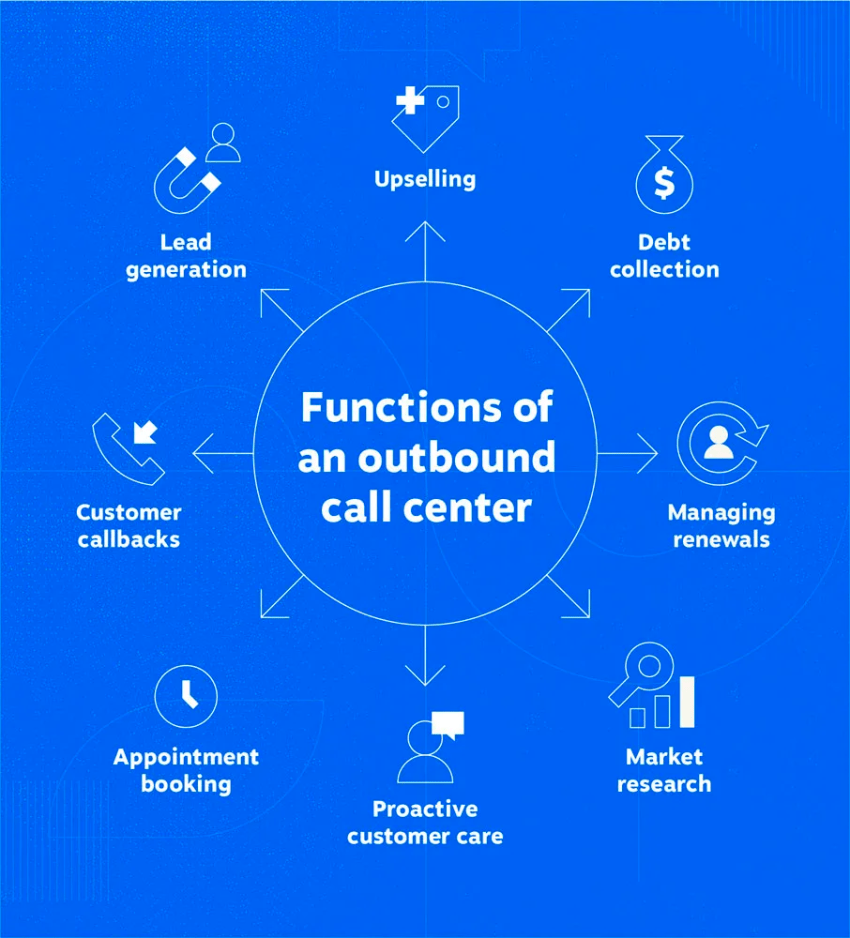
Capabilities of an outbound name middle
An outbound name middle coordinates proactive outreach—comparable to gross sales growth, renewals, surveys, or collections—utilizing dialers, name routing, stay monitoring, and CRM workflows. In any use case, outbound calling platforms assist scale your calling workflow optimally as your quantity grows.
Key Options to Search for in an Outbound Calling Software program
Outbound calling software program addresses your ache factors solely when the basics are robust. Don’t get distracted by flashy add-ons; concentrate on the important thing areas that assist scale, management, and efficiency.
Dialer modes that match your movement
One dialer sort can’t match each marketing campaign. Your platform should assist the particular rhythm of your crew:
- Energy dialer: Greatest for regular, high-activity gross sales groups that want velocity however wish to hear the connection.
- Predictive dialer: Greatest for high-volume environments the place algorithm-driven pacing maximizes agent utilization.
- Preview dialer: Greatest for advanced, consultative gross sales the place brokers have to evaluation CRM historical past earlier than dialing.
- Progressive dialer: Greatest for balancing automation with a gentle, human tempo — ideally suited for avoiding deserted calls.
Tip: If a platform locks you into only one mode, it limits how your technique can evolve.
Native CRM integrations
Floor-level syncing isn’t sufficient. You want native CRM integrations with Salesforce, HubSpot, or your system of document. Two-way sync is important: when a rep logs a word within the dialer, it ought to seem within the CRM immediately, and when a lead standing modifications within the CRM, it ought to replace the calling checklist robotically—in any other case your knowledge hygiene crumbles at scale.
Clever marketing campaign and checklist administration
Scale breaks when calling lists get messy. You want strong outbound calling instruments—comparable to sensible dialers and automatic marketing campaign guidelines—to handle who will get referred to as and when. Segmentation filters lists by time zone, lead rating, or interplay historical past, computerized reuse guidelines queue calls which might be busy or unanswered, and multitouch sequences (name, SMS, e-mail) increase connection charges throughout campaigns.
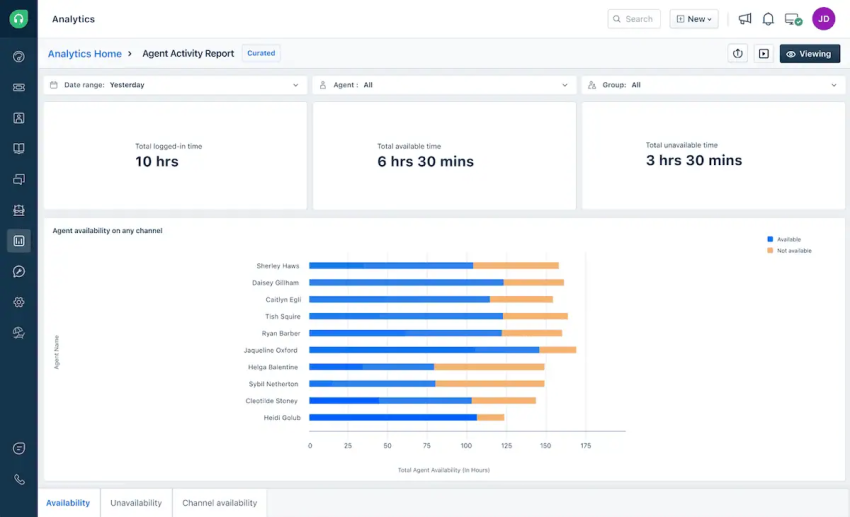
Actionable analytics and reporting
Knowledge is ineffective for those who can’t act on it. Search for dashboards that reply particular questions in actual time:
- Actual-time views of name quantity, join charges, agent productiveness, and conversion charges.
- Agent-level and campaign-level reporting.
- Final result monitoring tied to pipeline and buyer engagement.
- High quality assurance instruments like name recording, transcription, scorecards, and sampling, if teaching and compliance matter.
Compliance and belief guardrails
As you scale quantity, you scale danger. Your platform should shield your model fame:
- DNC administration: Automated suppression of numbers on DNC lists.
- Native presence: Instruments to show native space codes to enhance pickup charges (whereas adhering to authorized requirements).
- Caller ID authentication: Assist for STIR/SHAKEN protocols to forestall your calls from being flagged as spam danger.
Answering machine detection (AMD) must also carry out above 95 p.c accuracy in your area, and groups ought to consider bundled minutes versus metered billing alongside per-seat software program pricing.
Tips on how to Select Dialer Software program for Outbound Name Middle Groups
To pick the correct dialer software program for outbound name middle operations, match the platform’s dialing modes, answering machine detection (AMD) accuracy, and CRM sync depth to your crew’s each day name quantity and compliance necessities. Begin by figuring out your main bottleneck—dialing velocity, join charges, teaching visibility, or checklist hygiene—and confirm throughout a stay trial that supervisors can monitor calls with pay attention, whisper, and barge with out paying for separate level instruments.
You must also evaluate whole value of possession throughout per-seat licensing and telephony utilization, and take a look at AMD in opposition to actual prospect lists to make sure voicemail detection clears 95% accuracy with out dropping stay contacts who pause earlier than talking.
Prime 8 Outbound Calling Software program Options
This part helps you evaluate totally different outbound name middle software program choices with out being overly theoretical. It makes an attempt to determine the use case for which this software program serves greatest, serving to you make knowledgeable choices.
| Platform | Greatest For | Dialer Varieties | CRM Integrations | AI Options | Beginning Worth |
| Nextiva | Groups needing outbound + full CX | Predictive, energy, progressive, preview | Salesforce, HubSpot, Zoho (native) | AI transcription, sentiment monitoring, XBert AI (billed per dialog) | NEXT Core $15 / Have interaction $25 / Scale $75 (annual per person) |
| Kixie | SDR groups in Salesforce/HubSpot | Energy, multi-line | Salesforce, HubSpot, Pipedrive | AI voicemail drop | Varies by tier |
| PhoneBurner | Solo reps and small gross sales groups | Energy solely | Salesforce, HubSpot, Zoho | Restricted | Varies by tier |
| Shut | CRM-first gross sales groups | Energy, predictive (prime tier) | Constructed-in CRM | AI name summaries | Varies by tier |
| CloudTalk | World/distant groups | Energy, sensible dialer | Salesforce, HubSpot, Pipedrive | Sentiment evaluation | Varies by tier |
| JustCall | Voice + SMS outreach | Energy, predictive | Salesforce, HubSpot, Pipedrive | AI teaching, transcription | Varies by tier |
| CallHippo | SMBs with worldwide attain | Energy, predictive | Salesforce, HubSpot, Zoho | AI name summaries | Varies by tier |
| Squaretalk | Marketing campaign-driven outbound groups | Predictive | Zoho, HubSpot | Restricted | Varies by tier |
1. Nextiva
Greatest for: Groups that need outbound dialing with a broader CX and a unified communications platform.
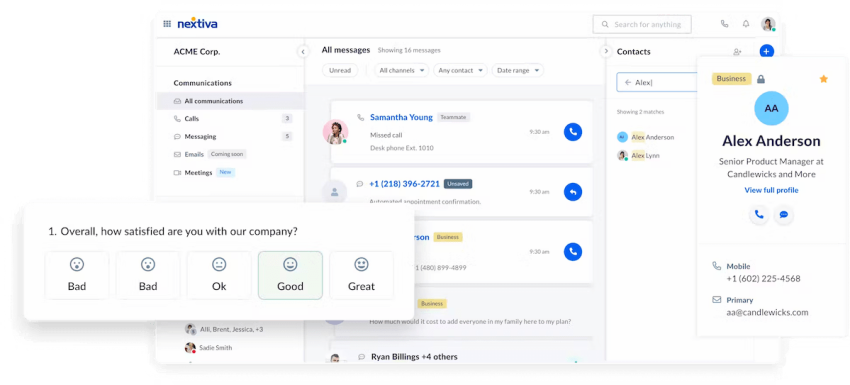
Nextiva saves you from a patchwork of disconnected instruments by offering a unified communications platform for gross sales and buyer outreach throughout greater than 100,000+ companies with 99.999% confirmed uptime. It connects dialing, routing, analytics, and buyer context in a single system so leaders can handle proactive outreach as a part of the total buyer journey, seize buyer suggestions in-context, monitor sentiment throughout conversations, and use XBert AI (billed per dialog).
Why it stands out
Nextiva presents options for integrating non-sales capabilities, comparable to a helpdesk, to create a complete communication system for companies. You don’t pay for remoted instruments that don’t contribute to the enterprise context; as a substitute, you obtain a whole system. Right here’s why it stands out:
- Streamlines outbound gross sales calls and buyer engagement with out splintered instruments.
- Blends predictive, energy, progressive, and preview dialers with CRM integration so reps spend extra time on stay calls and fewer on guide dialing workflows.
- Automates reporting with buyer knowledge context and helps omnichannel voice, SMS, and callback workflows.
Key outbound strengths
| Function | Obtainable | Context |
| A number of Dialer Modes | Sure | Predictive, energy, progressive, and preview dialers. |
| CRM Integration | Sure | Native syncing with Salesforce, HubSpot, and Zoho. |
| Actual-Time Dashboards | Sure | Stay join charges, name quantity, consequence reporting, and agent KPIs. |
| Omnichannel Outreach | Sure | Voice, SMS, and callback workflows. |
| AI-Powered Insights | Sure | Name recording, AI transcription, sentiment monitoring, and XBert AI (billed per dialog). |
| Compliance | Sure | Good name queues, IVR, DNC suppression, and consent monitoring embedded into workflows. |
Guidelines for evaluating Nextiva
1. Can I launch an outbound calling marketing campaign with CRM integration rapidly on Nextiva?
Sure. Nextiva presents native integrations with Salesforce, HubSpot, and Zoho so reps can log calls, view buyer data, and set off workflows immediately inside their CRM.
Discover Nextiva’s prime CRM integrations.
2. Can I swap dialing modes (predictive, energy, preview) per marketing campaign?
Sure. Groups can configure campaigns utilizing predictive, energy, progressive, or preview dialing to suit every checklist and calling movement.
3. Is Nextiva straightforward to deploy on distant gadgets?
Sure. Nextiva is cloud-based, so brokers can work from a browser portal or desktop and cellular apps (iOS and Android) with out delivery {hardware}.
4. How do Nextiva’s plans and assist work?
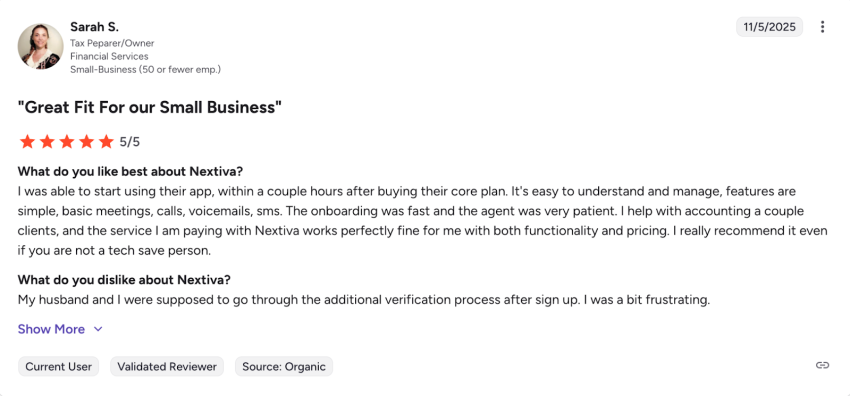
- Nextiva presents NEXT Core ($15), NEXT Have interaction ($25), and NEXT Scale ($75) billed yearly per person, backed by 24/7 assist by way of its Wonderful Service® crew. There isn’t any free trial on telephone plans, and Nextiva offers a 30-day money-back assure as a substitute.
Learn extra Nextiva critiques on G2.
2. Kixie
Greatest for: Gross sales groups that stay inside Salesforce or HubSpot and need quick dialing velocity.
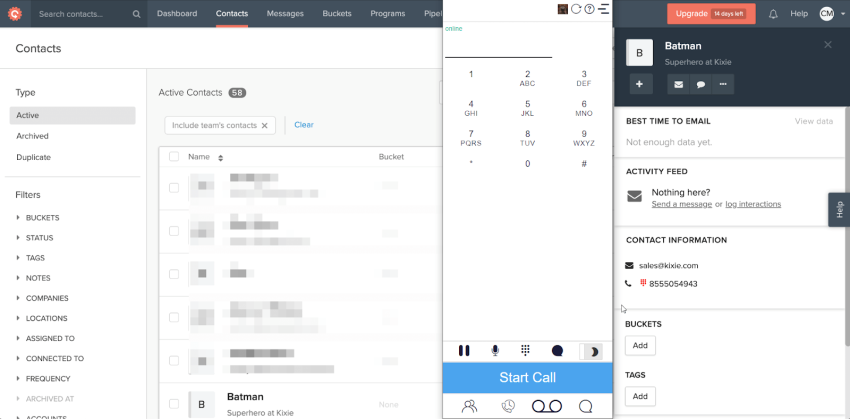
Kixie will increase outbound gross sales name quantity inside CRMs and matches SDR and BDR groups targeted on list-based outreach, although it’s lighter than full contact middle suites for those who later want broader assist and omnichannel workflows in a single platform.
Why it stands out
Kixie improves each day name quantity with a sales-first dialer expertise and powerful CRM workflows. It’s good for SDR and BDR groups in small- to mid-market gross sales organizations with a transparent, list-based movement.
Guidelines for evaluating Kixie
1. Does Kixie present a customizable reporting dashboard?
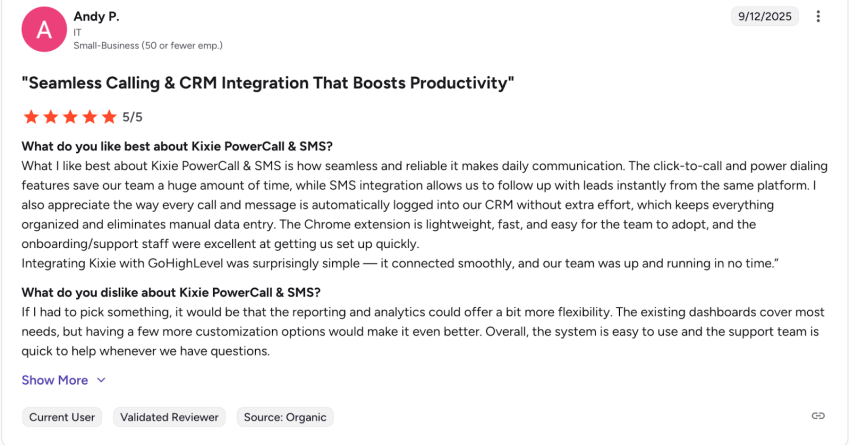
Whereas Kixie excels at velocity and exercise logging, some person critiques word that its native reporting might be inflexible in comparison with full contact middle suites. Throughout your demo, ask to see find out how to construct customized studies for particular KPIs (e.g., join price by time of day). If the native choices aren’t sufficient, verify to see if you will want to depend on their API or a third-party BI instrument.
2. Can I scale operations past simply gross sales groups?
Sure, however with caveats. Kixie is purpose-built for high-velocity gross sales. Whereas it scales effectively for including extra gross sales reps, it might really feel restricted for advanced assist or omnichannel service workflows in comparison with unified CX platforms. If you happen to plan to merge gross sales and assist onto one system later, take a look at their ring teams and inbound routing capabilities first.
3. Which CRM integrations does Kixie assist?
Kixie is greatest recognized for its deep, bidirectional sync with HubSpot, Salesforce, and Pipedrive. It may set off workflow automations (like sending an SMS) primarily based on a name consequence. If you happen to use a distinct segment CRM, verify its Zapier integration reliability, as native assist is targeted on the key gamers.
3. PhoneBurner
Greatest for: Gross sales groups that need outbound calling constructed right into a gross sales CRM workflow.
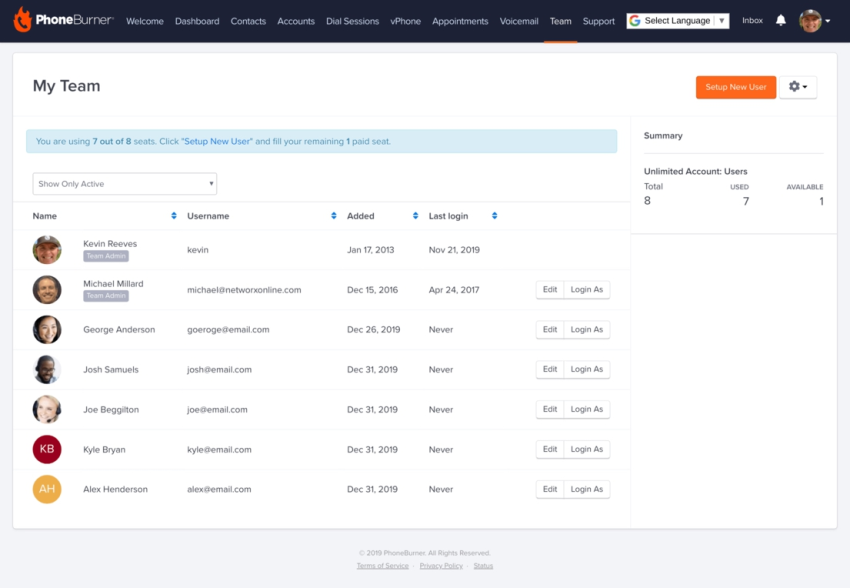
PhoneBurner caters to groups targeted on outgoing calls and lead engagement fairly than full name middle complexity. It helps you to configure energy dialing workflows to scale back useless time throughout guide dialing, guaranteeing reps spend extra time on stay calls.
Why it stands out
It doesn’t cater to the total vary of name middle complexity, nevertheless it’s strongly targeted on outgoing calls and lead engagement. PhoneBurner presents built-in voicemail drop and disposition software program, holding reps transferring by way of lists effectively.
Guidelines for evaluating PhoneBurner
1. Does PhoneBurner have a parallel dialer?
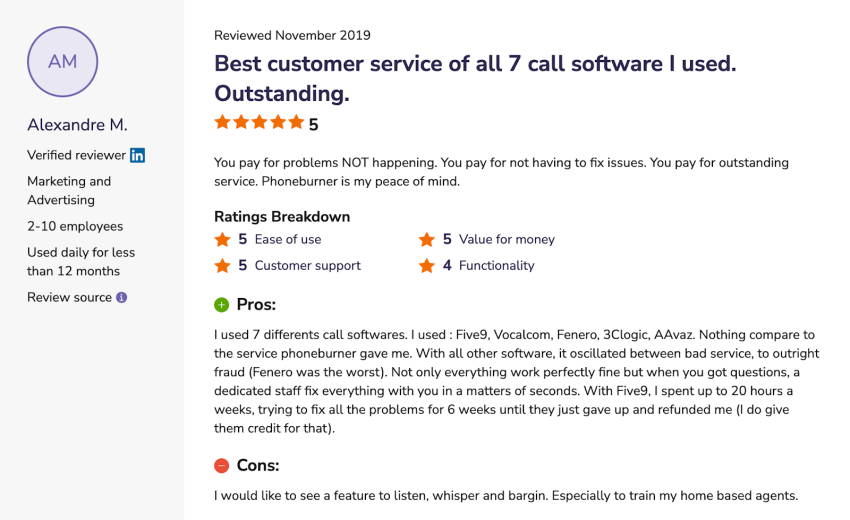
No. PhoneBurner is strictly a energy dialer. It dials one quantity at a time to make sure there is no such thing as a telemarketer delay (the pause earlier than an agent speaks). In case your technique requires blasting 4 strains directly to maximise quantity at the price of person expertise, PhoneBurner isn’t the correct instrument. It prioritizes connection high quality over uncooked churn.
2. Are options like whisper or barge out there in PhoneBurner for teaching?
Examine your tier. Whereas PhoneBurner has added teaching options, some legacy plans or decrease tiers might restrict real-time monitoring capabilities. Ask particularly if the Stay Hear and Barge options are included in your quote, as these are important for onboarding new reps.
4. Shut
Greatest for: Gross sales groups that need outbound calling constructed right into a gross sales CRM workflow.
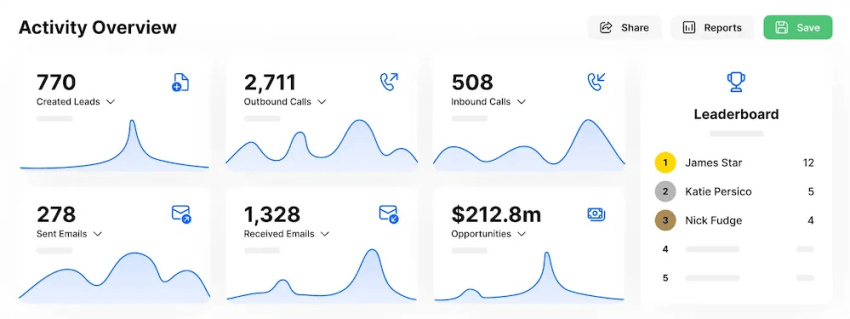
Constructed as a sales-first CRM with calling at its core, Shut retains reps rolling by way of lists with minimal idle time. It presents options, comparable to name monitoring and exercise logging, to tie telephone conversations on to offers and conversion metrics.
Why it stands out
Shut is a standout alternative in case your main purpose is tight alignment between calls, follow-ups, and your gross sales pipeline. It offers reps context and managers readability with out the overhead of a full outbound contact middle software program stack.
Guidelines for evaluating Shut
1. Is Shut a standalone dialer or a CRM?
It’s a CRM first. Shut is a devoted gross sales CRM with calling in-built. It’s not designed to sit down on prime of one other CRM (like Salesforce). If you happen to already love your present CRM, Shut may not be the correct match until you’re prepared emigrate your knowledge. Some G2 critiques additionally point out feeling restricted in superior reporting and customization capabilities, so focus on reporting expectations with Shut’s crew.
2. Does it assist predictive dialing?
Sure, on the best tier. Shut presents a predictive dialer, nevertheless it’s sometimes gated to their Scale plan. If you happen to’re a smaller crew on a finances, confirm if the ability dialer included in decrease plans offers sufficient throughput to your wants.
3. Can I customise reporting and roles simply?
Confirm granularity. Customers reward Shut for velocity however word that superior reporting and customized permission roles might be restricted in decrease tiers. Throughout the trial, attempt to create a customized position and see for those who can limit their capability to bulk-export leads, which is a typical safety requirement.
5. CloudTalk
Greatest for: Distant and international groups that want worldwide telephone numbers and versatile calling operations.
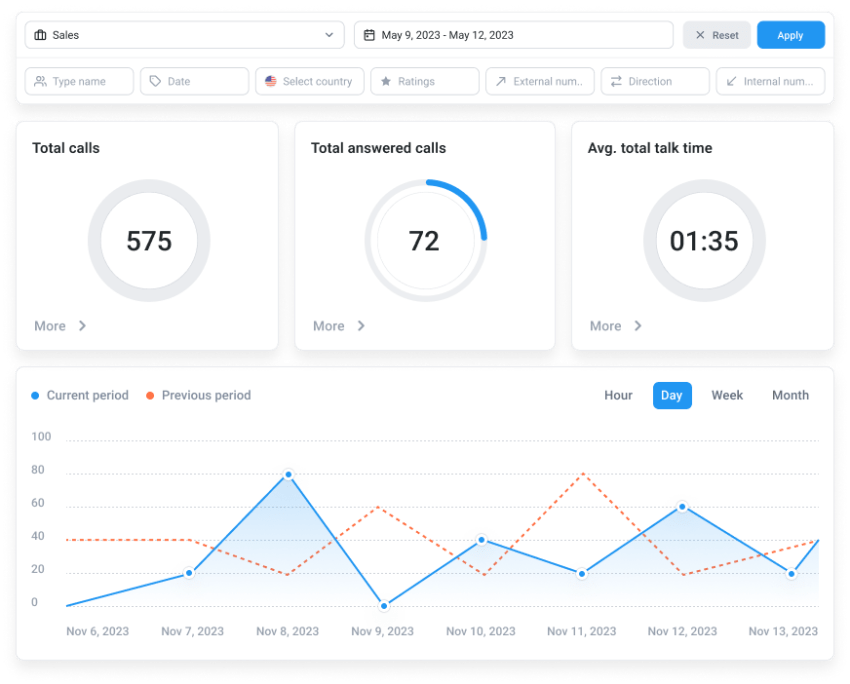
CloudTalk presents a name center-friendly expertise with helpful outbound tooling, particularly for distributed groups. It delivers built-in name queues, routing, and analytics with out the complexities of a heavy enterprise system.
Why it stands out
CloudTalk presents worldwide quantity choices and quantity administration. It additionally delivers QA-friendly options like recording and monitoring.
The platform is a perfect match for each gross sales and assist groups conducting proactive outreach throughout areas. SaaS groups promoting internationally discover CloudTalk to be dependable
Guidelines for evaluating CloudTalk
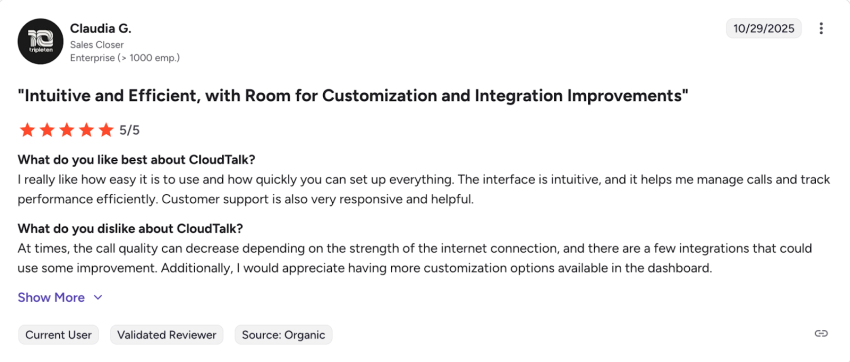
1. Is the interface intuitive for nontechnical customers?
Usually, sure. CloudTalk is designed for ease of use, however some critiques point out that superior configurations (like advanced IVR timber) can have a studying curve.
Professional Tip: Have your precise gross sales supervisor, not simply IT, attempt to change a routing rule throughout the trial to see if it’s user-friendly sufficient for each day operations.
2. How straightforward is it to handle worldwide numbers?
That is its energy. CloudTalk excels at procuring worldwide numbers in over 160 international locations. Nevertheless, all the time confirm the proof-of-address necessities for the particular international locations you want, as it is a regulatory hurdle that no software program can bypass solely.
3. How clean is the contact import course of?
Check this. Some customers have reported friction when importing massive lists throughout free trials. Add a pattern file of 500 contacts throughout your demo to make sure customized fields (like firm measurement or lead supply) map appropriately with out guide cleanup.
6. JustCall
Greatest for: Groups that need outbound calling plus texting and light-weight omnichannel follow-up.
JustCall helps voice and SMS outreach in the identical workflow, so reps don’t juggle separate instruments. It has CRM integrations that robotically log calls, texts, and outcomes. The platform presents versatile quantity administration (native, toll-free, and worldwide), which helps pickup charges and international attain.
Why it stands out
JustCall presents dependable name monitoring and analytics for efficiency administration. It empowers the SDR crew that normally mixes calls and texts throughout outreaches. The platform is well-suited to assist and collections groups, the place SMS improves response charges.
Guidelines for evaluating JustCall in a trial or demo
1. Is the decision high quality dependable throughout totally different areas?
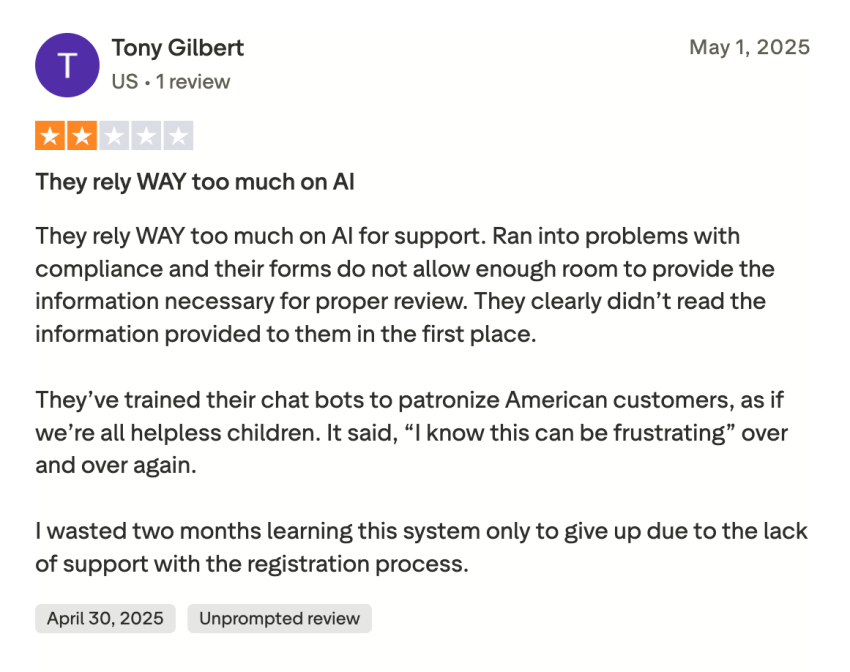
Validate community necessities. Whereas JustCall makes use of top-tier carriers, name high quality on VoIP is closely depending on native web stability. Since some customers have reported drops throughout peak hours, we suggest working a community take a look at (offered by most distributors) throughout your trial to make sure your crew’s dwelling Wi-Fi can deal with the HD voice codec.
2. How responsive is their assist?
Customers have blended suggestions. Opinions on assist responsiveness differ. Because you’re trusting them along with your telephone strains, ask about their service-level settlement. Do they provide 24/7 stay chat for important outages, or is it email-only to your value tier?
7. CallHippo
Greatest for: SMB groups that need outbound dialers with fast setup and worldwide attain.
CallHippo lets reps navigate lists with fewer guide clicks. It helps you to use a worldwide quantity with an area caller ID to assist enhance join charges. The platform helps the essential instruments of QA, teaching, and follow-up effectivity.
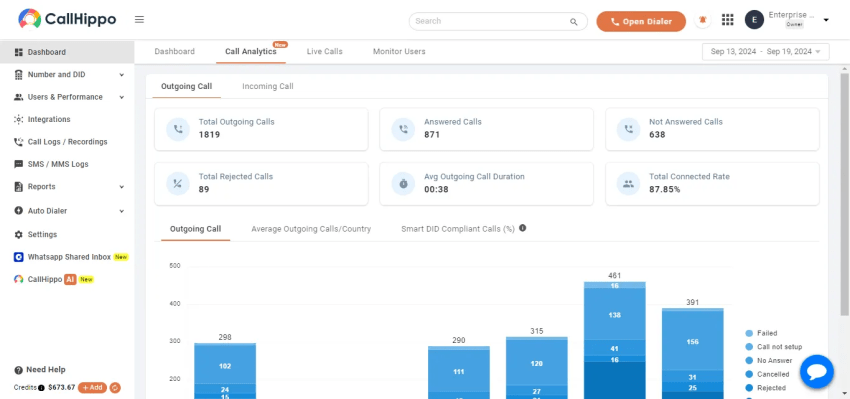
It comes with straightforward porting and administration, making it easy to maintain current numbers or deploy new ones as wanted. KPIs can be found on exercise logs, which customers can view with out exports.
Why it stands out
Quick setup and ease of use are two professionals that customers usually discuss of their critiques on G2. It means groups can create outbound calling campaigns with minimal onboarding time. The platform helps voicemail and callback workflows, making it simpler to do follow-ups on no-answer outcomes.
It’s nice for small corporations and people increasing outbound to new areas for the primary time.
Guidelines for evaluating CallHippo
Q1. Is there a steep studying curve?
Customers discover the essential dialer straightforward, however establishing superior workflows (like World Join or distinct workplace hours for various numbers) might be tough. Ask the gross sales engineer to stroll you thru the setup of a Good Swap rule to see if it’s intuitive to your crew.
Q2. Is bulk add out there on all plans?
Examine limitations. Be certain that the majority import characteristic is enabled to your particular tier. Some starter plans within the trade restrict what number of contacts you may add directly, which generally is a bottleneck for high-volume campaigns.
8. Squaretalk
Greatest for: Groups that need outbound calling plus SMS and marketing campaign administration with out an enormous enterprise footprint.
Squaretalk’s ease of use and have breadth make it interesting for groups that have to streamline telephone calls, SMS, and marketing campaign workflows collectively. It combines predictive dialing options with helpful instruments for marketing campaign administration.
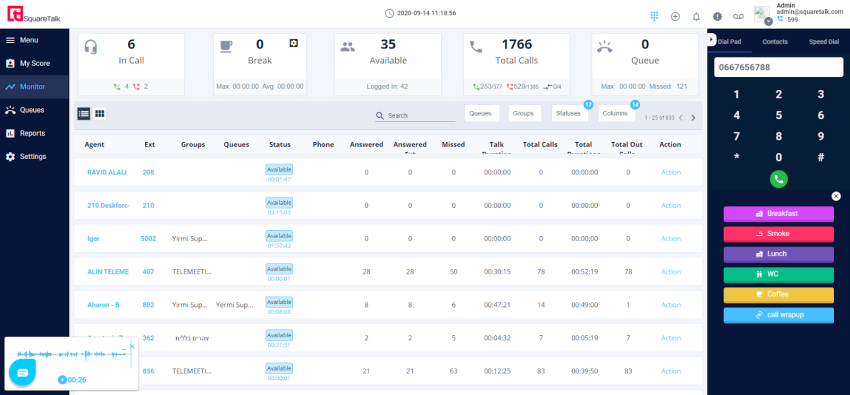
The platform delivers SMS administration performance with assist for outbound messaging. It’s an incredible match for outbound name facilities or marketing-adjacent groups that run surveys and outreach campaigns.
Why it stands out
The platform combines voice, messaging (SMS/WhatsApp), and CRM integration to assist multichannel outreach from a single interface. Customers additionally recognize the short onboarding and ease of use, particularly for nontech groups.
Guidelines for evaluating Squaretalk
1. Does Squaretalk have a dependable cellular app?
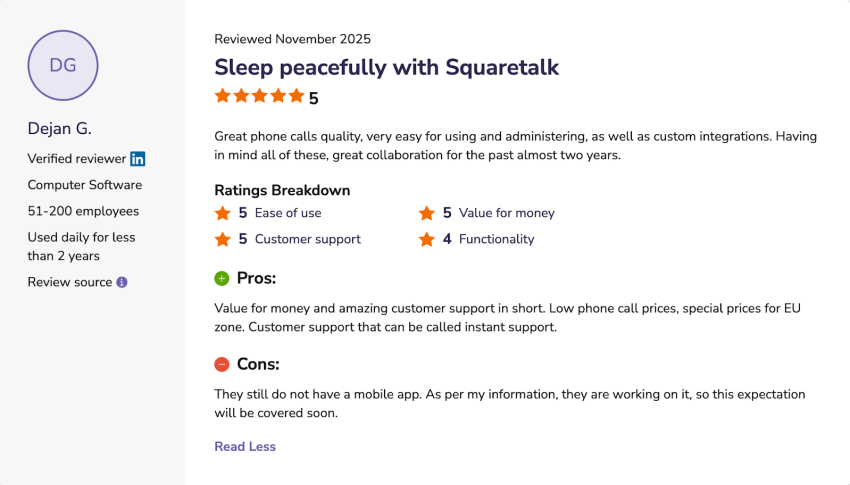
Latest critiques point out the cellular app was a piece in progress or lacked characteristic parity with the desktop model. In case your brokers are field-based, take a look at the cellular app particularly for name switch and CRM logging capabilities to verify it meets your wants.
2. Is the predictive dialer straightforward to configure?
Check the logic. Predictive dialers require fine-tuning to keep away from deserted calls. Ask for a demo of the pacing algorithm settings. You wish to guarantee you may regulate the dial price (e.g., dialing three strains vs. 5 strains per agent) simply while not having assist to do it for you.
For a deeper dive into optimizing your outbound calling technique and bettering efficiency throughout your whole gross sales operation, take a look at the whole information to outbound name monitoring for gross sales groups.
10 Suggestions for Prime Gross sales Performers Utilizing Outbound Name Software program
- Match dialer mode to checklist high quality: Use preview dialing for heat, researched enterprise accounts and energy or progressive dialing for high-velocity SDR lists.
- Name throughout native purchaser home windows: Filter campaigns by prospect time zone to catch decision-makers earlier than morning conferences or late afternoon wrap-ups.
- Shield caller ID fame: Allow STIR/SHAKEN authentication and rotate numbers responsibly so calls aren’t flagged as spam.
- Automate voicemail drops: Go away crisp, 20-second prerecorded messages on no-answer calls and transfer straight to the subsequent stay prospect.
- Pair voice with fast SMS follow-up: Set off a quick textual content after a missed name or voicemail to raise whole response charges.
- Log inclinations in a single click on: Standardize name consequence tags so CRM workflows replace lead standing robotically with out guide knowledge entry.
- Evaluation name recordings weekly: Use AI transcripts and scorecards to identify the place prospects object or drop off in your opener.
- Respect real-time DNC opt-outs: Guarantee voice and SMS suppression syncs instantly to guard model belief and TCPA compliance.
- Set off callbacks on intent alerts: Prioritize callbacks when a prospect opens an e-mail or visits your pricing web page fairly than counting on fastened timers.
- Observe speak time per hour, not simply dials: Measure stay conversations and pipeline generated per rep fairly than uncooked name counts.
Why Prime Outbound Groups Select Nextiva
The appropriate outbound calling software program does two issues: it retains your reps energetic, and it retains your knowledge clear. If a instrument makes you select between velocity and visibility, it’s the fallacious instrument.
Whereas level options like Kixie or PhoneBurner are glorious for particular niches, Nextiva is the selection for organizations that want reliability at scale. It presents the power to deal with high-volume prospecting and high-touch buyer administration in a single interface.
Nextiva combines outbound calls with inbound routing, CRM knowledge, and omnichannel historical past, turning beforehand disconnected gross sales actions right into a coherent development technique.
Don’t simply purchase a instrument for as we speak’s quantity. Select a platform that powers your subsequent stage of development.
Your full name middle resolution.
Nextiva makes outbound calling a breeze. All conversations in a single platform. Empowering brokers. Satisfying clients.
FAQs
An influence dialer calls one quantity at a time instantly after an agent finishes their earlier name, giving reps a gentle, one-to-one tempo with out abandoned-call danger. A predictive dialer makes use of algorithms to dial a number of numbers per agent concurrently and connects solely when a stay particular person solutions, maximizing speak time for high-volume lists. As a result of gross sales motions differ by marketing campaign, unified platforms like Nextiva embody predictive, energy, progressive, and preview dialers in a single system so groups can swap modes per marketing campaign with out shopping for separate instruments.
Trendy outbound platforms shield caller fame and compliance by way of automated Do Not Name (DNC) checklist scrubbing, native time-zone calling restrictions, STIR/SHAKEN caller ID authentication, and native presence dialing. Actual-time suppression throughout voice and SMS is important so opt-outs apply instantly throughout energetic campaigns. All-in-one CX options comparable to Nextiva embed DNC suppression, consent monitoring, and sensible name queues immediately into outbound workflows alongside 99.999% confirmed uptime.
Search for native, two-way CRM integrations fairly than primary click-to-dial connectors. True two-way sync logs name outcomes, recordings, and rep notes into your CRM robotically whereas updating calling lists the second a lead’s standing modifications. Platforms like Nextiva provide native syncing with Salesforce, HubSpot, and Zoho so reps see full buyer context earlier than dialing and managers get correct pipeline reporting with out guide knowledge cleanup.
Most outbound calling instruments cost per person per 30 days, with entry tiers beginning round $15 to $30 per seat and scaling larger when you add predictive dialing, CRM sync, or AI transcription. Look ahead to hidden add-on charges for name recording, analytics, or separate assist instruments. Nextiva retains pricing clear with annual plans beginning at $15/person/month (NEXT Core), $25/person/month (NEXT Have interaction), and $75/person/month (NEXT Scale)—plus usage-based XBert AI billed per dialog and a 30-day money-back assure.

