

Groups that run Clay for information enrichment and HubSpot as their CRM often uncover the identical issues inside 1 / 4:
-
contacts enriched in Clay by no means attain HubSpot, so reps work from incomplete data whereas ops works from a distinct, richer dataset,
Nevertheless the 2 platforms ended up coexisting (an ops workforce adopted Clay for enrichment whereas gross sales lives in HubSpot, a advertising and marketing workforce wanted waterfall information protection that HubSpot’s native enrichment could not match, or a GTM engineer constructed Clay workflows earlier than the CRM workforce standardized on HubSpot), the longer each run independently, the broader the hole between what ops is aware of about an account and what reps can see of their CRM.
Connecting Clay and HubSpot eliminates that hole.
Contacts enriched throughout Clay’s 150+ information suppliers move into HubSpot data so reps work from verified emails, direct dials, and firmographic information with out leaving the CRM. Leads captured in HubSpot route again into Clay for enrichment and scoring, so each new kind fill will get the identical information remedy as a manually researched prospect.
Sign-triggered workflows in Clay can create, replace, or tag HubSpot contacts and firms robotically, turning Clay from a standalone enrichment device right into a reside information layer for the CRM.
Clay provides a native HubSpot integration on the Progress plan and above, and HubSpot lists Clay as a Premier-tier accomplice app in its market. For groups on Clay’s Launch or Free plans, third-party automation instruments like Zapier and Make can bridge the 2 platforms with narrower information protection.
Customized API growth can be doable, since each platforms expose full APIs. Every methodology differs in setup complexity, sync course, information protection, and price.
One downside no connection methodology solves: the mixing strikes enriched data into the CRM, however the high quality of that enrichment relies upon totally on the information suppliers feeding it.
That’s the place ZoomInfo is available in. ZoomInfo is likely one of the information suppliers accessible inside Clay’s enrichment market, with a native Clay integration providing Enrich Firm, Enrich Contact, and Search Contacts actions.
ZoomInfo additionally integrates natively with HubSpot by way of the HubSpot App Market. Its Enterprise API and MCP server can feed verified information into both platform independently, so the data flowing by way of the Clay-HubSpot integration begin from a verified basis.
This text covers the Clay-HubSpot integration: which strategies can be found, what information every one handles, the way to set them up, the use instances that justify connecting each platforms, and the constraints to plan for. It additionally covers how ZoomInfo matches in as the information layer that strengthens what Clay enriches and HubSpot shops.
Let’s begin with an outline of the mixing.
Integration Overview
Supply: HubSpot
Does a local integration exist?
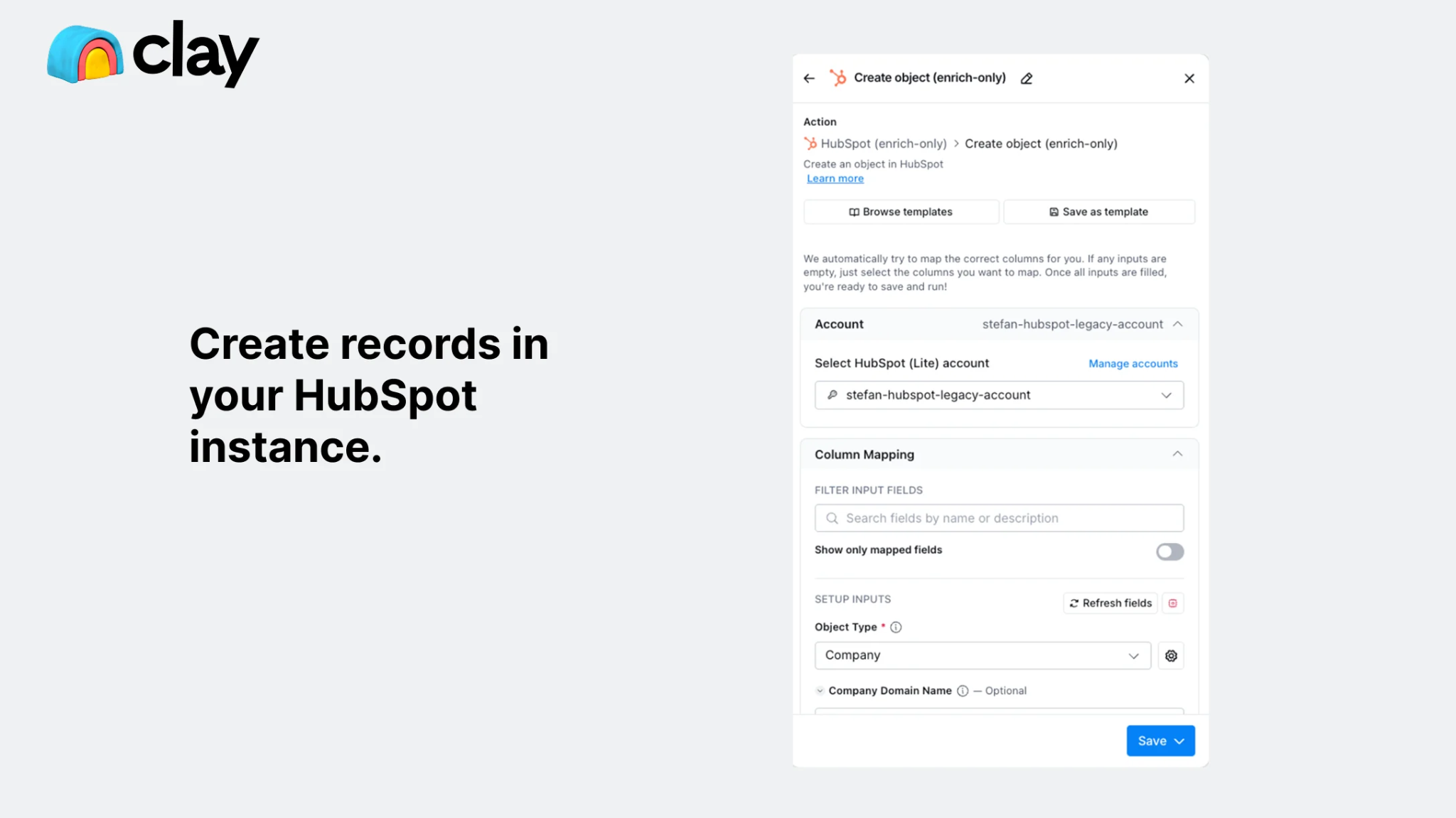
Sure. Clay provides a native bidirectional HubSpot integration that lets customers import, create, replace, and lookup HubSpot objects inside Clay tables. On the HubSpot facet, Clay is listed as a Premier-tier accomplice app within the HubSpot App Market. The native integration requires Clay’s Progress plan or above.
What information can sync?
Contacts, firms, and offers. Clay can pull HubSpot data into tables for enrichment and push enriched information again as new or up to date data. Customized properties on HubSpot objects might be mapped to Clay desk columns.
The enrichment layer is the place Clay provides probably the most worth: as soon as a HubSpot file is in a Clay desk, it may be enriched with information from any of Clay’s 150+ suppliers earlier than syncing again.
Is the sync bidirectional?
Sure, by way of the native integration. Clay can learn from HubSpot (import contacts, firms, offers) and write again (create or replace data). Every course is configured individually inside Clay workflows, and the identical desk can each pull from and push to HubSpot.
Is it real-time or batch?
The native integration runs on a workflow foundation: Clay pulls HubSpot information when a desk runs or a sign triggers, and pushes enriched data again on completion. It isn’t a steady real-time sync. Zapier and Make can add near-real-time triggers (1 to fifteen minutes relying on plan).
Customized API integrations utilizing HubSpot’s webhooks can get nearer to real-time.
What are the accessible strategies?
Native Clay-HubSpot integration, third-party automation (Zapier, Make), and customized API growth.
|
Technique |
Setup Problem |
Knowledge Circulate |
Actual-time? |
Price |
|---|---|---|---|---|
|
Native (Clay Progress+) |
Low |
Bidirectional |
Workflow-triggered |
Included with Clay Progress ($446+/mo annual) |
|
Zapier |
Low |
One-way per Zap |
Close to real-time (1-15 min) |
From $19.99/mo |
|
Make |
Medium |
Configurable per situation |
Close to real-time or scheduled |
From $10.59/mo |
|
Customized API |
Excessive |
Totally customizable |
Actual-time by way of webhooks |
Developer time + internet hosting |
One distinction price settling upfront: the native integration is constructed for ongoing enrichment workflows the place Clay processes HubSpot data by way of its information suppliers and pushes outcomes again.
Zapier and Make deal with event-triggered flows (a brand new HubSpot contact triggers a Clay enrichment, or vice versa) however lack the depth of Clay’s native area mapping and multi-provider waterfall.
Customized API growth is the one possibility for groups needing steady bidirectional sync with battle decision, however it requires important engineering funding.
Integration Strategies
Native Clay-HubSpot Integration (Progress Plan and Above)
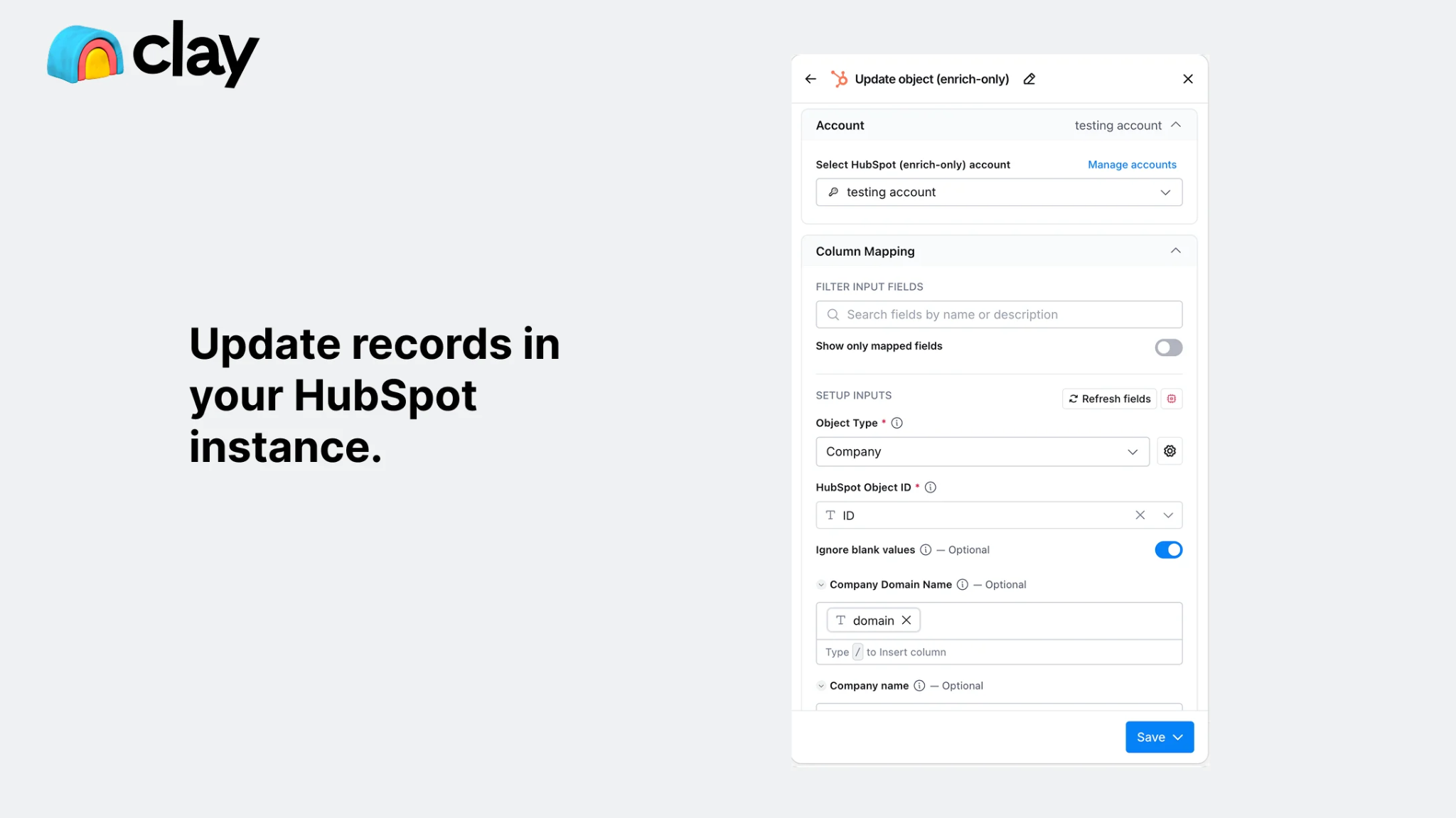
The way it works: Clay’s native HubSpot integration connects the 2 platforms by way of OAuth. As soon as related, HubSpot objects (contacts, firms, offers) might be imported into Clay tables as information sources, and enriched data might be pushed again to HubSpot as new or up to date data.
Supply: HubSpot
The mixing helps each studying from HubSpot (by way of import or lookup) and writing to HubSpot (by way of create or replace actions), making it the one methodology that handles bidirectional information move with out a third-party middleman.
What it syncs: Contacts, firms, and offers. On import, Clay pulls customary and customized HubSpot properties into desk columns. On export, Clay can map any desk column (together with enrichment outcomes from its 150+ suppliers) to HubSpot contact, firm, or deal properties. Customized HubSpot properties are accessible for each learn and write.
Matches: ongoing enrichment workflows and periodic CRM information upkeep; additionally appropriate for one-time bulk enrichment of current HubSpot data.
Setup course of:
-
In Clay, navigate to your workspace integrations and seek for HubSpot. Click on Join and authenticate by way of OAuth, granting Clay permission to learn and write contacts, firms, and offers in your HubSpot account.
-
To import HubSpot information: create a brand new Clay desk, choose HubSpot as the information supply, select the thing kind (contacts, firms, or offers), and apply any filters to slender the import.
-
Add enrichment columns to the desk utilizing Clay’s information suppliers (e-mail waterfall, cellphone waterfall, firmographic enrichment, Claygent AI analysis, or any of the 150+ accessible integrations).
-
To push enriched information again: add a HubSpot motion column (Create Contact, Replace Contact, Create Firm, Replace Firm) and map the enriched Clay columns to the corresponding HubSpot properties.
-
Run the desk. Clay processes every row by way of the enrichment steps, then executes the HubSpot write motion. For ongoing workflows, configure Indicators to set off the desk robotically when new data seem or current data change.
Strengths: Direct, bidirectional reference to no third-party device required. Full entry to Clay’s enrichment market throughout the identical workflow. Customized HubSpot properties supported for each learn and write.
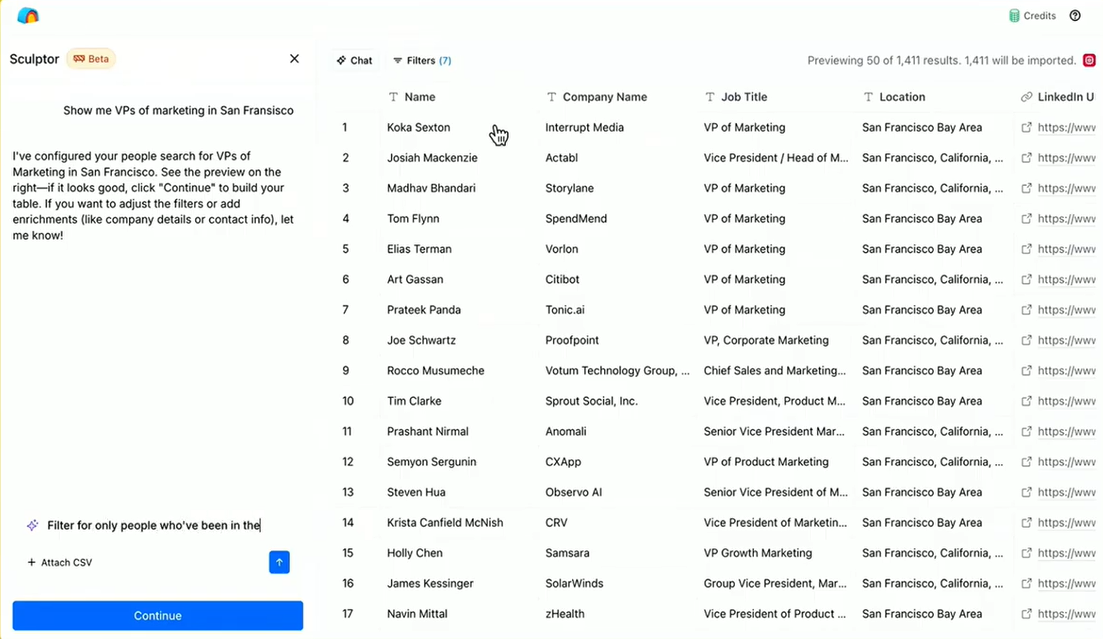
Tables might be rerun on schedule or triggered by indicators for ongoing enrichment. Sculptor will help construct these workflows from pure language descriptions.
Supply: YouTube
Limitations: Requires Clay Progress ($446+/month annual), a significant value dedication on prime of HubSpot’s subscription. The mixing is workflow-based, not a steady sync: data move when a desk runs, not in actual time.
There is no such thing as a built-in battle decision for bidirectional updates; if the identical file modifications in each methods between desk runs, the final write wins.
Clay’s dual-currency pricing (Actions and Knowledge Credit) means every enrichment step consumes credit, and high-volume workflows can accumulate prices rapidly.
Greatest for: GTM operations groups and GTM engineers who use Clay as their enrichment engine and HubSpot as their CRM. Groups that want to complement HubSpot data throughout a number of information suppliers in a single workflow, then push verified information again into the CRM for gross sales and advertising and marketing.
Zapier
Supply: HubSpot
The way it works: Zapier connects Clay and HubSpot by way of event-driven automations known as Zaps. Every Zap pairs a set off (an occasion in a single app) with a number of actions (what occurs within the different). Each platforms have Zapier connectors, enabling fundamental file transfers between them with out requiring Clay’s Progress plan.
What it syncs: Contacts, firms, and offers as particular person data. Every object kind requires its personal Zap. Subject mapping is handbook. Zapier handles one file at a time per set off occasion, so it really works greatest for syncing particular person new data somewhat than batch processing.
Matches: ongoing sync of latest data solely; not a bulk enrichment or migration device.
Setup course of:
-
Select the set off app and occasion. For instance, choose HubSpot because the set off with “New Contact” because the occasion, or choose Clay with a webhook set off when a desk row completes enrichment.
-
Select the motion app and occasion. For instance, choose Clay to set off an enrichment workflow, or choose HubSpot to “Create or Replace Contact.”
-
Flip the Zap on. For bidirectional sync, create a second Zap with the set off and motion reversed, and add a filter step to stop infinite loops.
Strengths: Accessible to Clay customers on any plan, together with Free and Launch, bypassing the Progress-plan requirement of the native integration. No technical information required. Fast to arrange for easy, single-object transfers.
Limitations: No entry to Clay’s waterfall enrichment throughout the Zap itself; Zapier transfers information between the platforms however doesn’t set off Clay’s enrichment pipeline until configured with webhooks. Every Zap handles one trigger-action pair, so syncing contacts, firms, and offers requires separate Zaps.
Zapier costs by activity depend, and every transferred file counts as a activity. No built-in deduplication.
Greatest for: Small groups on Clay’s Free or Launch plans that want a light-weight connection between Clay and HubSpot for transferring particular data. Groups that need new HubSpot results in seem in a Clay desk for handbook enrichment, or enriched Clay data to create HubSpot contacts, with out upgrading to Clay Progress.
Make (Previously Integromat)
Supply: HubSpot
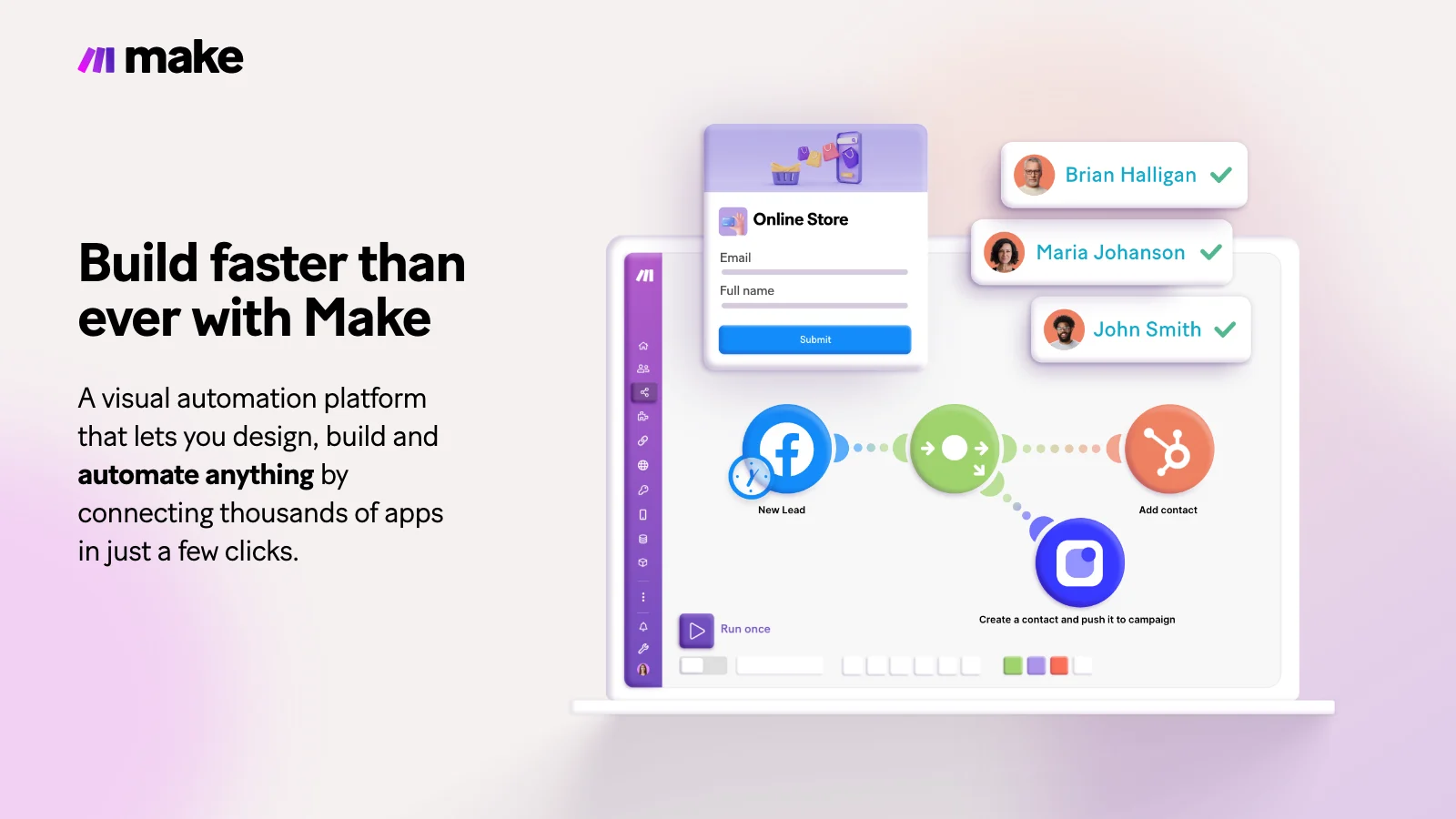
The way it works: Make makes use of a visible situation builder the place modules (app actions) join in a flowchart. Every module represents a step: look ahead to a set off in a single platform, remodel information, create or replace a file within the different. Situations can department, filter, loop, and deal with errors, providing extra management than Zapier’s linear construction.
What it syncs: The identical objects as Zapier (contacts, firms, offers), with extra flexibility in how information transforms between platforms. Make helps iterators for batch processing, routers for conditional paths, and aggregators for combining data.
This makes it doable to construct extra complicated flows, similar to enriching a batch of HubSpot contacts by way of Clay’s webhook endpoint and routing the outcomes again based mostly on enrichment high quality.
Matches: ongoing sync with conditional logic; can deal with batch processing for periodic enrichment runs.
Setup course of:
Strengths: Positive management over information transformation and conditional routing. The visible builder makes complicated workflows simpler to observe than code. Batch processing help lets groups course of teams of data effectively. Per-operation pricing is decrease than Zapier at larger volumes.
Limitations: Steeper studying curve than Zapier’s guided setup. Requires understanding of Clay’s webhook integration to set off enrichment workflows from Make. Each the HubSpot and Clay APIs impose price limits that high-volume eventualities have to account for.
Greatest for: Groups with conditional sync necessities (e.g., solely enrich contacts from particular HubSpot lists, or route enriched data to completely different HubSpot pipelines based mostly on Clay’s ICP scoring). Mid-size groups whose sync volumes make Zapier’s per-task pricing costly.
Customized API Integration
The way it works: Each Clay and HubSpot present programmatic entry factors that may be related straight.
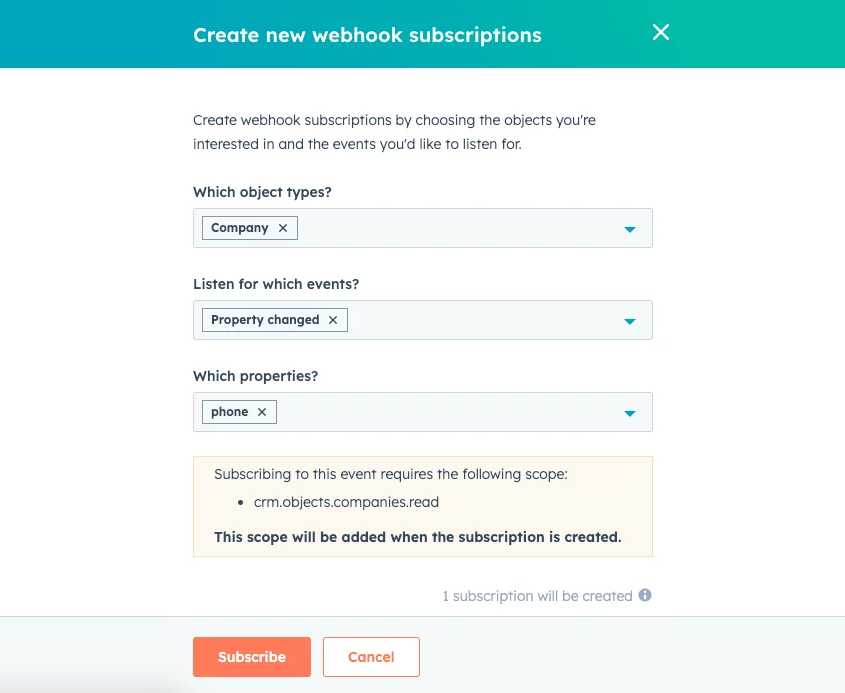
HubSpot provides a REST API masking all customary and customized CRM objects, with webhook help for event-driven notifications.
Supply: HubSpot
Clay accepts inbound information by way of webhooks (HTTP POST to a singular desk URL) and might ship information out by way of its HTTP API motion. A customized integration connects these endpoints with your individual middleware dealing with authentication, area mapping, transformation, and error restoration.
What it syncs: Something each platforms expose. HubSpot’s API covers contacts, firms, offers, tickets, customized objects, actions, and extra. Clay’s webhook endpoint accepts any JSON payload and triggers the total enrichment pipeline.
That is the one methodology that helps complicated eventualities like syncing customized HubSpot objects that the native integration and third-party instruments do not cowl, or imposing enterprise logic that goes past area mapping.
Matches: both one-time bulk enrichment or ongoing steady sync; the one methodology with no ceiling on both.
Setup course of:
-
Register API credentials in each platforms. In HubSpot, create a Non-public App with the required scopes (contacts, firms, offers) to generate an entry token. In Clay, find your desk’s webhook URL or generate a Clay API key.
-
Design the information move: which HubSpot occasions set off enrichment in Clay, which enriched fields map again to HubSpot properties, and the way data match between methods (sometimes by e-mail handle or HubSpot file ID).
-
Construct the mixing service: a server-side software that listens for HubSpot webhooks, sends data to Clay’s webhook endpoint, waits for enrichment to finish, and writes the outcomes again to HubSpot by way of the CRM API.
Strengths: Full management over what syncs, when, and the way. Can implement arbitrarily complicated enterprise logic. Actual-time sync by way of HubSpot webhooks. No per-record charges from a third-party connector. Helps customized HubSpot objects and any Clay enrichment workflow.
Limitations: Requires growth sources to construct and preserve. You personal the infrastructure, monitoring, and error restoration. HubSpot variations its API with date-based releases (present model: 2026-03), and Clay’s webhook capability limits require planning for high-volume use instances. The preliminary construct takes weeks, not hours.
Greatest for: Groups with engineering sources and sync necessities that no off-the-shelf device satisfies. Organizations with customized HubSpot objects, complicated enrichment logic, or high-volume steady sync wants that exceed what the native integration or third-party instruments help.
Key Use Instances
1. Waterfall Enrichment of Inbound HubSpot Leads
Advertising and marketing captures leads by way of HubSpot types, touchdown pages, and chatbots. These data sometimes include a reputation, e-mail, and firm, however lack verified cellphone numbers, job titles, firmographic particulars, and technographic information.
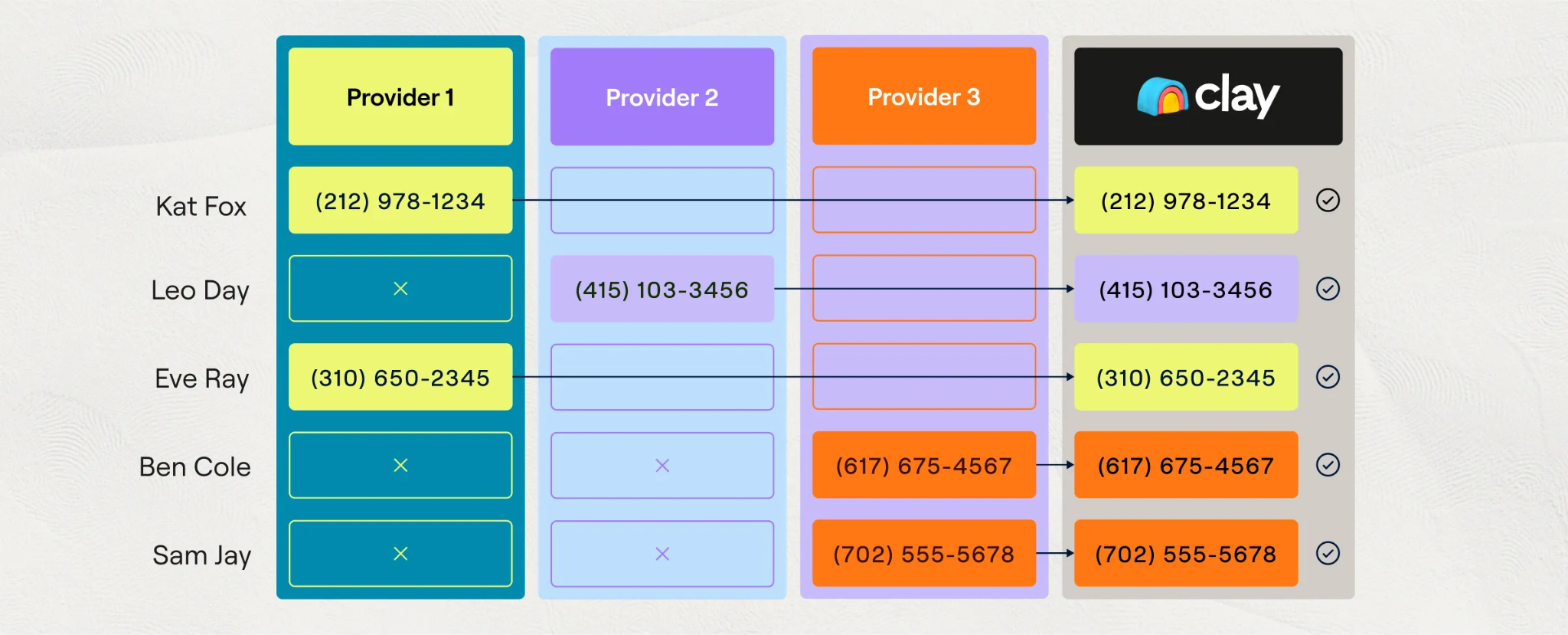
The native Clay-HubSpot integration pulls new contacts right into a Clay desk, runs them by way of a waterfall enrichment sequence throughout a number of information suppliers, and pushes the enriched file again to HubSpot with verified direct dials, correct titles, firm income, headcount, and tech stack.
Supply: Clay
Reps see a whole file in HubSpot with out handbook analysis.
Greatest integration methodology: Native Clay-HubSpot integration (Progress+ plan, bidirectional).
2. ICP Scoring and Lead Routing
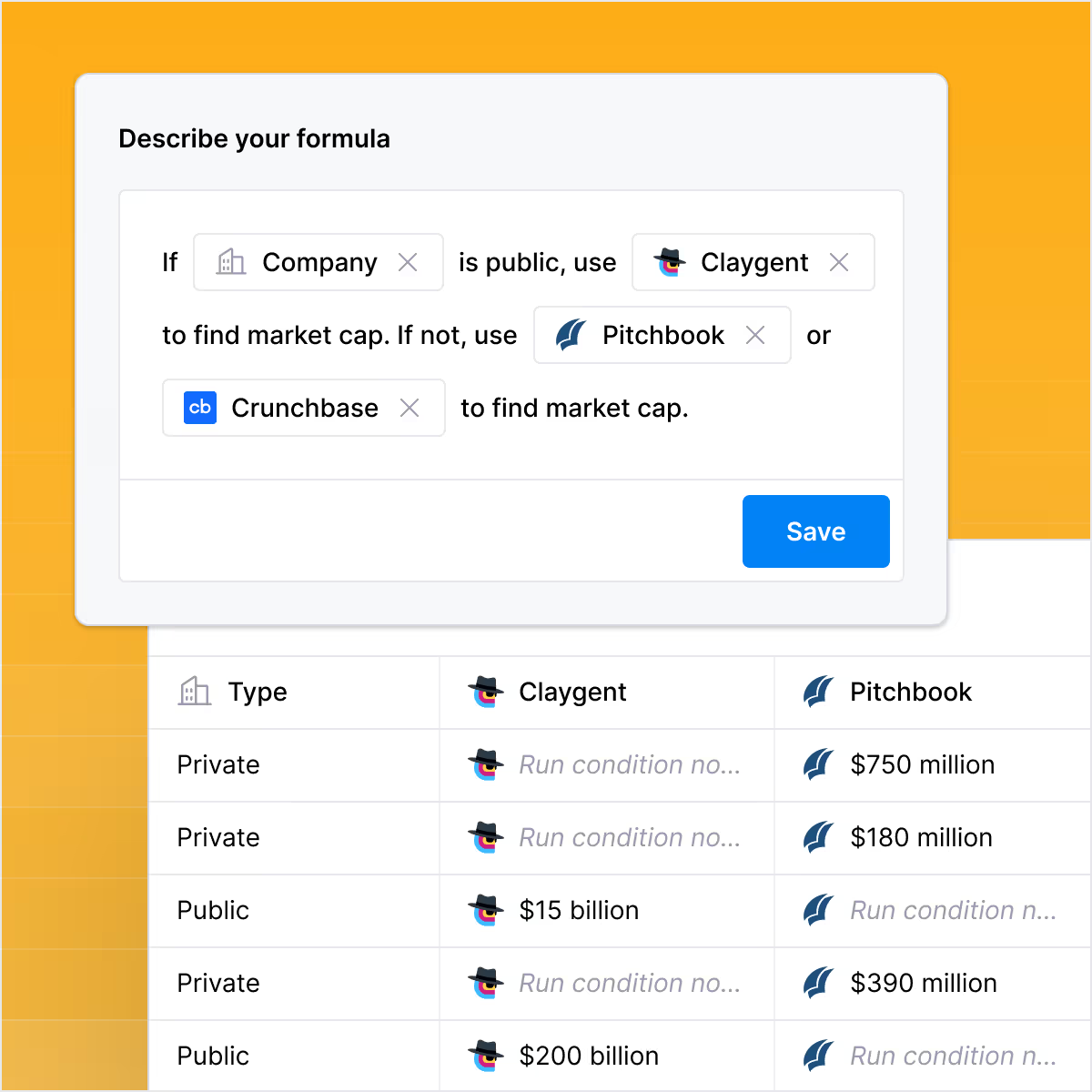
RevOps builds a great buyer profile in Clay utilizing firmographic filters, technographic indicators, and customized AI formulation.
Supply: Clay
HubSpot contacts move right into a Clay desk, get scored in opposition to the ICP standards, and return to HubSpot with a rating property that triggers automated lead routing. Excessive-score leads go to AEs; mid-score leads enter nurture sequences; low-score leads get deprioritized.
The scoring logic lives in Clay, the place it’s straightforward to iterate, whereas the routing logic lives in HubSpot, the place reps already work.
Greatest integration methodology: Native Clay-HubSpot integration (Progress+ plan).
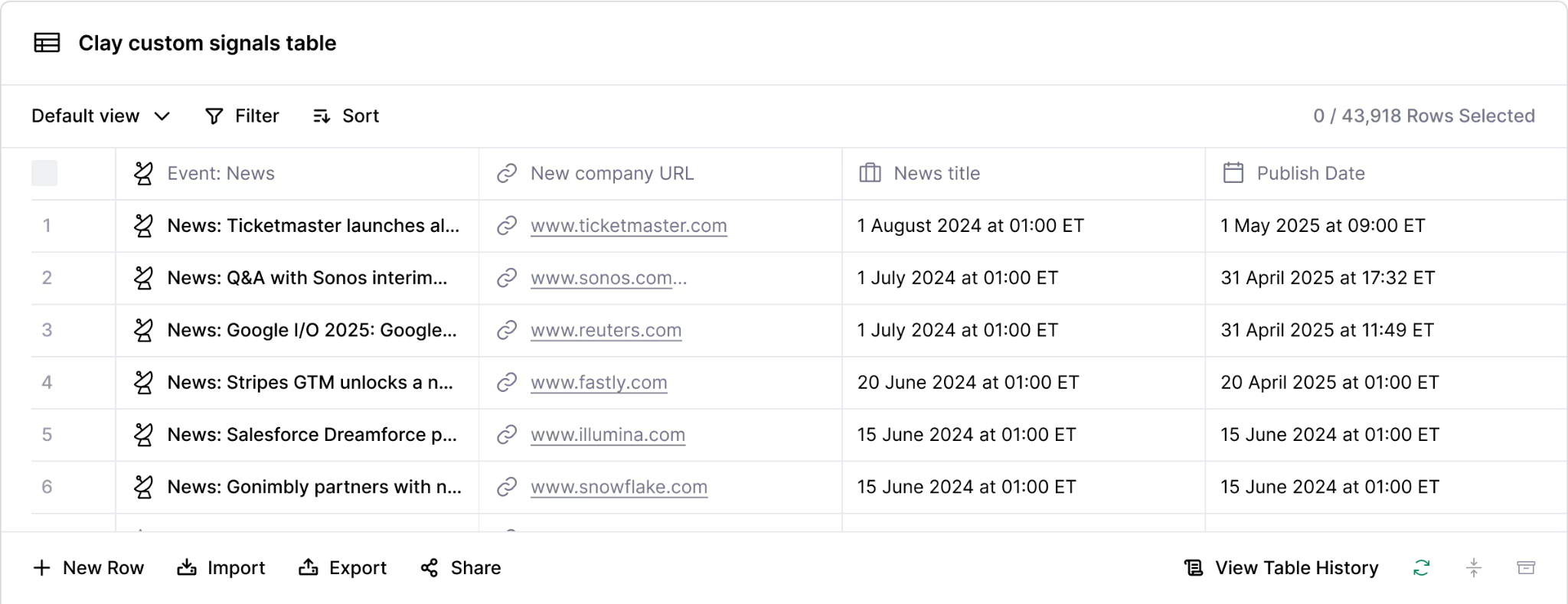
3. Sign-Triggered Outreach Preparation
Clay’s Indicators monitor real-world occasions: job modifications, funding rounds, know-how adoptions, hiring patterns.
Supply: Clay
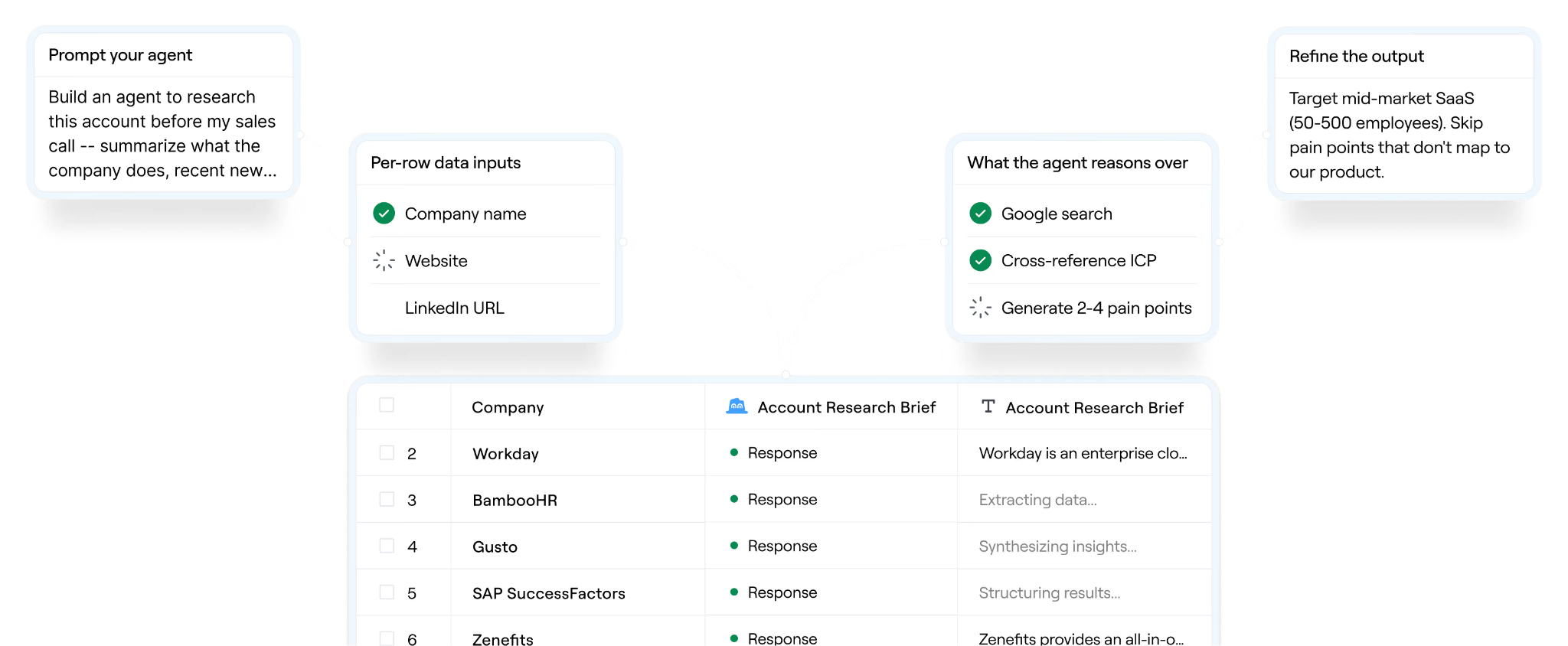
When a sign fires for an account in HubSpot, Clay enriches the related contacts, generates a personalised e-mail draft utilizing Claygent or an AI mannequin, and pushes the enriched contact with the draft into HubSpot as a activity or word on the contact file.
Supply: Clay
The rep sees the sign context and a ready-to-send message with out leaving the CRM.
Greatest integration methodology: Native Clay-HubSpot integration with Indicators (Progress+ plan).
4. CRM Knowledge Hygiene and Re-Enrichment
Over time, HubSpot data decay: folks change jobs, cellphone numbers go inactive, firms rebrand or get acquired.
A scheduled Clay desk pulls a phase of HubSpot contacts (e.g., all contacts not enriched previously 90 days), re-runs them by way of Clay’s waterfall enrichment suppliers, and updates the HubSpot data with present info. This retains the CRM database correct with out handbook audits.
Greatest integration methodology: Native Clay-HubSpot integration on a scheduled desk run (Progress+ plan).
5. Occasion-Triggered Contact Creation for Light-weight Groups
A small gross sales workforce on Clay’s Free or Launch plan needs each new enriched Clay prospect to look as a HubSpot contact robotically.
A Zapier Zap triggered by a Clay webhook (fired when a row completes enrichment) creates a HubSpot contact with the enriched fields mapped to HubSpot properties. No native integration improve required.
Greatest integration methodology: Zapier (accessible on any Clay plan).
Limitations and Concerns
Plan Gating on Clay’s Facet
The native bidirectional Clay-HubSpot connection requires Clay’s Progress plan, beginning at $446/month on an annual contract. Groups on Clay’s Free plan (500 actions/month, 100 information credit) or Launch plan (from $167/month annual) can not use the native HubSpot integration.
CRM integrations are a Progress-tier function. For groups that can’t justify the improve, Zapier and Make are the alternate options, however they lack Clay’s waterfall enrichment depth and bidirectional area mapping.
Workflow-Based mostly, Not Steady Sync
The native integration runs when Clay tables run, not as a steady background sync. If a HubSpot contact is up to date between desk runs, Clay will not replicate the change till the subsequent run. If a Clay enrichment completes however the desk’s HubSpot export motion hasn’t executed, the enriched information sits in Clay with out reaching the CRM.
Groups needing real-time sync should use HubSpot webhooks by way of a customized API integration or a third-party automation device.
Credit score Consumption at Scale
Clay’s dual-currency pricing means each enrichment motion consumes each an Motion and (when information is returned) Knowledge Credit. A waterfall enrichment that checks a number of suppliers earlier than discovering a sound e-mail could eat one Knowledge Credit score for the match, however the Actions depend in opposition to the month-to-month allotment regardless.
For groups enriching hundreds of HubSpot contacts by way of multi-step workflows, prices accumulate rapidly. Clay’s variable-price AI fashions add per-row value uncertainty for Claygent and superior reasoning duties.
Subject Mapping Complexity
HubSpot and Clay mannequin information in a different way.
HubSpot makes use of a hard and fast object mannequin (Contacts, Corporations, Offers) with customized properties.
Clay makes use of a spreadsheet-style desk the place columns signify enrichment steps.
Mapping between the 2 requires understanding each platforms’ information fashions. Calculated properties, multi-select fields, and affiliation relationships in HubSpot could not map cleanly to Clay desk columns with out intermediate formatting steps utilizing AI formulation.
Permissions and Entry
Organising the native integration requires Clay workspace admin rights and HubSpot account entry with ample permissions to authorize OAuth connections.
In case your HubSpot account makes use of field-level safety or team-based permissions, the mixing person should have write entry to each property you plan to sync. On Clay’s facet, workspace editors can construct and modify integration workflows, however viewers can not.
Upkeep
Each platforms replace independently. Clay overhauled its pricing mannequin in March 2026, changing a single credit score system with dual-currency Actions and Knowledge Credit. HubSpot launched date-based API versioning in March 2026, with variations supported for 18 months.
Customized integrations constructed on both platform’s API require ongoing upkeep as these modifications roll out. Third-party instruments (Zapier, Make) may change connector conduct or pricing.
What No Technique Fixes: The Knowledge Itself
Each methodology above strikes data between Clay and HubSpot. The native integration provides enrichment from Clay’s market of 150+ suppliers. However the high quality of that enrichment is dependent upon which suppliers are within the waterfall and the way broad their protection is.
A waterfall that queries 5 suppliers and will get no match on a contact’s cellphone quantity delivers an enriched file nonetheless lacking the cellphone quantity.
The mixing strikes and enriches information, however it doesn’t assure that the supplier community covers each contact, each geography, or each information level the workforce wants.
The place ZoomInfo Matches In
Each methodology on this information strikes information between Clay and HubSpot, and Clay’s enrichment market provides information from whichever suppliers are within the waterfall. However the protection of that waterfall is dependent upon the suppliers feeding it, and no single supplier covers each contact or firm with the identical depth.
When the mixing is reside however enriched data nonetheless have gaps (lacking direct dials, outdated job titles, incomplete firm information), the bottleneck is now not the connector or the workflow. It’s the information layer beneath.
ZoomInfo closes that hole from two instructions.
ZoomInfo is an AI-powered GTM platform constructed on one of many largest B2B datasets accessible: 500M contacts, 100M firms, 135M+ verified cellphone numbers, and 200M+ verified enterprise emails. That information is verified by way of a multi-source pipeline backed by 300+ human researchers, reaching as much as 95% accuracy on first-party information.
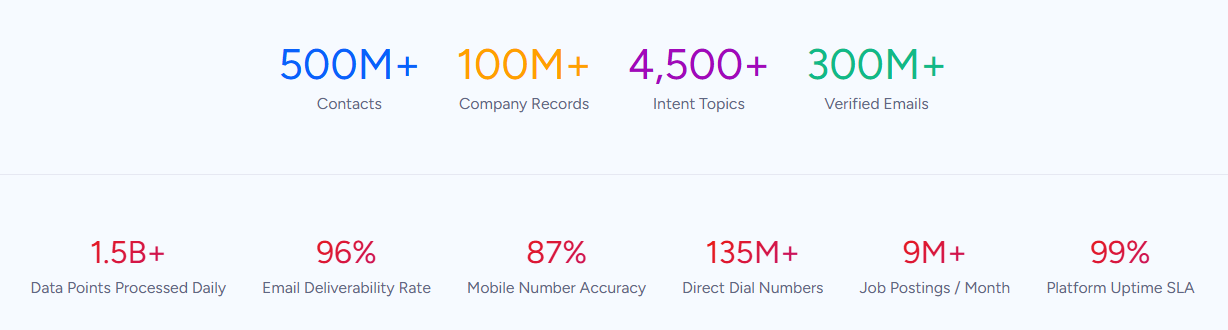
For groups operating a Clay-HubSpot integration, ZoomInfo strengthens the information high quality layer at each ends of the pipeline.
Inside Clay, ZoomInfo is offered as a native integration with 4 built-in actions: Enrich Firm, Enrich Contact, Enrich Contacts by ID, and Search Contacts. Groups can add ZoomInfo as a supplier of their Clay waterfall enrichment sequences, giving the waterfall entry to ZoomInfo’s verified direct dials, enterprise emails, firm attributes, and technographic profiles.
As a result of Clay’s waterfall solely costs a Knowledge Credit score when a supplier returns a outcome, groups can place ZoomInfo within the sequence the place its protection provides probably the most worth (usually as a main supply for cellphone numbers and verified emails) with out losing credit on misses.
On the HubSpot facet, ZoomInfo integrates natively by way of the HubSpot App Market, offering CRM enrichment, lead routing, and real-time information updates inside HubSpot data.
Groups can enrich HubSpot data by way of ZoomInfo independently of Clay, catching data that bypass the Clay workflow (handbook CRM entries, imported lists, data from different lead sources).
Purchaser Intent information from ZoomInfo, monitoring indicators from 210 million IP-to-Group pairings, can feed into HubSpot to prioritize accounts exhibiting lively analysis exercise.
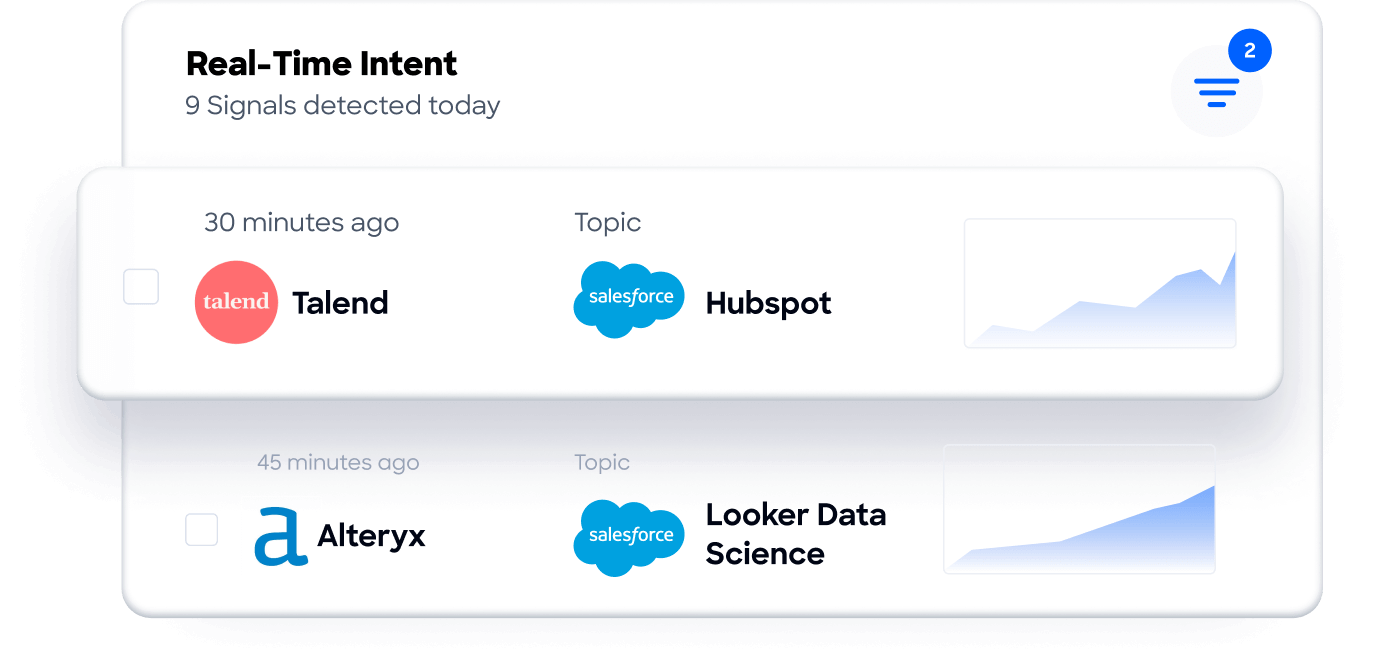
The identical information feeds ZoomInfo’s GTM Context Graph, an intelligence layer that processes 1.5B+ information factors day by day by unifying third-party intelligence with CRM data, dialog transcripts, and behavioral indicators to floor not simply what occurred in a deal, however why.
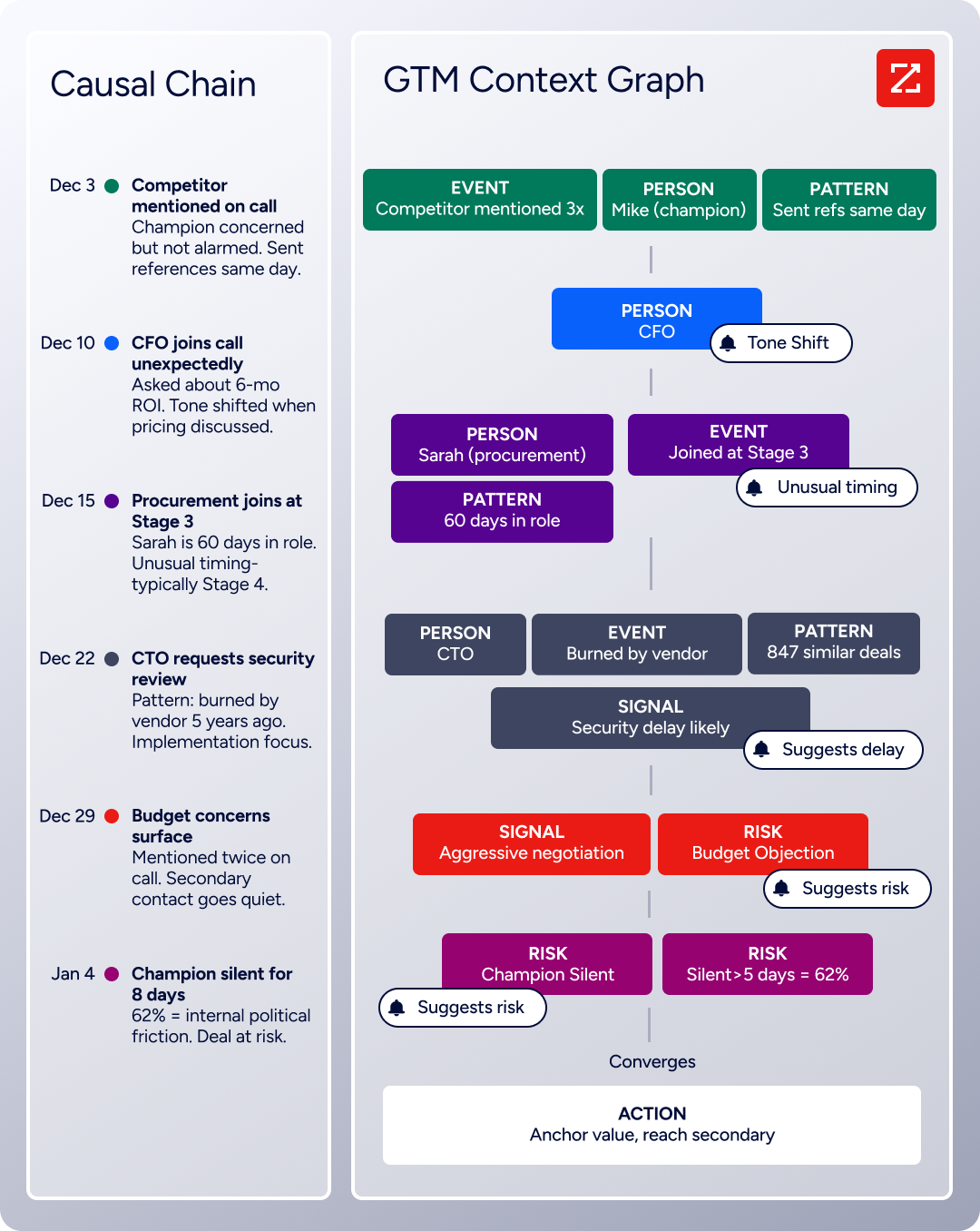
For groups that need to transfer past enrichment into AI-powered prospecting and account intelligence, ZoomInfo’s API and MCP server can feed the identical verified information and contextual intelligence into any customized workflow or AI agent.
In apply, a workforce operating the Clay-HubSpot integration can layer ZoomInfo in at a number of factors: as a supplier inside Clay’s waterfall to widen enrichment protection, as a direct HubSpot enrichment layer for data that skip the Clay pipeline, and as an intent sign supply that tells each methods which accounts are price prioritizing.
The result’s a Clay-HubSpot integration the place the information shifting between the 2 platforms is as correct and full because the supplier ecosystem permits, and the place ZoomInfo’s proprietary dataset fills the gaps that different suppliers within the waterfall can not attain.
Seismic’s gross sales workforce attributed 39% of lively pipeline to alternatives recognized or influenced by ZoomInfo indicators, whereas boosting productiveness by 54% and saving 11.5 hours per week. (Seismic)
Remaining Verdict
A local integration between Clay and HubSpot exists, and it’s the strongest possibility for groups already on Clay’s Progress plan.
For groups on decrease Clay tiers, Zapier and Make present light-weight alternate options, and customized API growth handles edge instances that no off-the-shelf device covers. For many groups, the appropriate alternative is dependent upon scale and complexity.
-
Small groups on Clay’s Free or Launch plan that need fundamental file transfers ought to begin with Zapier or Make. Each are quick to arrange, inexpensive at low volumes, and require no engineering sources or Clay plan improve.
-
GTM operations groups on Clay Progress that use Clay as their main enrichment engine ought to activate the native HubSpot integration. It’s the solely methodology that mixes waterfall enrichment, AI analysis, sign detection, and CRM sync in a single workflow.
-
Organizations with customized HubSpot objects, high-volume steady sync necessities, or enterprise logic that should be enforced throughout information switch ought to put money into a customized API integration.
Earlier than committing to a way, make clear what position every platform performs in your stack.
If Clay is a brief enrichment device for particular campaigns, maintain the connection easy (Zapier) and consider whether or not the outcomes justify a Progress-plan improve for the native integration.
If Clay is the everlasting enrichment layer for a HubSpot CRM that your complete GTM workforce depends on, put money into the native integration and construct workflows that maintain the CRM constantly enriched.
Both means, the standard of the information flowing by way of the mixing is dependent upon the suppliers in Clay’s waterfall.
ZoomInfo, with its native Clay integration, HubSpot market connector, and API and MCP entry, is the information layer that fills the protection gaps different suppliers go away behind.
FAQ
Does Clay combine natively with HubSpot?
Sure. Clay provides a local bidirectional HubSpot integration that helps importing, creating, updating, and looking out up HubSpot contacts, firms, and offers inside Clay tables. The mixing is offered on Clay’s Progress plan and above, beginning at $446/month on an annual contract. Clay is listed as a Premier-tier accomplice app in HubSpot’s App Market.
Can I join Clay and HubSpot with out upgrading to Clay’s Progress plan?
Sure, by way of Zapier or Make. Groups on Clay’s Free or Launch plans can use these third-party automation instruments to switch data between Clay and HubSpot. These instruments deal with particular person file transfers however don’t present entry to Clay’s waterfall enrichment pipeline, field-level mapping, or signal-triggered workflows throughout the identical move.
What HubSpot objects can Clay sync?
The native integration helps contacts, firms, and offers. Customized properties on these objects might be mapped to Clay desk columns for each import and export. Customized HubSpot objects (past the usual three) should not supported by the native integration and require a customized API construct.
How does Clay’s enrichment work with HubSpot information?
When HubSpot data are imported right into a Clay desk, they develop into rows that may be enriched utilizing any of Clay’s 150+ information suppliers. Enrichment steps (e-mail waterfalls, cellphone waterfalls, firmographic lookups, AI analysis) run as desk columns, processing every row sequentially. As soon as enrichment completes, the outcomes might be pushed again to HubSpot as up to date properties on the unique file or as new data.
Does the mixing require admin entry on each platforms?
Sure. On Clay’s facet, workspace admin or editor entry is required to configure the HubSpot integration and construct enrichment workflows. On HubSpot’s facet, the person connecting the mixing wants ample permissions to authorize the OAuth connection and write to the objects and properties the mixing will use. If HubSpot makes use of field-level safety, the mixing person’s position should have entry to each area being synced.
What occurs to enriched information if the mixing breaks?
Data already synced to HubSpot stay intact. New enrichment ends in Clay cease flowing to HubSpot till the connection is restored. The larger danger is partial workflows: a desk could full enrichment however fail on the HubSpot export step, leaving enriched information in Clay with out reaching the CRM. Clay offers table-level error indicators, and HubSpot API errors seem within the desk’s motion column. Common monitoring is important to catch and resolve failures.
How does ZoomInfo examine to Clay’s different information suppliers for HubSpot enrichment?
ZoomInfo is likely one of the 150+ suppliers accessible in Clay’s enrichment market. Its differentiator is the dimensions and verification depth of its proprietary dataset: 500M contacts, 100M firms, 135M+ verified cellphone numbers, and 200M+ verified enterprise emails, verified by 300+ human researchers. Inside a Clay waterfall, ZoomInfo sometimes offers the broadest protection for direct-dial cellphone numbers and verified enterprise emails. ZoomInfo additionally integrates with HubSpot by way of its personal market connector, so it could enrich HubSpot data independently of Clay for data that bypass the Clay pipeline.
For a broader take a look at how Clay and ZoomInfo examine as GTM platforms, see our Clay vs ZoomInfo evaluation.
Can I exploit ZoomInfo inside Clay and straight in HubSpot on the identical time?
Sure. ZoomInfo’s native Clay integration lets groups embrace ZoomInfo of their Clay waterfall enrichment workflows. ZoomInfo’s native HubSpot integration enriches CRM data inside HubSpot. Working each creates a layered enrichment technique: Clay handles bulk, multi-provider enrichment workflows, and ZoomInfo’s HubSpot integration catches data that enter the CRM exterior of Clay’s workflows (handbook entries, imported lists, kind fills). The 2 integrations function independently and don’t battle.
See what else plugs into HubSpot:

