

Groups that run Amperity and Salesforce facet by facet often uncover the identical issues inside 1 / 4:
Nevertheless the 2 platforms ended up coexisting (a advertising and marketing workforce adopting Amperity for id decision whereas the gross sales org runs on Salesforce, a knowledge workforce unifying buyer information throughout dozens of sources whereas Salesforce stays the system of file for pipeline, or totally different departments selecting instruments independently), the longer they function with out a connection, the extra the unified profiles in Amperity diverge from the information reps truly work with.
Connecting Amperity and Salesforce closes that hole.
Id-resolved buyer profiles move from Amperity into Salesforce so each contact and account carries probably the most full, deduplicated information obtainable. Viewers segments constructed on Amperity’s 200+ out-of-the-box attributes and predictive fashions (CLV, churn propensity, product affinity) push into Salesforce Advertising and marketing Cloud for marketing campaign activation, so entrepreneurs work from segments grounded in unified information relatively than fragmented CRM information.
Enriched contact information land in Salesforce Gross sales Cloud so reps see correct emails, cellphone numbers, and firm context with out handbook updates.
Amperity affords pre-built vacation spot connectors for Salesforce Gross sales Cloud (by way of SOAP API), Salesforce Advertising and marketing Cloud (by way of CSV and SFTP), and Salesforce Commerce Cloud (by way of SFTP). On the ingest facet, Amperity may also pull information from Salesforce Gross sales Cloud and Salesforce Advertising and marketing Cloud as sources.
The combination isn’t a single toggle however a set of configurable connectors masking totally different Salesforce merchandise, every with its personal information move, sync route, and setup course of.
One downside no connection technique solves: the mixing strikes unified profiles and audiences into Salesforce, but it surely doesn’t confirm whether or not the underlying contact information (cellphone numbers, e mail addresses, job titles) continues to be correct.
That’s the place ZoomInfo is available in. ZoomInfo integrates with Salesforce by the AppExchange, offering CRM enrichment with verified B2B contact information, and affords API and MCP entry that may feed the identical information into any system within the stack.
This text covers the Amperity-Salesforce integration: which strategies can be found, what information every one handles, the right way to set them up, the use instances that justify connecting each platforms, and the restrictions to plan for. It additionally covers how ZoomInfo suits in as a knowledge enrichment layer that strengthens the information flowing between Amperity and Salesforce.
Let’s begin with an outline of the mixing.
Integration Overview
Supply: Amperity
Does a local integration exist?
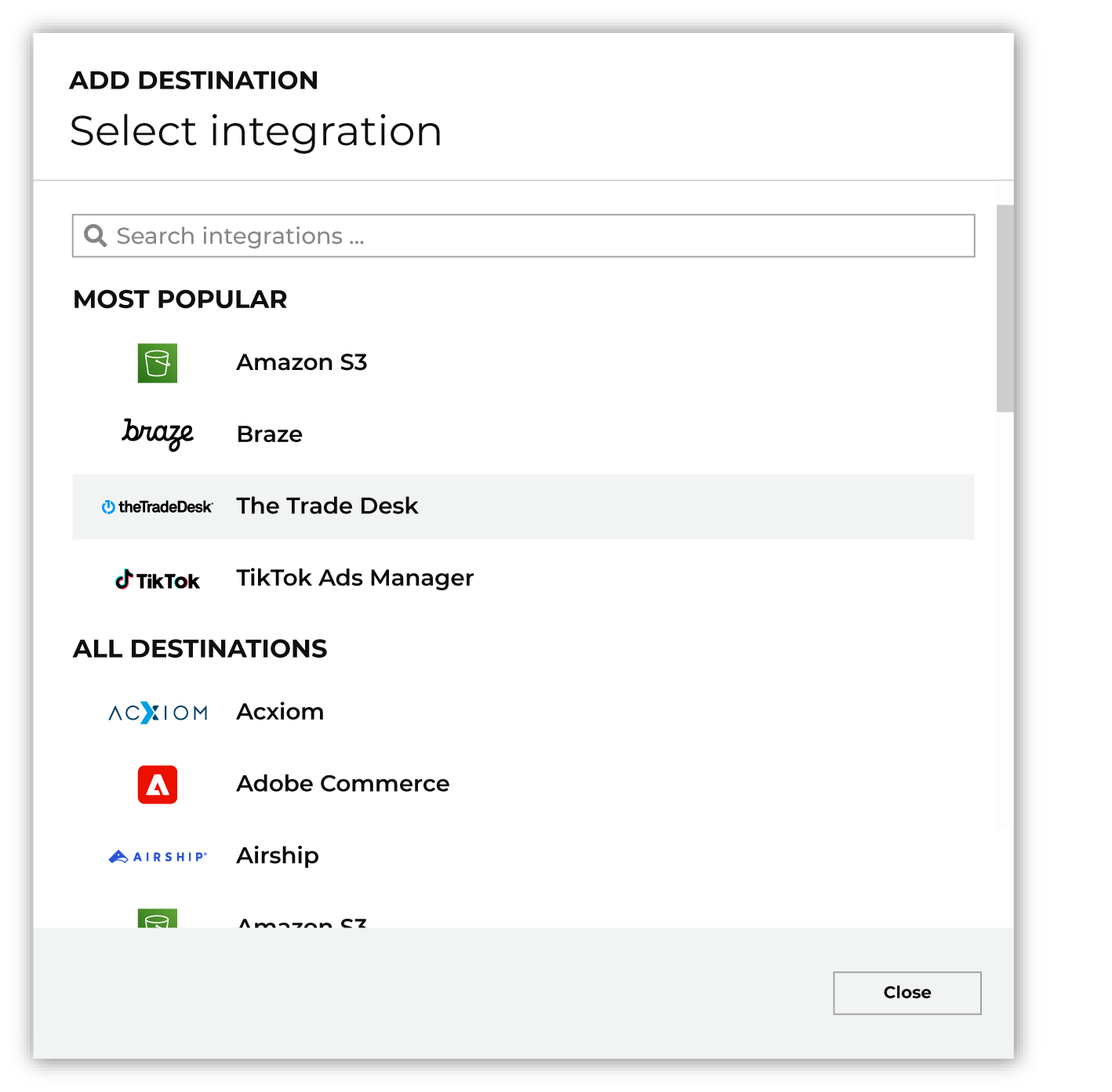
Sure, however not as a single connector. Amperity affords pre-built vacation spot connectors for Salesforce Gross sales Cloud, Salesforce Advertising and marketing Cloud, and Salesforce Commerce Cloud, and may ingest information from Salesforce Gross sales Cloud and Salesforce Advertising and marketing Cloud as sources. Every connector is constructed for a particular Salesforce product and protocol.
Supply: Amperity
What information can sync?
Id-resolved buyer profiles, viewers segments, contact information, account information, and transactional attributes from Amperity can move into Salesforce. On the ingest facet, Salesforce contact, lead, account, alternative, and marketing campaign information can move into Amperity for id decision.
The precise objects rely on which Salesforce product (Gross sales Cloud, Advertising and marketing Cloud, Commerce Cloud) is related and which protocol (SOAP API, SFTP, CSV) is used.
Is the sync bidirectional?
Functionally, sure. Amperity can each ingest information from Salesforce (as a supply) and ship resolved profiles and segments to Salesforce (as a vacation spot). However these are configured as separate connections relatively than a single bidirectional sync.
Knowledge flows are directional per connector: supply connectors pull information into Amperity, and vacation spot connectors push information to Salesforce.
Is it real-time or batch?
Batch. Amperity processes information by its id decision pipeline and pushes outcomes to locations on a configurable schedule (campaigns, orchestrations, or handbook runs). Salesforce supply ingestion can be batch-based. Neither facet helps real-time occasion triggers by the native connectors.
What are the obtainable strategies?
Amperity’s pre-built Salesforce connectors (Gross sales Cloud by way of SOAP API, Advertising and marketing Cloud by way of CSV/SFTP), Amperity Orchestrations (scheduled information supply to any vacation spot), and {custom} API integration utilizing Amperity’s REST API alongside Salesforce’s APIs.
|
Technique |
Setup Issue |
Knowledge Circulate |
Actual-time? |
Value |
|---|---|---|---|---|
|
Amperity Gross sales Cloud Connector (SOAP API) |
Medium |
Amperity to Salesforce |
No (batch/scheduled) |
Included with Amperity |
|
Amperity Advertising and marketing Cloud Connector (CSV/SFTP) |
Medium |
Amperity to Salesforce |
No (batch/scheduled) |
Included with Amperity |
|
Amperity Supply Connectors |
Medium |
Salesforce to Amperity |
No (batch/scheduled) |
Included with Amperity |
|
Customized API Integration |
Excessive |
Absolutely customizable |
Relies on implementation |
Developer time + internet hosting |
One distinction value settling upfront: the pre-built connectors deal with scheduled supply of unified profiles and audiences from Amperity into Salesforce, making them suited to recurring marketing campaign activation and CRM enrichment. Customized API integration affords extra flexibility for one-time migrations, advanced object mapping, or event-driven flows, however requires growth sources the native connectors get rid of.
Integration Strategies
Amperity to Salesforce Gross sales Cloud (SOAP API Connector)
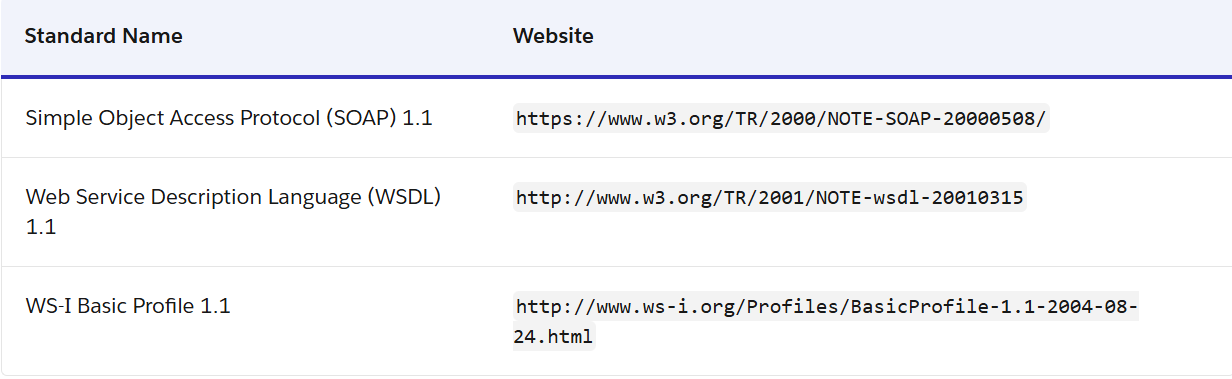
The way it works: Amperity’s Salesforce Gross sales Cloud vacation spot pushes information into Salesforce Gross sales Cloud utilizing the Salesforce SOAP API. Amperity sends identity-resolved buyer profiles (contact particulars, account attributes, and {custom} fields) into Salesforce objects (Contacts, Accounts, Leads) by way of scheduled orchestrations or campaigns.
Supply: Salesforce
The connector maps Amperity’s unified profile fields to Salesforce object fields and makes use of Salesforce’s upsert functionality to create new information or replace current ones based mostly on an identical key.
What it syncs: Contact information, account information, and {custom} fields from Amperity’s Buyer 360 desk. The precise fields rely on how the information template is configured. Normal mappings embrace title, e mail, cellphone, firm, title, and deal with fields.
Customized fields may be mapped manually. The connector writes to Salesforce normal and {custom} objects.
Matches: scheduled supply of unified profiles and enriched contact information into Salesforce Gross sales Cloud; additionally usable for preliminary bulk masses.
Setup course of:
-
In Amperity, navigate to the Locations tab and add Salesforce Gross sales Cloud as a brand new vacation spot. You’ll need a Salesforce account with API entry enabled and an integration person with the suitable profile permissions.
-
Create a knowledge template that maps Amperity fields (out of your Buyer 360 or a {custom} question) to Salesforce object fields. Specify the goal Salesforce object (Contact, Account, Lead, or a {custom} object) and the exterior ID or matching key for upsert logic.
-
Configure an orchestration or marketing campaign to ship information on a schedule (every day, weekly, or triggered by pipeline completion). Choose the section or question that defines which information to ship.
-
Run a check supply with a small section to confirm discipline mapping, upsert habits, and information accuracy in Salesforce.
Strengths: Direct API-level integration maintained by Amperity. Makes use of Salesforce’s native upsert functionality, lowering duplicate danger. Scheduled supply means the most recent identity-resolved information flows into Salesforce robotically. No third-party middleware required.
Limitations: Batch-only (no real-time push on file adjustments in Amperity). Requires a Salesforce person with API entry, which is tied to Salesforce version and license sort (API entry isn’t obtainable on all Salesforce plans).
The SOAP API has every day request limits that scale by Salesforce version and license rely, which can constrain high-volume deliveries. Subject mapping requires familiarity with each Amperity’s information mannequin and Salesforce’s object schema.
Finest for: Organizations utilizing Salesforce Gross sales Cloud because the system of file for gross sales that wish to maintain CRM information enriched with Amperity’s identity-resolved, deduplicated buyer profiles on a recurring schedule.
Amperity to Salesforce Advertising and marketing Cloud (CSV/SFTP)
The way it works: Amperity’s Salesforce Advertising and marketing Cloud vacation spot delivers viewers segments and buyer information to Salesforce Advertising and marketing Cloud by way of CSV recordsdata transferred over SFTP. Amperity exports the viewers as a structured file, uploads it to a chosen SFTP location, and Salesforce Advertising and marketing Cloud imports the file into Knowledge Extensions to be used in campaigns, journeys, and personalization workflows.
What it syncs: Viewers segments with profile attributes (title, e mail, cellphone, deal with, {custom} fields), predictive scores (CLV tier, churn propensity, product affinity), RFM segments, and another attributes included within the Amperity question or section definition.
The info lands in Salesforce Advertising and marketing Cloud Knowledge Extensions, the place it could drive Journey Builder entry standards, e mail personalization, and audience-based advert activation.
Matches: recurring supply of viewers segments and enriched profiles for advertising and marketing activation; additionally appropriate for one-time viewers exports.
Setup course of:
-
In Salesforce Advertising and marketing Cloud, configure an SFTP account or use the present Advertising and marketing Cloud SFTP endpoint. Notice the SFTP host, port, username, and credentials.
-
In Amperity, add Salesforce Advertising and marketing Cloud as a vacation spot. Enter the SFTP connection particulars (host, port, username, personal key or password).
-
Create a knowledge template specifying the CSV construction: which Amperity fields to incorporate, column naming conventions matching Salesforce Advertising and marketing Cloud Knowledge Extension discipline names, and file naming patterns.
Strengths: File-based supply is dependable and properly understood by advertising and marketing operations groups. Helps giant viewers volumes with out hitting API charge limits. Amperity’s section builder lets non-technical customers outline audiences utilizing 200+ out-of-the-box attributes and predictive fashions, then ship them to Advertising and marketing Cloud.
No Salesforce API license required on the Advertising and marketing Cloud facet for SFTP import.
Limitations: File-based sync introduces latency: the viewers displays the information on the time the file was generated, not real-time adjustments. SFTP configuration requires coordination between Amperity operators and Salesforce Advertising and marketing Cloud directors. Knowledge Extension schema in Advertising and marketing Cloud should match the CSV construction; schema mismatches trigger import failures.
This connector doesn’t assist bidirectional sync (Advertising and marketing Cloud information flows into Amperity by a separate supply connector).
Finest for: Advertising and marketing groups utilizing Salesforce Advertising and marketing Cloud for e mail, journey orchestration, and paid media activation who want identity-resolved audiences from Amperity on a recurring schedule.
Salesforce to Amperity (Supply Connectors)
The way it works: Amperity gives supply connectors for Salesforce Gross sales Cloud and Salesforce Advertising and marketing Cloud that pull CRM and advertising and marketing information into Amperity for id decision.
Salesforce Gross sales Cloud information is ingested by way of the Salesforce API, pulling normal and {custom} objects. Salesforce Advertising and marketing Cloud information is pulled by way of SFTP or API, relying on the information sort.
What it syncs: From Gross sales Cloud: contacts, leads, accounts, alternatives, actions, marketing campaign members, and {custom} objects. From Advertising and marketing Cloud: subscriber information, Knowledge Extensions, and engagement information.
All ingested information passes by Amperity’s semantic tagging and Sew id decision pipeline, the place it merges with information from different sources to supply unified buyer profiles.
Matches: recurring ingestion of CRM and advertising and marketing information into Amperity’s id decision pipeline; important for constructing a Buyer 360 that features Salesforce information.
Setup course of:
-
Authenticate the connection. For Gross sales Cloud, present OAuth credentials or a safety token for an integration person with API entry. For Advertising and marketing Cloud, configure SFTP credentials or Advertising and marketing Cloud API credentials.
-
Choose which Salesforce objects to ingest (Contacts, Leads, Accounts, Alternatives, and so on.). Configure feed settings together with the first key and last-updated discipline for incremental ingestion.
-
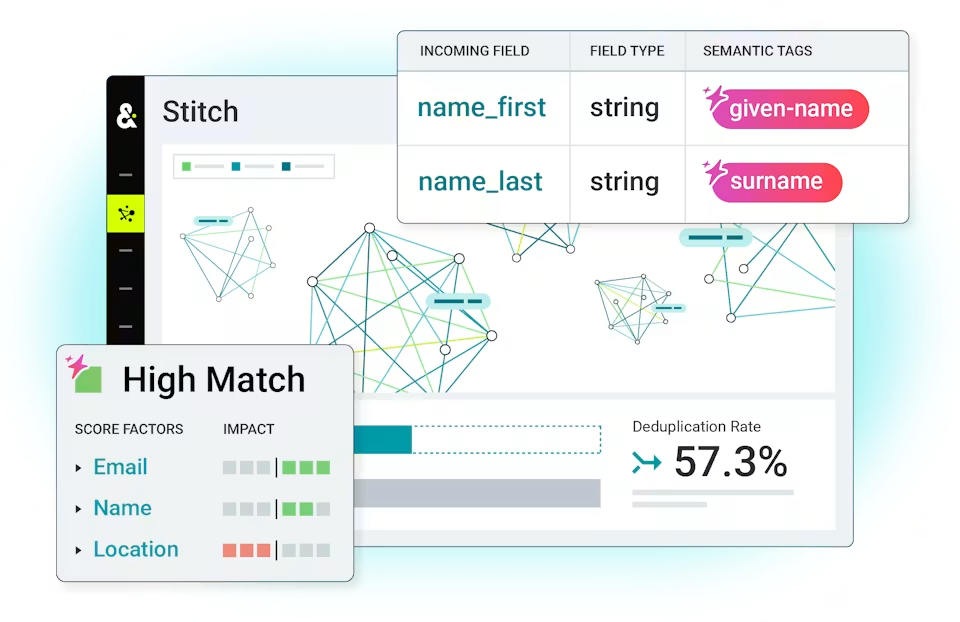
Apply semantic tags to the ingested fields (given-name, surname, e mail, cellphone, deal with) so Sew can use them for id decision.
Strengths: Brings CRM information into Amperity’s id decision pipeline, the place it merges with information from dozens of different sources. Incremental ingestion by way of the last-updated discipline minimizes API name consumption. Semantic tagging handles schema variations between Salesforce and different information sources with out handbook ETL.
Limitations: Ingestion is batch-only. Salesforce API limits apply to the mixing person’s profile and will constrain the quantity of information pulled per run, notably for orgs on decrease Salesforce editions. Complicated Salesforce object relationships (multi-level lookups, junction objects) might require area SQL transformations in Amperity.
Finest for: Knowledge groups constructing an identity-resolved Buyer 360 in Amperity that should embrace Salesforce CRM information alongside information from e-commerce, loyalty, point-of-sale, and different methods.
Customized API Integration
The way it works: Each platforms expose broad APIs. Amperity affords a REST API masking campaigns, segments, workflows, and ingest jobs, a Profile API for real-time unified profile lookups, and a Streaming API for real-time information ingestion.
Salesforce gives REST, SOAP, Bulk, and Pub/Sub APIs masking all normal and {custom} objects plus event-driven structure. A {custom} integration connects these APIs by middleware that handles authentication, discipline mapping, transformation, and scheduling.
What it syncs: Something each APIs expose. That is the one technique that helps use instances past the pre-built connectors: real-time profile lookups from Amperity’s Profile API surfaced inside Salesforce by way of {custom} Lightning parts, event-driven sync triggered by Salesforce Platform Occasions, or advanced multi-object writes the SOAP connector does not assist natively.
Matches: specialised use instances the place the pre-built connectors fall brief, together with real-time profile entry, event-driven workflows, or advanced object mapping.
Setup course of:
-
Create API credentials in each platforms. In Amperity, generate an API key below Settings and acquire a Bearer token by way of the authentication move. In Salesforce, create an Exterior Shopper App with OAuth 2.0 credentials.
-
Construct a middleware service that reads from one platform and writes to the opposite. For scheduled batch sync, use Amperity’s API to set off workflows and Salesforce’s Bulk API for high-volume writes. For real-time entry, use Amperity’s Profile API on the learn facet and Salesforce’s REST API for writes.
-
Deploy, monitor, and keep. Each platforms model their APIs. Amperity makes use of date-based versioning with at the very least one 12 months of assist per model; Salesforce variations with every seasonal launch.
Strengths: Full management over what syncs, when, and the way. The one technique that may name Amperity’s Profile API for real-time unified profile lookups or Salesforce’s Pub/Sub API for event-driven triggers. Can implement advanced enterprise logic. No per-record charges from a third-party connector.
Limitations: Requires growth sources to construct and keep. You personal the infrastructure, monitoring, and error restoration. Amperity’s REST API is primarily read-oriented (the one mutation endpoints are workflow begin/cease), which constrains what may be written again into Amperity programmatically. The preliminary construct takes weeks.
Finest for: Enterprise groups with in-house growth sources and use instances that exceed the pre-built connectors, reminiscent of real-time profile embedding in Salesforce, event-driven workflows, or advanced multi-object sync.
Key Use Circumstances
1. Unified Buyer Profiles in Salesforce Gross sales Cloud
A retail model collects buyer information throughout 20+ sources: e-commerce, point-of-sale, loyalty, e mail, cellular app, and customer support. Amperity’s Sew id decision unifies these right into a single profile per buyer, deduplicating information and assigning a persistent Amperity ID.
Supply: Amperity
The Salesforce Gross sales Cloud connector pushes these unified profiles into Salesforce Contacts and Accounts, so gross sales reps see an entire buyer historical past (buy frequency, lifetime worth, most popular channels) within the CRM with out switching instruments.
Finest integration technique: Amperity Gross sales Cloud connector (SOAP API, scheduled supply).
2. Predictive Viewers Activation in Salesforce Advertising and marketing Cloud
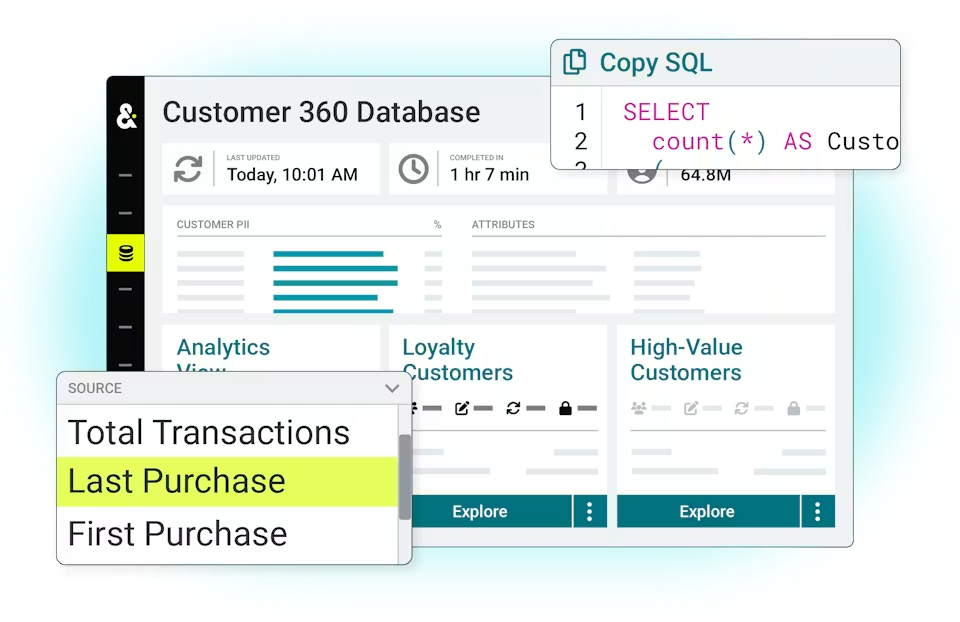
A advertising and marketing workforce builds audiences in Amperity utilizing predictive CLV tiers, churn propensity scores, and product affinity segments. These audiences, constructed with 200+ attributes, are delivered to Salesforce Advertising and marketing Cloud Knowledge Extensions by way of the SFTP connector.
Supply: Amperity
Advertising and marketing Cloud makes use of the segments as Journey Builder entry standards, focusing on high-CLV prospects with retention campaigns and at-risk prospects with re-engagement sequences.
Finest integration technique: Amperity Advertising and marketing Cloud connector (CSV/SFTP, scheduled supply).
3. Put up-Acquisition Buyer Database Merge
After an acquisition, two manufacturers have to merge their buyer databases. Every model’s information lives in separate Salesforce orgs and different methods.
Amperity ingests information from each Salesforce orgs (plus loyalty, e-commerce, and different sources), resolves identities throughout all methods, and pushes the unified, deduplicated profiles again into the surviving Salesforce org.
Finest integration technique: Amperity supply connectors (ingestion from Salesforce) mixed with the Gross sales Cloud vacation spot connector (supply of resolved profiles).
4. Suppression Audiences for Paid Media by way of Salesforce
A requirement technology workforce runs paid acquisition campaigns by Salesforce Advertising and marketing Cloud’s promoting audiences. To keep away from losing media spend on current prospects, the workforce builds a suppression viewers in Amperity containing all recognized prospects (recognized throughout each touchpoint, not simply CRM information).
This viewers is delivered to Salesforce Advertising and marketing Cloud by way of SFTP, the place it feeds suppression logic for Meta, Google, and show campaigns. As a result of Amperity resolves identities throughout sources, the suppression record catches prospects who exist within the loyalty database however not but in Salesforce, stopping spend on folks the model already is aware of.
Finest integration technique: Amperity Advertising and marketing Cloud connector (CSV/SFTP, scheduled supply).
5. CRM Knowledge Enrichment by way of Id Decision
Salesforce Gross sales Cloud accommodates contact information which have degraded over time: lacking cellphone numbers, outdated titles, incomplete firm info.
Slightly than cleansing the information manually, the workforce ingests Salesforce information into Amperity as a supply, the place they merge with higher-quality information from different methods (e-commerce transactions with verified emails, loyalty applications with up to date addresses, customer support information with current cellphone numbers).
Amperity’s merge coverage selects the very best worth for every discipline based mostly on supply reliability, then pushes the enriched information again into Salesforce.
Finest integration technique: Amperity supply connector (ingestion from Gross sales Cloud) + Gross sales Cloud vacation spot connector (supply of enriched profiles).
Limitations and Issues
Batch-Solely Sync
All pre-built Amperity-Salesforce connectors function on batch schedules. There isn’t a real-time event-driven sync between the 2 platforms by the native connectors. A profile replace in Amperity doesn’t push to Salesforce till the subsequent scheduled orchestration runs.
Groups that want sub-minute latency (for instance, triggering a Salesforce workflow the second a buyer’s id resolves) would want a {custom} integration utilizing Amperity’s Profile API or Streaming API.
Knowledge Mannequin Variations
Amperity produces a single unified buyer profile per particular person (anchored by the Amperity ID), whereas Salesforce separates contacts into Leads and Contacts tied to Accounts with a conversion course of between them.
Mapping Amperity’s unified profile to the proper Salesforce object (Lead vs. Contact) requires enterprise logic the connector doesn’t implement robotically. Groups should outline this mapping within the information template and deal with lead conversion workflows on the Salesforce facet.
Salesforce API Limits
The Gross sales Cloud connector makes use of the Salesforce SOAP API, which is topic to every day request limits tied to Salesforce version and license rely. Skilled and Enterprise editions begin at 100,000 requests per 24-hour interval plus per-license allocations. Giant Amperity audiences delivered in a single run can devour a good portion of this price range.
Groups with high-volume supply necessities ought to contemplate the Bulk API by way of {custom} integration, or coordinate supply schedules to keep away from restrict conflicts with different Salesforce integrations.
Amperity Pricing and Consumption
Amperity’s “Amps” pricing mannequin costs by platform consumption, not by flat function license. Actions that devour Amps embrace processing information, constructing segments, operating campaigns, and activating information by vacation spot connectors. Frequent, high-volume deliveries to Salesforce devour Amps accordingly.
Premium connectors carry a flat surcharge of 25,000 Amps per connector monthly for sure promoting locations (although the Salesforce connectors should not listed among the many premium surcharge group).
Permissions and Entry
Establishing the Salesforce Gross sales Cloud connector requires a Salesforce integration person with API entry and permissions to learn and write the goal objects. Salesforce API entry relies on version: it’s included with Enterprise, Limitless, and Developer editions however might require an add-on for decrease tiers.
On the Amperity facet, connector configuration requires operator-level entry. Salesforce orgs utilizing field-level safety or sharing guidelines should guarantee the mixing person’s profile has entry to each discipline being written.
Upkeep
Each platforms evolve on unbiased launch cycles. Amperity maintains a date-based API versioning system with at the very least one 12 months of assist per model. Salesforce variations its API with every seasonal launch (at present Summer season ’26, API model 67.0).
Adjustments to Amperity’s information mannequin (new semantic tags, up to date merge insurance policies) or Salesforce’s object schema ({custom} fields added after preliminary setup) require corresponding updates to the connector’s information template. Overview the mixing’s well being and accuracy periodically.
What No Technique Fixes: The Knowledge Itself
Each technique above strikes identity-resolved profiles and audiences between Amperity and Salesforce. Amperity excels at deduplication and unification: it determines that 5 information throughout 5 methods belong to the identical particular person and selects the very best obtainable worth for every discipline. But it surely works with the information it receives.
If each supply system has the identical outdated cellphone quantity for a contact, Amperity’s unified profile carries that very same outdated cellphone quantity into Salesforce. Id decision improves profile completeness and eliminates duplicates; it doesn’t confirm whether or not a cellphone quantity nonetheless rings or an e mail deal with nonetheless delivers.
The place ZoomInfo Matches In
Each technique on this information strikes identity-resolved information between Amperity and Salesforce. None of them verifies whether or not the contact information inside these profiles continues to be correct. When the mixing is dwell however outreach fails as a result of cellphone numbers are lifeless, e mail addresses bounce, or job titles are six months stale, the bottleneck is now not the connector or the id decision.
That’s the hole ZoomInfo closes.
ZoomInfo is a B2B information and go-to-market platform constructed on 500M contacts, 100M firms, 135M+ verified cellphone numbers, and 200M+ verified enterprise emails.
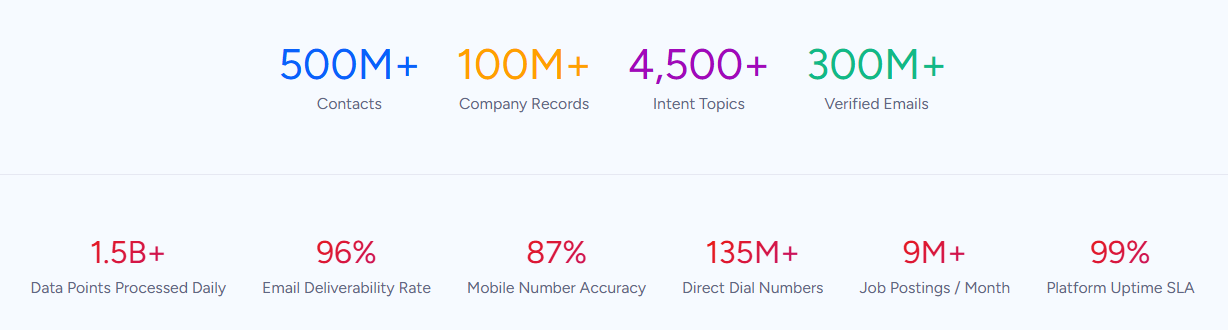
Its GTM Context Graph processes 1.5B+ information factors every day, unifying this information together with your CRM information, dialog transcripts, and behavioral indicators to indicate the total context of your accounts.
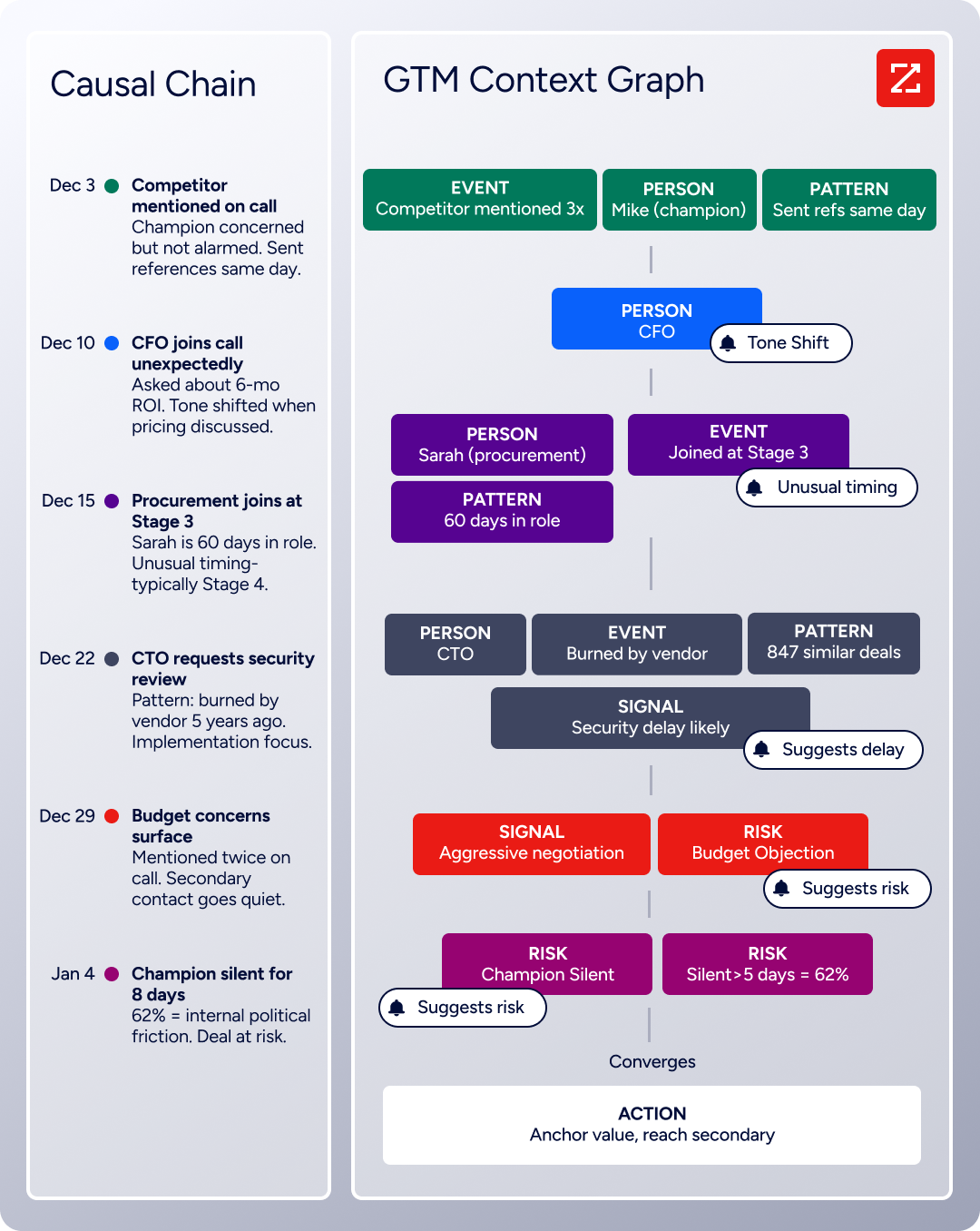
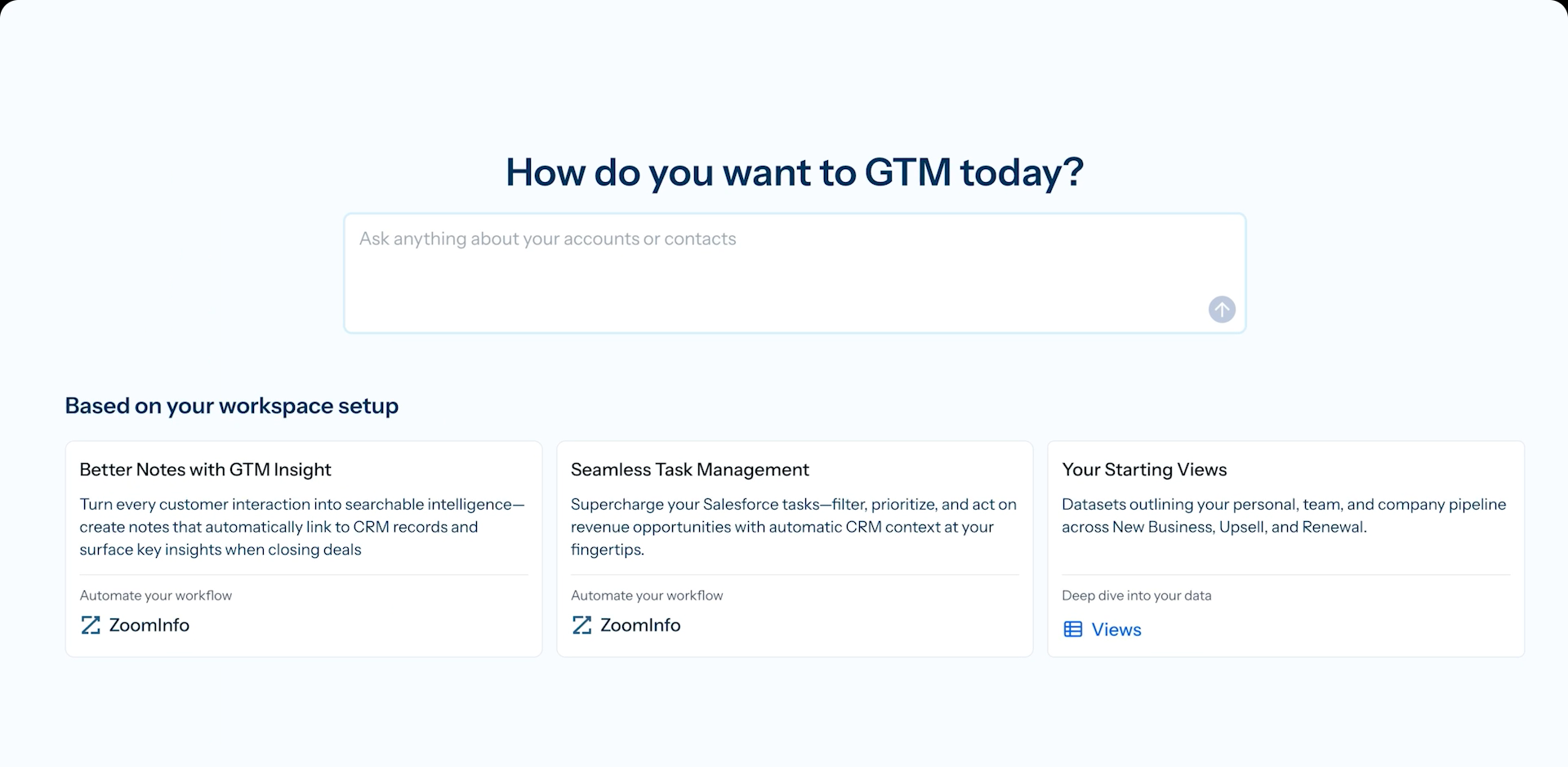
That context tells AI not simply what occurred, however why, and which actions to take subsequent. Groups can run gross sales motions from the GTM Workspace, construct performs in GTM Studio, or pipe verified information into their very own instruments by the API and MCP. For groups operating an Amperity-Salesforce integration, ZoomInfo gives the contact verification layer that neither platform handles.
Amperity and ZoomInfo resolve totally different issues. Amperity unifies fragmented buyer information throughout dozens of methods, resolving identities with probabilistic and deterministic matching and producing a single profile per particular person.
ZoomInfo verifies and enriches the contact information inside these profiles: confirmed enterprise emails, direct-dial cellphone numbers, present job titles, firm attributes, and technographic profiles masking 30,000+ applied sciences.
One platform solutions “who is that this particular person throughout all our methods?” The opposite solutions “can we truly attain them, and is what we find out about them nonetheless true?”
ZoomInfo integrates with Salesforce by the AppExchange, offering CRM enrichment, lead routing, and real-time information updates inside Salesforce information.
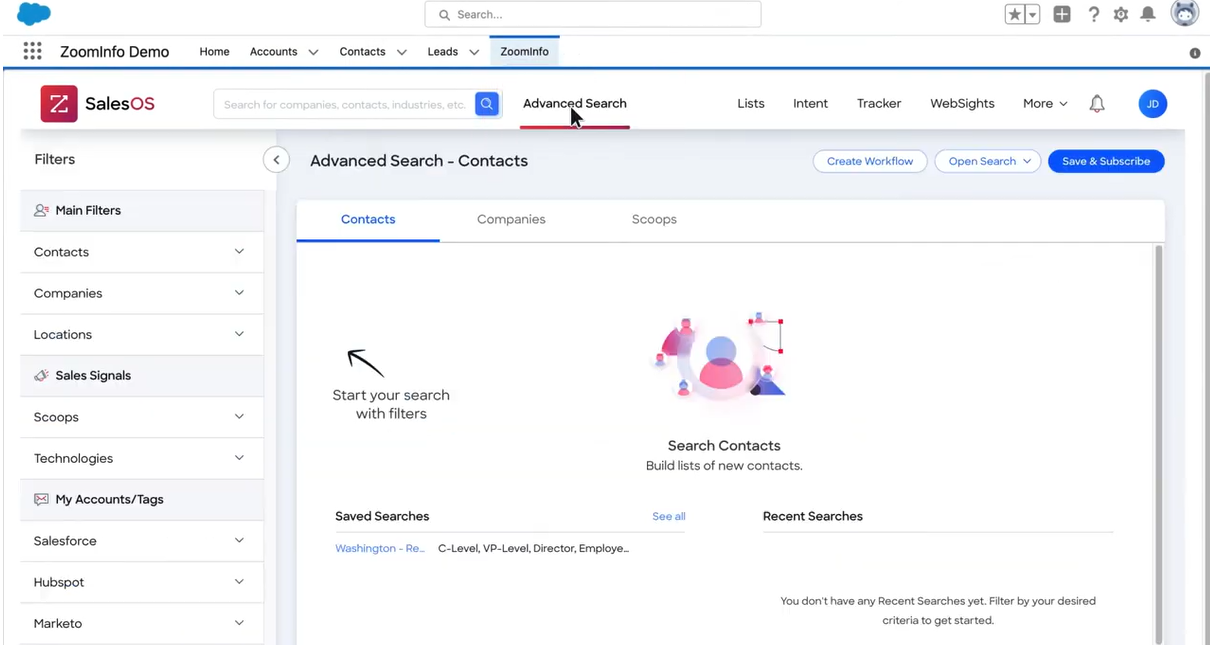
A workforce can use Amperity to unify and deduplicate buyer profiles, push them into Salesforce by way of the native connectors, after which use ZoomInfo’s Salesforce integration to confirm and enrich these information with confirmed contact information.
The outcome: Salesforce accommodates profiles which might be each identity-resolved (from Amperity) and contact-verified (from ZoomInfo).
For groups constructing workflows past the native integrations, ZoomInfo’s Enterprise API and MCP server expose the identical verified information to any {custom} agent, inside device, or accomplice platform.
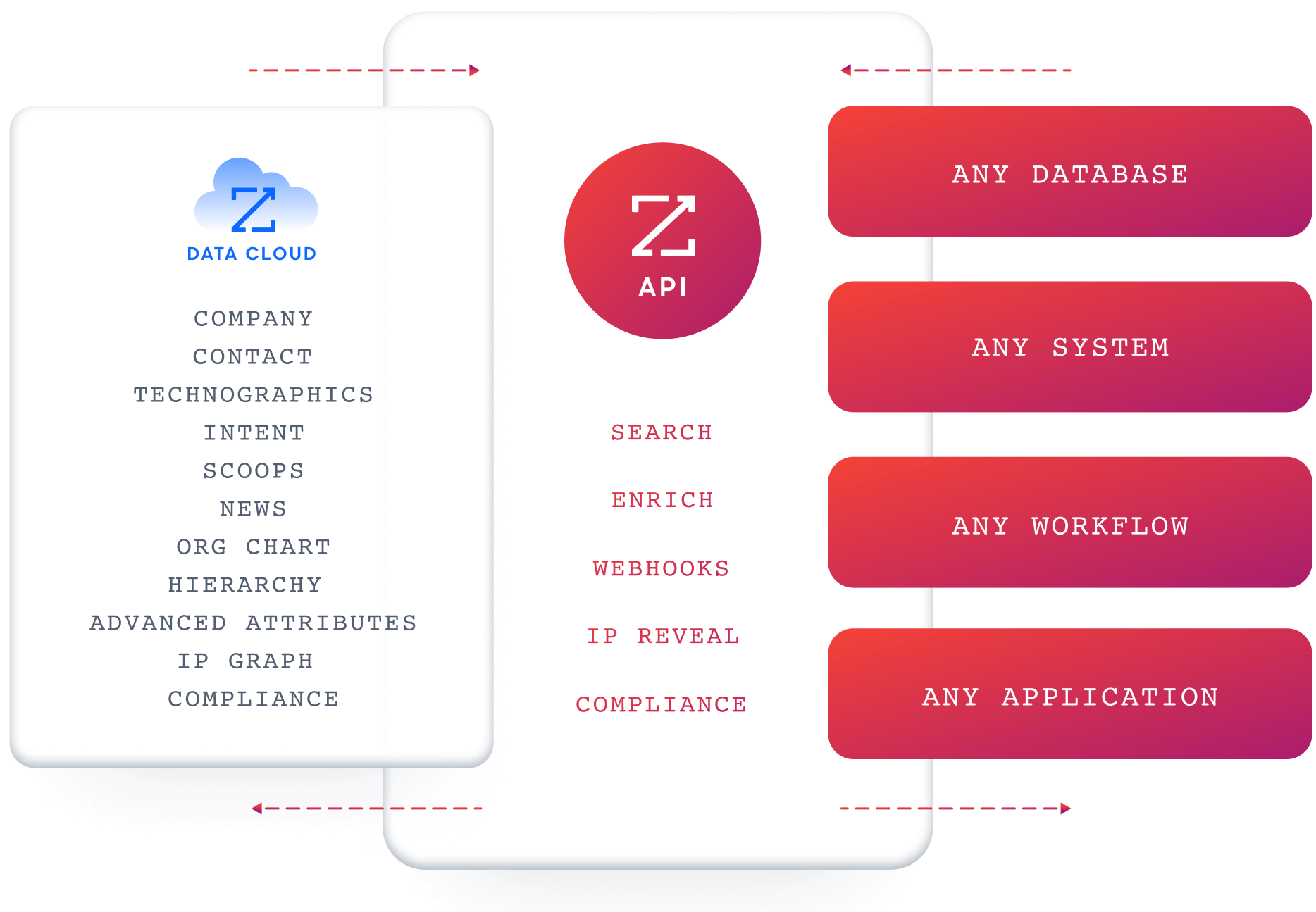
Purchaser Intent information from ZoomInfo, monitoring indicators from 210 million IP-to-Group pairings, can route into Salesforce to prioritize accounts actively researching related options, including a buying-signal layer that neither Amperity’s id decision nor Salesforce’s CRM gives natively.
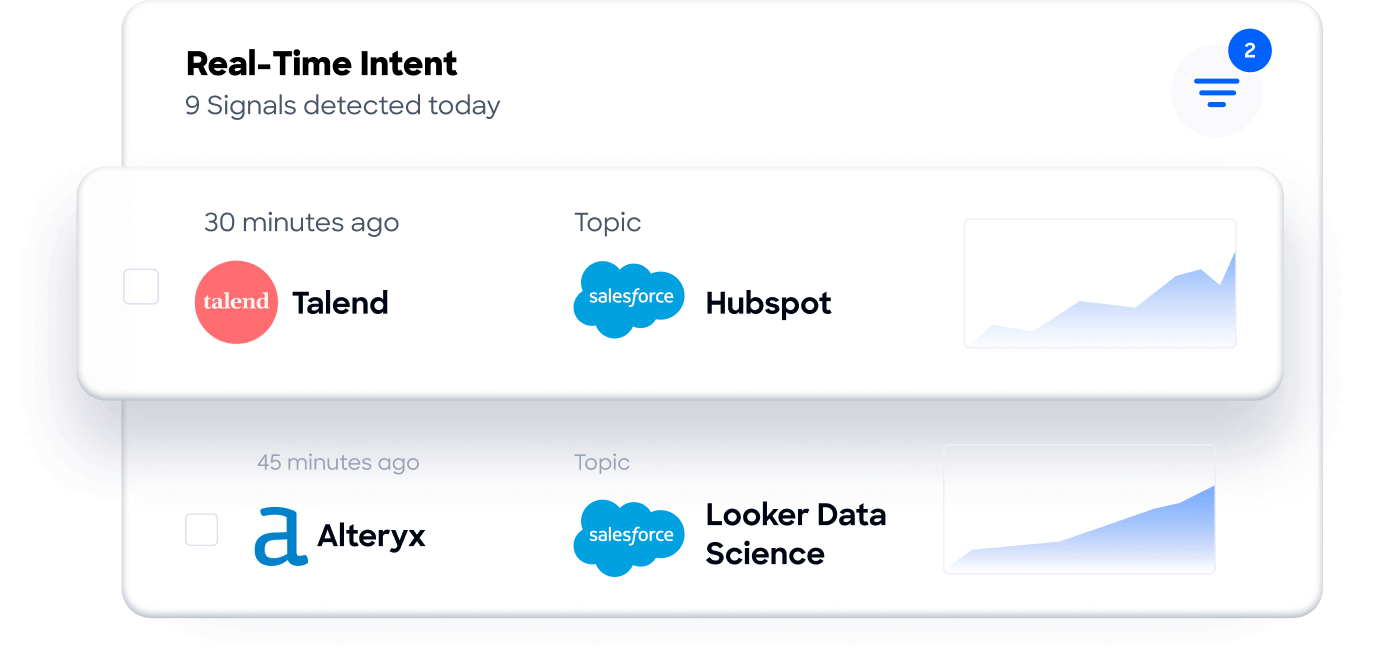
Seismic’s gross sales workforce attributed 39% of lively pipeline to alternatives recognized or influenced by ZoomInfo indicators, whereas boosting productiveness by 54%. (Seismic)
Ultimate Verdict
Amperity and Salesforce combine by pre-built connectors masking Gross sales Cloud (SOAP API), Advertising and marketing Cloud (CSV/SFTP), and Commerce Cloud (SFTP), plus supply connectors for ingesting Salesforce information into Amperity’s id decision pipeline.
There isn’t a single-button integration, however the connectors are maintained by Amperity, require no third-party middleware, and canopy the most typical information flows between the 2 platforms.
For many groups, the fitting alternative relies on which Salesforce merchandise are in play and what information wants to maneuver.
-
Advertising and marketing groups activating audiences in Salesforce Advertising and marketing Cloud ought to begin with the SFTP connector, which delivers identity-resolved segments into Knowledge Extensions for journey orchestration and paid media activation.
-
Knowledge groups constructing a Buyer 360 that features Salesforce information ought to configure Salesforce as a supply in Amperity, bringing CRM information into the id decision pipeline alongside information from different methods.
-
Enterprise groups with use instances past the pre-built connectors (real-time profile lookups, event-driven workflows, advanced multi-object mapping) ought to spend money on a {custom} API integration.
Earlier than committing to a particular technique, make clear what job the mixing must do.
If the objective is activating unified audiences for advertising and marketing campaigns, the Advertising and marketing Cloud connector handles it with minimal setup.
If the objective is protecting each Salesforce file enriched with probably the most full buyer profile obtainable, the Gross sales Cloud connector on a every day schedule delivers that.
If the objective is constructing a single supply of reality throughout dozens of methods with Salesforce as one among many inputs, Amperity’s supply connectors carry CRM information into the id decision pipeline the place it merges with every thing else.
In each state of affairs, the standard of the contact information flowing by the mixing determines whether or not unified profiles translate into reachable, correct information.
ZoomInfo, with its Salesforce integration, API, and MCP entry, is the verification layer that ensures information in Salesforce should not simply unified and deduplicated, however confirmed and present.
FAQ
Does Amperity combine instantly with Salesforce?
Sure. Amperity gives pre-built connectors for Salesforce Gross sales Cloud (by way of SOAP API), Salesforce Advertising and marketing Cloud (by way of CSV/SFTP), and Salesforce Commerce Cloud (by way of SFTP). These connectors are configured inside Amperity’s platform and don’t require third-party middleware. Amperity may also ingest information from Salesforce Gross sales Cloud and Salesforce Advertising and marketing Cloud as sources for id decision.
Can Amperity ship information to Salesforce in actual time?
Not by the pre-built connectors. All native Amperity-Salesforce integrations function on batch schedules (every day, hourly, or triggered by pipeline completion). For real-time entry to Amperity’s unified profiles, a {custom} integration utilizing the Amperity Profile API can be wanted, however this requires growth sources and {custom} middleware.
What Salesforce editions assist the Amperity integration?
The Salesforce Gross sales Cloud connector makes use of the SOAP API, which requires API entry. API entry is included with Salesforce Enterprise, Limitless, Efficiency, and Developer editions. Skilled version might require an API entry add-on. The Advertising and marketing Cloud connector makes use of SFTP, which doesn’t require CRM API entry however does require a Advertising and marketing Cloud account with SFTP capabilities.
Does the mixing deduplicate information in Salesforce?
Amperity deduplicates information inside its personal platform by Sew id decision, producing a single unified profile per particular person. When that profile is pushed to Salesforce, it makes use of upsert logic (replace if an identical file exists, create if not) based mostly on a configured matching key. T
his prevents the connector from creating duplicates on every supply, but it surely doesn’t clear up duplicates that exist already in Salesforce from different sources.
Can I exploit Amperity’s predictive fashions inside Salesforce?
Sure, not directly. Amperity calculates predictive CLV, churn propensity, product affinity, and RFM scores as a part of its Buyer 360 platform. These scores may be included as fields within the information delivered to Salesforce by way of both the Gross sales Cloud or Advertising and marketing Cloud connector.
In Salesforce, they seem as {custom} fields on the Contact, Account, or Knowledge Extension, the place they will drive reporting, lead scoring, and marketing campaign focusing on.
How does ZoomInfo complement an Amperity-Salesforce integration?
Amperity resolves identities and deduplicates information, but it surely works with the information it receives from supply methods. If each supply has the identical stale cellphone quantity, the unified profile carries that stale quantity into Salesforce.
ZoomInfo independently verifies and enriches contact information with confirmed enterprise emails, direct-dial cellphone numbers, present job titles, and firm attributes. Its Salesforce integration handles enrichment contained in the CRM, so information pushed from Amperity arrive deduplicated and are then verified by ZoomInfo.
What does the Amperity-Salesforce integration value?
Amperity’s native Salesforce connectors are included within the platform (no extra connector payment for traditional Salesforce locations). Nevertheless, Amperity makes use of consumption-based pricing (“Amps”), so information supply actions devour Amps based mostly on the quantity and frequency of runs. Amperity doesn’t publish pricing publicly; all contracts are custom-quoted.
On the Salesforce facet, the first value consideration is guaranteeing the Salesforce version consists of API entry for the Gross sales Cloud connector.
Can Salesforce information move again into Amperity?
Sure. Amperity gives supply connectors for Salesforce Gross sales Cloud and Salesforce Advertising and marketing Cloud. These ingest CRM and advertising and marketing information into Amperity, the place it passes by semantic tagging and Sew id decision.
That is how organizations embrace Salesforce information of their Buyer 360 alongside information from different methods. The supply and vacation spot connectors are configured individually, making a purposeful bidirectional information move managed by unbiased connections.
Extra Salesforce integrations:

