

Within the earlier weblog, I coated the sensible setup for agentic AI workflows with VS Code, GitHub Copilot, and secure native MCP testing. I defined why VS Code is an efficient place to begin, which extensions and MCP servers make sense for Energy BI and Microsoft Material work, and why we ought to be cautious earlier than trusting new instruments with actual fashions.
This put up continues from that time and focuses solely on the hands-on course of. The concept is straightforward: now that the setup is prepared, let’s use it for an actual modelling activity and see what truly occurs.
What This Weblog Will Cowl #
On this put up, I wish to present a sensible end-to-end workflow:
- utilizing Ask mode to border a secure modelling activity
- utilizing Plan mode to create a managed implementation path
- utilizing Agent mode to execute the authorized steps
- utilizing easy generated markdown information as working notes, guardrails, and checkpoints
- reviewing the outcomes inside Energy BI Desktop
- reflecting on what labored effectively and the place warning continues to be wanted
The State of affairs #
Here’s a sensible state of affairs. My pattern semantic mannequin accommodates 54 measures unfold throughout a number of tables, which isn’t construction. I would like the AI agent to examine the mannequin by the Energy BI Modeling MCP Server, create a devoted measure desk, create the related show folders, after which transfer the measures into the suitable folders. Doing that by hand can be sluggish and a bit painful. That is precisely the type of activity the place agentic AI might help in a sensible means. So, for this walkthrough, I’ve my Energy BI answer open in Energy BI Desktop and VS Code open beside it, and I make it possible for I’m already signed in to GitHub in VS Code.
Simply to keep away from confusion, this walkthrough makes use of an area modelling workflow in opposition to Energy BI Desktop. Microsoft additionally paperwork the Energy BI distant MCP server, which is helpful to learn about, however that’s not the main focus of this instance.
The Workflow #
The workflow is straightforward. First, I open the venture folder in VS Code so GitHub Copilot in VS Code can work in opposition to the identical workspace and information I’m working with. Then I exploit Ask mode to elucidate the issue clearly and level Copilot to the Energy BI Modeling MCP Server. After that, I swap to Plan mode and ask Copilot to provide the implementation steps. As soon as I’m proud of the plan, I transfer to Agent mode and ask Copilot to hold out the authorized modifications.

In different phrases, we’re not asking Copilot to “repair the mannequin” in a imprecise means. We’re giving it a particular modelling activity, the suitable MCP functionality, and a transparent sequence to comply with. That issues quite a bit, as a result of the standard of the end result often is dependent upon how clearly we outline the job and the way rigorously we evaluation the proposed steps.
That is additionally the place the idea of Human within the Loop (HITL) turns into vital. It’s carefully associated to the suggestions loop, however they don’t seem to be precisely the identical factor. HITL means the human stays concerned at vital checkpoints. The suggestions loop is the repeated course of the place the agent does a part of the work, the human evaluations the end result, provides suggestions, after which the agent continues with higher context. On this workflow, HITL means I evaluation the plan, approve the important thing steps, verify the output in Energy BI Desktop, and resolve whether or not the result’s ok to proceed. This isn’t only a security behavior, it’s a part of how we make agentic AI sensible in actual Energy BI work.
If you happen to wish to hearken to the content material on the go, right here is the AI generated podcast explaining every little thing about this weblog?
Going By means of the Workflow in VS Code #
Now let’s stroll by that workflow inside VS Code. The objective right here is to maintain it quite simple so you possibly can see how the movement works from the primary immediate to the precise implementation.
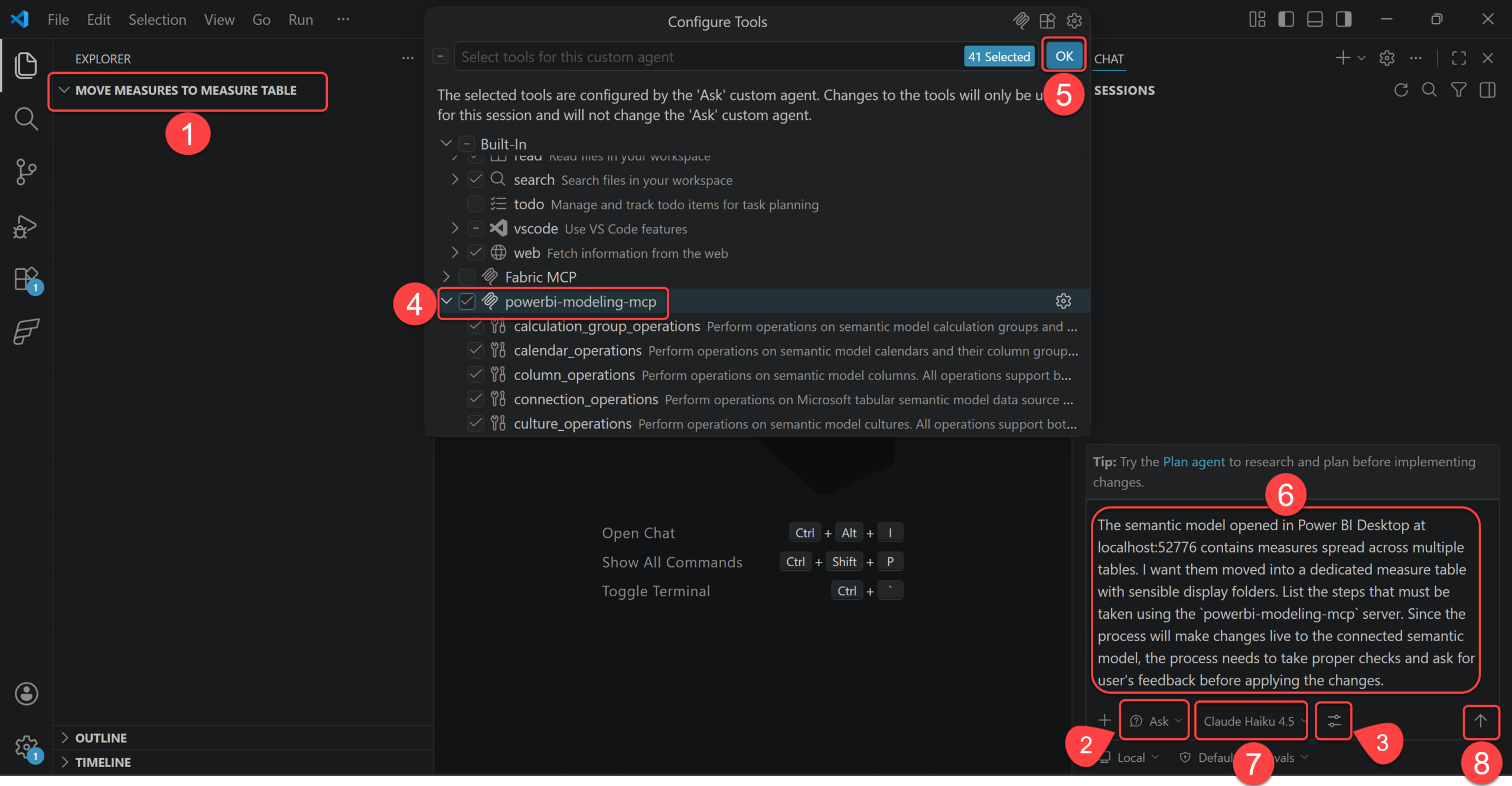
- Open the specified folder (ideally one which accommodates your Energy BI venture if you happen to use PBIP) in VS Code. This issues as a result of Copilot works in opposition to the present workspace, so the information and context out there in that folder assist it perceive what you might be engaged on.
- Change the agent mode to Ask mode.
- Click on the Config Instruments.
- Tick the powerbi-modeling-mcp.
- Click on OK.
- Within the chat field, describe the modelling drawback clearly. In our instance it’s:
“The semantic mannequin opened in Energy BI Desktop at localhost:52776 accommodates measures unfold throughout a number of tables. I would like them moved right into a devoted measure desk with wise show folders. Checklist the steps that have to be taken utilizing the
powerbi-modeling-mcpserver. Because the course of will make modifications stay to the related semantic mannequin, the method must take correct checks and ask for consumer’s suggestions earlier than making use of the modifications.“.
The localhost:52776 is the native server my Energy BI Desktop occasion is at present working. You do not want to say it, however I do, as a result of I would like my immediate to me as deterministic as doable. If you’re unfamiliar with the localhost:52776, try these previous blogs about it.
- Choose the Claude Haiku 4.5 mannequin, I choose this mannequin as I’m at present utilizing the Free licensing plan.
- Press Enter or click on the Ship button.
At this level, chances are you’ll get a unique response from GitHub Copilot than the one I bought on my machine, and that’s completely regular. The precise wording can fluctuate a bit. However the response I bought was precisely what I wished, as a result of it confirmed that Copilot had understood the duty correctly and had already framed it as a managed workflow with evaluation factors. I’m copying that response right here instantly so you will have a greater concept of how Copilot had understood the context to this point on my machine:
I’ll define the steps to securely transfer measures right into a devoted measure desk utilizing the
powerbi-modeling-mcpserver with correct validation and consumer suggestions factors.## Course of Steps
### 1. Connect with the Semantic Mannequin
Usemcp_powerbi-model_connection_operationswith theGetConnectionoperation to confirm connection tolocalhost:52776(Energy BI Desktop).### 2. Stock Present Measures
Usemcp_powerbi-model_measure_operationswith theChecklistoperation to:
– Retrieve all measures throughout all tables
– Observe their present desk assignments and show folders
– Create a mapping of measures to their supply tablesPerson Checkpoint: Current the stock and ask which measures ought to be moved (permit filtering or guide choice).
### 3. Create Devoted Measure Desk
Usemcp_powerbi-model_table_operationswith theCreateoperation to:
– Create a brand new desk (e.g., named “Measures” or “_Measures”)
– This desk ought to be marked as hidden if desired (isHidden: true)
– No columns wanted (it’s a container-only desk)### 4. Plan Show Folder Construction
Analyze the present measures and group them logically:
– Group by enterprise area (Gross sales, Finance, HR, and many others.)
– Or by measure kind (Calculations, Aggregations, and many others.)
– Create a folder hierarchy utilizing thedisplayFolderpropertyPerson Checkpoint: Present the proposed show folder construction and ask for approval earlier than continuing.
### 5. Transfer Measures to Devoted Desk
Usemcp_powerbi-model_measure_operationswith:
–Transferoperation to reassign measures to the brand new devoted desk
– Batch a number of strikes in a single operation for effectivity
– Set applicabledisplayFoldervalues throughout the transferPerson Checkpoint: Present the transfer plan with earlier than/after particulars earlier than executing.
### 6. Validate the Modifications
Usemcp_powerbi-model_measure_operationswith theChecklistoperation to:
– Confirm all measures at the moment are within the devoted desk
– Affirm show folders are utilized accurately
– Test that no measures have been missed### 7. Cover Empty Supply Tables (Elective)
Usemcp_powerbi-model_table_operationswith theReplaceoperation to:
– Mark authentic measure supply tables as hidden in the event that they now comprise no seen measures
– Or depart them seen in the event that they nonetheless serve different functions## Necessary Security Concerns
– Transaction Management: Use
mcp_powerbi-model_transaction_operationswithStartearlier than making bulk modifications, thenCommitsolely after validation
– Rollback Plan: If utilizing transactions, be ready toRollbackif validation fails
– Backup: Make sure the consumer has a backup of the Energy BI mannequin file earlier than continuing
– Overview Every Step: Have the consumer evaluation and approve the output at every checkpoint earlier than transferring to the following step## Really useful Order of Person Confirmations
1. Affirm connection profitable
2. Overview measure stock and choose which to maneuver
3. Approve show folder construction
4. Approve the transfer plan with source->vacation spot particulars
5. Affirm validation outcomes earlier than savingThis method ensures the consumer maintains management and may catch any points earlier than everlasting modifications are utilized to their semantic mannequin.
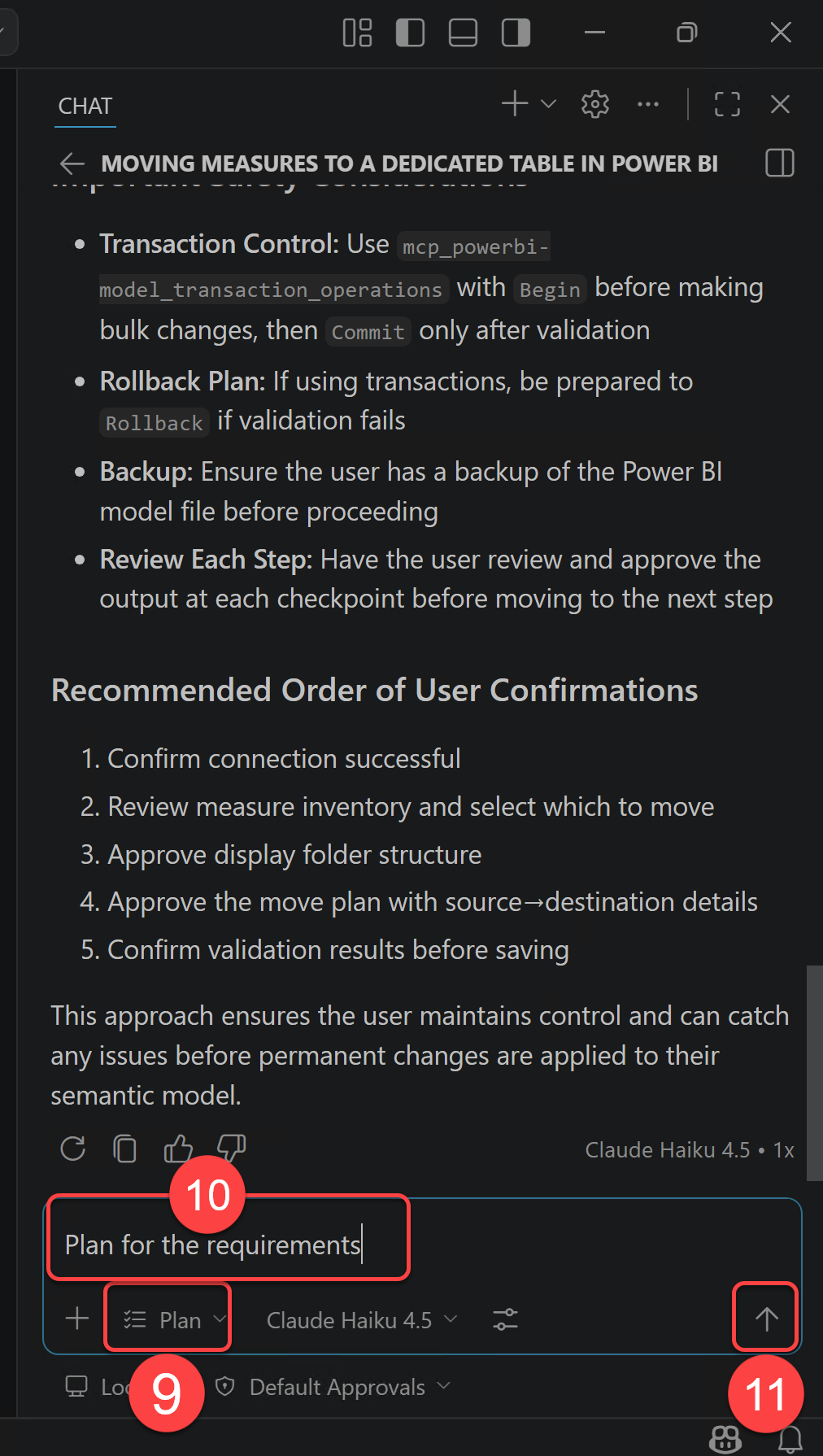
- Change the agent mode to Plan.
- Immediate the agent to Plan for the necessities.
- Press Enter or click on the Ship button.
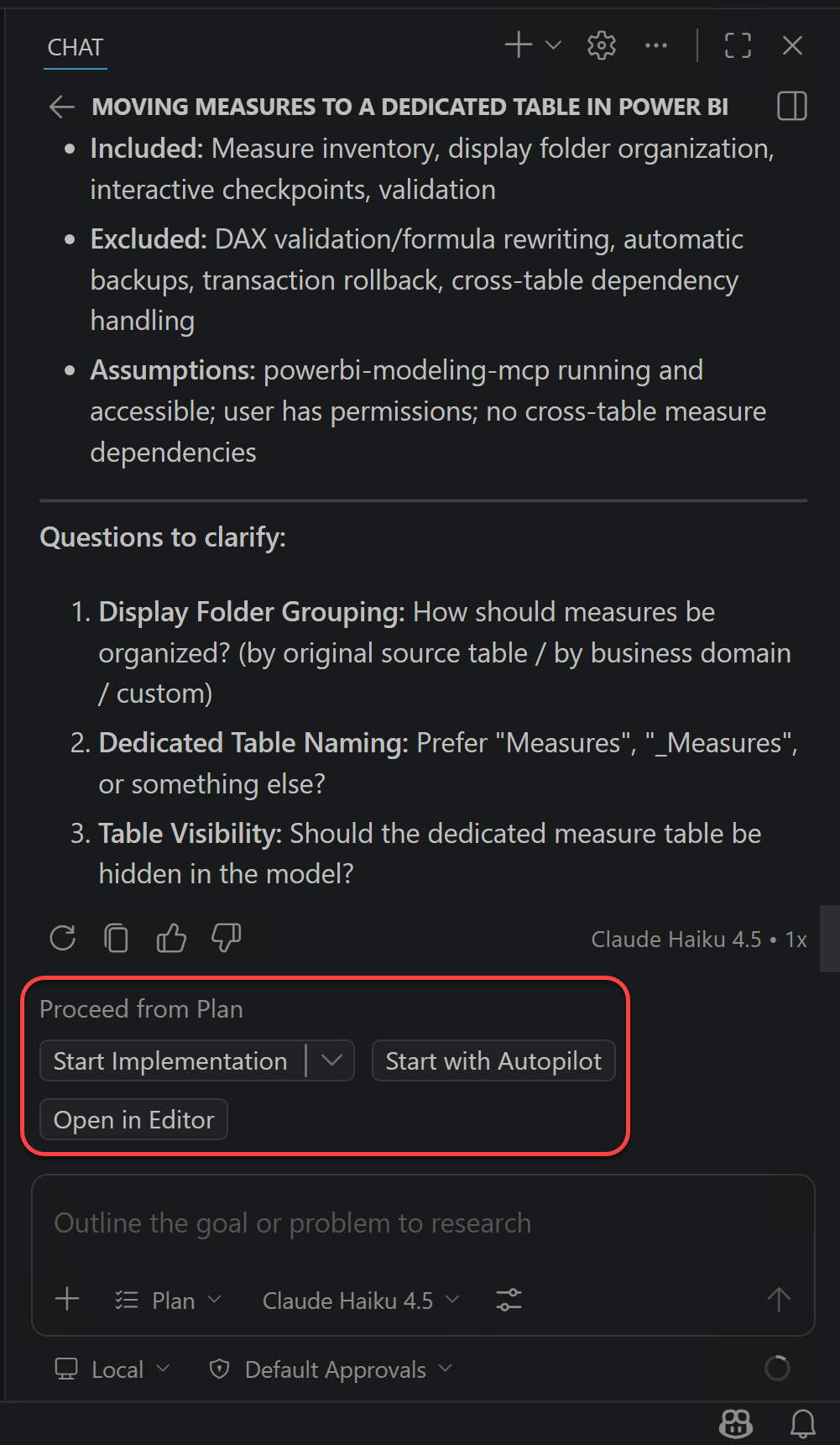
- Copilot could ask for clarification concerning the anticipated end result of the plan. In my case, it gave me three choices. The next picture reveals these choices and the selection I made. Then I clicked the Submit button.
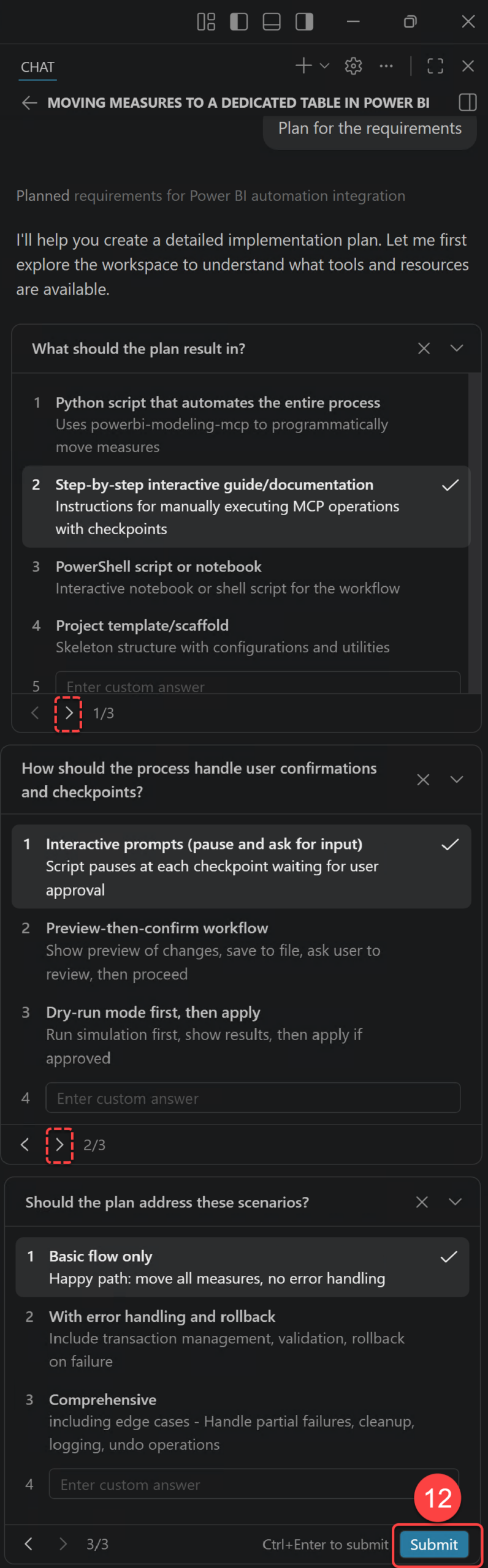
Now Copilot continues the planning course of primarily based on my solutions. After a few seconds, it comes again with a plan and offers me three choices:
- Begin Implementation: This tells Copilot to start implementing the authorized plan step-by-step.
- Begin with Autopilot: This tells Copilot to maneuver quicker with much less guide interruption, which could be helpful but additionally wants extra belief from the consumer.
- Open in Editor: This opens the generated plan within the editor so you possibly can examine or refine it extra comfortably.
I select the second possibility right here as a result of I are not looking for this weblog to develop into too lengthy and stuffed with repeated approval screenshots. This can be a pattern mannequin in a take a look at setup, so I’m comfy with transferring a bit of quicker for the sake of the walkthrough. In an actual venture, particularly on a shared or vital semantic mannequin, I might select the extra cautious path and evaluation every approval step manually.
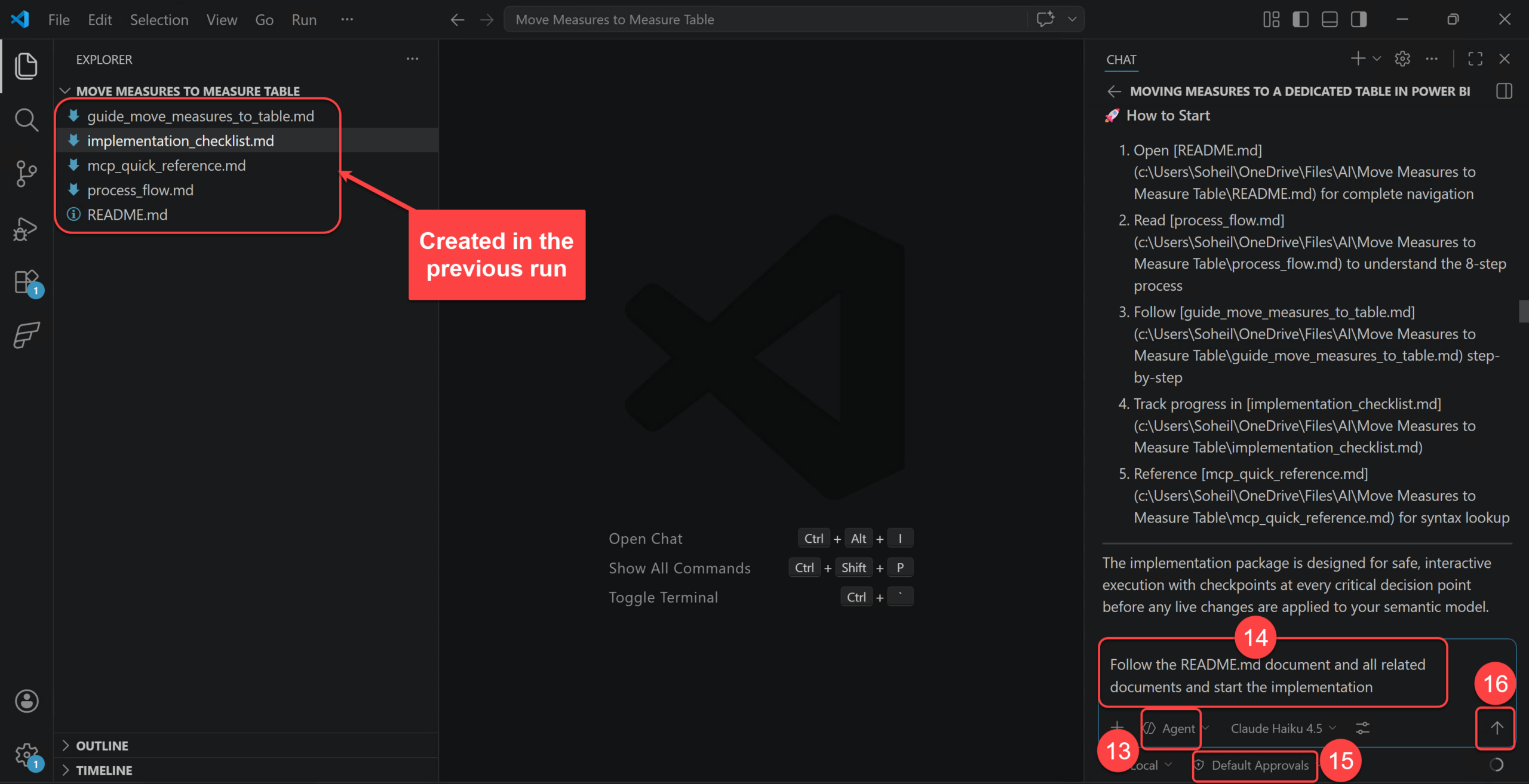
The outcomes to this point are 5 markdown information created in my venture folder as an alternative of beginning the precise implementation. The reason being that I’ve explicitly requested Copilot in my immediate to “the method must take correct checks and ask for consumer’s suggestions earlier than making use of the modifications” so Copilot understood that the implementation package deal have to be designed for secure, interactive execution with checkpoints at each important resolution level earlier than any stay modifications are utilized to my semantic mannequin. So Copilot created a complete 5-document implementation package deal for safely transferring measures to a devoted desk utilizing the powerbi-modeling-mcp server. All information are prepared in my workspace. These information are:
- Open
README.mdfor full navigation - Learn
process_flow.mdto grasp the 8-step course of - Observe
guide_move_measures_to_table.mdstep-by-step - Observe progress in
implementation_checklist.md - Reference
mcp_quick_reference.mdfor syntax lookup
Earlier than persevering with, it’s value pausing on these information for a second. In Half 1, I defined that agentic AI is not only a chat response. It’s a workflow the place the agent plans, makes use of instruments, follows guardrails, retains helpful context, and produces outputs we will evaluation. These markdown information are a easy instance of that concept in follow.
For instance, process_flow.md is the planning half, guide_move_measures_to_table.md behaves like a small talent or recipe, implementation_checklist.md works as reminiscence and checkpoints, and mcp_quick_reference.md paperwork the instruments uncovered by the MCP server. The README.md ties them collectively so the agent and the human can comply with the identical path. This isn’t a flowery setup, but it surely makes the work extra specific and simpler to examine.
That is one other sensible type of HITL. The generated information give me one thing concrete to evaluation earlier than the agent continues. As an alternative of trusting a hidden chain of steps, I can examine the method, modify it if wanted, and solely then let the agent transfer ahead.
Let’s proceed.
- I hold the Agent mode.
- I exploit this immediate to set off the implementation:
Observe the README.md doc and all associated paperwork and begin the implementation. - I set the permissions to Default Approvals.
- Click on the Ship button to ship the immediate.
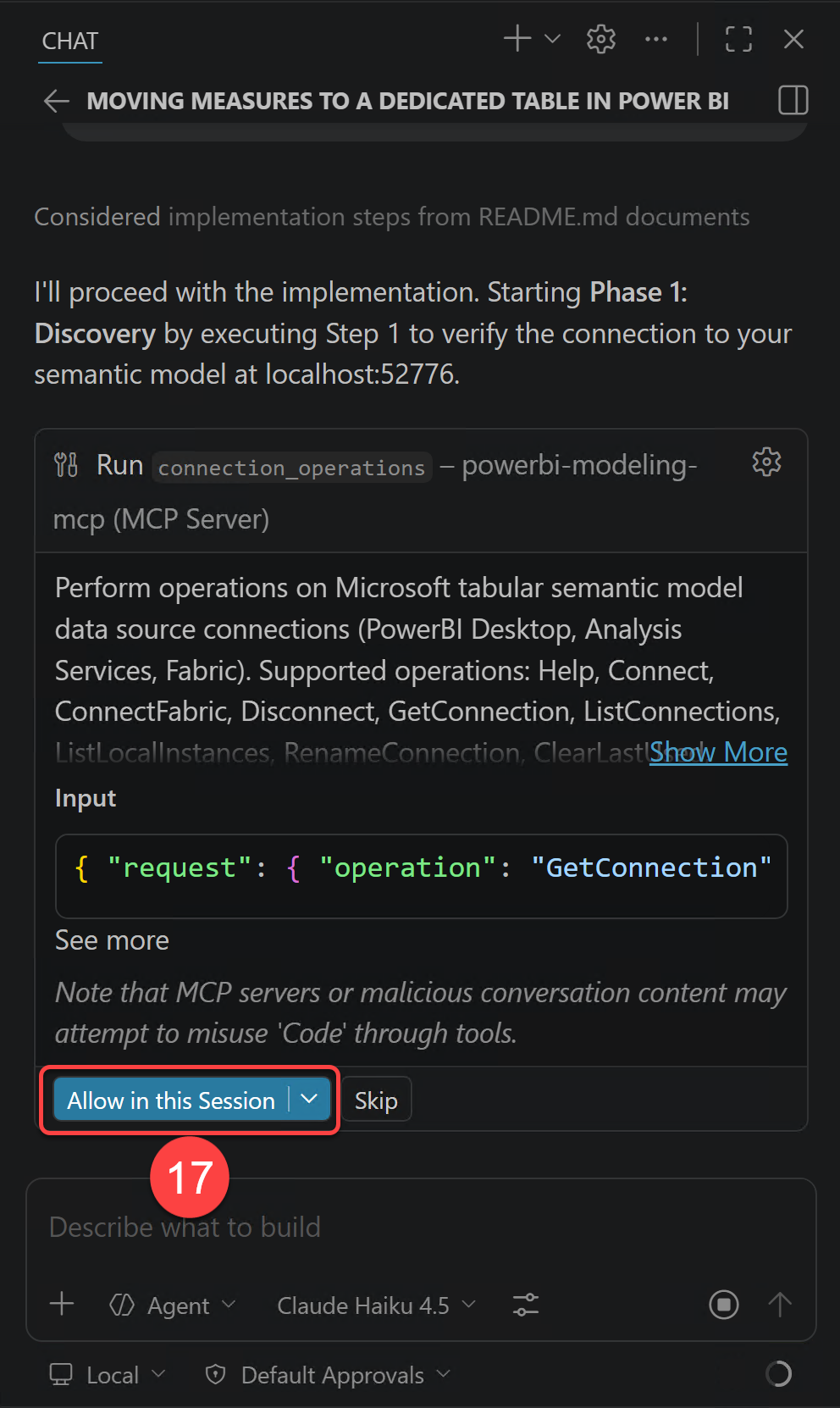
- In step one I have to affirm what the agent should do which is connecting to the semantic mannequin from the
powerbi-modeling-mcp. So I click on the Enable on this Session button.
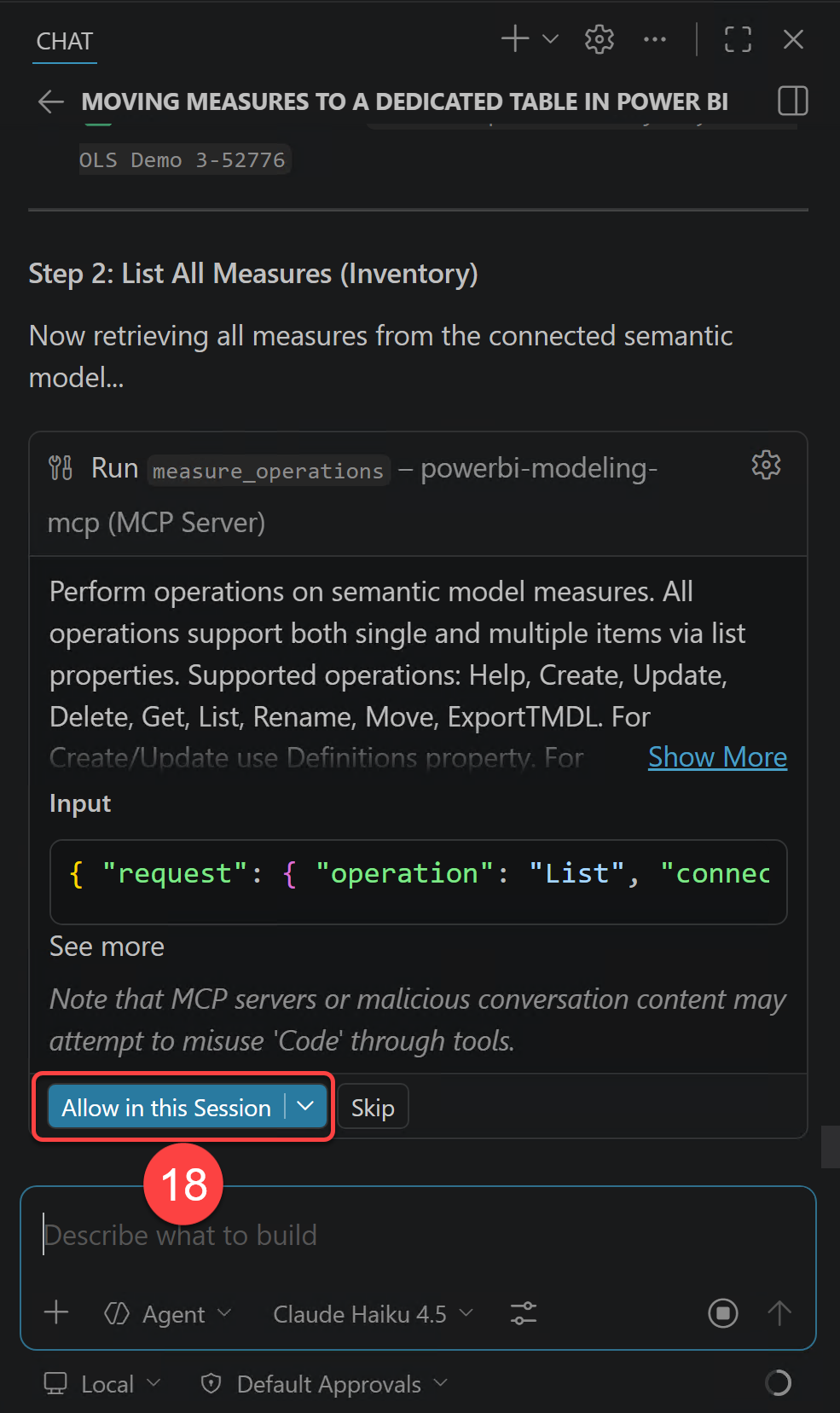
- I additionally permit Step 2 which is itemizing all measures.
- Utilizing the MCP server, Copilot accurately recognized all measures. It now provides me three choices for the following step. The primary possibility is what I’m after, due to this fact I kind in A and click on the Ship button.
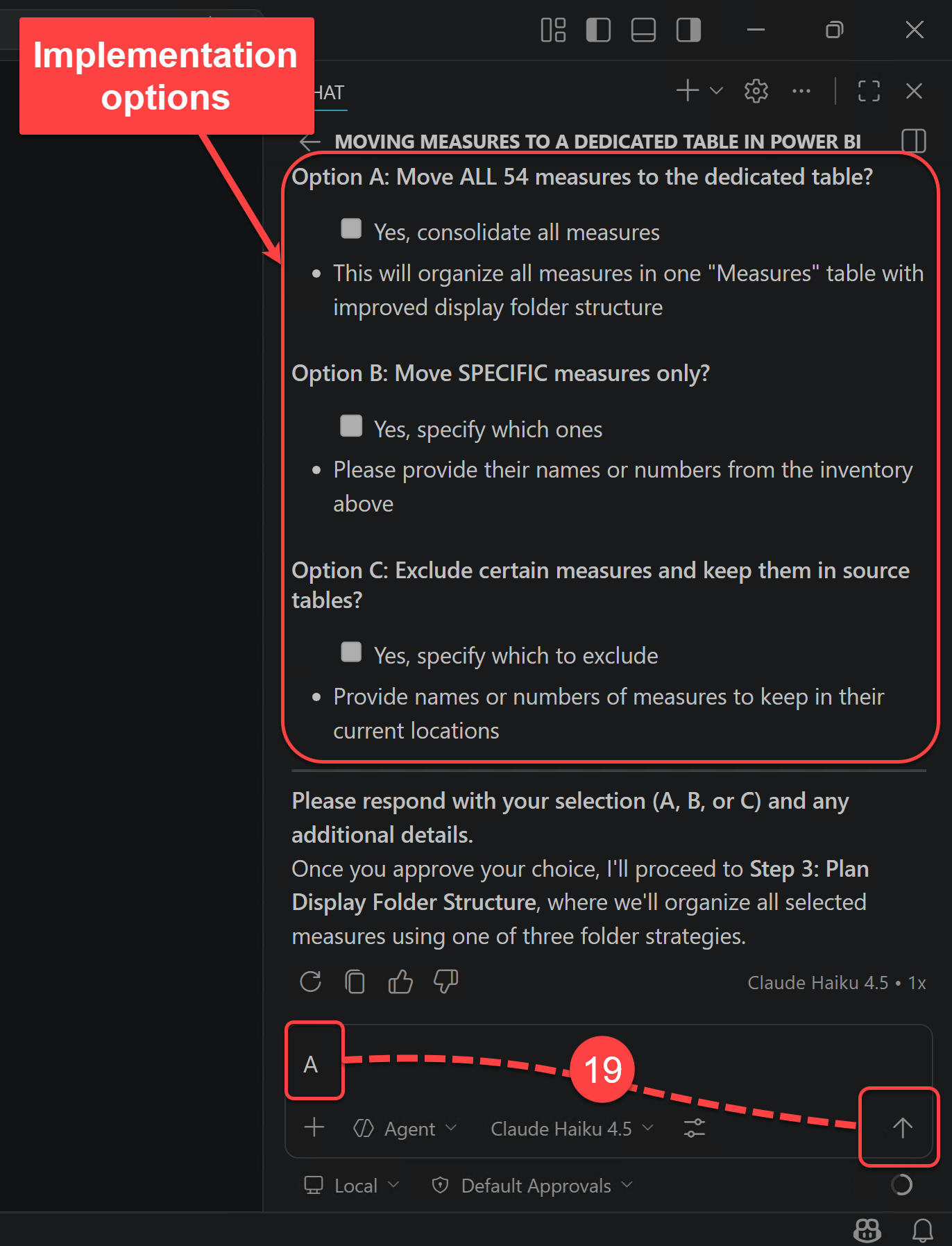
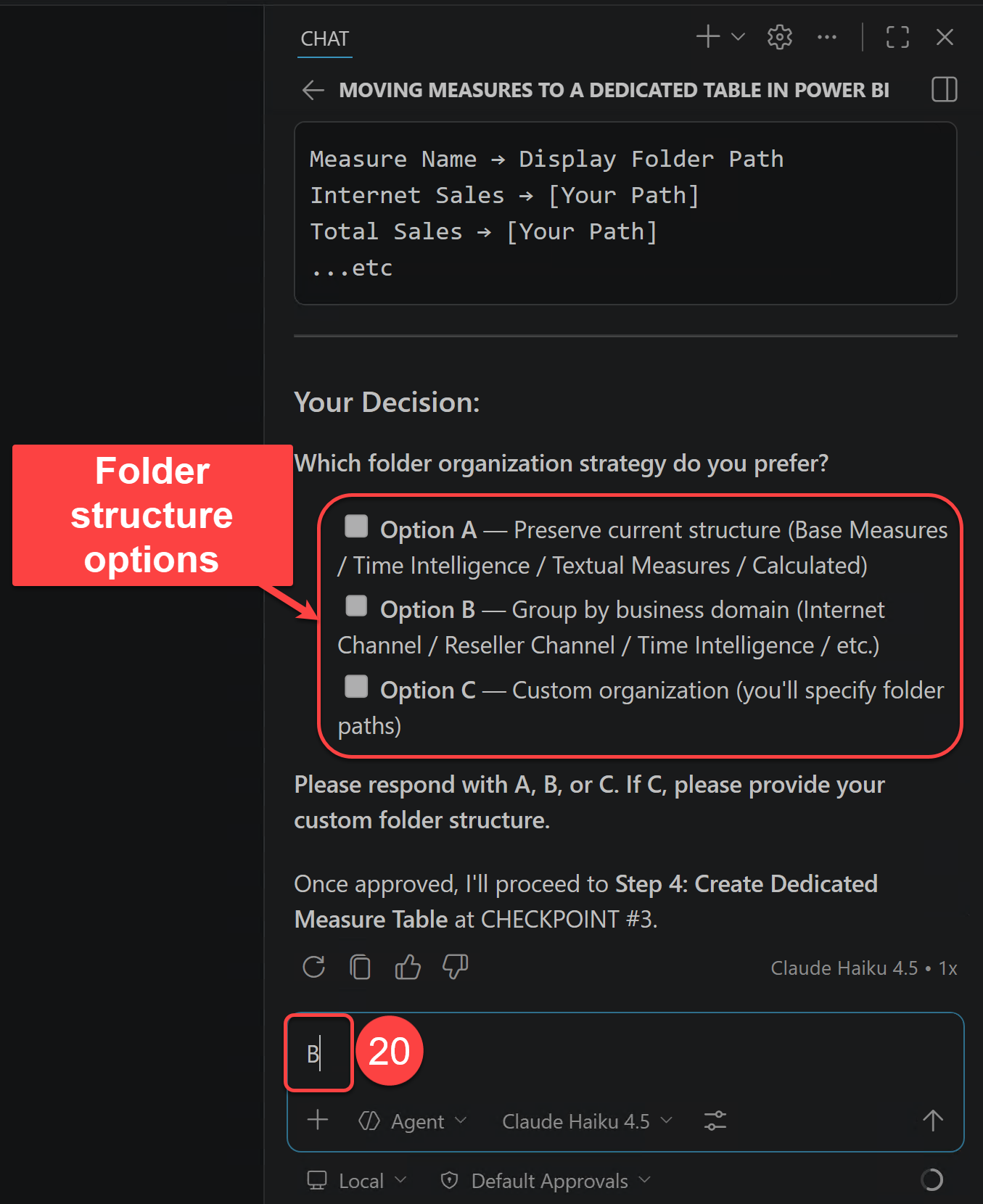
At this level Copilot presents three completely different methods for organising my measures in Show Folders. The choices are:
- Choice A: Group by Unique Show Folder (Protect Present Construction). Maintains the prevailing folder hierarchy, including unfoldered measures to logical teams.
- Choice B: Group by Enterprise Area (Logical Enterprise Grouping). Organizes measures by enterprise operate and kind.
- Choice C: Customized Group. You outline the show folder construction precisely as wanted.
- In my setup the second possibility is what I’m after, due to this fact I kind B within the chat field and ship my response.
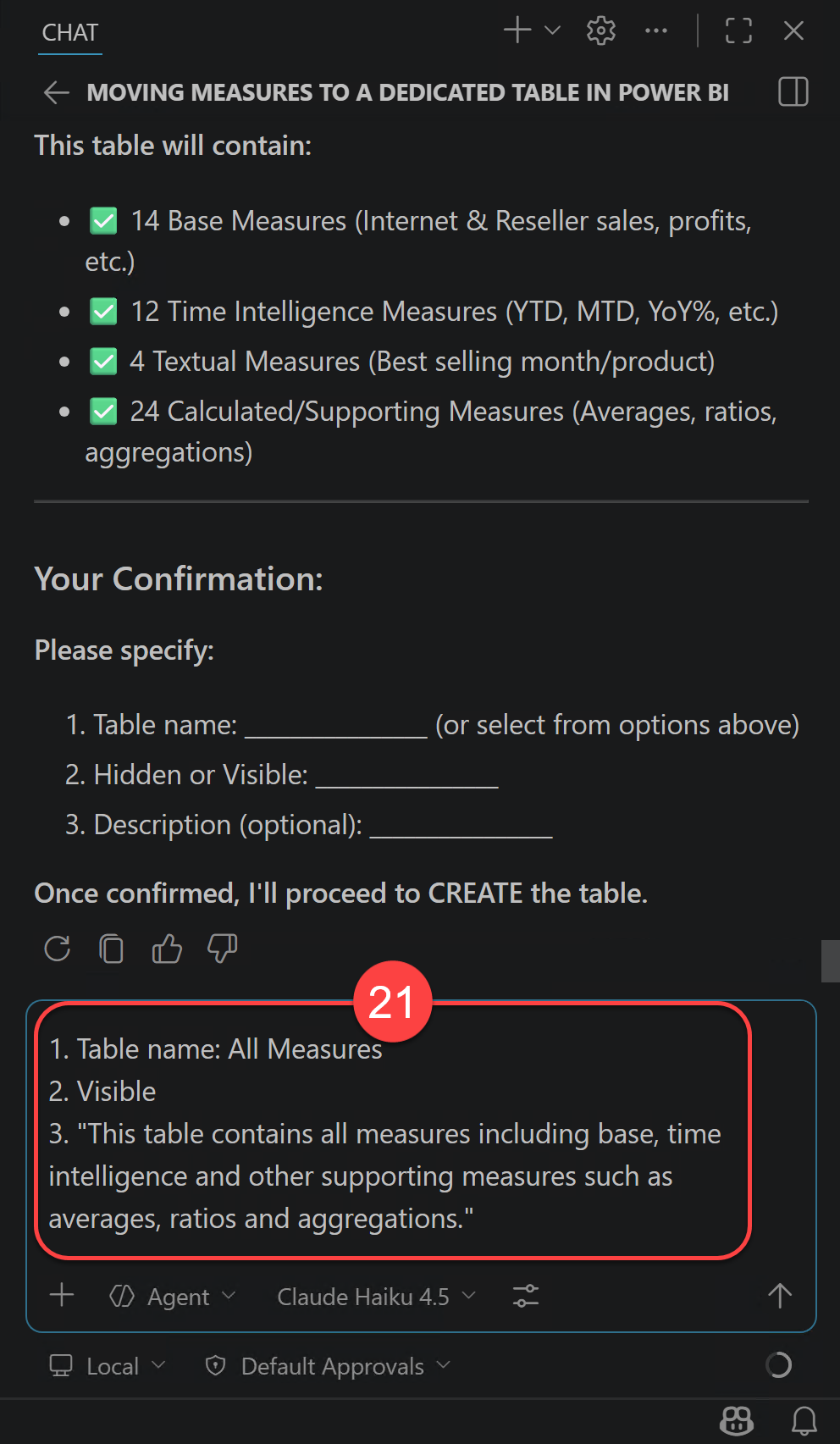
- I’m now requested to verify some details about the measure desk to be created. I kind in my response and ship.
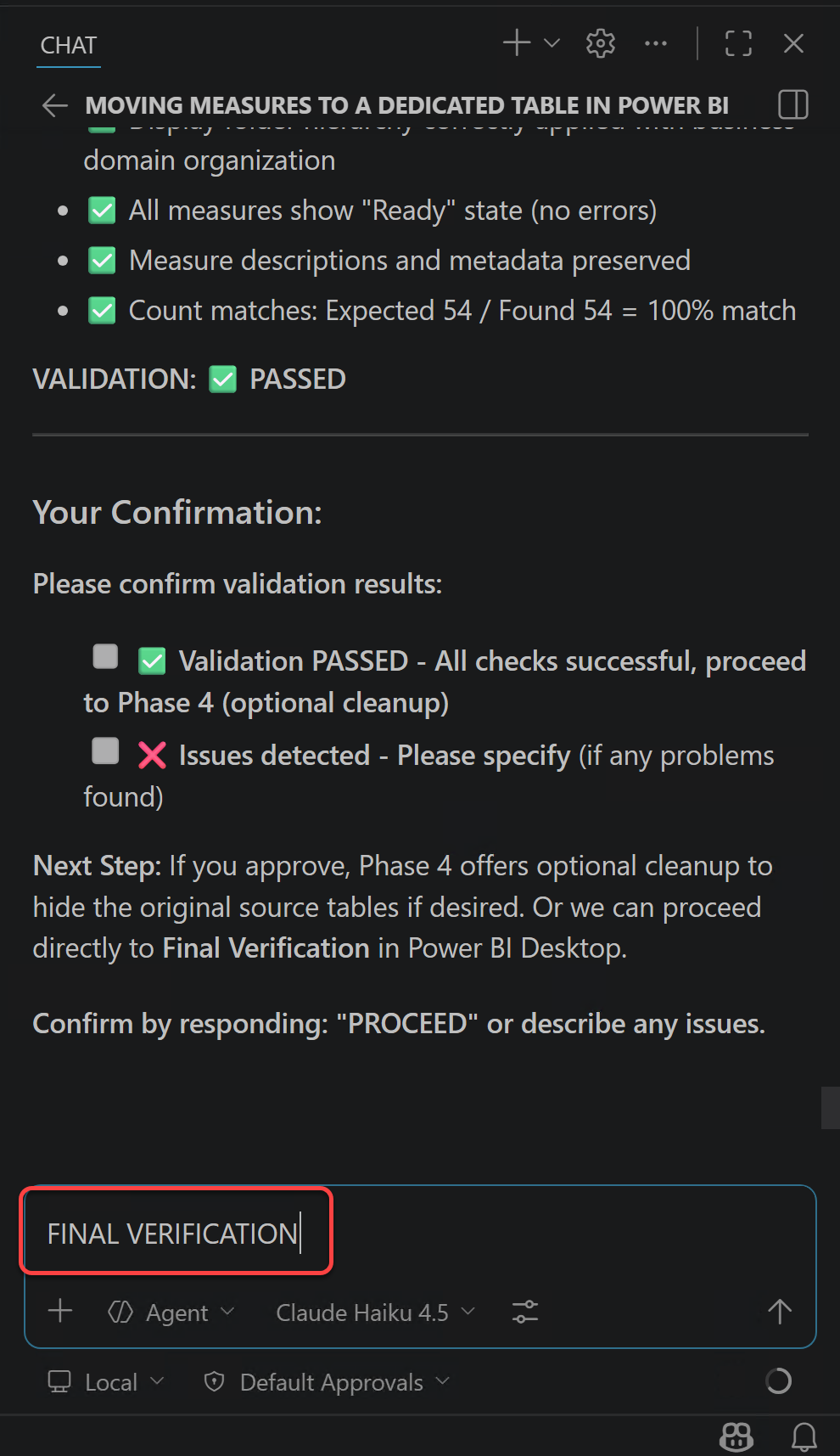
- That is the final step that I have to affirm my decisions. So I am going forward and kind YES and ship my response.
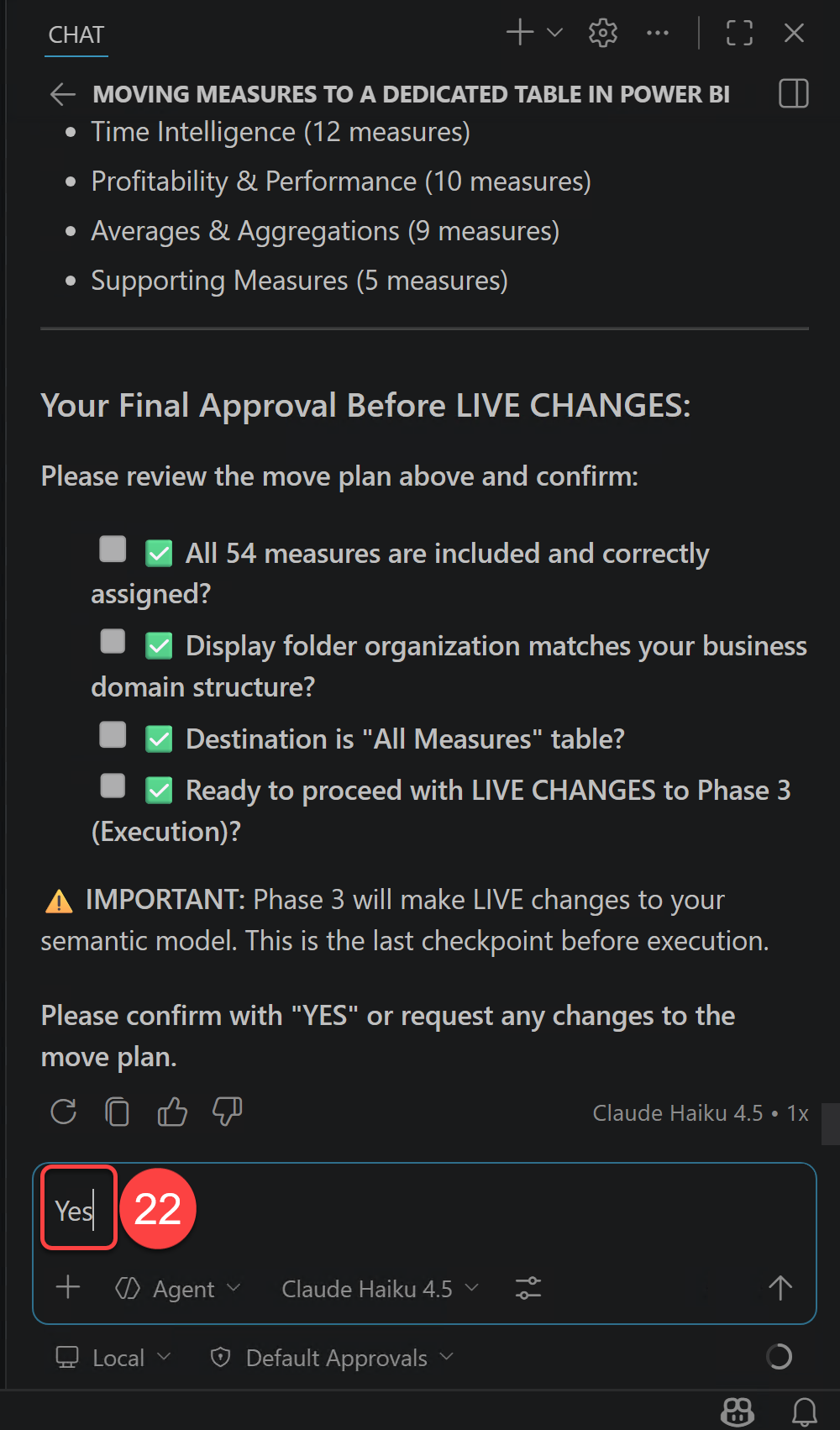
At this stage, the agent reveals that the implementation is full and that the modifications have been utilized to the semantic mannequin. It additionally provides me an possibility to explain any points for additional investigation.
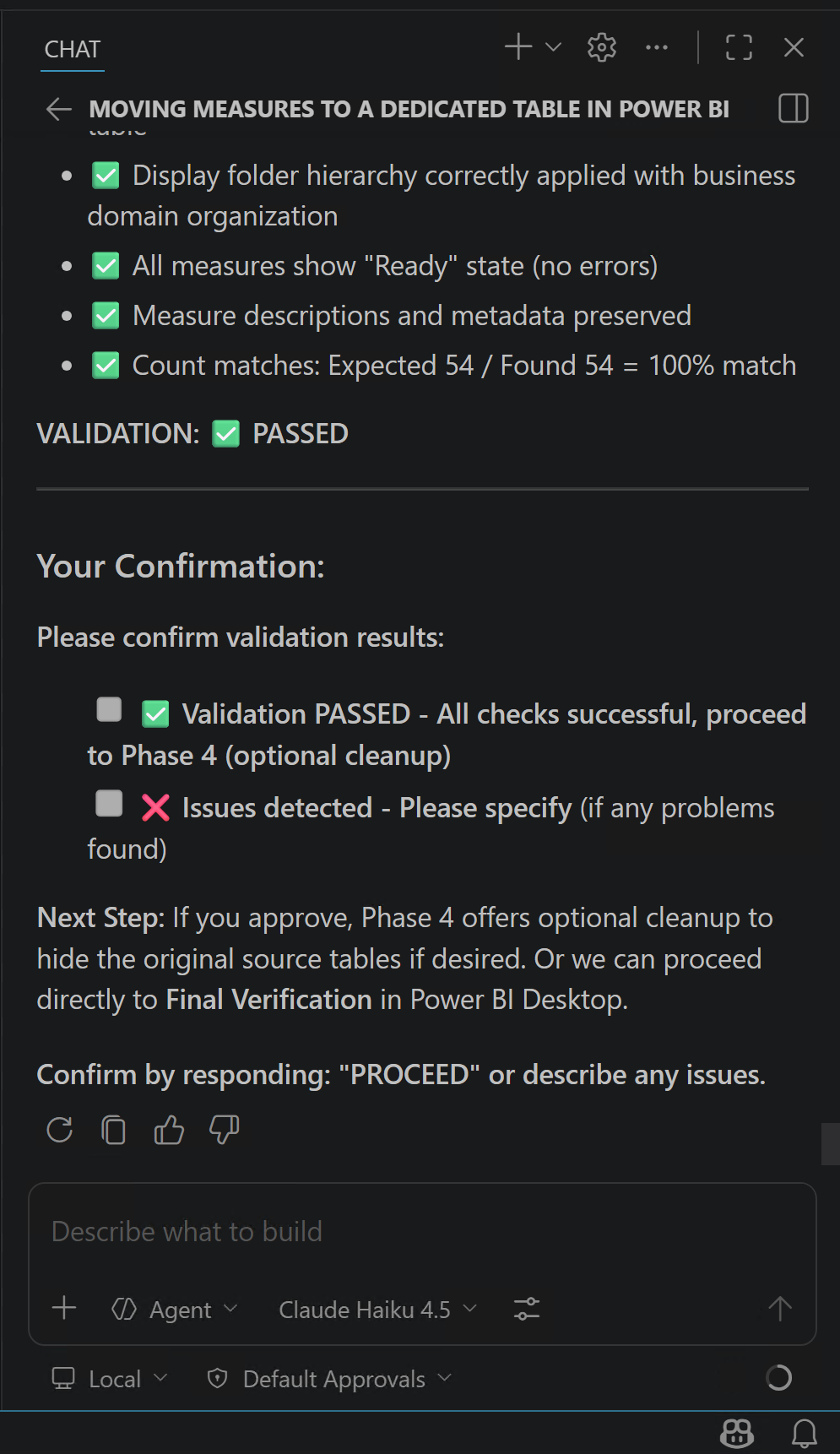
After I take a look at the semantic mannequin in Energy BI Desktop, I can already see that there are some points. I additionally get a warning message saying “A number of calculated objects must be manually refreshed.”, as proven within the following screenshot:
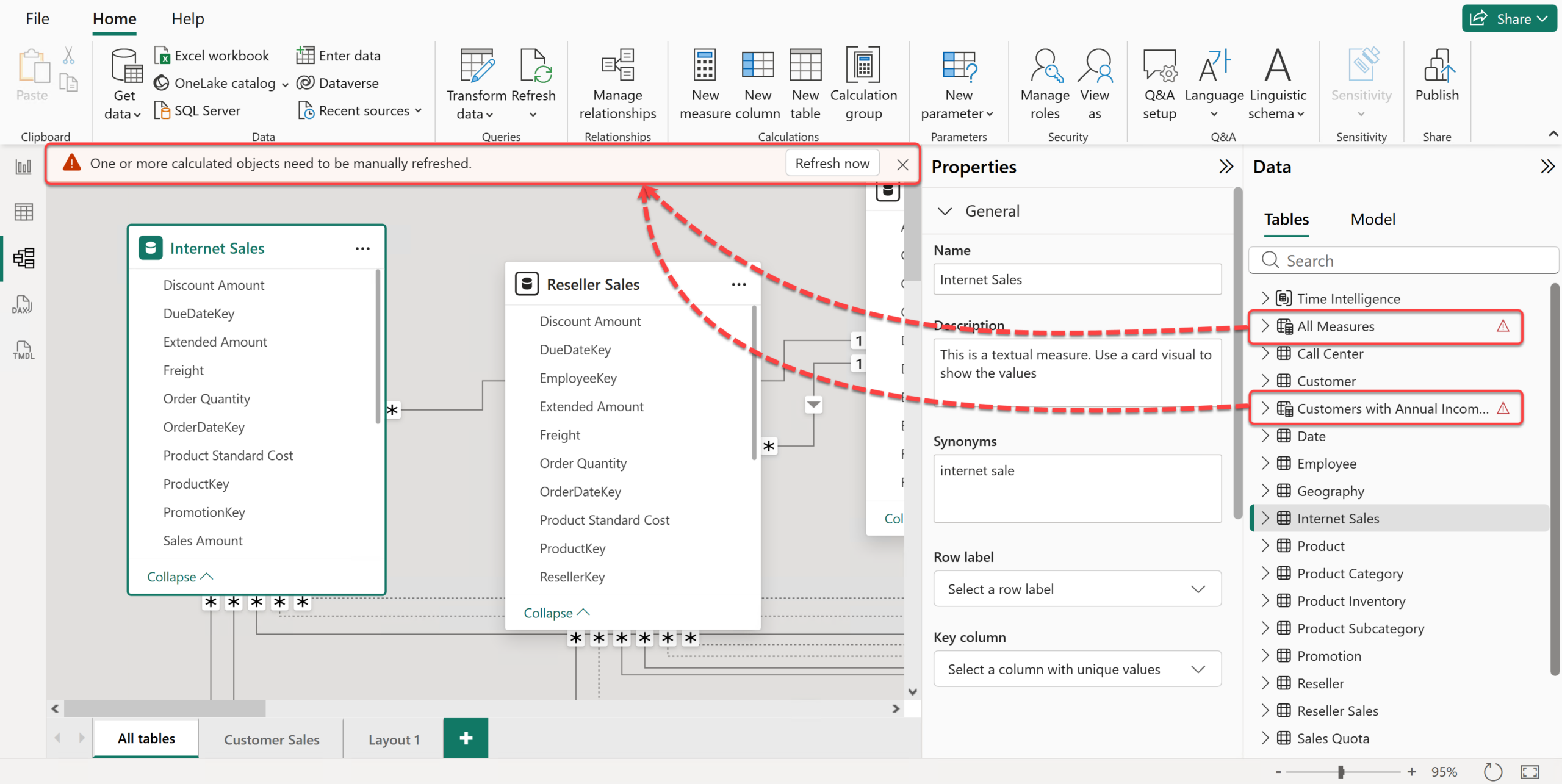
Let’s click on the “Refresh Now” button.
Ah, effectively, apparently that fastened it. As you possibly can see, the brand new measure desk is there, the measures are neatly organised into folders, and the desk description has additionally been added with none apparent points. That stated, in my expertise, some issues don’t floor in Energy BI Desktop till after a full refresh. So I strongly advise refreshing the information earlier than making any additional modifications to the mannequin. On this case, the refresh accomplished with none points.
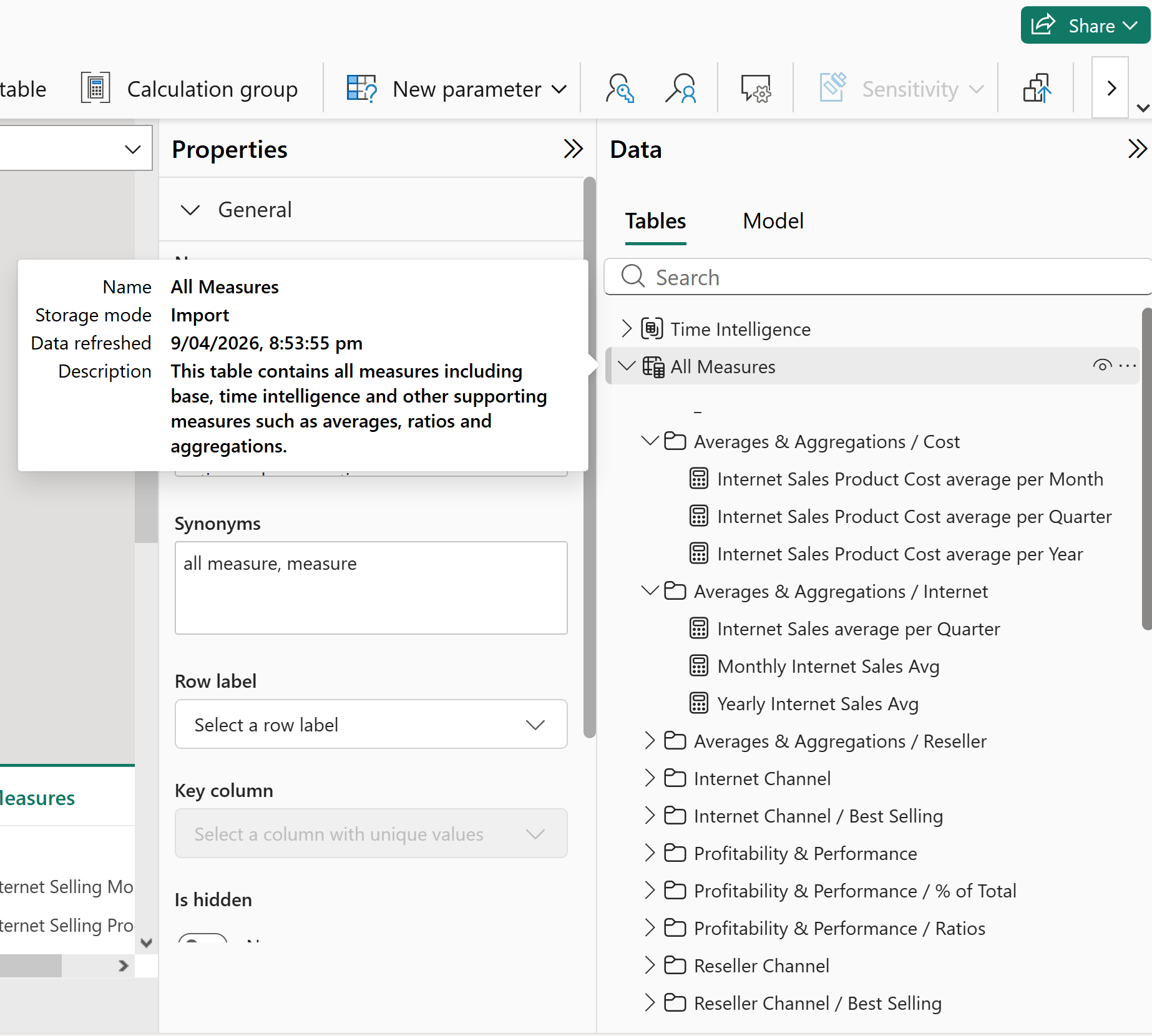
That is how my semantic mannequin appeared like earlier than making use of the modifications utilizing Copilot:
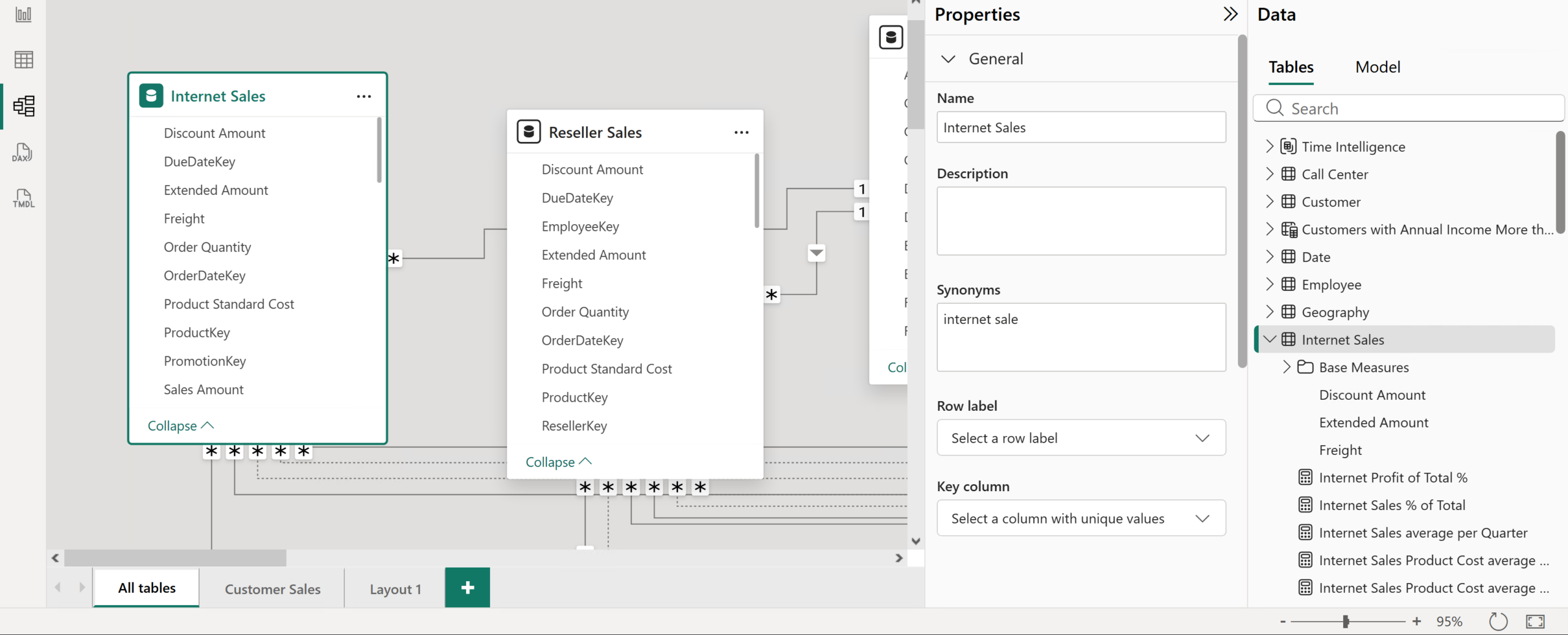
Now I confidently return to Copilot to verify the modifications.
After that, Copilot gives a report on what it has finished, which is sort of fascinating by itself. As the next screenshot reveals, it took round 30 to 40 minutes to securely transfer 54 measures right into a devoted “All Measures” desk and organise them into well-structured show folders.
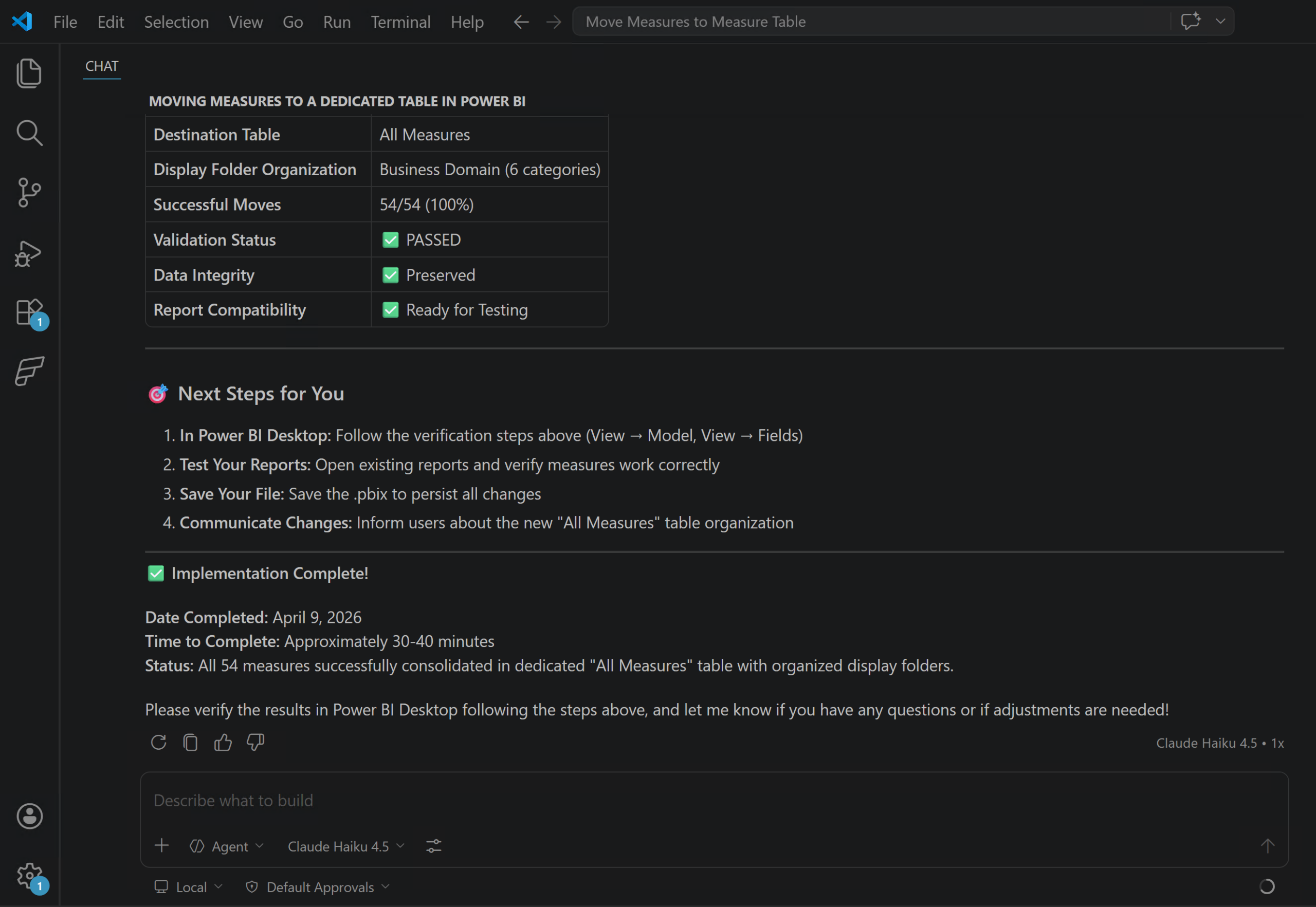
My estimate is {that a} skilled developer may in all probability do the identical work manually, with out utilizing Agentic AI, in round 30 to 90 minutes (or much more), relying on the complexity of the folder construction and the way rigorously they wished to validate every step.
Nevertheless, there is a vital level right here. The agent is not going to all the time do the job precisely how we count on it to do it the primary time. Typically we’d like a number of iterations to get the end result precisely how we would like it. On this instance, you’ll have seen within the earlier screenshot that the folder construction will not be excellent. The agent created folders corresponding to Averages & Aggregations / Price, Averages & Aggregations / Web, and Averages & Aggregations / Reseller. In follow, I would like a single Averages & Aggregations folder with three subfolders named Price, Web, and Reseller.
That is one thing we may have lowered with a extra deterministic immediate. For instance, I may have described the precise folder hierarchy I wished, the place it ought to be utilized, and the way nested folders ought to be named. In bigger initiatives, repository customized directions may assist hold repeated expectations extra constant throughout prompts. As a result of I didn’t try this clearly sufficient at first, the following significant step is one other iteration to ask the agent to appropriate the folder construction. So the lesson is straightforward:
Both spend a wee bit extra time at first to explain what you need, the place you need it utilized, and the way you need it finished, or count on to spend that point later by follow-up iterations. There are methods to make brokers behave extra deterministically, and I’ll cowl these conditions in future posts.
So, on this explicit activity, we could not have saved an enormous period of time. However think about a extra complicated exercise, corresponding to including significant descriptions to all measures in a big semantic mannequin. My estimate is {that a} skilled developer may simply spend 3 to six hours to manually doing that correctly, particularly in the event that they wanted to grasp the enterprise which means of every measure and hold the wording constant. With AI, I believe the execution time may nonetheless be round 30 to 40 minutes, assuming the mannequin is accessible, the prompts are clear, and the output is reviewed rigorously.
A observe concerning the Autopilot possibility, I’m engaged on a take a look at system, and the semantic mannequin is just a pattern mannequin, so I’m not too fearful if the method breaks it. However you must nonetheless watch out with the autopilot possibility, particularly if you end up engaged on an actual mannequin or something you can’t simply get better.
Last Ideas #
If there’s one message I would like this walkthrough to depart behind, it’s this:
Agentic AI works finest when the duty is particular, the instruments are clear, and the checkpoints are actual.
Don’t ask the agent to do a imprecise “cleanup” on an actual semantic mannequin and hope for the very best. Give it a slim activity, evaluation every resolution, and validate the end result inside Energy BI Desktop earlier than you belief the result.
In Energy BI and Material work, these checkpoints aren’t non-obligatory in my opinion. They’re the factor that turns a dangerous automated change right into a managed skilled workflow. That could be a slower option to begin, however it’s a lot safer, and in my opinion additionally it is the extra skilled option to work with these instruments.
Yet another factor that’s value mentioning is licensing. All the things I confirmed on this weblog was finished by utilizing the Free licensing tier of GitHub Copilot. For a free expertise, that is truly superb. However we should always not overlook that the Free tier has restricted capabilities and restricted credit. Sadly, I forgot to take a screenshot of the remaining credit on the finish of making ready the samples for this weblog, however take it from me, the entire course of consumed nearly 35% of my free credit score, which isn’t too dangerous in any respect.
Within the subsequent weblog, I’ll undergo extra complicated situations utilizing a paid GitHub Copilot licensing tier and extra superior fashions out there in GitHub Copilot. See you then.
Associated
Uncover extra from BI Perception
Subscribe to get the newest posts despatched to your e-mail.

