

You are evaluating PandaDoc, or already utilizing it, and also you need to know what the platform does earlier than you commit deeper. Not a assessment with a verdict, however a map: each characteristic, the way it works, who it serves, and which plan unlocks it.
PandaDoc is a doc automation platform that covers doc creation, eSignature, CPQ, deal rooms, workflow automations, and cost assortment from a single workspace. It serves 68,000+ prospects and ranks #1 on G2 in proposals, eSignature, and contract administration. This breakdown covers its full characteristic set, from the drag-and-drop editor by enterprise compliance, so that you end with an entire image of what PandaDoc can and can’t do.
PandaDoc’s characteristic set has you lined if:
-
You’ll want to create, ship, observe, and gather signatures on proposals, contracts, and quotes in a single platform
-
You need CPQ with guided promoting and pricing guidelines embedded in your Salesforce, HubSpot, or Pipedrive CRM
-
You need shared deal rooms that give shopping for committees a single house for proposals, motion plans, and signatures
-
You want eSignature compliance throughout US (ESIGN, UETA), EU (eIDAS, QES), and controlled industries (HIPAA, 21 CFR Half 11)
You may attain the sides of its capabilities if:
-
You need account-based advertising and marketing orchestration, show promoting, or multi-channel marketing campaign administration
For these wants, the reference level is ZoomInfo: a go-to-market platform constructed on 500M contacts, 100M corporations, and 135M+ verified cellphone numbers. Its GTM Context Graph combines B2B information with CRM information, dialog intelligence, and behavioral indicators right into a single intelligence layer. Entry runs by APIs, MCP, GTM Workspace, and GTM Studio.
After the characteristic breakdown, this text covers the place PandaDoc stops and the way ZoomInfo fills these gaps.
PandaDoc Platform Overview
Supply: PandaDoc
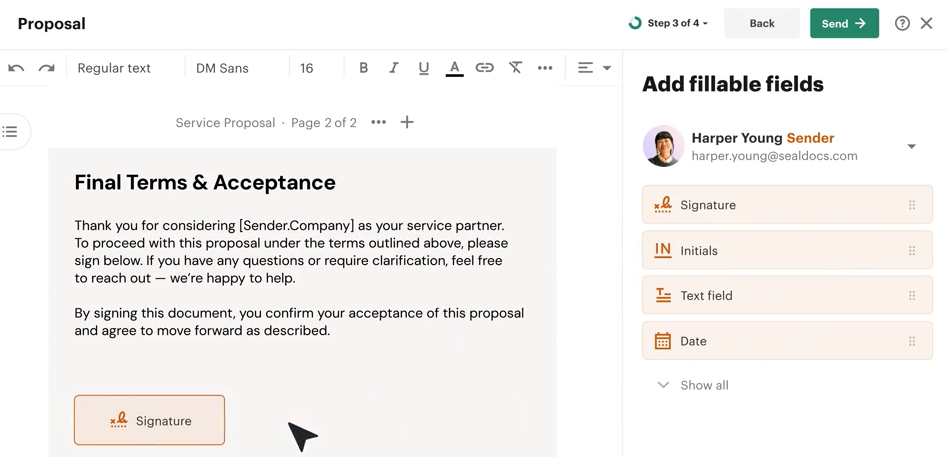
PandaDoc is a doc administration and automation platform constructed for gross sales, authorized, HR, and operations groups at SMB and mid-market corporations. Its tagline: “Create, Approve, Monitor & eSign Docs 40% Quicker.”
The corporate has expanded past its early identification as an e-signature software into CPQ, deal rooms, and cost assortment. Named prospects embody Autodesk, Boeing, PepsiCo, and Sysco, and the platform reached $100M ARR in August 2024.
The platform organizes round six functionality areas:
|
Module |
What It Does |
Plan |
|---|---|---|
|
Drag-and-drop editor, templates, content material library, Sensible Content material, AI writing, bulk ship |
All plans (superior fields on paid plans) |
|
|
Legally binding signatures with signing order, identification verification, audit path, QES |
Free (fundamental); full suite on paid plans |
|
|
Configure-price-quote with guided promoting, guidelines engine, product catalog, CRM-native variants |
Enterprise solely |
|
|
Shared buyer-seller areas with motion plans, doc sharing, and engagement insights |
Enterprise (3 printed rooms); limitless on Enterprise |
|
|
Standing-triggered actions, approval routing, auto reminders, CRM sync, cloud storage archiving |
Enterprise and Enterprise (superior automations on Enterprise) |
|
|
Embedded Stripe, Sq., and PayPal checkout at time of signing |
All plans (expanded to Free and Starter in March 2026) |
Pricing runs throughout 4 tiers: Free ($0, limitless seats, eSign solely), Starter ($19/person/month annual), Enterprise ($49/seat/month annual), and Enterprise (customized pricing). Annual billing saves as much as 46% versus month-to-month. CRM integrations, approval workflows, and customized quotes begin at Enterprise; CPQ, SSO, customized roles, and information residency require Enterprise. Right here is the complete tour.
PandaDoc Doc Creation and Templates
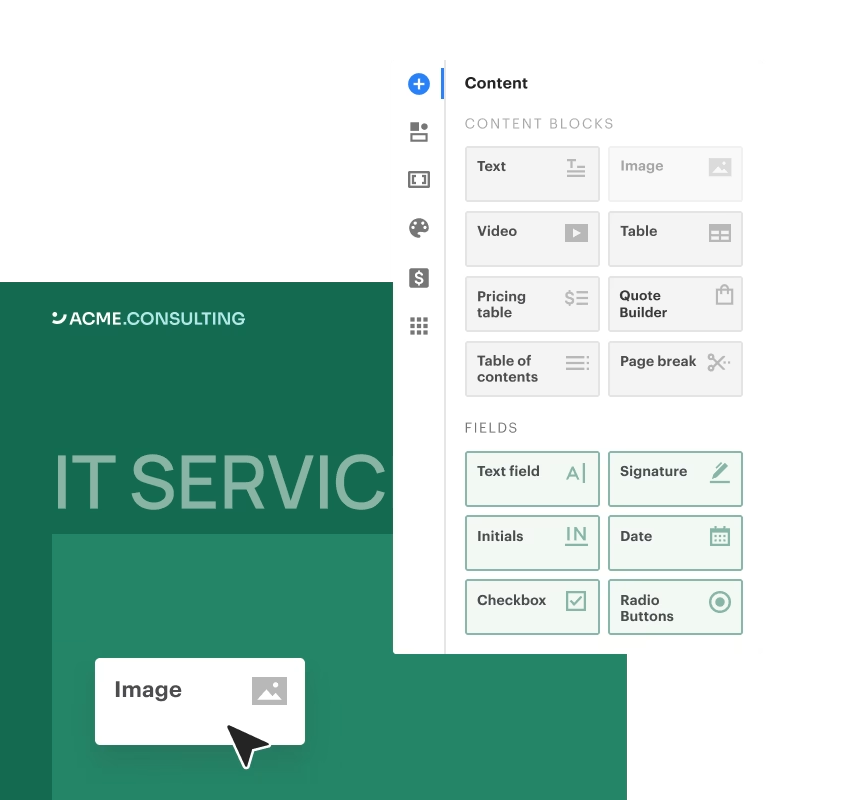
Doc era is the muse every thing else sits on. PandaDoc’s browser-based drag-and-drop editor makes use of a block-based system the place customers assemble textual content, pictures, movies, pricing tables, and signature fields in a live-rendering setting.
Supply: PandaDoc
You begin from a clean canvas, import a DOCX file, or select from 1,000+ pre-built templates. The editor is on the market on all paid plans.
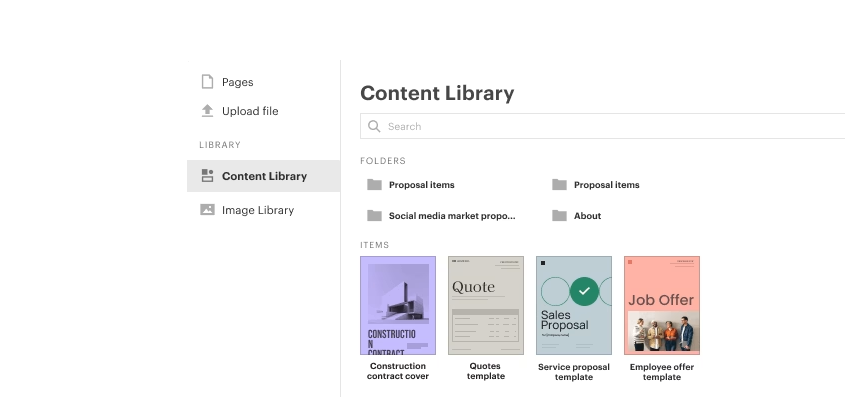
The Content material Library shops reusable parts: templates, textual content snippets, authorized clauses, logos, pictures, and movies in a centralized repository. Content material will be scoped to particular workspaces so every crew sees solely related belongings.
Supply: PandaDoc
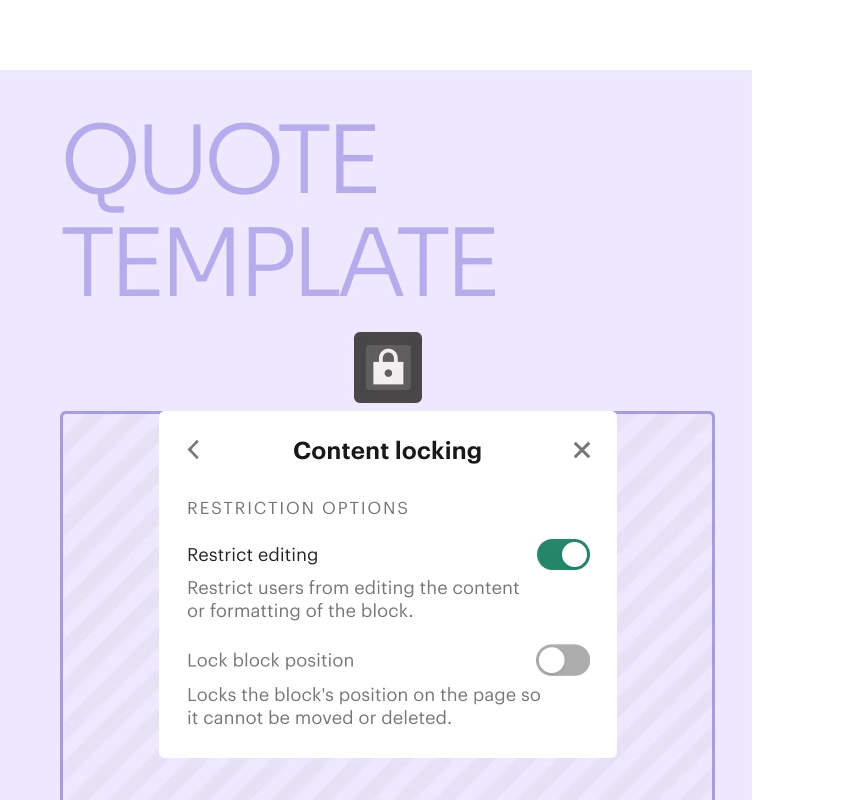
Content material locking lets admins freeze particular blocks inside templates, stopping reps from enhancing accepted language, pricing, or authorized phrases.
Supply: PandaDoc
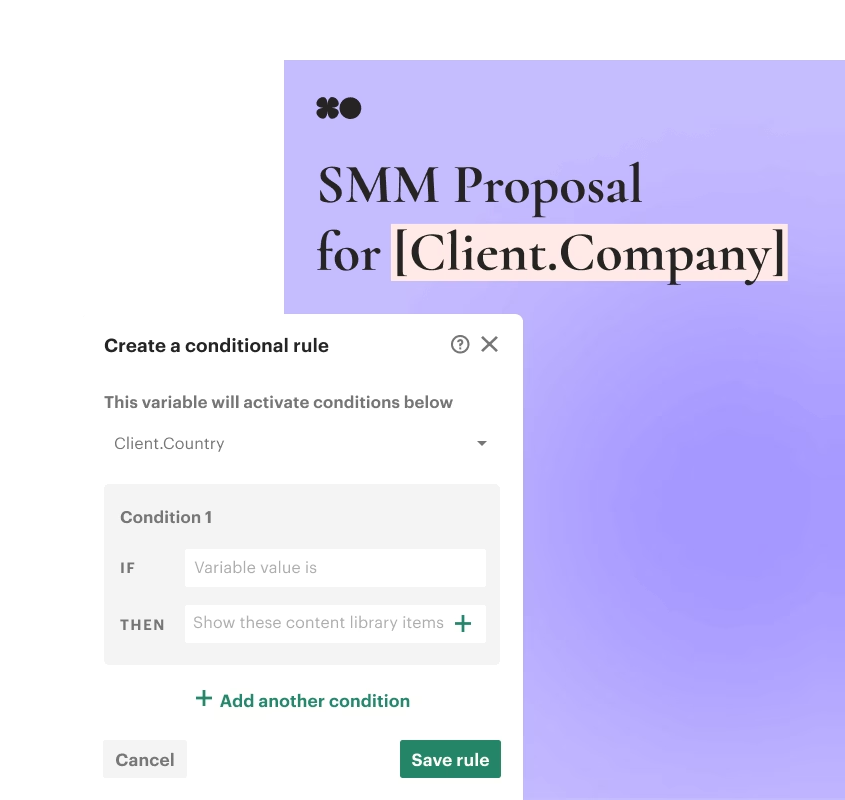
Sensible Content material provides rules-based conditional logic in three modes. Placeholders are non permanent slots stuffed at doc creation time. Conditional content material (Enterprise solely) reveals or hides complete sections primarily based on variables like firm dimension, geography, or business, so a single template produces jurisdiction-specific contracts with out guide enhancing.
Supply: PandaDoc
Pre-selected collateral (Enterprise and above) lets admins curate content material choices that reps select from when constructing a doc.
The template system helps template roles as generic signer placeholders and variables as dynamic information fields for names, addresses, pricing, and deal particulars.
When somebody generates a doc from a template, variables fill mechanically from a related CRM (Salesforce, HubSpot, Pipedrive, and 15+ others) or manually by the sender. Two-way sync with Salesforce and HubSpot writes doc standing again into the CRM pipeline.
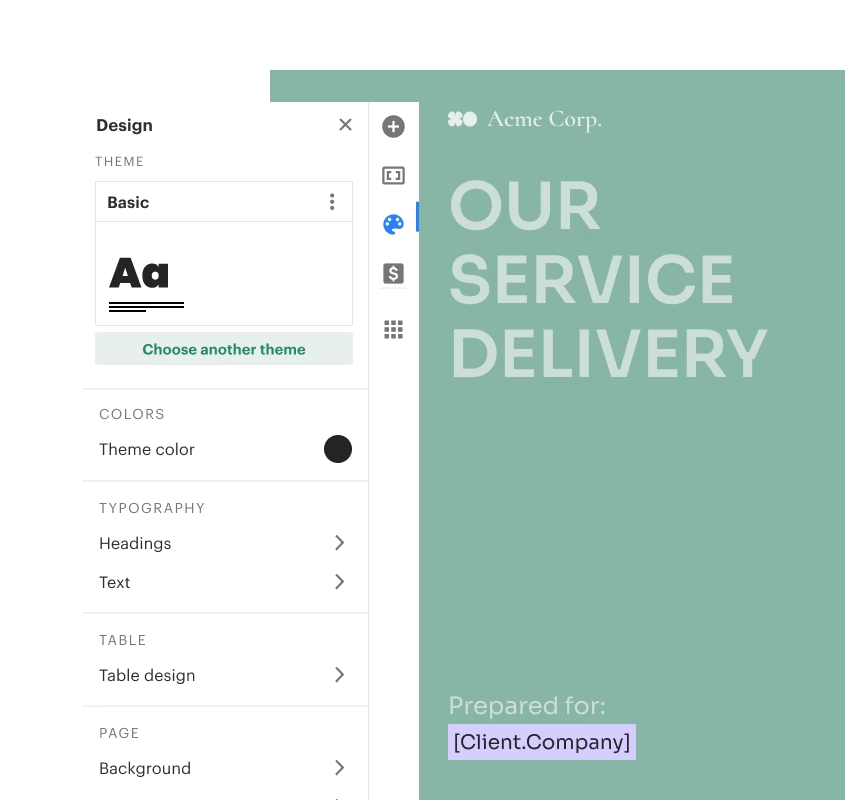
Customized branding and doc themes let groups outline colours, fonts, and logos as soon as, then propagate them throughout all future paperwork. Doc bundling combines a number of paperwork right into a single bundle for supply. Model historical past tracks modifications, and despatched paperwork will be edited after dispatch.
Supply: PandaDoc
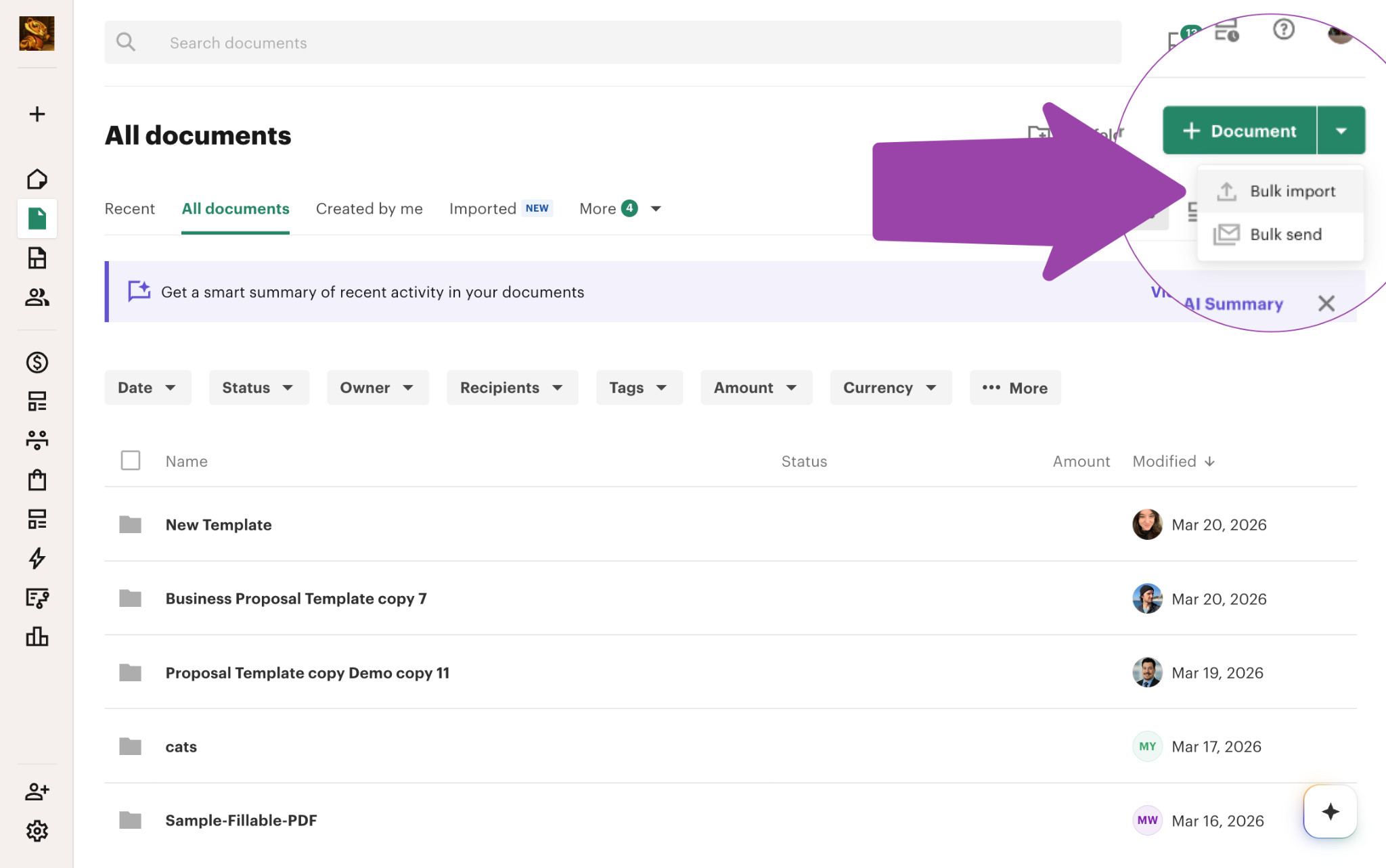
For groups producing paperwork at scale, the API triggers doc creation programmatically in response to enterprise occasions. Bulk import handles as much as 50MB per file and a couple of,000 pages per PDF, and bulk ship dispatches giant volumes without delay (Enterprise and above).
Supply: PandaDoc
Constructed-in AI helps draft and refine copy inside textual content blocks. The PandaDoc MCP server extends this additional, letting AI brokers like Claude Desktop and Cursor create paperwork and ship them for signature by pure language prompts.
PandaDoc introduced in March 2026 that it’s “rebuilding the enhancing expertise from the bottom up”, aiming for quicker efficiency and a less complicated interface.
PandaDoc eSignature
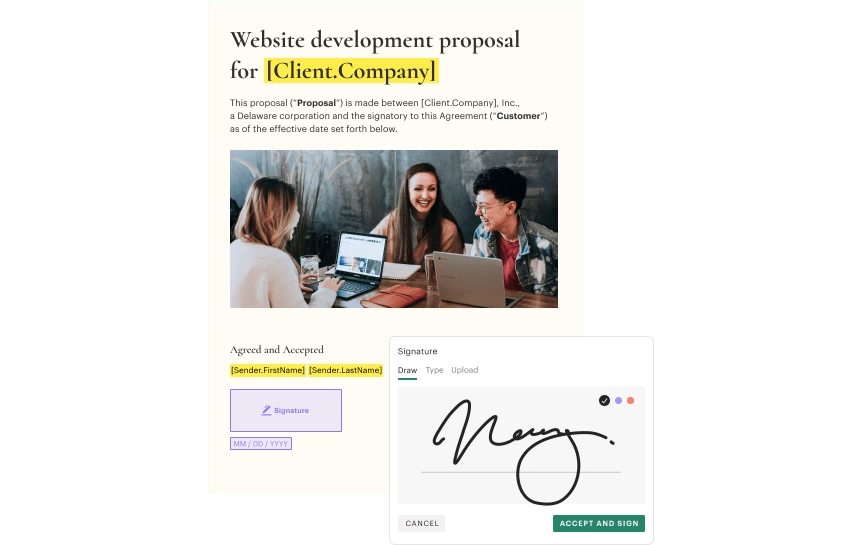
PandaDoc’s eSignature functionality is constructed into the doc creation platform, so the identical software that builds and tracks a doc additionally handles signing.
Supply: PandaDoc
The platform helps three tiers of digital signature beneath the eIDAS framework: Primary (typed, drawn, or scanned), Superior Digital Signature (AES, with extra verification), and Certified Digital Signature (QES), the very best authorized customary, equal to a handwritten signature throughout all 27 EU member states. PandaDoc claims paperwork get signed 3x quicker than conventional strategies.
Signing order routes paperwork sequentially: every recipient receives the doc solely after the earlier signer finishes.
You may toggle signing order off for simultaneous distribution. Recipients signal on any gadget (desktop, pill, cellular) with out making a PandaDoc account or downloading an app. In-person signing helps face-to-face eventualities on a shared gadget (Enterprise and Enterprise).
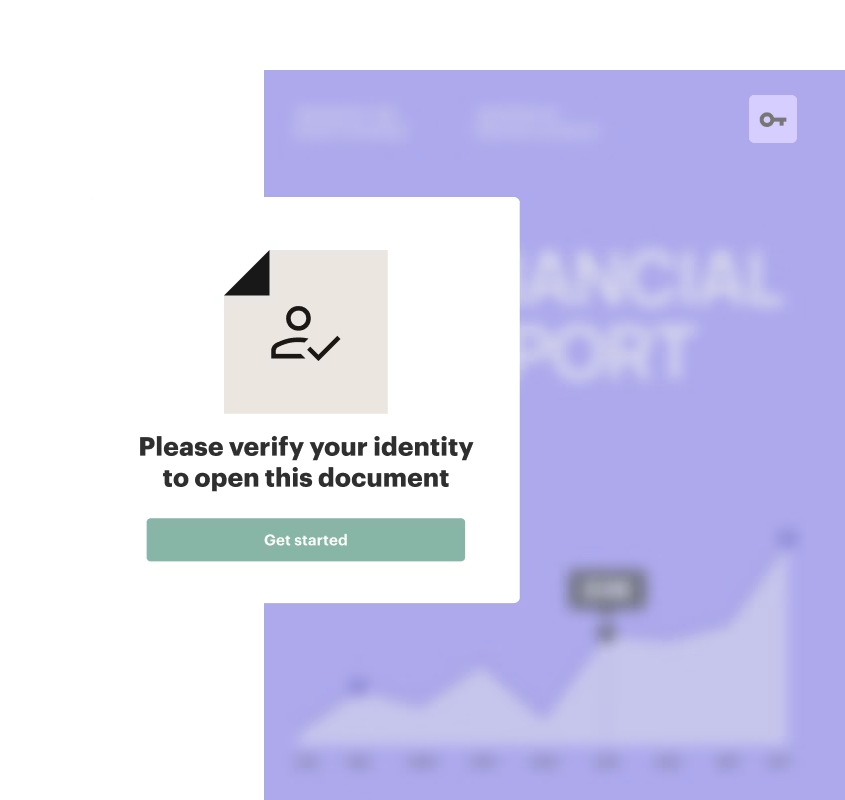
Id verification presents 5 strategies earlier than a recipient can entry or signal: passcode, SMS one-time code, e-mail one-time code, Data-Based mostly Authentication (KBA, US solely), and authorities ID verify through biometric facial scanning throughout 200+ international locations. PandaDoc doesn’t retailer identification paperwork or biometric information. KBA and ID verification are Enterprise-only.
Supply: PandaDoc
As soon as all events signal, PandaDoc generates a digital signature certificates utilizing Public Key Infrastructure (PKI) in partnership with Entrust. The certificates, appended to the finished PDF, captures signer names, verified e-mail addresses, IP addresses, geographic location, doc reference quantity, and timestamps. A detailed audit path information each doc interplay with timestamps and IP logging.
PandaDoc presents limitless signature requests on paid plans with no per-transaction caps, in contrast to envelope-based billing fashions.
The platform complies with ESIGN (US), UETA (US), eIDAS (EU), GDPR, HIPAA, SOC 2, and AICPA requirements, and added 21 CFR Half 11 compliance in October 2025 for FDA-regulated industries.
The Free plan caps doc sends at 60 per calendar 12 months with a most of two recipients per doc and 5 saved templates. Superior fields (radio buttons, dropdowns, file uploads, pricing tables) are unavailable on Free.
PandaDoc CPQ: Configure, Value, Quote
CPQ automates the complete configure-price-quote workflow, from product choice and pricing guidelines by doc era and purchaser supply. It’s out there solely on the Enterprise plan, with CRM-specific variants for Salesforce, HubSpot, and Pipedrive.
Supply: PandaDoc
The system makes use of a workflow-based structure with distinct levels. At its core is a guidelines engine constructed on WHEN/THEN conditional logic: WHEN clauses settle for a number of filter circumstances; THEN clauses replace quote parts by adjusting portions, making use of reductions, swapping configurations, or implementing pricing guardrails. Guidelines execute in an outlined sequence.
A guided promoting questionnaire walks reps by product choice with structured playbooks, translating their selections right into a configured quote mechanically. This reduces the paralysis reps face when they do not know the complete product lineup.
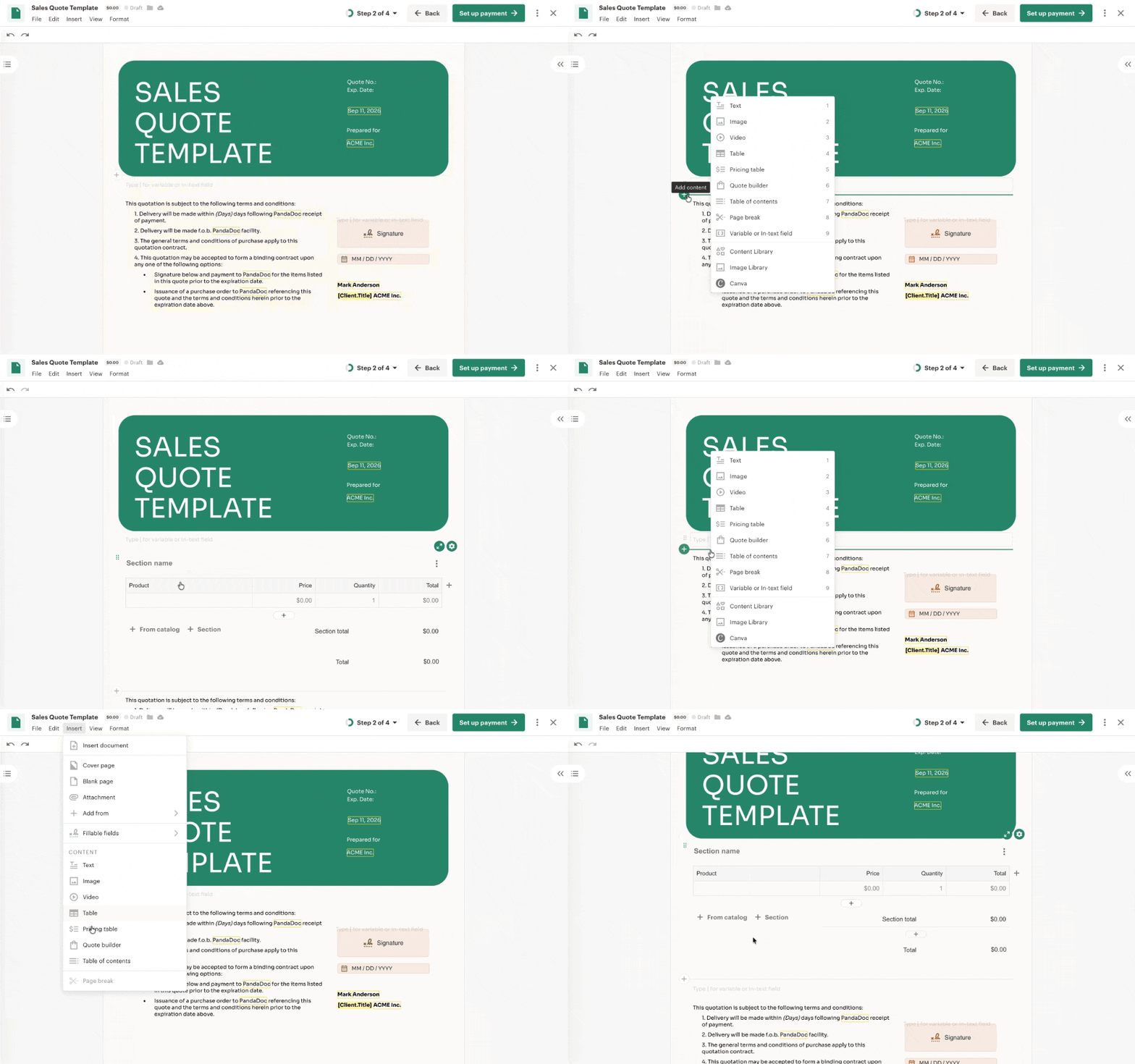
The Quote Builder block assembles merchandise from the Product Catalog, a centralized repository storing SKUs, pictures, descriptions, and pricing. Every Quote Builder block holds as much as 500 merchandise, with customizable columns, part grouping, optionally available gadgets, and role-based column locking.
Supply: PandaDoc
The Product Catalog helps mounted, volume-based, and recurring/subscription pricing, with quantity reductions configurable by order amount.
Pricing tables deal with reductions (flat or proportion), taxes, one-time charges, recurring costs, and multi-option packages, calculating remaining prices mechanically. Recipients can choose optionally available line gadgets, regulate portions, and select from a number of pricing packages inside the quote.
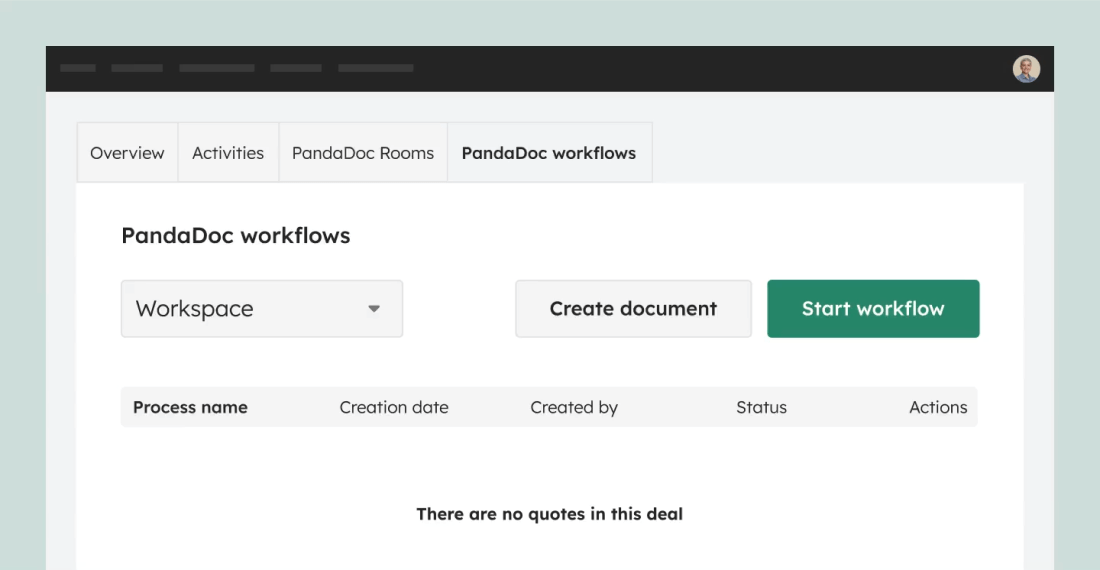
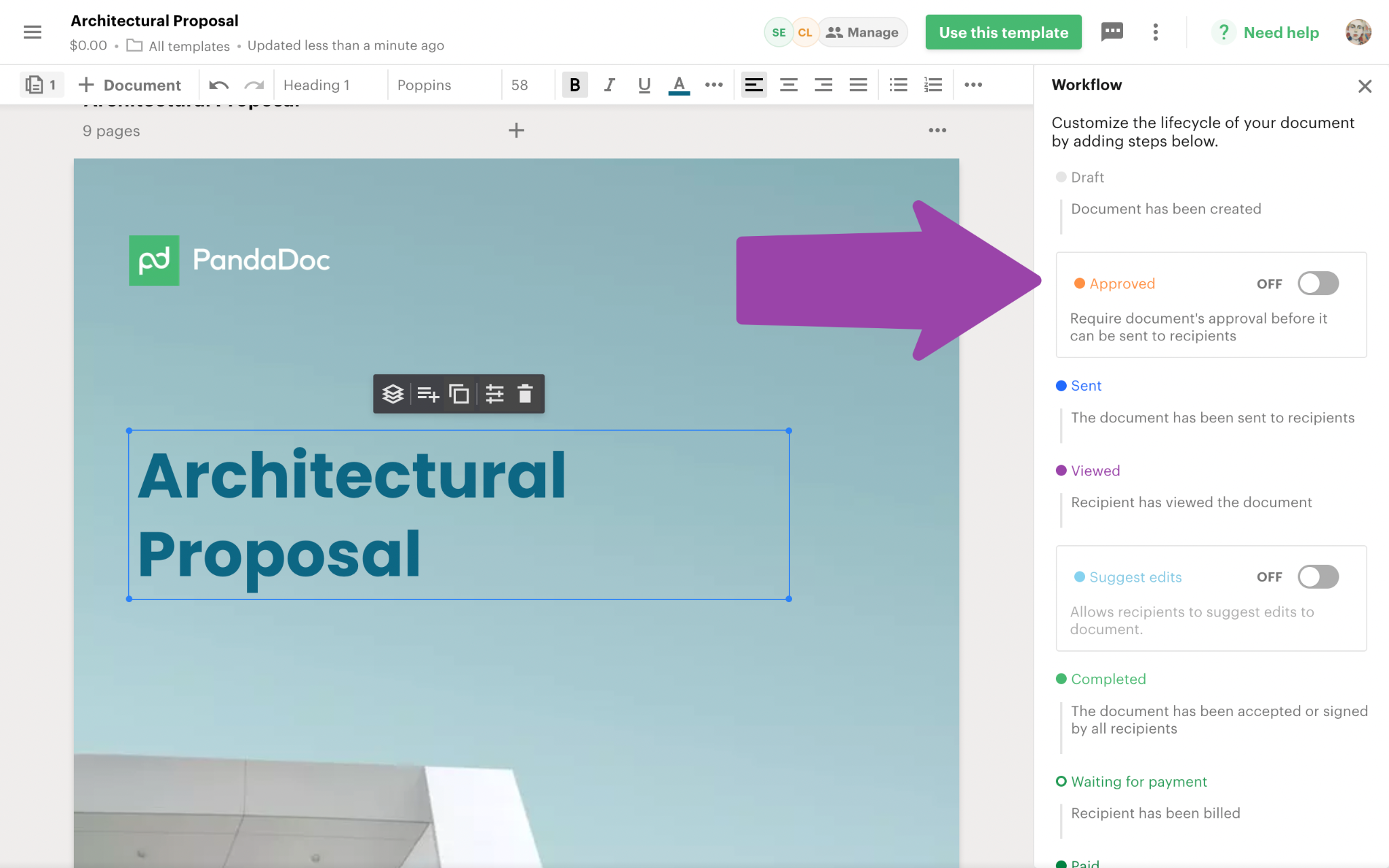
Conditional approval workflows set off mechanically when circumstances are met (low cost thresholds exceeded, doc worth breached). When no circumstances set off, paperwork attain “accepted” standing with out guide intervention.
Supply: PandaDoc
The finished quote flows right into a branded doc, will get despatched, tracked, e-signed, and paid, all inside PandaDoc.
PandaDoc frames CPQ as requiring “no coding or costly consultants” to deploy. For groups not prepared for full CPQ, Pricing Tables and Product Catalog on decrease plans present easier quoting, so corporations can begin fundamental and scale into CPQ with out switching platforms.
PandaDoc Deal Rooms
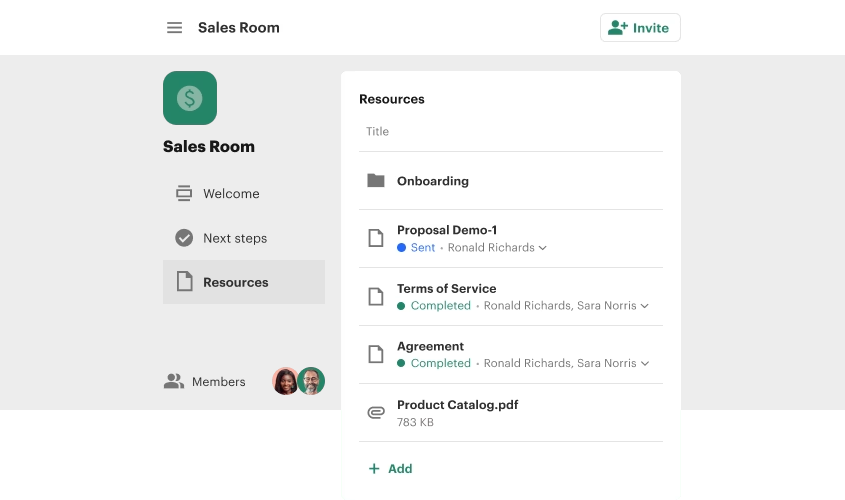
Deal Rooms consolidates doc sharing, stakeholder communication, process administration, and e-signature workflows right into a single branded house. As a substitute of proposals, contracts, and supporting supplies scattered throughout e-mail attachments and shared drives, sellers publish every thing to a persistent hub either side of a deal can entry.
Supply: PandaDoc
Each room has three core sections.
The Dwelling web page is a customizable touchdown web page constructed from content material blocks (textual content, pictures, movies, tables). The Motion plan works as a mutual motion plan: sellers create duties, assign them to people or all members, set due dates, and fasten information, with a progress bar displaying completion in actual time.
Paperwork and information is the repository for PandaDoc paperwork, uploaded information as much as 2GB, and embedded public hyperlinks.
Entry controls are fine-grained. Paperwork and folders carry particular person entry settings: “All within the room,” chosen customers, or nobody. PandaDoc paperwork will be restricted to signers solely, all room members, or inside members solely. Member permissions (“Can invite members,” “Can add content material”) are granted independently.
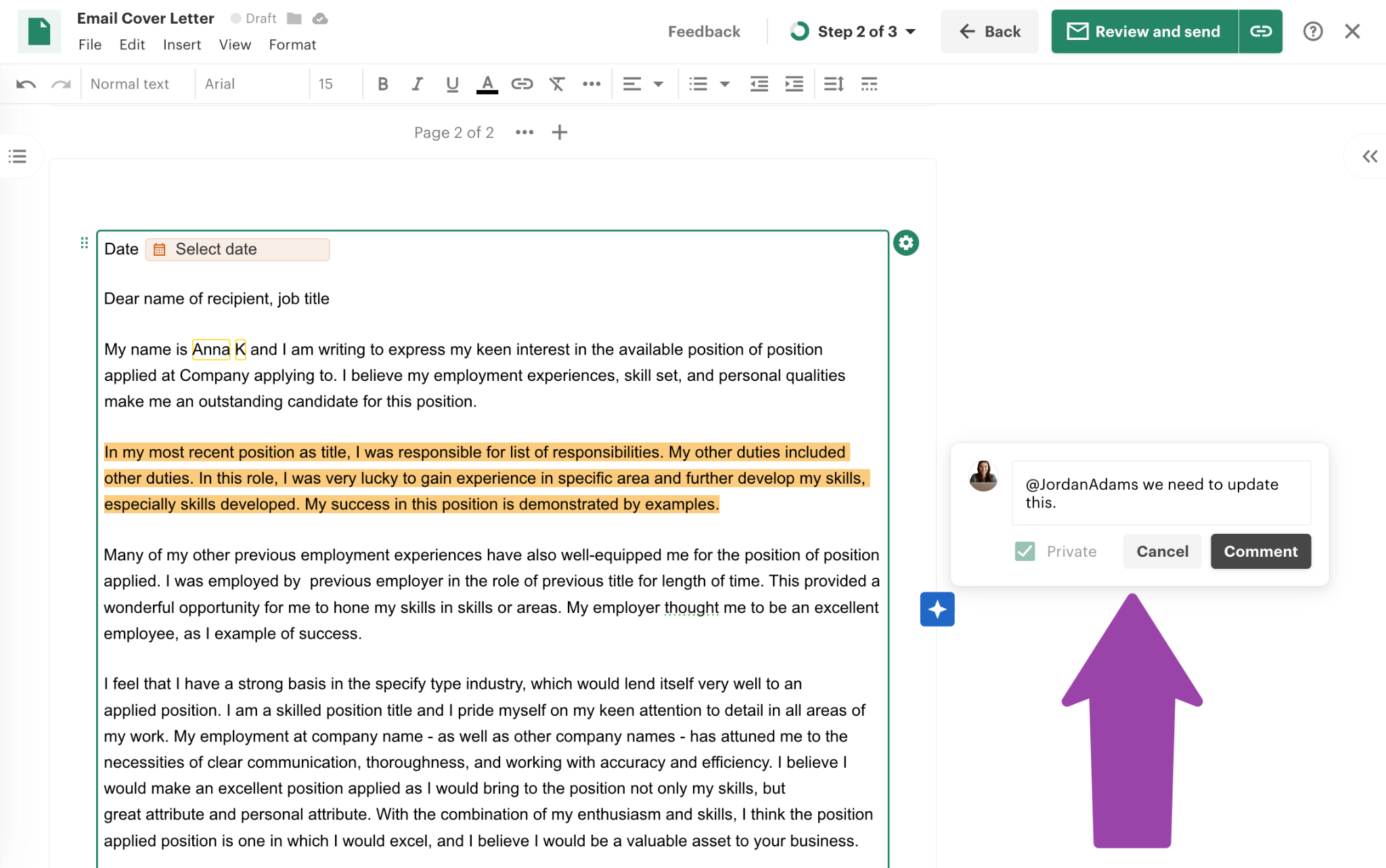
The Insights dashboard tracks room views, open charges per person, process completion as a pie chart, and per-item content material engagement. Inline feedback enable each non-public (inside) and public (buyer-visible) notes on particular textual content or content material blocks.
Supply: PandaDoc
For draft paperwork, collaborators can recommend edits as visitor customers with no paid PandaDoc seat.
Room templates let groups standardize construction by pre-loading paperwork, motion plan duties, and folder layouts so every new deal follows the identical course of. Any stay room can develop into a template. Rooms combine with HubSpot, the place sellers can create them immediately inside offers, contacts, or corporations.
Marketing strategy customers can create limitless rooms however publish a most of three; Enterprise customers publish limitless rooms.
PandaDoc Workflow Automations and Approvals
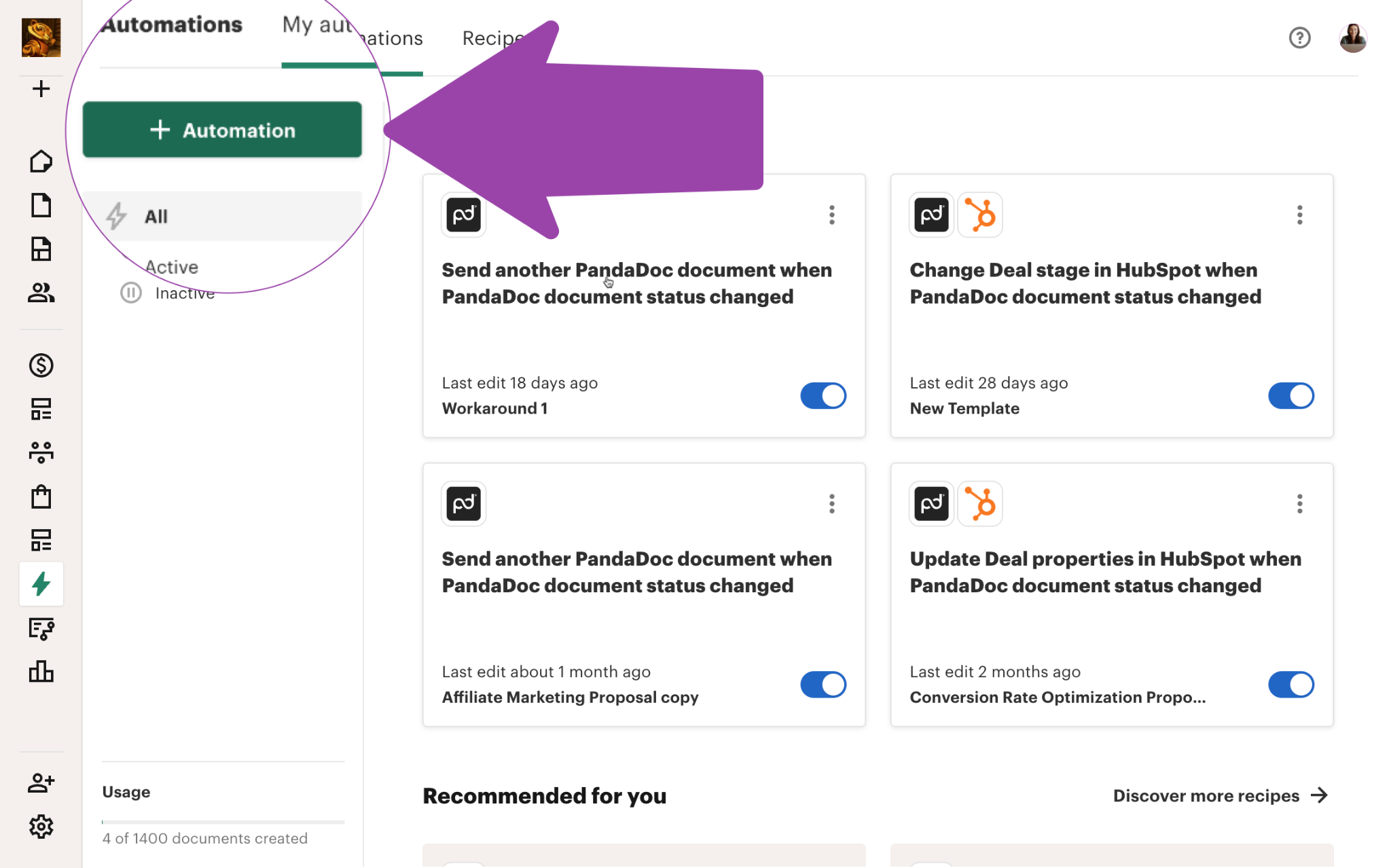
PandaDoc’s automation capabilities cowl two associated techniques: status-triggered automations that fireside when a doc’s standing modifications, and approval workflows that route paperwork to inside reviewers earlier than they attain the signer.
Supply: PandaDoc
Automations run on a trigger-action mannequin: when a doc standing modifications to “Despatched” or “Accomplished,” PandaDoc fires a pre-configured motion. Groups set automations on the template stage, so each doc created from that template inherits the automation. Out there actions embody:
Every workspace helps as much as 300 lively automations. Exterior Automations (CRM/cloud connections) are a paid add-on for Enterprise and included in Enterprise.
Approval Workflows route paperwork to reviewers in sequence. Approvers are assigned on the template stage with an approval order, and every receives an e-mail notification.
They’ll approve or reject with inline feedback. Conditional approval logic triggers assessment solely when particular circumstances are met (low cost thresholds, doc worth), so routine paperwork transfer ahead with out guide sign-off. Approval Workflows begin on the Enterprise tier.
Auto Reminders hearth on a configurable schedule (default: each 5 days after ship) through e-mail or SMS, capped at 10 per recipient per doc.
Auto Expirations change a doc’s standing to “Expired” after a set interval (default 60 days; Enterprise and Enterprise can set any period as much as 3,650 days).
Contract renewal notifications use AI to seize renewal dates from contracts and set reminders upfront.
PandaDoc Monitoring, Analytics, and Funds
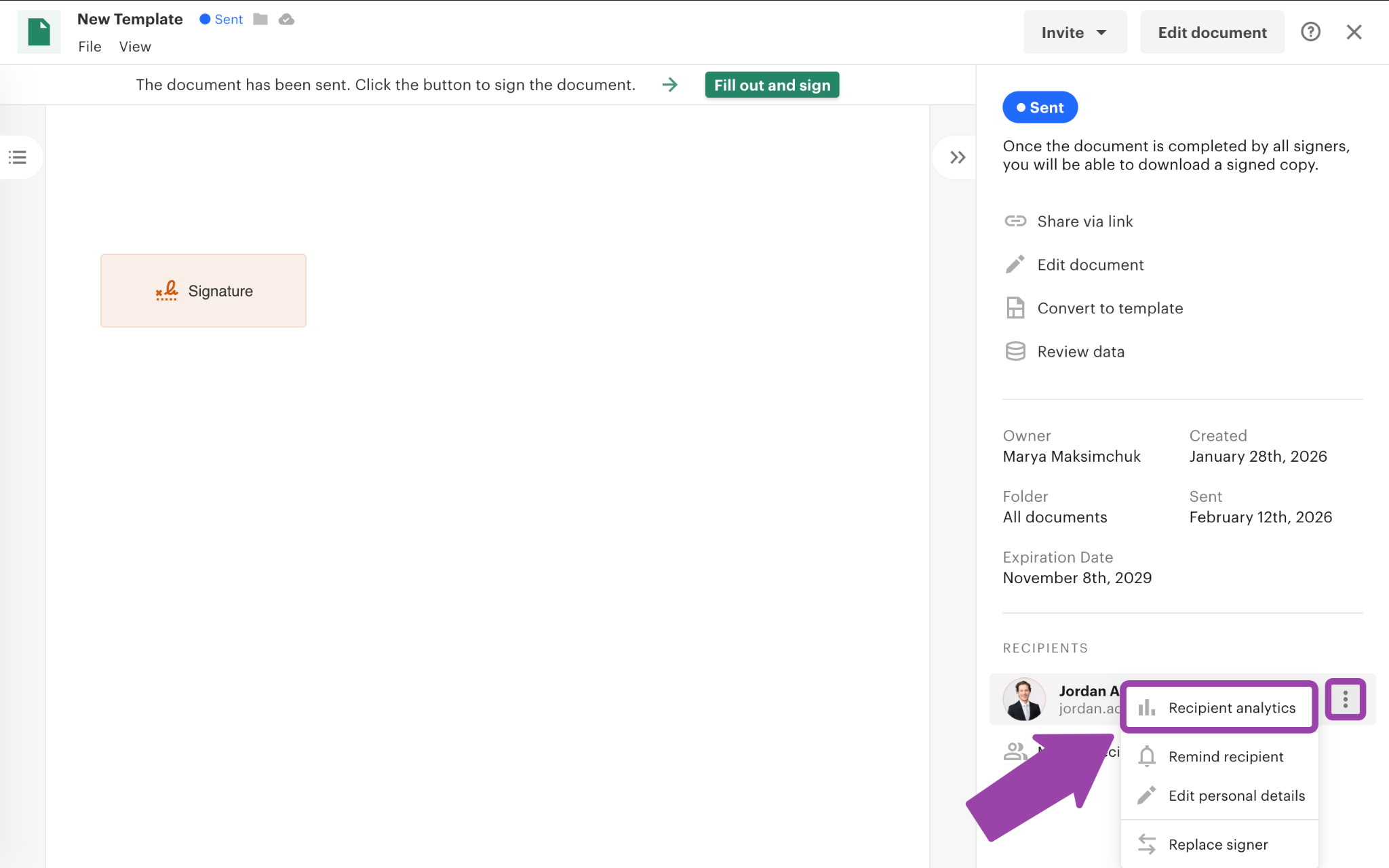
Doc Insights reveals page-by-page engagement information: who considered the doc, how lengthy they spent on every part, and who they forwarded it to.
Supply: PandaDoc
This goes past open/click on monitoring. You see which elements of a proposal a purchaser studied and which they skipped. Rooms Insights extends the identical visibility into Deal Rooms, monitoring per-item engagement and per-user open charges.
Actual-time monitoring and notifications can be found on all plans: senders obtain alerts when recipients open, view, or full paperwork.
The audit path gives a tamper-evident file of all interactions with timestamps and IP logging.
AI information extraction (beta) captures contract dates, phrases, and values from paperwork for searchable repository analytics, turning PandaDoc’s doc retailer right into a queryable contract database.
Funds shut the loop from signed contract to collected income. PandaDoc embeds checkout by Stripe, Sq., Authorize.internet, PayPal, QuickBooks Funds, and FreshBooks contained in the doc, so prospects signal and pay in a single session.
Recurring Stripe billing and Stripe invoicing prolong cost assortment to subscription fashions and formal invoicing. Fee assortment expanded to Free and Starter plans in March 2026.
PandaDoc Integrations, API, and Safety
PandaDoc’s integrations catalogue spans CRM, cost, HR, productiveness, and storage. The deepest integrations are with CRM techniques: HubSpot, Salesforce, Pipedrive, and Monday.com all supply native, bidirectional information sync. Zapier serves as the first iPaaS connector for broader automation. Slack handles notifications, and HR integrations embody Greenhouse and BambooHR.
The REST API offers programmatic entry to paperwork, templates, kinds, content material library gadgets, webhook subscriptions, folders, and members. SDKs are printed for Python, Node.js, Java, and PHP, and a JavaScript SDK (pandadoc.js) helps three embed modes: Editor Embed, Kind Embed, and Signing Session Embed.
The API is priced individually: a free tier gives a sandbox and 60 paperwork/12 months, the API Developer Plan ($40/month) gives 40 paperwork/month, and Enterprise presents customized quantity with CRM integrations. Price limits vary from 100 to 2,000 requests per minute relying on the endpoint, with a sandbox cap of 10 RPM.
The MCP server lets AI instruments like Claude Desktop and ChatGPT work together with PandaDoc immediately. MCP entry is on the market on the free API tier.
PandaDoc’s safety credentials cowl SOC 2 Kind II, HIPAA, GDPR, eIDAS, ESIGN, UETA, CCPA/CPRA, FERPA, EU-U.S. Knowledge Privateness Framework, and 21 CFR Half 11. Manufacturing infrastructure runs on Amazon AWS with auto-scaling and 24/7 monitoring.
Enterprise prospects can select US or EU information residency. SSO through SAML 2.0 helps Okta, Azure Lively Listing, and OneLogin (Enterprise solely). Two-factor authentication through authenticator app or SMS is on the market on all plans, although 2FA is configured per person, not enforced organization-wide (SSO with an IdP handles org-level MFA enforcement on Enterprise).
The place PandaDoc Stops: The Gaps
PandaDoc facilities on the doc lifecycle: creating, sending, monitoring, signing, and gathering cost. That focus shapes its strengths, nevertheless it additionally means the platform doesn’t attain into the go-to-market layers that sit earlier than and across the doc.
No B2B contact or firm database. PandaDoc has no database of contacts, corporations, cellphone numbers, or e-mail addresses. It creates and delivers the doc, however another person should provide the customer. A gross sales crew utilizing PandaDoc wants a separate information supply to know who to ship proposals to.
No purchaser intent indicators. PandaDoc tracks engagement after a doc is distributed (who opened it, how lengthy they learn every web page), nevertheless it doesn’t observe which corporations are researching your class throughout the online earlier than you attain out. Engagement indicators let you know who responded to your doc; intent indicators let you know who’s in-market earlier than you ship one.
No web site customer identification. PandaDoc doesn’t determine who visits your web site. Doc analytics present what occurs after a purchaser receives a proposal, however the platform offers no perception into nameless web site visitors.
No dialog intelligence. PandaDoc doesn’t file, transcribe, or analyze gross sales calls. The platform captures what occurs within the doc (views, signatures, funds), nevertheless it gives no evaluation of what was stated on calls, no objection detection, and no teaching scorecards.
No advertising and marketing orchestration or ABM capabilities. PandaDoc is a doc software, not a marketing campaign administration or promoting platform. It presents no show promoting, viewers administration, account-based advertising and marketing, or multi-channel marketing campaign orchestration.
No native redlining for contract negotiation. Groups negotiating contract phrases forwards and backwards can not accomplish that natively in PandaDoc. Negotiation-heavy offers require exporting to Phrase, marking up externally, and reimporting.
How ZoomInfo Covers the Gaps
The gaps above share a standard thread: PandaDoc manages what occurs contained in the doc, however will depend on exterior instruments for the intelligence, indicators, and execution that encompass it. ZoomInfo is a go-to-market platform that provides these layers.
ZoomInfo’s B2B Knowledge Platform: The contacts PandaDoc paperwork are addressed to
ZoomInfo operates the most important B2B information platform out there: 500M contacts, 100M corporations, 135M+ verified cellphone numbers, 120M direct-dial cellphone numbers, and 200M+ verified enterprise e-mail addresses. The info flows by a verification pipeline backed by 300+ human researchers and automated ML scanning of 28 million website domains each day, reaching as much as 95% accuracy on first-party information.
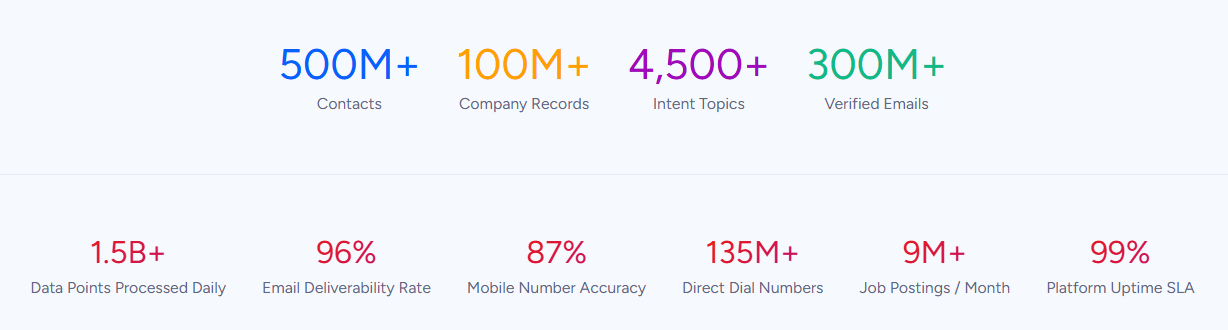
For a crew utilizing PandaDoc, this fills the upstream hole. PandaDoc can create a proposal in minutes, nevertheless it can not let you know who ought to obtain it.
ZoomInfo gives division org charts with decision-makers’ direct dials and emails, 300+ firm attributes for segmentation, and contact monitoring with job-change alerts. In a Fortune 500 aggressive RFP analyzing 25 million contacts throughout distributors, an impartial advisor concluded that “no different competitor got here even shut.”
ZoomInfo Intent and WebSights: Alerts that determine in-market consumers earlier than the primary proposal
ZoomInfo Intent tracks indicators from 210 million IP-to-Group pairings and 6 trillion+ new keyword-to-device pairings sourced month-to-month. PandaDoc’s doc analytics present who engaged with a despatched proposal; ZoomInfo’s intent information reveals which corporations are researching your class earlier than you contact them.
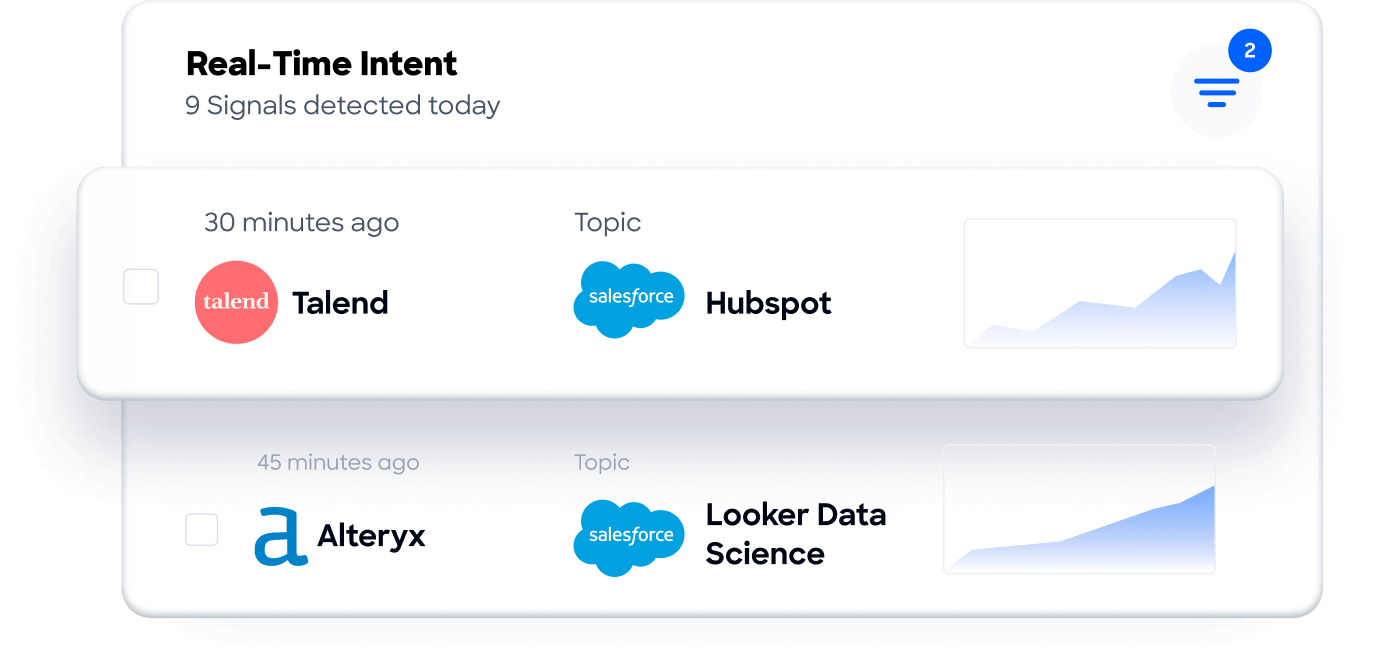
Guided Intent, unique to ZoomInfo, identifies matters traditionally correlated with deal success reasonably than requiring guide matter choice.
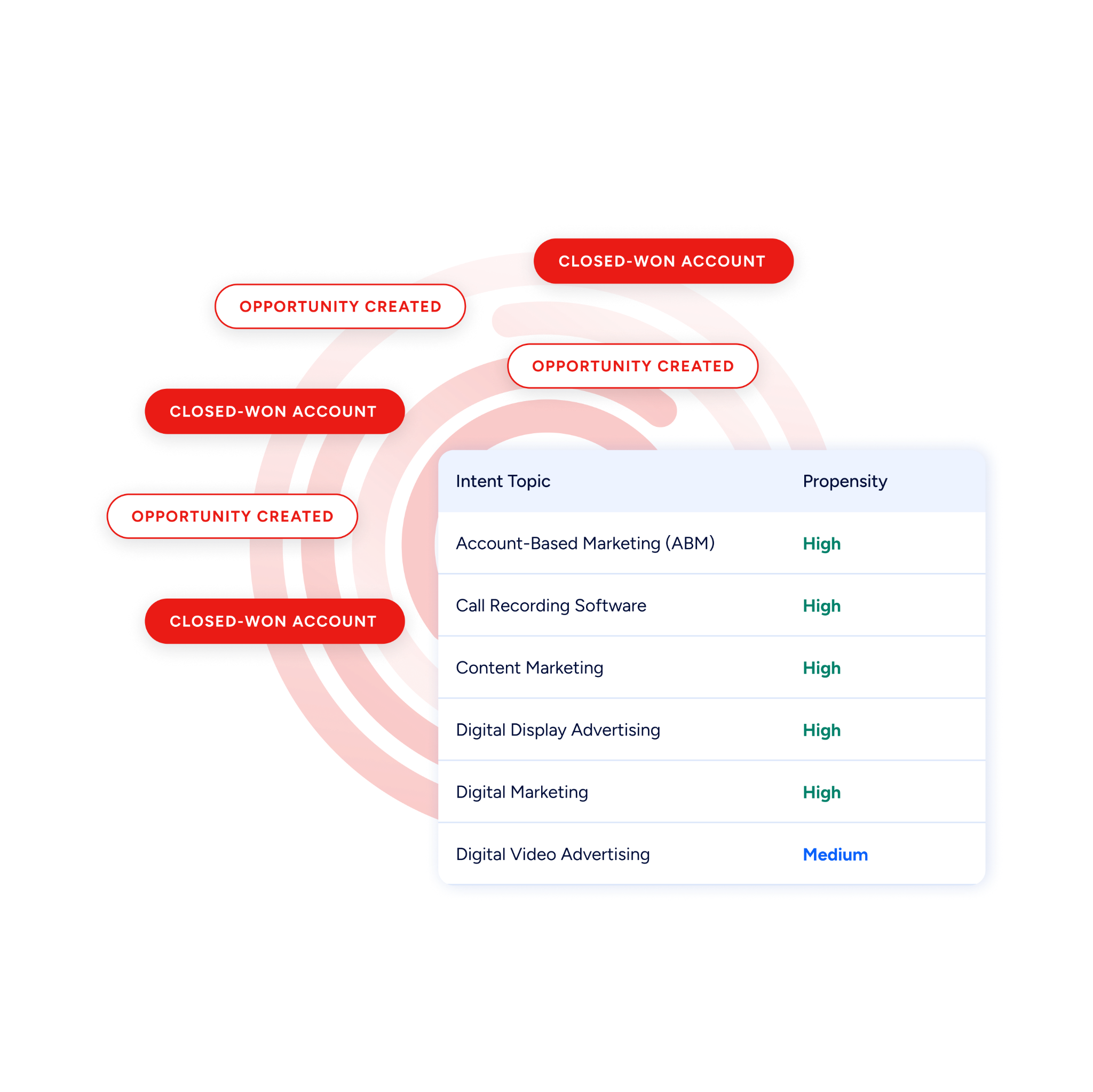
On the web site aspect, WebSights resolves nameless web site visitors to corporations, with Computerized Site visitors Filtering separating actual guests from bots.
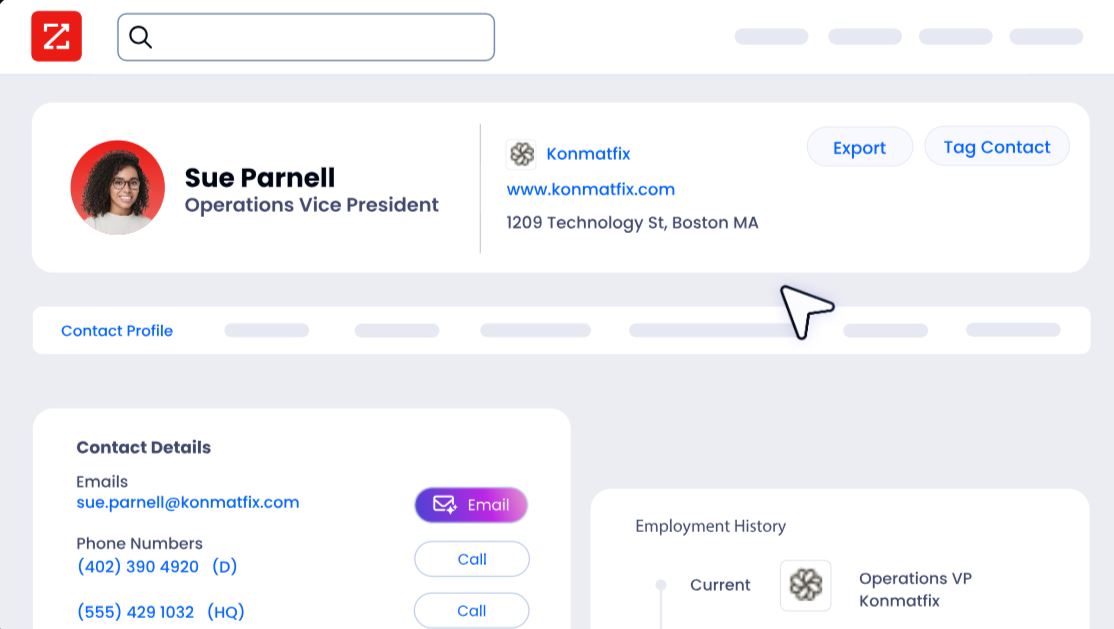
ZoomInfo Advertising extends this with contact-level website customer identification, displaying who particularly visited and triggering customized outreach.
ZoomInfo’s GTM Context Graph and Refrain: Intelligence from calls and offers, not simply paperwork
PandaDoc captures what occurs within the doc: views, signatures, funds.
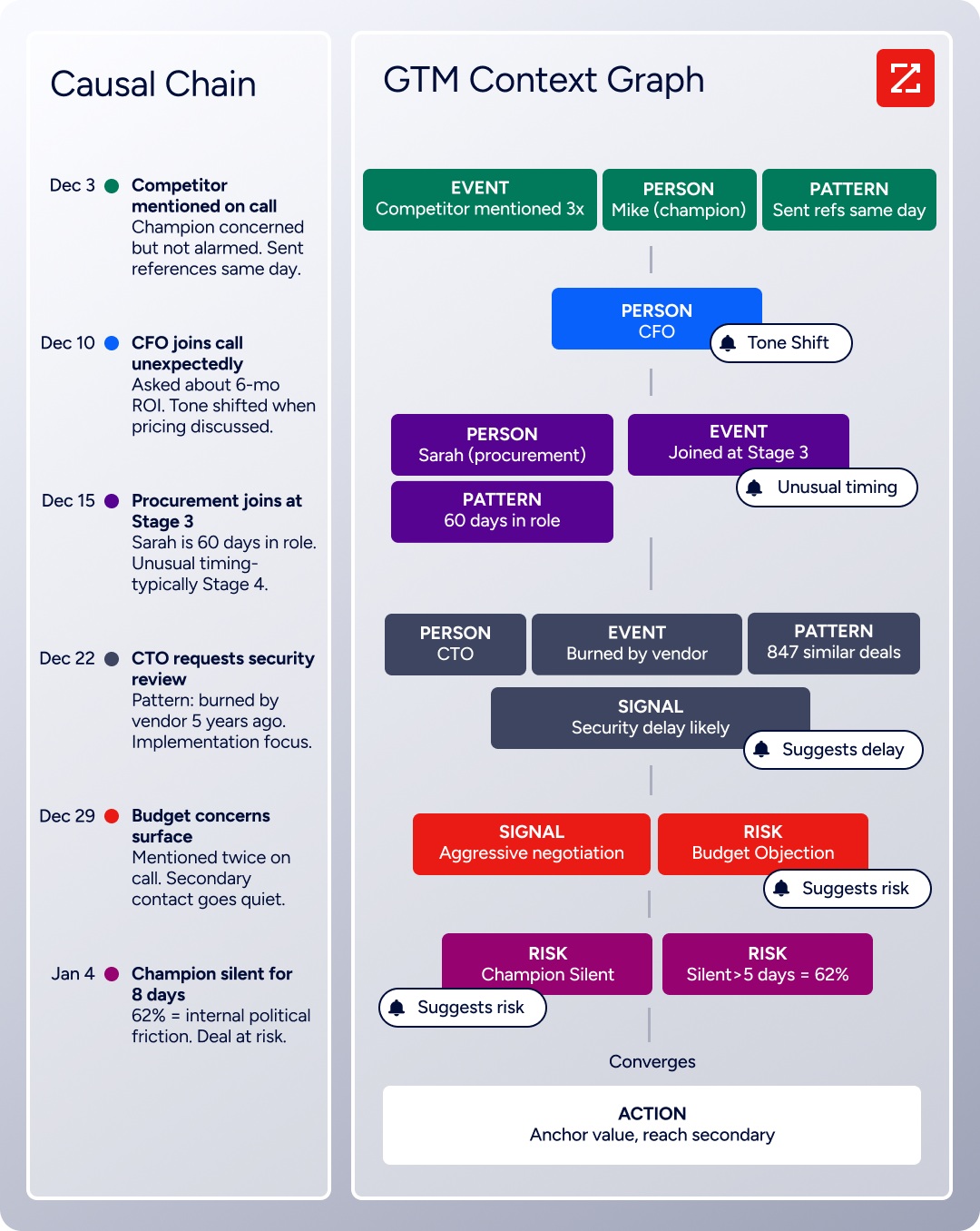
ZoomInfo’s GTM Context Graph captures why offers transfer or stall by processing 1.5B+ information factors each day, combining B2B information with CRM information, dialog intelligence from Refrain, e-mail interactions, and behavioral indicators.
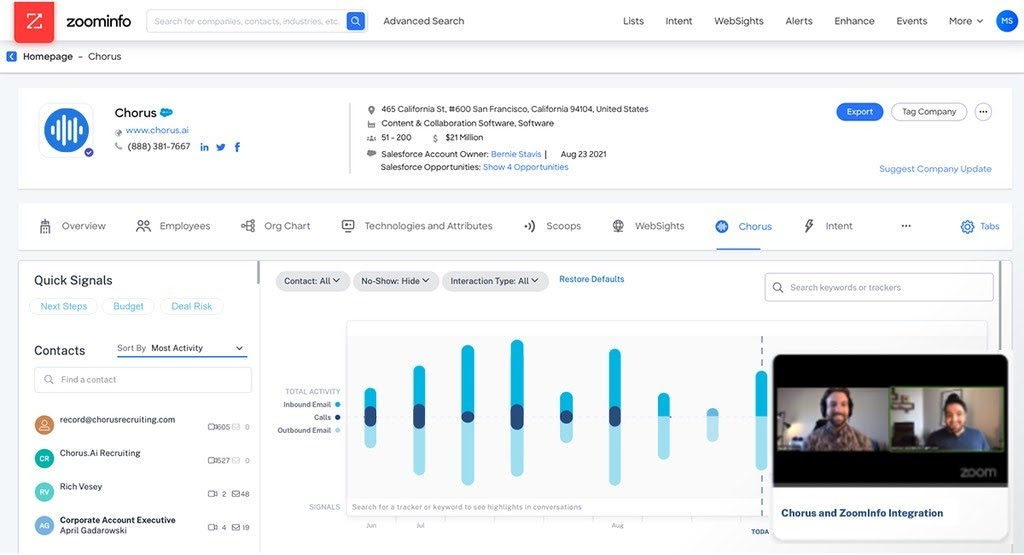
Refrain, backed by 14 expertise patents, information and transcribes gross sales calls, surfaces AI-generated insights (discuss ratios, sentiment, objection detection), auto-syncs deal intelligence to the CRM, and gives teaching scorecards and clip sharing.
It captures what doc analytics can not: why a champion went quiet, what a aggressive point out means for deal danger, and which objection patterns predict closed-lost outcomes.
ZoomInfo GTM Studio: Advertising orchestration and ABM that doc instruments can not present
GTM Studio addresses the advertising and marketing orchestration hole immediately. Entrepreneurs, RevOps groups, and GTM engineers can construct audiences utilizing pure language, enrich with first- and third-party information, outline triggers, and activate performs throughout channels (e-mail, calls, show advertisements, unsolicited mail, LinkedIn, Meta, Related TV) with out engineering assist.
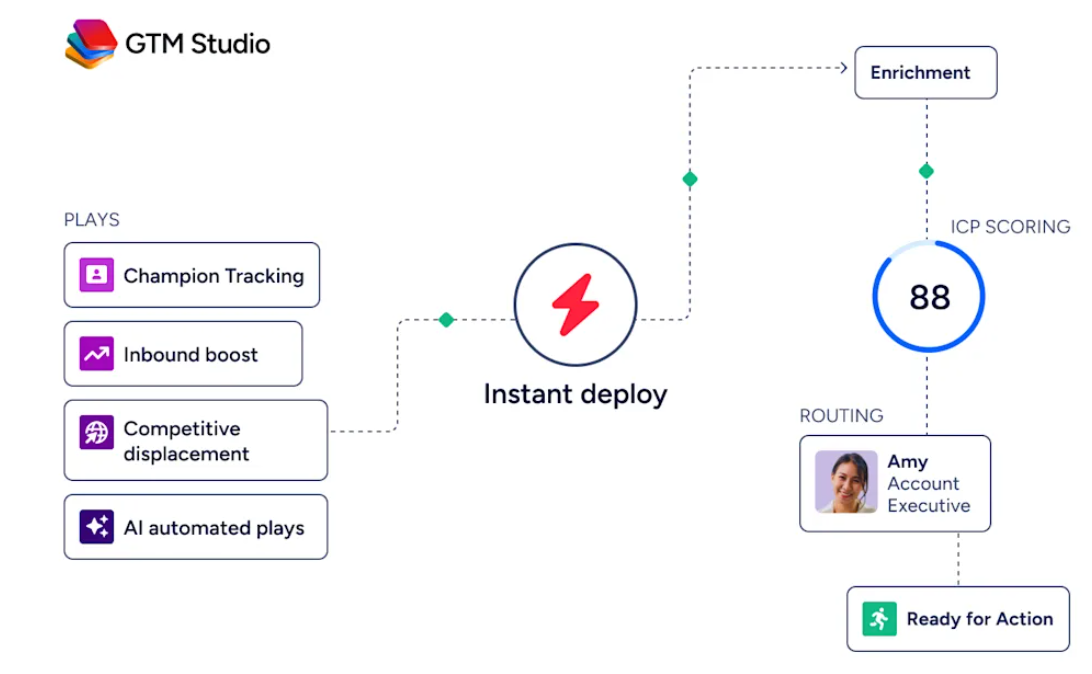
Pre-built GTM performs cowl inbound acceleration, champion monitoring, aggressive displacement, and ICP focusing on. Enlargement performs that used to take 3 weeks now launch in half-hour.
ZoomInfo Advertising features a native Demand-Facet Platform that deploys show advertisements primarily based on 300+ firm attributes and FormComplete, which reduces kinds to a single area whereas auto-appending information.
ZoomInfo GTM Workspace: AI-powered vendor execution from sign to outreach
GTM Workspace is ZoomInfo’s vendor front-end, constructed on the GTM Context Graph. It offers sellers a full Ebook of Enterprise view throughout CRM, ZoomInfo information, dialog historical past, and market intelligence, with AI brokers that automate account analysis, outreach drafting, CRM updates, and sign monitoring.
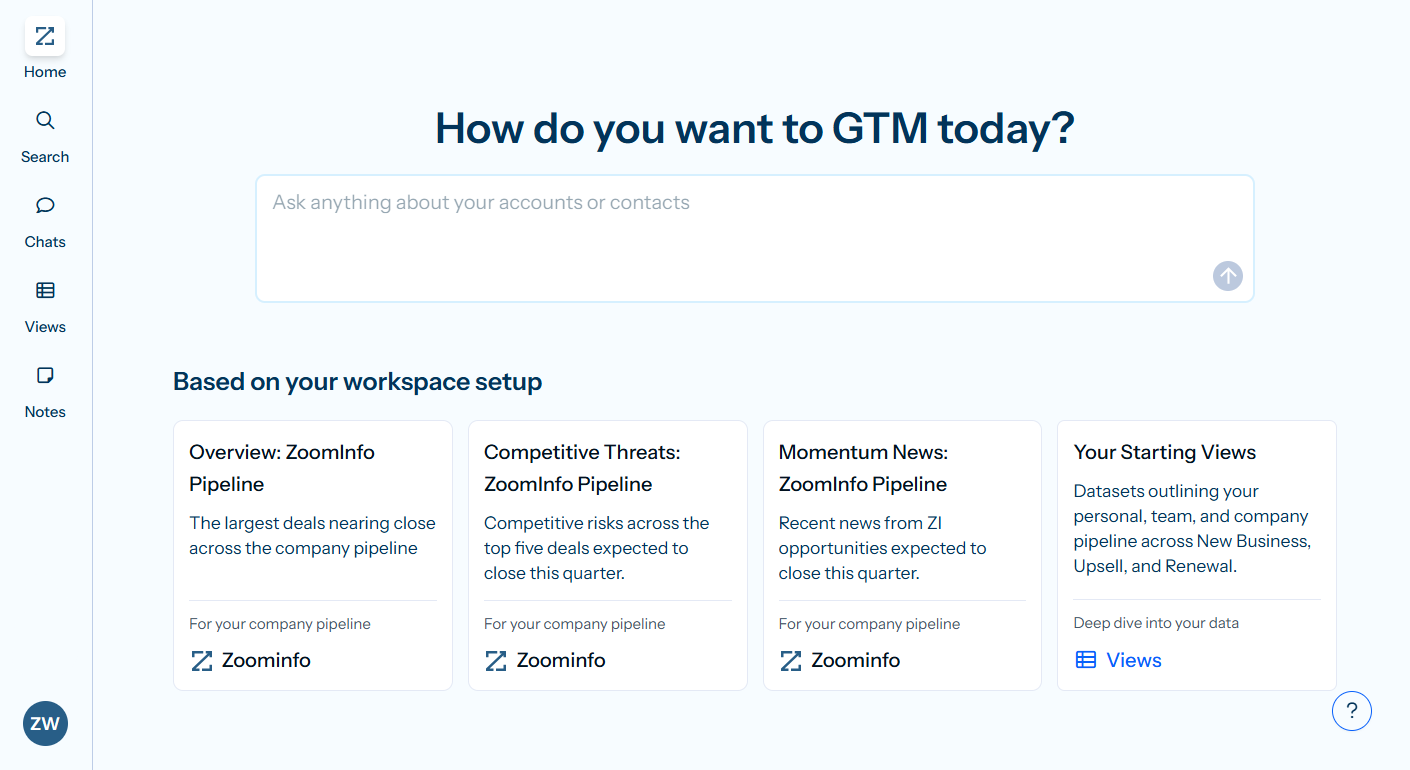
An Motion Feed streams in-market consumers matched to focus on standards with pre-drafted actions on each sign.
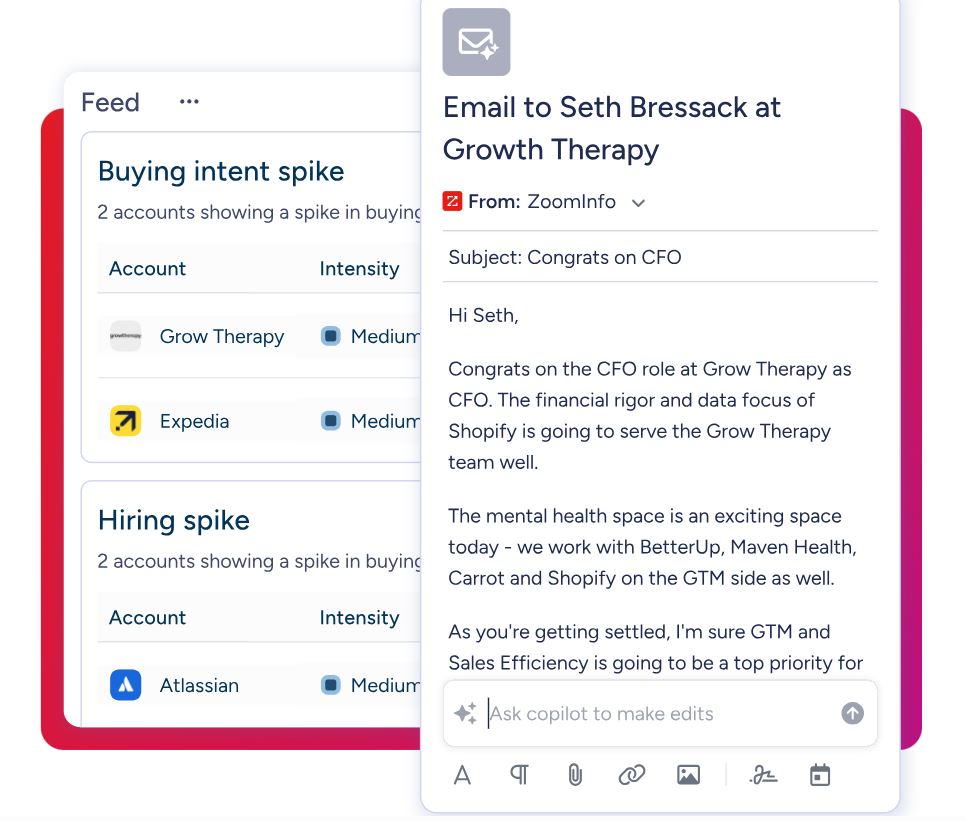
PandaDoc handles what occurs after a vendor decides to ship a doc. GTM Workspace helps the vendor resolve who to interact, when, and what to say, drawing on ZoomInfo’s information and the GTM Context Graph to prioritize the accounts and contacts most certainly to transform.
Seismic’s gross sales crew attributed 39% of lively pipeline to alternatives recognized or influenced by ZoomInfo indicators, boosted productiveness by 54%, and saved 11.5 hours per week per vendor. (Seismic Case Research)
Remaining Abstract
PandaDoc covers the doc lifecycle: a drag-and-drop editor with Sensible Content material and conditional logic, eSignature compliance from fundamental by QES throughout 27 EU member states, CPQ with guided promoting and a guidelines engine for Salesforce, HubSpot, and Pipedrive, Deal Rooms for multi-stakeholder collaboration, workflow automations that maintain paperwork shifting, and embedded cost assortment in the meanwhile of signing.
It suits gross sales, authorized, and HR groups that have to create, route, signal, and shut paperwork quicker, significantly at mid-market corporations utilizing CRM workflows.
It doesn’t cowl the layers that encompass the doc: no B2B contact database, no purchaser intent indicators, no web site customer identification, no dialog intelligence, and no advertising and marketing orchestration.
In case your bottleneck is upstream of the doc (realizing which corporations are in-market, who the decision-makers are, and what they care about), that’s the floor ZoomInfo covers.
Its 500M-contact, 100M-company database provides the verified contacts PandaDoc’s paperwork are addressed to. ZoomInfo Intent surfaces accounts researching your class from 6 trillion+ keyword-to-device pairings month-to-month. Refrain captures and analyzes each gross sales dialog. GTM Studio offers advertising and marketing groups multi-channel orchestration and ABM.
And the GTM Context Graph combines all of it right into a single intelligence layer that tells your crew not simply {that a} deal moved, however why.
See what that provides to your doc workflow: begin with ZoomInfo Lite free of charge, or request a demo to see verified contacts and stay intent indicators related to your pipeline.
FAQ
Does PandaDoc assist Certified Digital Signatures (QES)?
Sure. PandaDoc helps QES on the Enterprise plan, protecting all 27 EU member states by accredited Belief Service Suppliers. QES is the very best eIDAS-compliant signature tier, legally equal to a handwritten signature. The platform additionally helps Primary and Superior Digital Signatures on decrease tiers, making it one of many few platforms providing all three ranges in a single subscription.
Which PandaDoc plan consists of CPQ?
CPQ is on the market solely on the Enterprise plan (customized pricing). It consists of the principles engine, guided promoting questionnaire, Quote Builder, and conditional approval workflows. CRM-native variants exist for Salesforce, HubSpot, and Pipedrive with bidirectional information sync. Groups on the Marketing strategy can use Pricing Tables and the Product Catalog for easier quoting, however the full CPQ workflow requires Enterprise.
Are you able to edit a PandaDoc doc after sending it?
Sure. PandaDoc helps enhancing despatched paperwork, although the workflow has traditionally been a friction level. The platform tracks modifications through model historical past. For negotiation-heavy contracts requiring back-and-forth markup, PandaDoc doesn’t supply native redlining or track-changes; these workflows sometimes require exporting to Phrase and reimporting.
What number of paperwork are you able to ship on PandaDoc’s free plan?
The Free plan permits 60 paperwork per calendar 12 months, with a most of two recipients per doc and 5 saved templates. Superior doc fields (radio buttons, dropdowns, file uploads, pricing tables) are unavailable. Third-party integrations require a paid plan. The Free plan helps limitless seats.
Does PandaDoc combine with Salesforce?
Sure. PandaDoc presents a local integration with Salesforce that features bidirectional information sync (doc standing writes again into Salesforce pipeline levels) and a devoted Salesforce CPQ variant on the Enterprise plan. CRM integrations require the Marketing strategy or above; Starter and Free don’t embody CRM connectivity.
What cost gateways does PandaDoc assist?
PandaDoc helps embedded cost assortment by Stripe, Sq., Authorize.internet, PayPal, QuickBooks Funds, and FreshBooks. Funds are collected at signing contained in the doc itself. Stripe integration extends to recurring billing and formal invoicing. Fee assortment is on the market on all plans, together with Free and Starter, as of March 2026.
Does PandaDoc have an API?
Sure. PandaDoc presents a REST API with SDKs for Python, Node.js, Java, and PHP, plus a JavaScript SDK for embedding editor, type, and signing experiences. The API helps programmatic doc creation, webhook subscriptions, and embedded enhancing.
A free tier gives sandbox entry and 60 paperwork/12 months; the API Developer Plan prices $40/month. CRM integrations through API require Enterprise. PandaDoc additionally presents an MCP server for AI agent workflows.
Does PandaDoc embody a B2B contact database or purchaser intent information?
No. PandaDoc is a doc automation platform, not a knowledge supplier. It has no database of contacts, corporations, cellphone numbers, or e-mail addresses, and it doesn’t observe purchaser intent indicators. Groups that have to determine and attain consumers earlier than making a doc pair PandaDoc with a knowledge platform like ZoomInfo, whose 500M contacts, 100M corporations, and 120M direct dials provide the contacts paperwork are addressed to, whereas ZoomInfo Intent identifies which accounts are researching your class.

