


You don’t actually discover how a lot you depend on Alfred till you sit down at a Mac that doesn’t have it put in. For years, it has been the invisible muscle reminiscence connecting totally different apps, recordsdata, and shortcuts on a Mac.
So, with the launch of Alfred 6, individuals’s greatest question is, “What’s new?” Did a software this dialed-in get a significant overhaul? After placing model 6 by way of its paces, the reply is fairly clear. With a brand new workflow UI framework, expanded clipboard controls, and smarter search historical past, to call just a few of the brand new options, Alfred 6 packs a punch.
If you’re able to make the swap and curious to know extra about Alfred 6, its superpowers and precision, this information is it.
From Alfred 5 to Alfred 6: What Modified and Why It Issues
“Comparability is the thief of pleasure,” however on this case, it’s all the pieces it’s essential to know earlier than taking the leap of religion.
When you learn our earlier piece on Alfred 5, you’re doubtless conscious that Alfred’s superpower has at all times been about pace and keyboard-first management. With Alfred 5, you had a sharper workflow canvas, with:
- Searchable patterns
- Prefabs
- Person-friendly configuration sheets
- Automation duties, and so on.
These specific options streamlined automation, making it simpler to assemble and share. Alfred 6 builds on that particular basis, addressing two limitations within the earlier model:
1. Interface depth inside workflows
Conventional launcher workflows excel at fast textual content queries and motion lists, but some duties profit from structured inputs, side-by-side views, pickers, progress indicators, or standalone home windows.
2. On a regular basis friction in recall and contacts
Looking by way of previous instructions, discovering individuals in crowded handle books, or scanning current clipboard clips ought to take seconds, not guesswork.
Probably the most superb factor about Alfred 6 is that it retains its footprint tiny and native. There is no such thing as a subscription entice, no bloated runtime and no pressured cloud lock-in.
Alfred UI Toolkit: The Headline Function
Crucial level of debate within the new Alfred 6 is the Alfred UI Toolkit. It’s constructed from the bottom up as a JSON-based, event-driven, native macOS UI system.
It gives the workflow creators the toolkit they should craft responsive and light-weight interfaces inside Alfred with out sacrificing efficiency.
How does it elevate workflows?
Earlier than the introduction of Alfred UI, complicated multi-step utilities usually felt constrained, particularly attributable to linear immediate and consequence loops.
With Alfred UI, creators can now mix totally different native macOS controls like editable textual content fields, buttons, structured information views, and so on. Among the main options within the toolkit are:
Launchpad: Allows you to search, prepare and launch functions with a visible workflow constructed utilizing Alfred UI.
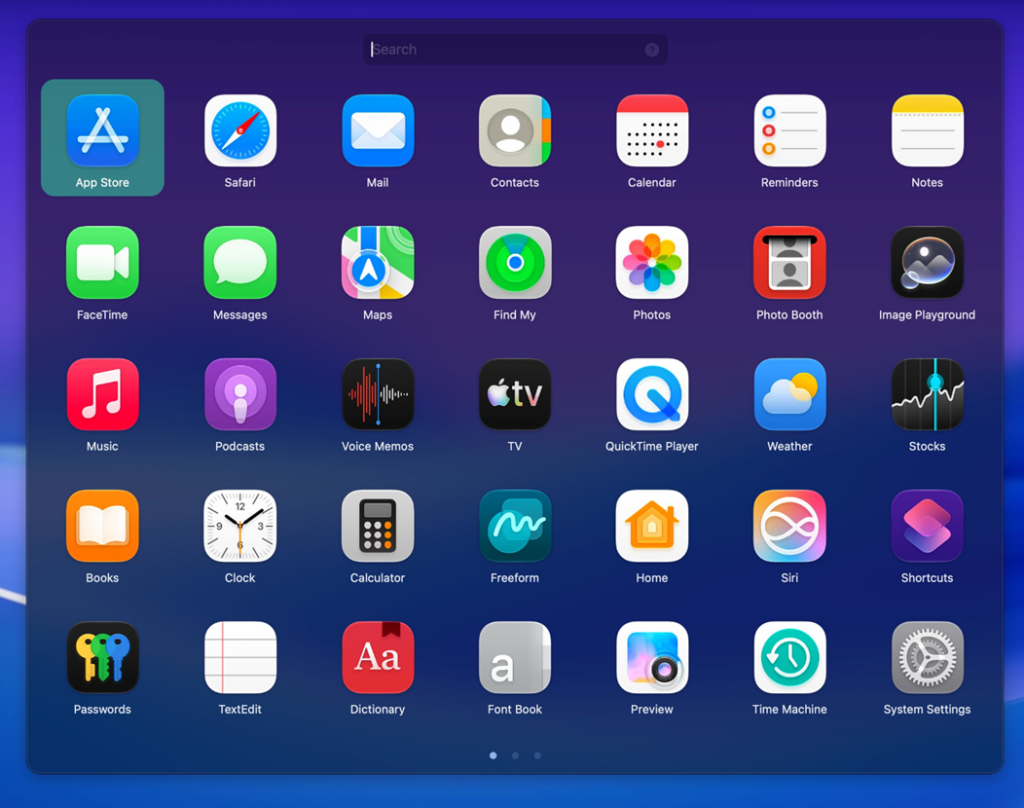
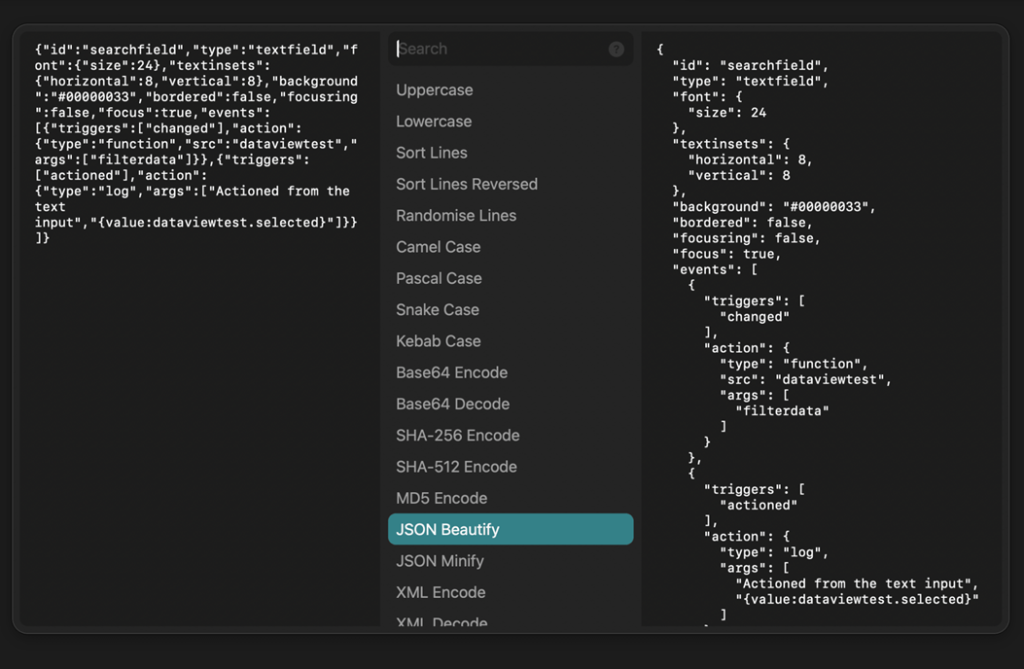
Textual content transformer: With this, the customers can place supply textual content on one aspect, examine remodeled output on the opposite and make chain changes and ship the ultimate consequence straight to the clipboard or energetic app.
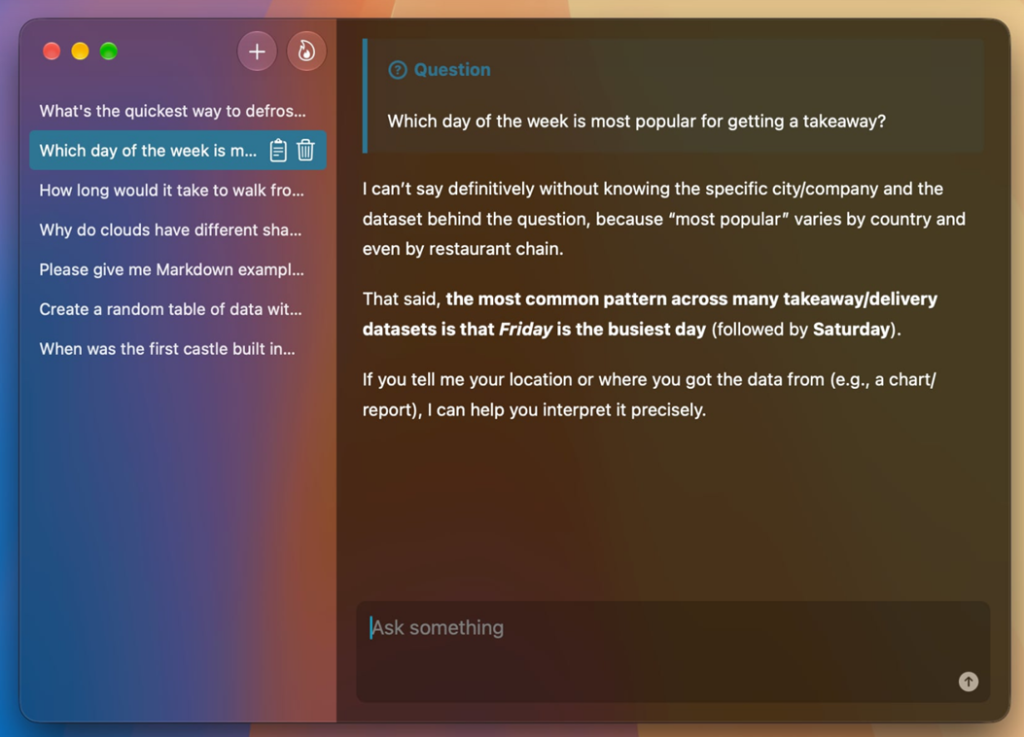
Mind outsourcing: This is without doubt one of the most floor breaking options. It retains AI versatile and elective for the customers. As a substitute of locking customers right into a single hosted help, it lets you select your most well-liked LLM and even carry your individual API key.
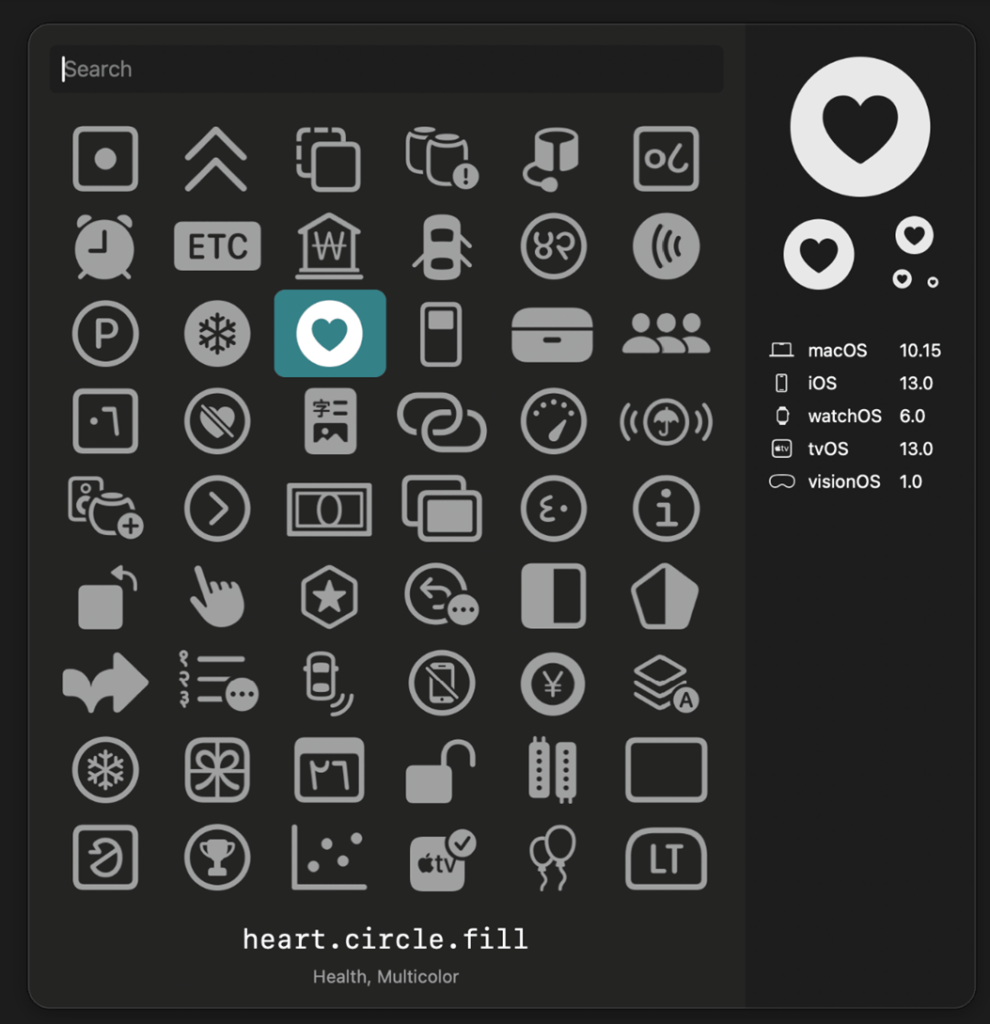
SF symbols browser: With entry to a devoted native interface, designers and builders can now select their most well-liked SF symbols.
Neighborhood Momentum on the Alfred Gallery
With the Alfred ecosystem, some of the vital elements of it has been the group of makes. Our workflow creators, following the launch of Alfred UI, are already constructing customized instruments. This consists of timers, internet testers, and so on. If you’re somebody that prefers putting in polished instruments as an alternative of constructing from scratch, the Alfred UI is shortly turning into a hub for richer and purpose-built utilities.
Velocity on macOS 27 and Beneath-the-Hood Refinements
One of many main wants in a productiveness launcher lies in its responsiveness. So, when creating and launching Alfred 6, our precedence was pace and stability.
The file search in macOS 27 is a type of options that runs remarkably quick and retains the file retrieval course of snappy, even in case you are looking by way of a big listing.
Beneath the floor, the next options of Alfred 6 are additionally value noting:
1. Refreshed preferences for macOS 27
In Alfred 6, the preferences have been up to date, each visually and structurally for macOS 27. It’s additional paired with full Mild Mode help, together with an insane Workflow Editor and expanded Accessibility help.
2. New built-in themes and fallback searches for everybody
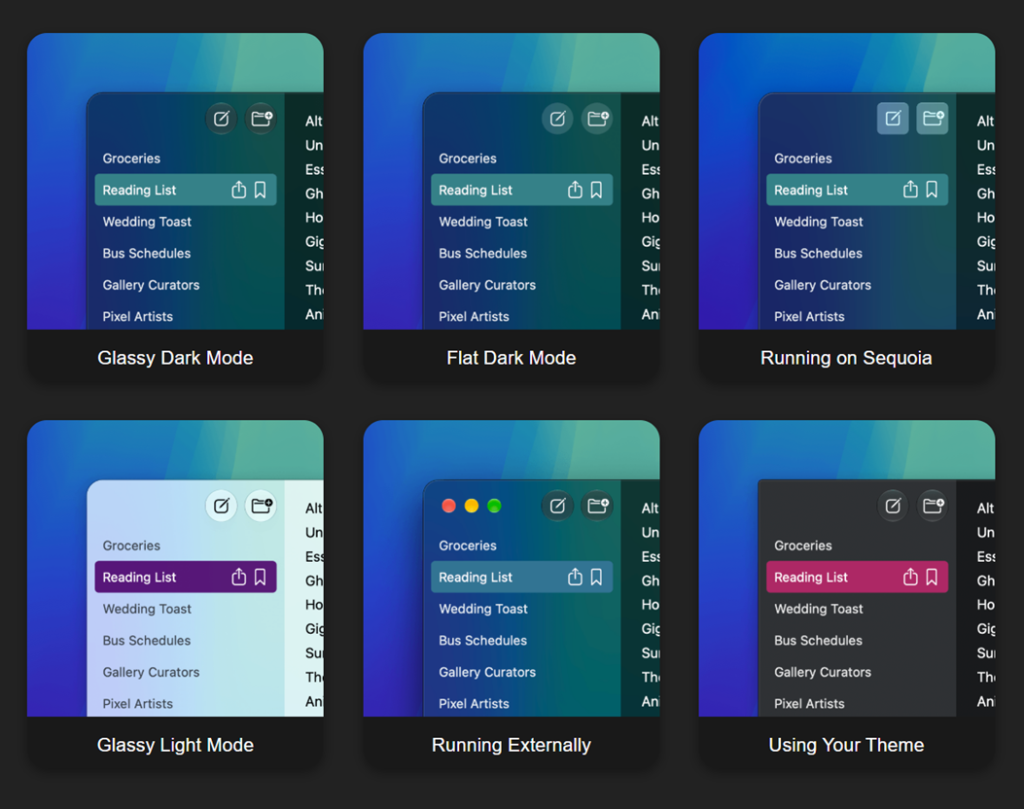
Free customers now achieve entry to a number of latest themes and the power to customise fallback search outcomes. This ensures that the launcher, at its core, is much more adaptable.
3. Refined markdown rendering
There’s improved markdown parsing throughout Alfred, together with help for Markdown tables. This may make the wealthy textual content output and documentation course of lots simpler.
4. Searchable automation duties
Alfred 6 has greater than 230 Automation duties built-in into the interface. The built-in search possibility makes it simpler for customers to search out the precise constructing block.
5. Broad macOS compatibility
Whereas tuned for macOS 27, Alfred 6 maintains help again to macOS 12+ so customers on supported older techniques aren’t left behind.
On a regular basis High quality-of-Life Upgrades
There is no such thing as a doubt that Alfred UI grabs the highlight. Nevertheless, Alfred 6 brings alongside a number of different sensible refinements that enhance day by day workflow.
Searchable, Persistent Question Historical past
Alfred 6 expands question historical past with in-memory recall of as much as 200 gadgets, enables you to search earlier queries by typing !, adopted by a part of what you entered, and gives elective on-disk persistence with configurable retention intervals starting from 24 hours as much as three months. If all that you just bear in mind is a key phrase, trying to find your question historical past is now just a few faucets away.
Rebuilt Contacts Search and Integration
Looking for contacts on Alfred 6 is now lots simpler and informative. Because of its optimized inner search engine and make contact with pictures showing immediately within the search outcomes, the method is an entire lot less complicated. It additionally makes it simpler so that you can search for colleagues, purchasers or individuals with comparable names.
Roomier Clipboard Viewer
If you’re somebody that depends lots on clipboard historical past, there’s excellent news. Alfred 6 enables you to view as much as 30 current gadgets without delay within the Clipboard Viewer. Additionally, with the brand new controls, you possibly can modify seen merchandise counts and preview textual content sizes in each the Clipboard Historical past and Snippets viewers.
Function Comparability: Alfred 5 vs. Alfred 6
Coming round to crucial half, “What’s higher in Alfred 6? Why must you make investments and improve from Alfred 5?”
Nicely, right here’s a side-by-side comparability:
| Space | Alfred 5 | Alfred 6 |
| Workflow Interfaces | Workflow Editor, Prefabs, Person Configuration, and Automation Duties | Provides Alfred UI Toolkit (JSON-based, event-driven native macOS UI inside or outdoors Alfred) |
| Question Historical past | Up-arrow recall of current queries | Searchable historical past by way of ! prefix, as much as 200 in-memory gadgets, elective disk storage (24 hrs to three months) |
| Contacts | Customary contact search and Powerpack viewer | Rebuilt quick inner search, contact pictures in default outcomes, plus new contact workflow objects |
| Clipboard Viewer | Compact checklist view of current clipboard clips | Exhibits as much as 30 gadgets without delay, with adjustable depend/preview textual content measurement and higher Messages copy help |
| macOS 27 & File Search | Pre-macOS 27 period optimizations | Tailor-made for macOS 27 with full Mild Mode in Workflow Editor and quick file search |
| Free Tier Extras | Core launcher, internet search, calculator, dictionary, system instructions | Provides new built-in themes and customizable fallback searches for all customers |
Licensing, Pricing, and Who Ought to Improve
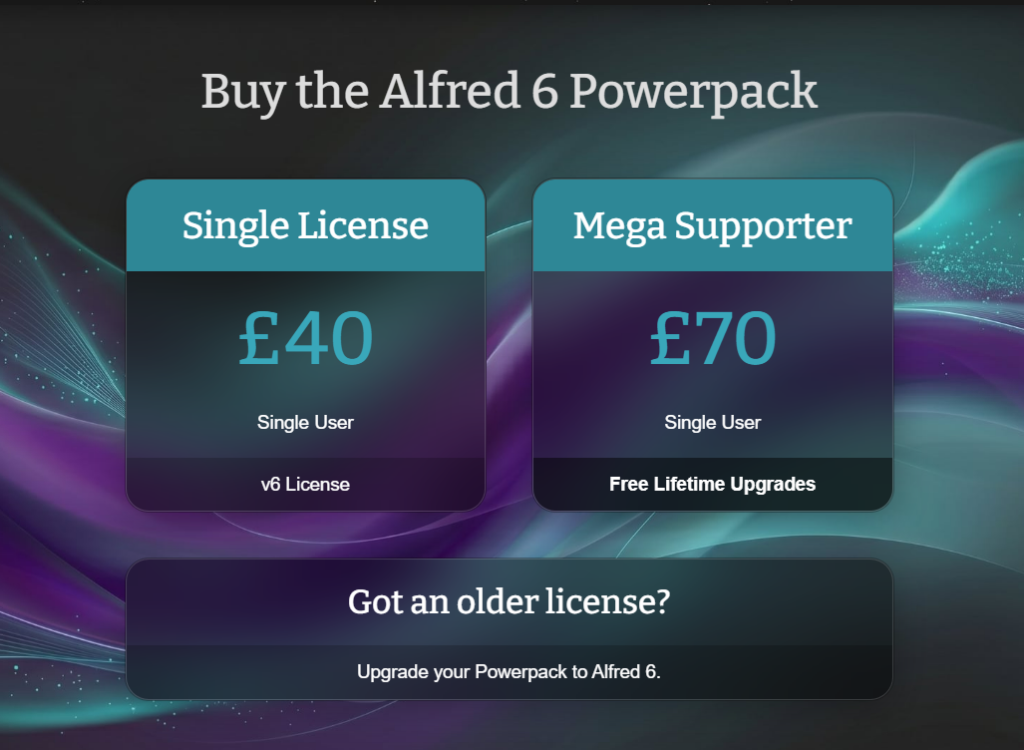
All of us are collectively bored with the recurring month-to-month subscription charges, proper? This is without doubt one of the explanation why Alfred 6 is value trying into. We provide easy licensing and the Powerpack choices in Alfred 6 embrace:
- Free Model: Covers core launching, internet search, calculator, dictionary, system instructions, and now new built-in themes and customizable fallback searches.
- Alfred 6 Single License (£40): Single-user license for model 6.
- Mega Supporter License (£70): Single-user license that features free lifetime upgrades.
If you’re an present Powerpack proprietor, there’s a discounted improve pricing obtainable. That is solely relevant when you maintain an earlier Powerpack license and need to transfer to Alfred 6.
Do you have to improve?
Now, the query of the hour. There’s little doubt that Alfred 6 gives a few of the most superb options wanted in a productiveness launcher. Nevertheless, must you improve? Is it definitely worth the cash?
Take into account the following tips when considering of upgrading:
- When you depend on Alfred for day by day workflows, clipboard historical past or file search, upgrading to Alfred 6 is 100% justified. With upgraded options like Textual content Transformer and different upcoming group instruments, will probably be a worthy transfer.
- It is best to think about investing in a Mega Supporter pack if Alfred is a everlasting fixture in your Mac. As a substitute of desirous to pay for each model improve, you possibly can pay a one-time payment.
For the customers that launch an app often or don’t have a lot use of clipboard snippets or workflows, follow the free model or don’t think about upgrading to Alfred 6.
Last Verdict
Alfred 6 doesn’t attempt to reinvent what made Alfred nice. As a substitute, it doubles down on it. Crucial issue in regards to the newest model is that it retains the app lean, native and quick all whereas introducing developments just like the Alfred UI toolkit. You get to expertise critical workflow energy in your Mac with out the load of a bloated software program. Briefly, Alfred 6 is a great and reliable step ahead.

